You did not buy a Pixel to spend your day hunting for a charger. But for a lot of Pixel owners right now, that is exactly the situation.
The problem is real, it is widespread, and in many cases, it is not your settings or your habits causing it.
After the March 2026 Pixel Drop update, reports of severe battery drain began surfacing across Reddit, Google’s support forums, and the official Issue Tracker. The April 2026 update did not fix it. As of early May 2026, Google has acknowledged the issue and confirmed its engineering team is investigating, but no patch has been released.
That context matters before you start changing every setting on your phone.
TL;DR: A bug introduced in the March 2026 Pixel update appears to prevent affected devices from entering proper low-power idle states, causing significant battery drain across Pixel 6 through Pixel 10 models. Google is investigating but has not released a fix as of May 2026. In the meantime, some settings changes can reduce the impact, though they will not fully solve a system-level problem.
Why is Google Pixel’s battery draining fast right now
The short version: a firmware bug introduced in the March 2026 Pixel Drop appears to prevent some devices from entering Android’s Doze low-power idle state correctly.
In normal operation, when your Pixel screen turns off and you are not actively using it, Android gradually restricts background activity and puts the CPU into a low-power state. That process, called Doze, is a major reason modern Android phones do not lose significant battery overnight.
The suspected bug creates a persistent process loop that keeps the CPU active even when the device is sitting untouched. Some users have reported noticeable battery drain with the phone in airplane mode, which points directly at a software or baseband-level issue rather than a network or app problem.
A user-submitted diagnosis on Google’s Issue Tracker suggests a GPS or baseband module may be caught in a polling loop, generating continuous hardware interrupts. Google has not confirmed this as the root cause, and the investigation is ongoing.
The April 2026 update did not address battery drain. Its documented fixes covered game crashes on Pixel 10 and Quick Share failures on Pixel 9. Battery behavior was not mentioned in the release notes.
The May 2026 update is the next realistic point where a fix could arrive, though Google has not committed to a timeline.
Nearly 600 comments appeared on a single Issue Tracker thread within ten days of the problem becoming visible, according to Gadget Hacks. The scale of complaints is what prompted Google’s formal acknowledgment on April 14.
Which Pixel models are affected
Reports span the Pixel 6 series through the Pixel 10 lineup, including A-series models. This suggests the bug is at the software level rather than tied to a specific chip generation.
Not every unit in those lineups appears affected identically. Some users report phones dying by mid-afternoon that previously lasted comfortably past 10 p.m. Others report more moderate degradation. The phased rollout of the April update meant symptoms appeared at different times for different users, which contributed to initial confusion about the cause.
If your Pixel’s battery life degraded noticeably after a March or April 2026 update and your usage habits have not changed, this bug is the most likely explanation.
What you can do while waiting for a fix
The honest position here: if your Pixel is affected by the system-level bug, no settings change will fully restore your previous battery life. The underlying process loop is outside user control. What these steps can do is reduce unnecessary additional drain on top of the existing issue.
Check what is actually consuming battery
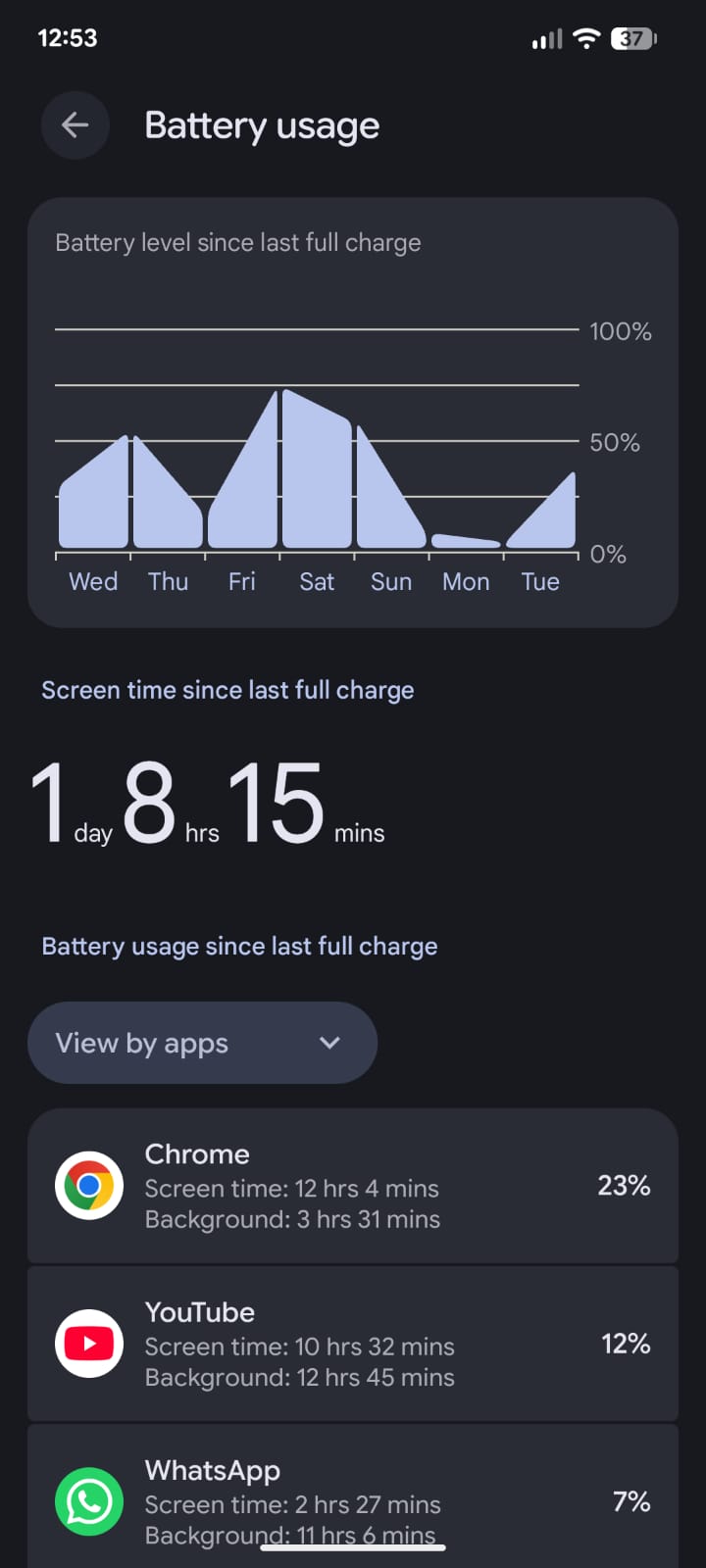
Go to Settings, then Battery, then Battery Usage. Look for apps with high background consumption relative to how much you actually use them.
Set heavy background offenders to Restricted under their individual app battery settings. This does not fix the idle drain caused by the bug, but it eliminates avoidable losses on top of it.
Turn off Always-On Display
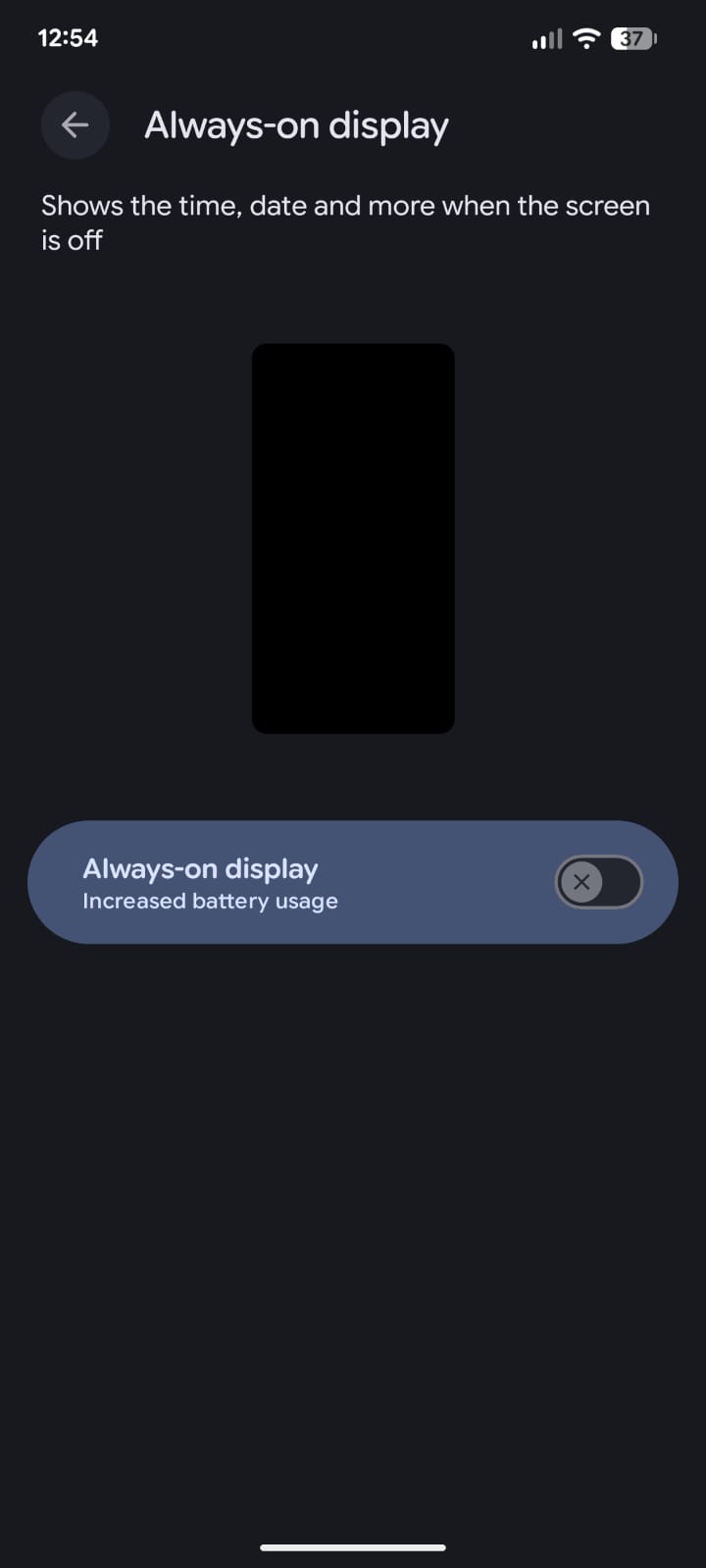
Always-On Display keeps a portion of the screen active continuously. Under the current bug conditions, where idle power is already elevated, AOD adds meaningful drain on top of an already leaky baseline.
Settings, then Display, then Lock screen, then Always show time and info. Turn it off temporarily until a fix arrives.
Reduce screen brightness and timeout
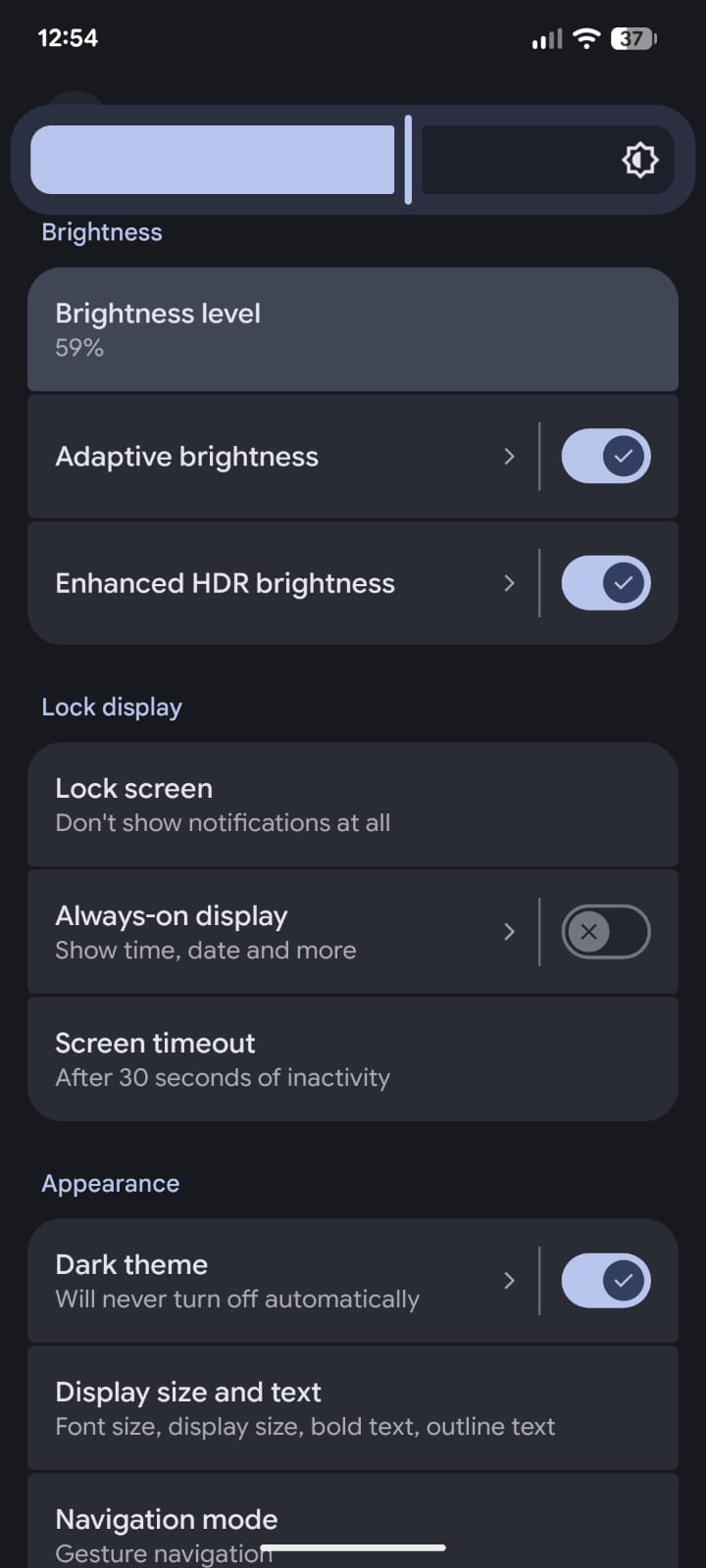
Your display is the largest single battery consumer under normal circumstances. Enable Adaptive brightness, reduce your screen timeout to 30 seconds or one minute, and consider switching to Dark mode if you use apps that support it.
Switch from 5G to LTE in weak signal areas
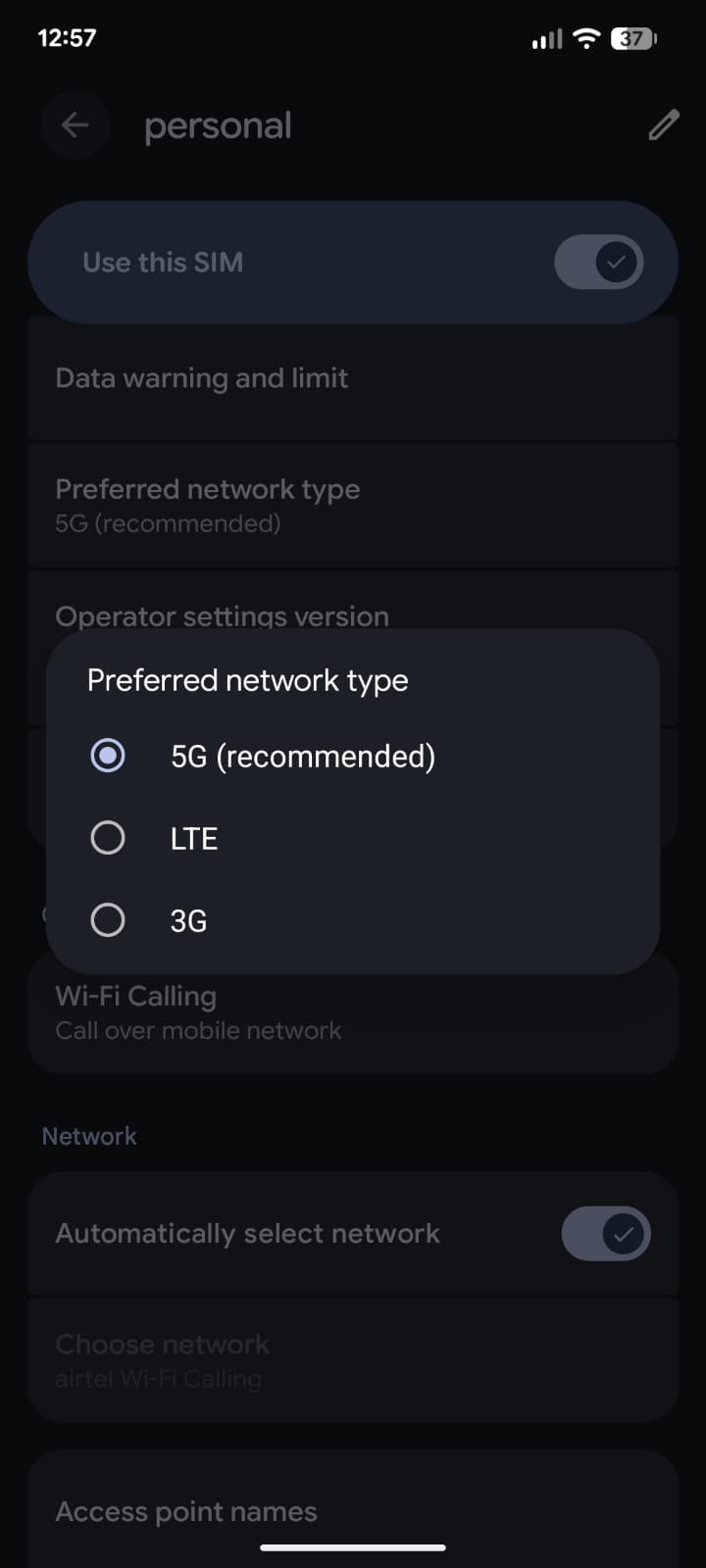
A phone constantly searching for a 5G signal it cannot hold properly burns through battery quickly. If you are in an area with inconsistent 5G coverage, switching your preferred network to LTE under Settings, Network and internet, SIMs can help noticeably.
Enable Adaptive Battery
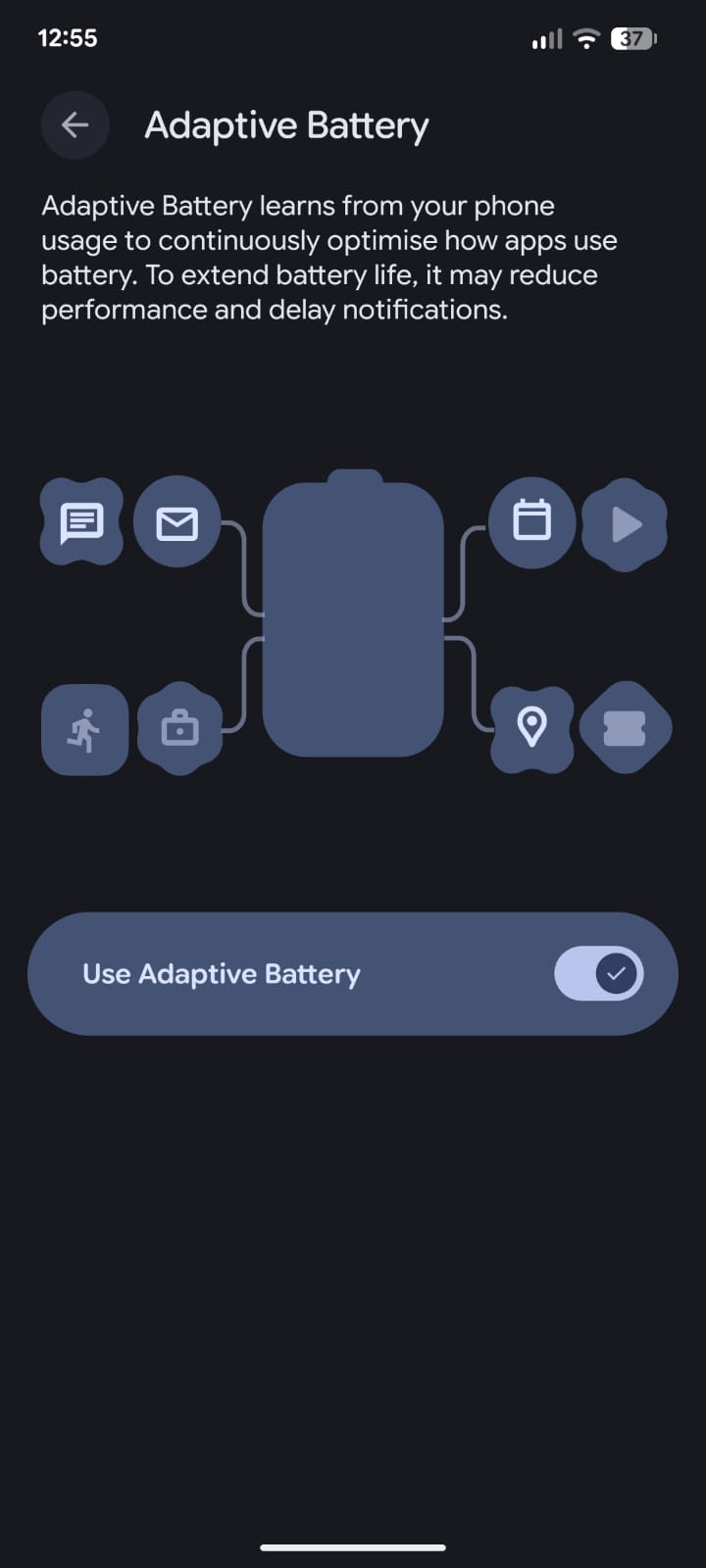
Settings, then Battery, then Adaptive Battery. If it is not already on, enable it. This feature learns your usage patterns and limits background activity for apps you rarely use. It takes a few days to calibrate, so do not expect immediate results.
The broader reality of Pixel battery behavior is that software has always had an outsized effect on real-world performance, more so than on most other Android phones. This bug is an extreme version of that pattern.
Restart the device after updates
After any system update, a fresh restart allows Android to complete background optimization. This is not a fix for the current bug, but it is a useful baseline step before drawing conclusions about whether your unit is affected.
Use Battery Saver and Extreme Battery Saver strategically
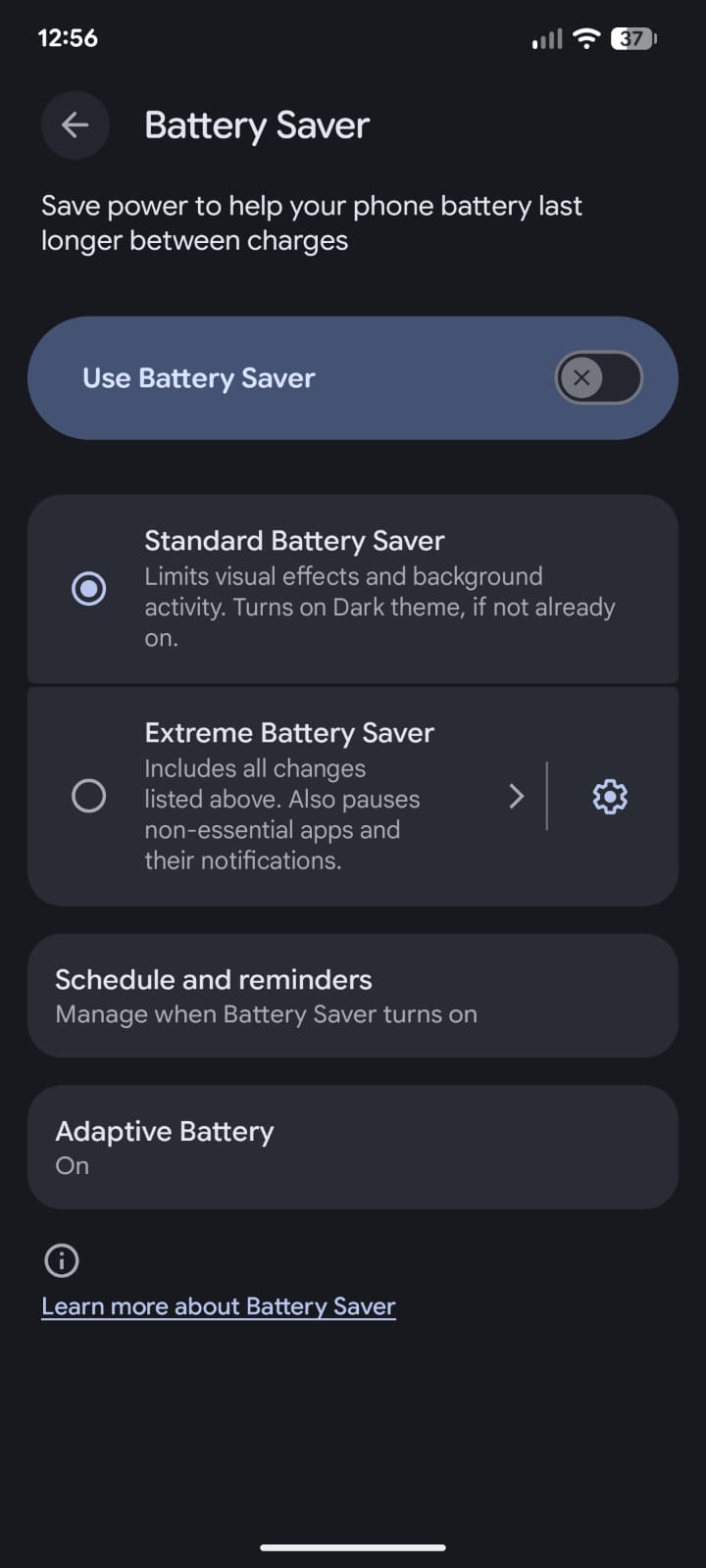
Battery Saver reduces background activity and limits some features. Extreme Battery Saver goes further, restricting most background processes and limiting available apps. Neither resolves the root cause, but Extreme Battery Saver in particular can meaningfully extend how long your phone survives on a charge when the drain is severe.
Access both under Settings, then Battery.
Avoid keeping the phone at 100% continuously
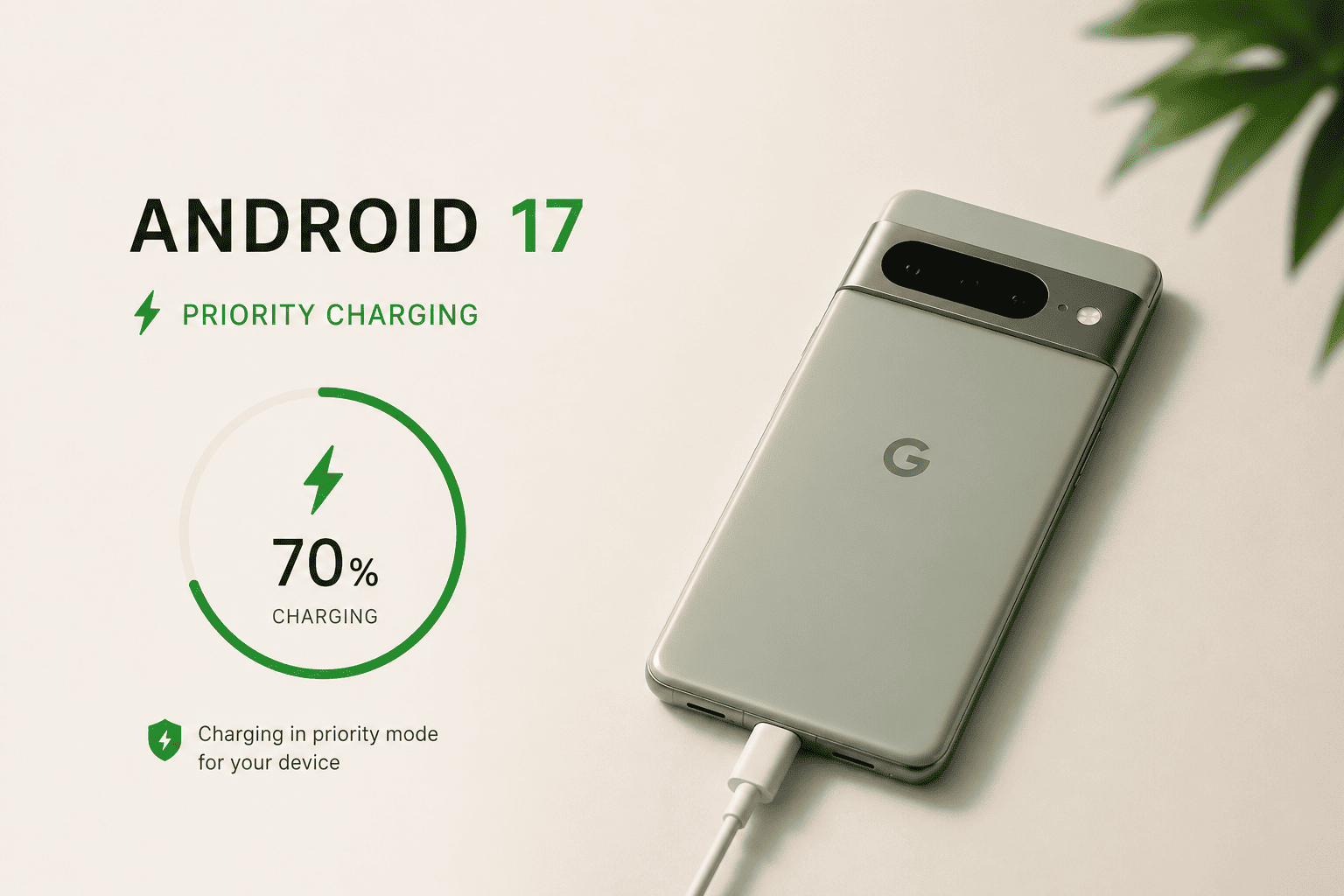
This is more of a long-term health point than a fix for the current issue. Adaptive Charging, available under Settings, Battery, Adaptive Charging, prevents the phone from holding a full charge for extended periods overnight. Features like priority charging in Android 17 further refine how your Pixel manages charging behavior.
Given the battery stress some users are experiencing from frequent recharges caused by the drain, protecting long-term capacity where possible makes sense. For more on why Pixel charging works the way it does, including why speed is deliberately limited, there is more detail in a separate explainer.
How to Know If Your Drain Is Bug-Related or Something Else
Not all Pixel battery complaints since March trace back to this specific bug. Normal causes, including background app activity, high brightness, weak network signals, and the post-update re-indexing period, can all contribute independently.
The clearest indicator of the system bug is idle drain: battery percentage dropping steadily when the phone is sitting untouched, screen off, with minimal or no active apps.
If your phone also runs warmer than usual during idle periods, that reinforces the likelihood of abnormal CPU activity. Drain that persists even in airplane mode, as some users have reported, is a strong signal that the problem is at the firmware or baseband level, not in your installed apps.
If the drain started specifically after a March or April 2026 update and was not present before, the timing is significant. If it has been happening for months with no clear update trigger, the causes are more likely to be app-related and the standard troubleshooting steps are more likely to help fully.
If you are also running into charging issues alongside the drain, those may be separate problems worth addressing individually.
What Google Has Said and What Comes Next
Google formally acknowledged the issue on April 14, 2026 via its Issue Tracker and confirmed that product and engineering teams are investigating. No root cause has been publicly confirmed, and no patch has shipped.
The May 2026 Pixel security update is the next realistic window for a fix. Whether it arrives then or carries into June, which is expected to bring the first stable Android 17 release, depends on how quickly Google’s team can isolate and patch the cause.
If you are affected, the most useful action is to star the relevant Issue Tracker thread so Google’s team can see the scale of impact. Beyond that, the settings adjustments above offer partial relief while the investigation continues.
Pixel updates have broken battery behavior before. There was a similar round of complaints in May 2025, and a Pixel 10 Pro Fold bug caused drain issues in October 2025, per Android Central.
The pattern is frustrating but not unprecedented. The fix, when it arrives, typically restores things fully. For now, the practical advice is to carry a power bank, reduce screen-on drain where possible, and check the May update release notes carefully for any mention of battery, idle power, or CPU wake-lock fixes.
FAQ
Is the Pixel battery drain issue fixed in the April 2026 update?
No. The April 2026 Pixel update did not address the battery drain bug. Google acknowledged the issue on April 14 but has not released a fix as of early May 2026.
Which Pixel models are affected by the March 2026 battery drain bug?
Reports cover Pixel 6 through Pixel 10, including A-series variants, suggesting the issue is software-level rather than tied to a specific hardware generation.
Why is my Pixel battery draining even in airplane mode?
Some users affected by the March-April 2026 bug have reported drain continuing in airplane mode, which points to a firmware or baseband-level issue rather than network or app activity.
Will the May 2026 Pixel update fix the battery drain?
The May 2026 update is the next realistic point where a fix could arrive, though Google has not confirmed a timeline. Check the release notes for any mention of battery, idle power, or CPU wake-lock fixes.
What can I do to reduce Pixel battery drain while waiting for a fix?
Turn off Always-On Display, restrict background apps via Settings then Battery then Battery Usage, switch from 5G to LTE in weak signal areas, and use Extreme Battery Saver when drain is severe. These steps reduce additional losses but will not fully resolve a system-level bug.