Years ago, I installed a flashlight app on Android. It asked for contacts, location, and storage. I tapped ”Allow” without reading a word.
That moment stuck with me, not because I was naive, but because the phone made it so easy to just say yes.
On an iPhone, that same situation plays out differently.
The prompts are stricter. The defaults are tighter. And more importantly, the system seems to be questioning the app rather than trusting it out of habit.
I noticed this again recently while helping a friend set up a new iPhone.
Before downloading an app, the App Store showed exactly what data it collects. No hunting through settings after the fact. No surprises two weeks later. Just upfront information before you commit.
That is the gap in a sentence: Android gives you tools to manage your security. iPhone removes a lot of the risk before you ever have to think about it.
TL;DR: iPhone has several security features that Android either lacks entirely or handles less consistently, including App Tracking Transparency, Privacy Nutrition Labels, Lockdown Mode, and Stolen Device Protection. Some of these are genuinely difficult to replicate on Android without third-party apps or deep settings knowledge. Android is improving, but the defaults still put more responsibility on the user.
App tracking transparency: The permission Android never built
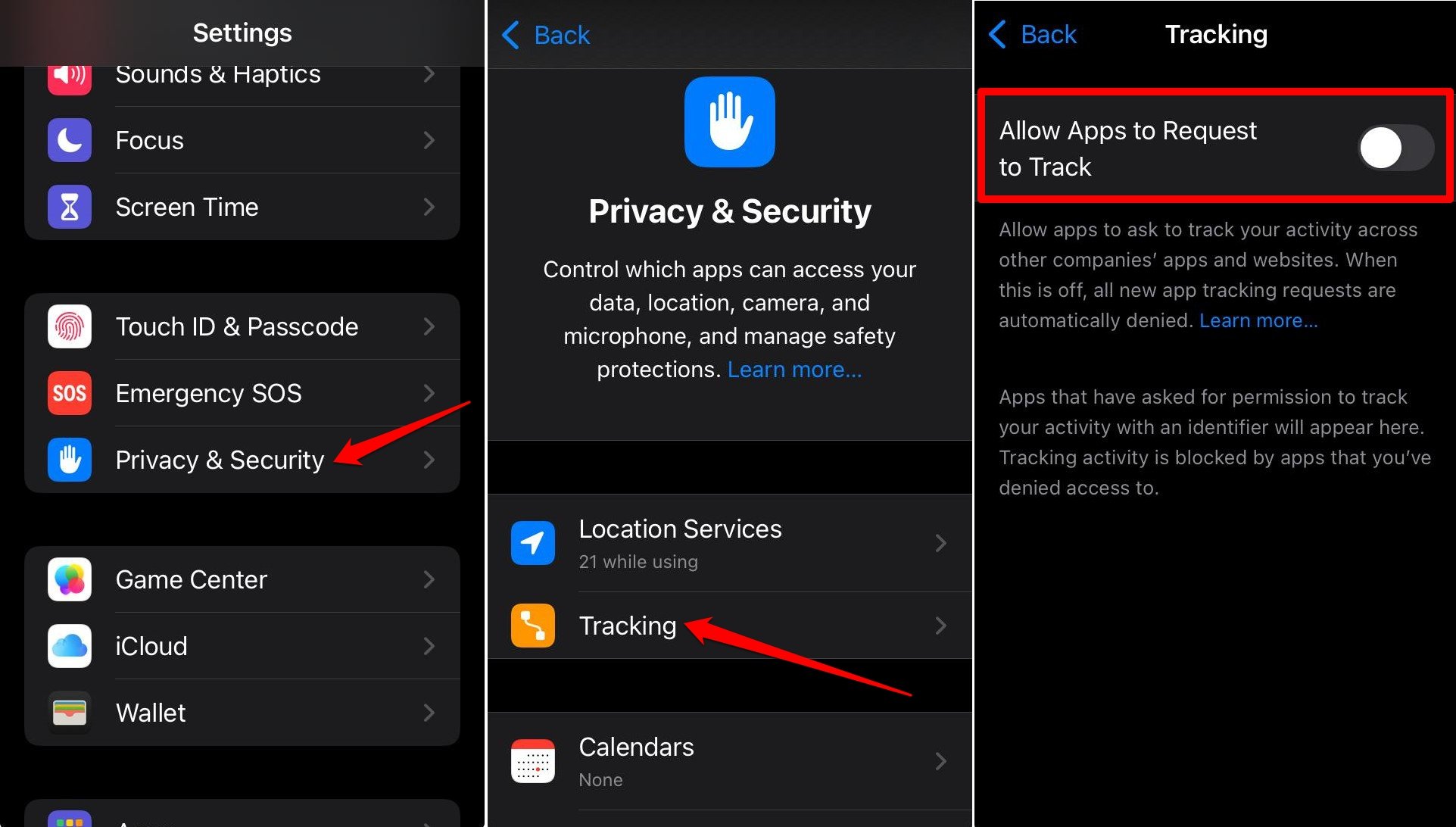
App Tracking Transparency, or ATT, arrived on iOS 14.5 in 2021.
The premise is simple: if an app wants to track your behavior across other apps and websites, it has to ask you first.
It won’t bury the option in a settings menu or assume the user’s consent. It asks, with a clear prompt, before any tracking begins.
Android has no system-level equivalent.
Individual apps can be configured, and Google does offer some ad personalization controls, but there is no single mandatory prompt that puts cross-app tracking in front of every user before it happens.
The difference in practice is significant. On iOS, tracking becomes a visible decision you make. On Android, it is something that often happens without you realizing it is happening at all.
Privacy Nutrition Labels: Knowing before you download
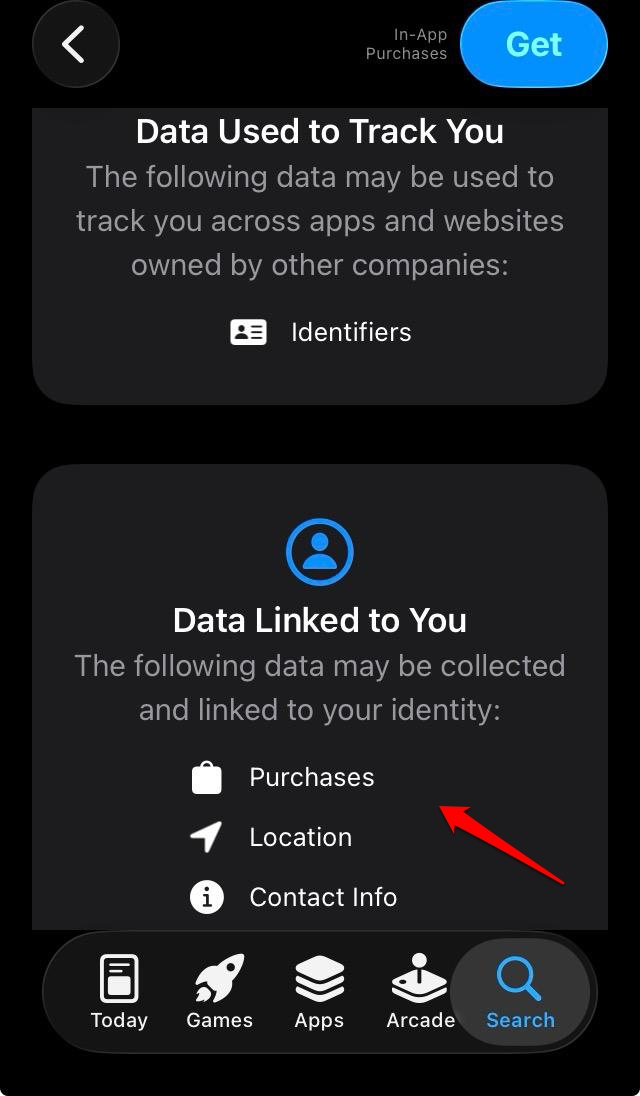
Apple introduced Privacy Nutrition Labels to the App Store in late 2020.
Every app listing now shows what data it collects, what it links to your identity, and what it uses for tracking, all before you tap download.
The first time I actually read one carefully, I closed the app page and never installed it.
That kind of pre-install transparency changes behavior in a way that post-install permission settings never quite manage.
Google Play has a Data Safety section that works on a similar principle, but enforcement and consistency have been a persistent problem.
According to a recent study by Mozilla Foundation, apps on the Play Store sometimes self-report data practices inaccurately.
On Android, there is no equivalent verification pressure that Apple implements during its review process.
It is not that the information is unavailable on Android. It is that the format, placement, and reliability of that information make it easier to ignore.
Lockdown Mode: A feature most people will never use
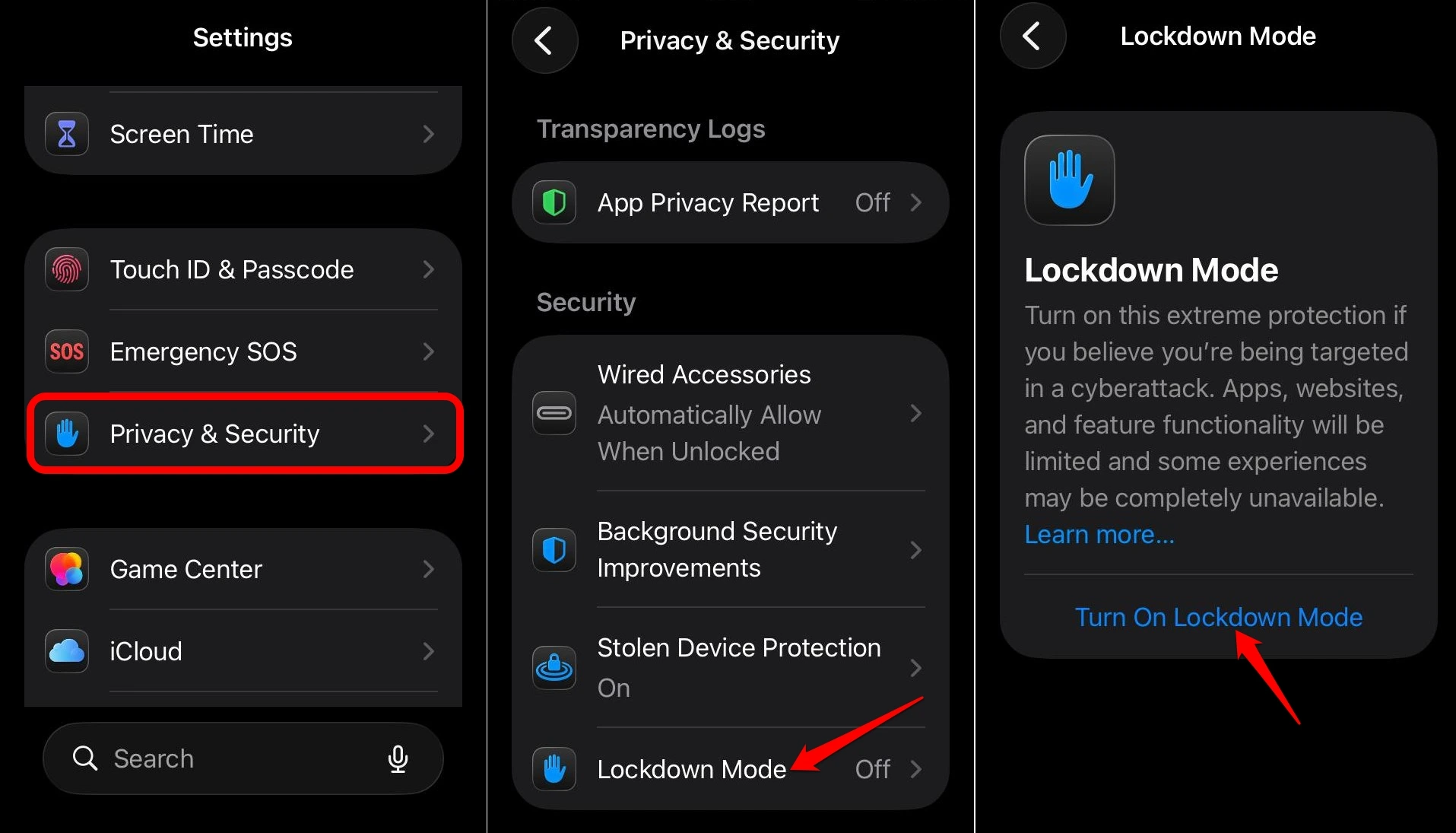
Lockdown Mode, introduced in iOS 16, is extreme by design.
When enabled, it restricts message attachment types, disables certain web technologies, blocks wired connections to unknown accessories, and prevents unknown FaceTime callers from reaching you.
Apple built it specifically for people at risk of targeted spyware attacks, journalists, activists, executives, and anyone whose phone might be worth a serious effort to compromise.
There is no Android equivalent. Pixel phones have a similar concept called advanced protection mode, and Samsung offers Knox security on its devices, but neither matches Lockdown Mode in scope or execution.
Lockdown Mode does not just add a layer. It actively reduces the attack surface of the device, limiting what even a sophisticated attacker can exploit.
The majority of people will never turn it on. That is not the point. The point is that Apple built it, shipped it to every compatible iPhone, and made it a one-tap option.
The thinking behind advanced iOS features like these reflects a security philosophy that Android has not matched at the platform level.
Stolen Device Protection: Designed for how theft actually happens
Here is a scenario that became increasingly common before Apple addressed it: someone watches you unlock your phone in public, then grabs it and runs.
They already have your passcode. Within minutes, they can change your Apple ID password, disable Find My, and lock you out of your account permanently.
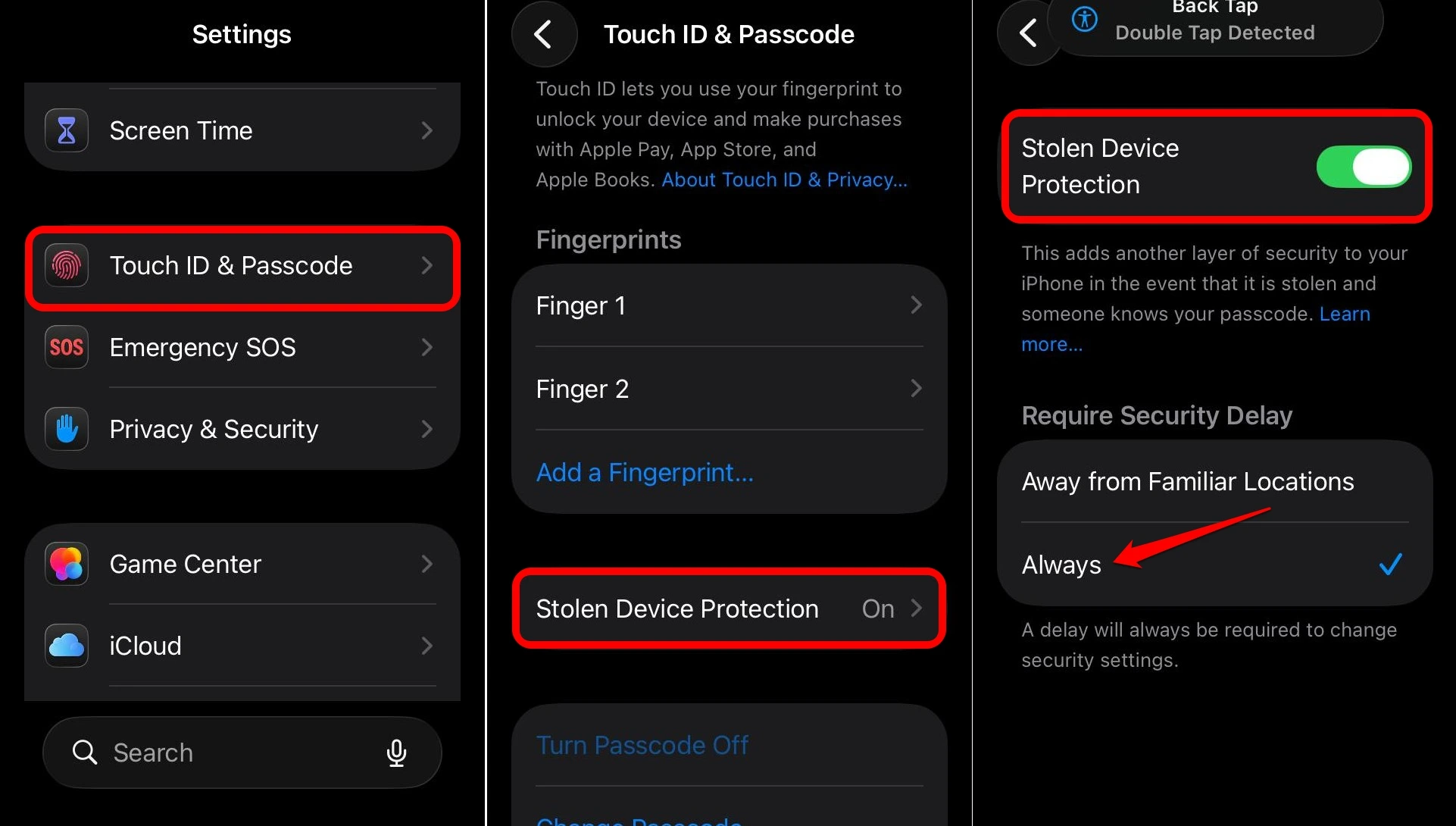
Stolen Device Protection, which Apple added in iOS 17.3, closes that gap directly.
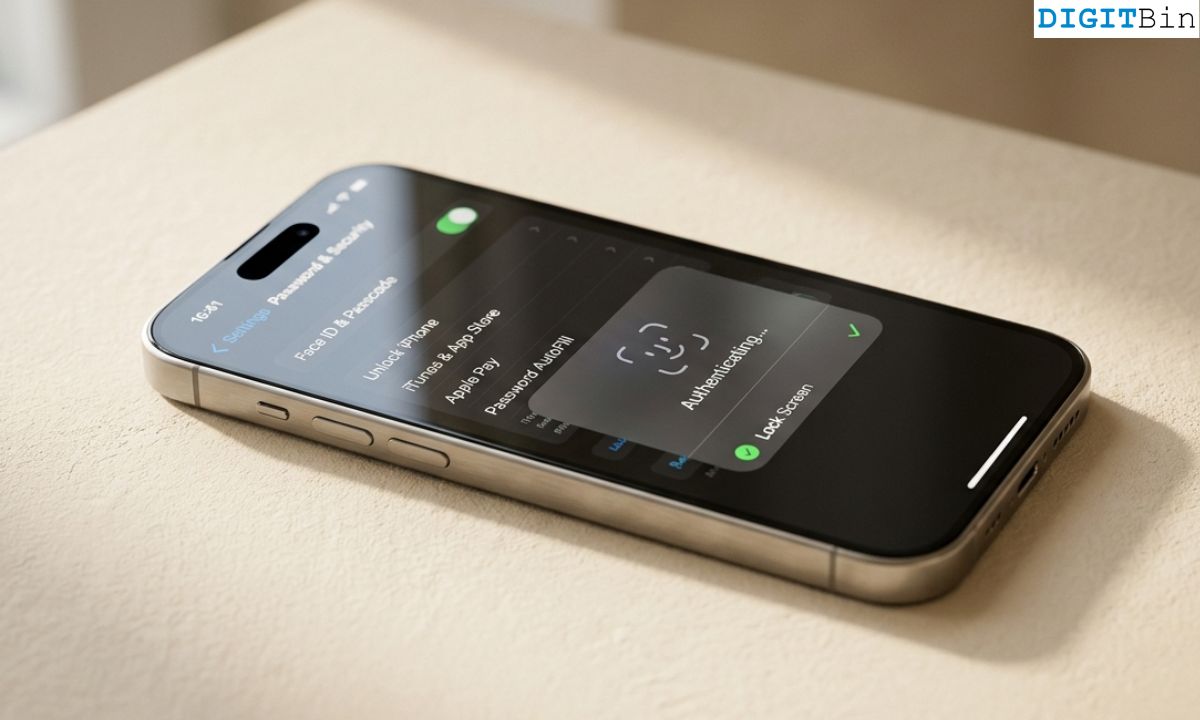
When enabled and when your phone is away from familiar locations, sensitive actions like changing your Apple ID password require Face ID or Touch ID, not just a passcode.
And even after biometric verification, a one-hour security delay kicks in before the change goes through.
That delay is not an accident. It is calibrated to the real-world theft timeline. By the time the hour is up, most people have already used another device to lock or wipe their phone remotely.
Android has theft protection features too, and Google has added AI-based theft detection to Android 10 and later builds that can automatically lock the screen if it detects a sudden snatch motion. That is useful.
But the combination of biometric gating plus enforced delays on account-level changes is something Android has not replicated in a consistent, platform-wide way.
You can read more about the broader gap between these platforms in this piece on iPhone features Android still does not have.
The Secure Enclave: Security below the OS
The Secure Enclave is a separate processor built into every iPhone since the iPhone 5s.
It handles Face ID data, Touch ID templates, encryption keys, and Apple Pay credentials.
The keyword in this concept is the separation of elements. Even if the main operating system is compromised, the Secure Enclave keeps those sensitive elements isolated.
An attacker who breaks into iOS still cannot reach the biometric data or the encryption keys it protects.
Android phones have varying implementations of hardware security.
Google Pixel phones include a Titan M2 chip that handles similar functions, and Samsung uses its own secure enclave architecture.
As Android runs on hundreds of hardware configurations from dozens of manufacturers, the baseline is inconsistent.
A budget Android phone bought in 2024 may have no dedicated security chip at all.
App Store review and the friction that protects you
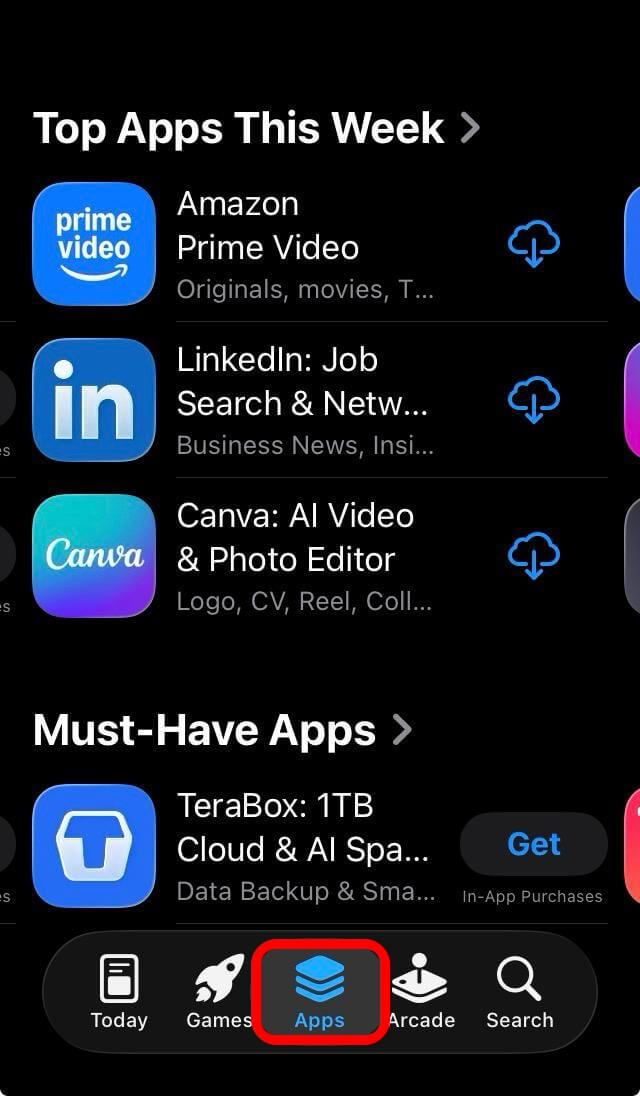
Apple’s App Store review process is slower, stricter, and more opaque than Google Play. Developers complain about it regularly. Users rarely think about it.
But that friction has a function. It makes it harder for malicious or aggressively tracking apps to reach users in the first place.
This does not mean the App Store is perfect. Scam apps slip through. Subscription traps exist.
But the volume of outright malware, data-harvesting spyware, and apps impersonating legitimate software is meaningfully lower on iOS than on Android, where sideloading and looser review standards have historically made the platform a more accessible target.
Android has improved significantly here, and Google Play Protect now scans installed apps regularly.
Still, the structural difference in how apps enter both the smartphone OS ecosystem remains a real security variable, especially for users who are not paying close attention.
Biometric gates on sensitive actions
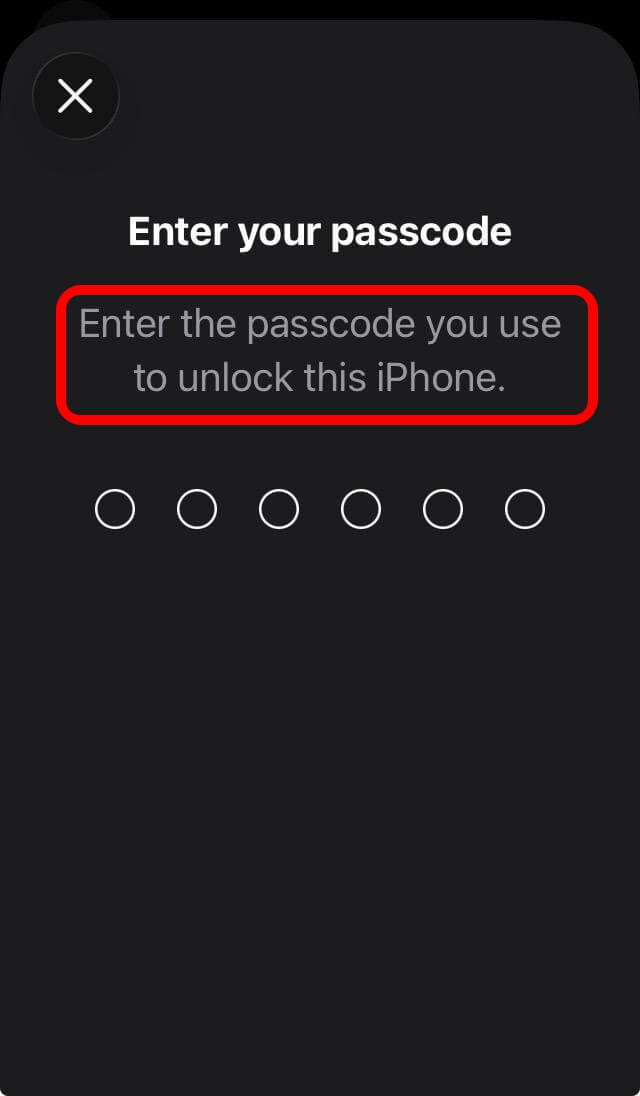
On an iPhone, certain actions simply will not proceed on a passcode alone.
Viewing saved passwords, authorizing payments, accessing specific app sections, and making account-level changes all require Face ID or Touch ID in the right contexts.
This matters in the shoulder-surfing scenario described above, but it also matters in quieter situations. If someone borrows your phone to make a call and starts exploring, biometric gates mean there are doors they cannot open.
Android has fingerprint and face unlock options, but applying them consistently as gates on specific in-app actions depends entirely on developers choosing to implement them.
Android OS does not enforce it the way iOS does at the system level.
OTP auto-deletion: A small detail that adds up
iPhone and Android both autofill one-time verification codes from Messages.
iOS goes one step further: it can automatically delete those SMS messages after the code has been used.
It might seem like a small thing. But your message inbox carries more sensitive residue than most people realize. Old OTPs, login links, verification codes from months ago.
Anything that auto-cleans that data after it has served its purpose is a net improvement in baseline hygiene.
Android 17 is adding security improvements of its own, including mandatory certificate transparency and restricted local network access by default. You can follow those developments in the Android 17 beta coverage.
Progress is real. But the OTP cleanup detail, along with dozens of similar small decisions, reflects something broader about how Apple approaches security defaults versus Android.
The real difference is the default
Android is not insecure. That framing is too blunt and too convenient. A Pixel 9 running Android 15 with Google Play Protect active is a genuinely secure device.
The gap is in the defaults, and in who carries the responsibility for security decisions.
iPhone defaults assume apps should not be trusted automatically. They assume users should not have to dig through settings to get reasonable protection.
The iOS ecosystem believes security should be something that happens to you, not something you manage.
Android defaults have historically assumed more user intent. Permission management, tracking controls, data isolation: these tools exist, but finding them often requires knowing where to look.
Most people do not know where to look. That is not a criticism of Android users. It is a design reality that security researchers have observed for years.
If you rely on an Android device and want to tighten its security posture, the best security apps for Android can help fill some of the gaps that system defaults leave open.
Apple’s approach is more paternalistic when it comes to iPhone security features. That has real costs, including flexibility, developer freedom, and user autonomy.
But from a pure security outcome standpoint, especially for users who are not thinking about security at all, the paternalistic defaults win most of the time.
Frequently asked questions
Does Android have anything like App Tracking Transparency?
Not at the system level. Android offers ad personalization controls and some per-app tracking settings, but there is no mandatory prompt that requires apps to ask permission before tracking across other apps and websites, the way ATT does on iOS.
Is iPhone more secure than Android?
For most users, yes, in practice. The combination of consistent hardware security, stricter app review, better default permissions, and features like Lockdown Mode and Stolen Device Protection gives iOS a structural security advantage, though flagship Android devices like the Pixel 9 are competitive.
What is Lockdown Mode and do I need it?
Lockdown Mode is an iOS feature that severely restricts phone functionality to reduce the attack surface against advanced spyware. It is designed for journalists, activists, executives, and others at high risk of targeted attacks. Most users will never need it.
Does Android have Stolen Device Protection?
Android has theft protection features including AI-based screen locking triggered by sudden movements, but it does not have a platform-wide equivalent of iOS Stolen Device Protection’s combination of biometric gating and enforced security delays on account changes.
Can I improve Android security without switching to iPhone?
Yes. Enabling Google Play Protect, reviewing app permissions regularly, using a Pixel or recent Samsung flagship for better hardware security, and keeping software updated closes many of the practical gaps. Third-party security apps can help with the rest.