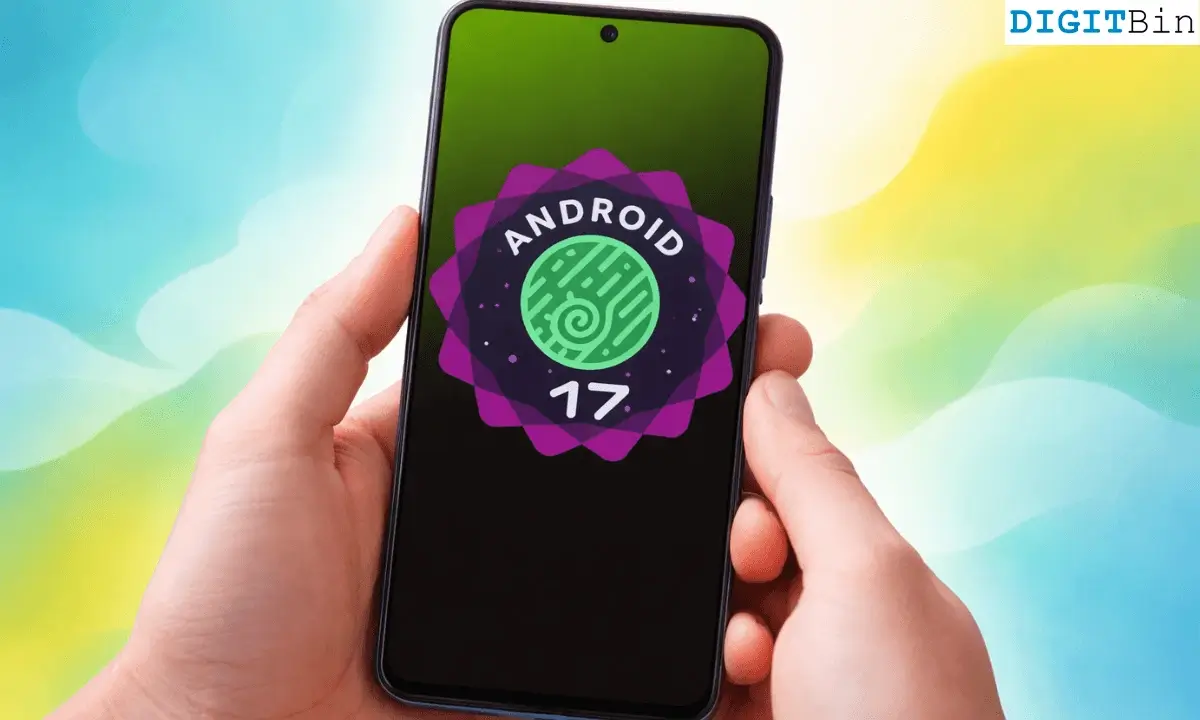
I installed Android 17 Beta on my Pixel the day it dropped, made myself a coffee, and sat down expecting to notice things.
New animations. A redesigned settings screen. Something that made the phone feel different in my hand.
Thirty minutes later, I was genuinely unsure if the update had installed correctly. It had.
Turns out that is just what Android 17 is. Not a dramatic overhaul, not a moment where you go “oh, that’s new” and show someone.
It is a quiet update. A careful one. Now that Beta 4 landed on April 16 as the last scheduled beta before the June 2026 stable release, what you see is essentially what ships.
It looks almost identical to Android 16
The first thing most people will do when Android 17 lands on their phone is swipe around looking for what changed. I did this.
I kept doing it for two days. The home screen looks the same. The notification shade looks the same. The settings menu is in all the same places. It felt intentional.
Google made big visual moves with Android 16 last year, and Android 17 is not trying to match that energy.
The company is consolidating, not redesigning. If you were hoping for a fresh coat of paint, this is the wrong update to get excited about.
What I eventually noticed after a day or two of normal use was that things felt slightly cleaner.
Transitions between apps are marginally smoother. The fingerprint sensor response feels the touch more immediate.
Nothing you could photograph and post. Just a general sense that the phone has been tidied up.
Android 16 vs Android 17
I have rounded up a brief set of differences that set apart Android 16 and Android 17 Beta from each other.
| Category | Android 16 | Android 17 Beta |
|---|---|---|
| UI | Material 3 redesign, bold visuals | Minor refinements, edge-to-edge tweaks |
| Notifications | Smart grouping, summaries | No major changes |
| Multitasking | Desktop mode, taskbar tools | Floating app bubbles |
| Camera | HDR screenshots, Vulkan | RAW14, VVC video |
| Privacy | CT (opt-in) | CT default, network restrictions |
| Connectivity | Auracast, Fast Pair | UWB, cross-device handoff |
| Performance | New ART, adaptive refresh | Memory limits, smoother background use |
| Foldables | Large-screen support (API 36) | Stricter scaling (API 37) |
| Accessibility | Audio + voice improvements | EyeDropper, better dark mode |
| Dev Tools | SDK tweaks | OpenJDK updates, Canary channel |
The small things you eventually notice
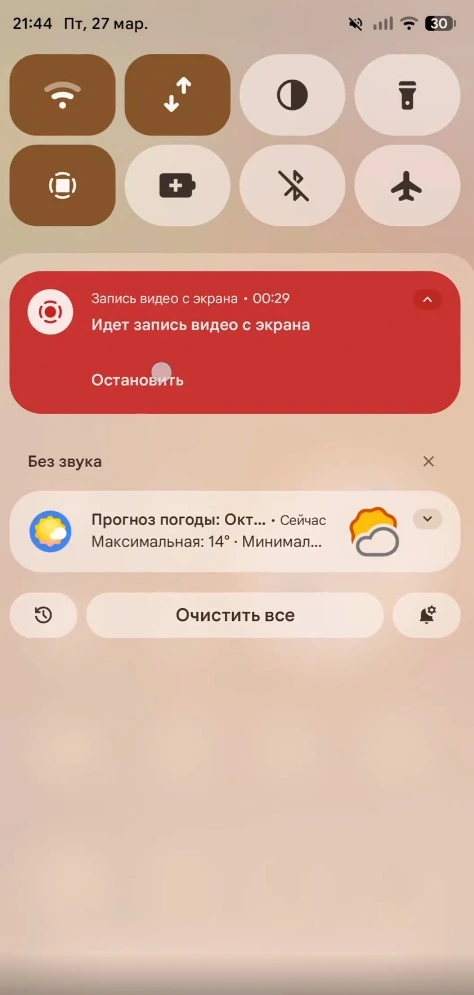
The most visible UI change in Android 17 Beta 4 is a tiny one: the notification panel now says “You’re all caught up” instead of “No notifications.”
That is the most dramatic thing on the surface level.
There are new system icons as well. Transitions animate slightly differently.
The overall impression after a week is that someone went through the OS with a fine-toothed comb and fixed a hundred things that were slightly off.
Not broken, just not quite right. Now they are right, and you only feel it rather than see it.
Google also reversed one of those decisions that made Pixel users sigh.
The unified internet toggle in Quick Settings, which merged Wi-Fi and mobile data into a single button for the last couple of years, is being split back into separate controls.
It is a small thing. It should never have been combined in the first place. Fixing it feels good.
Performance is the real story
This is where Android 17 actually earns its version number, even if it is invisible on the surface.
Beta 4 introduces app memory limits tied to a device’s total RAM.
The goal is to catch apps that are quietly leaking memory before they cause the kind of cascade failure that shows up as stuttering, unexpected app kills, and a battery that drains faster than it should.
Google says the limits are set conservatively for now, targeting extreme outliers rather than squeezing every app.
After a week, the phone feels more predictable. That is the best word for it.
Apps running in the background stay where I left them more reliably. The phone does not feel like it is struggling with something I cannot see.
It is not faster in any way a benchmark would measure, but it is more consistent, and in day-to-day use, that feels like a more meaningful improvement.
There is a difference between a phone that is technically fast and a phone that feels smooth. Android 17 is trying to close the gap on the second thing.
Privacy changes you will never see (but should know about)
Several of the most important changes in Android 17 are completely invisible in normal use, which makes them easy to skip past. They should not be skipped, in my opinion.
Certificate Transparency is now on by default for all apps targeting Android 17.
On Android 16, it required apps to explicitly opt in. This means the system is automatically verifying the digital certificates behind secure connections without you needing to configure anything.
Local network access is now restricted by default. Apps that want to communicate with devices on your home network have to ask for explicit permission.
In practice, this closes a quiet gap where apps could silently scan your network without you ever knowing.
Android 17 Beta 4 also adds post-quantum cryptography support. This protects against attacks from quantum computers that are not a real threat today but will be eventually.
Adding this feature now, before it is urgently needed, is exactly the kind of unsexy long-term thinking that good platform updates do. You will never notice it. It matters anyway.
Cameras, audio, and the stuff enthusiasts will care about
Android 17 adds RAW14 image format support, introduced in Beta 3.
This enables 14-bit per pixel capture, which captures significantly more colour depth and dynamic range than the 10 or 12-bit RAW most phones shoot today.
For a photographer who edits in Lightroom and shoots RAW, this is a genuine upgrade. For everyone else, it changes almost nothing about the photos they actually take.
Background audio behaviour also changes in Android 17. The framework now restricts apps from requesting audio focus or changing volume in the background without active use.
If you have ever had an app hijack your audio while it was sitting in the background, this addresses that. Small fix that genuinely solves an annoying problem.
The bigger picture: Android 17 is built for screens you might not own yet
Spend time with Android 17 Beta, and you start to feel what it is actually optimised for. It is not your flat-screen phone. It is foldables and large-format devices.
The Bubbles multitasking feature, which lets you float any app as a floating overlay by long-pressing its launcher icon, is built with foldables in mind.
On a Pixel Fold or a large-screen device, there is a bubble bar in the taskbar.
Apps targeting Android 17 can also no longer refuse to adapt to orientation or screen size on large displays, which means developers are finally being forced to build proper tablet and foldable experiences rather than phone-sized windows stretched to fill a larger screen.
If you use a regular phone, most of this is background infrastructure.
If you are considering stepping up to a foldable, Android 17 is doing the platform-level work that makes that future purchase make more sense.
The honest problem: There is no wow feature
I kept waiting for the moment when I would want to show someone something about the new Android OS. It never came.
No headline redesign. No feature defines the update. Nothing you can point to on a spec sheet and say, “Android 17 added this.”
Memory limits, certificate transparency, local network protection, and RAW14 are some of the real improvements. Not one of them makes you reach for your phone to show a friend.
That is not necessarily a failure. Android 16 brought significant visual and structural changes. An update that focuses on stability, security, and fixing long-standing friction points is arguably more valuable than a flashy release that ships bugs.
Speaking about a pure excitement standpoint for a new OS, Android 17 Beta is a flat experience. It is responsible. At the same time, it is not thrilling.
The analogy that keeps coming to mind is a car service. You bring it in, they fix things you did not know needed fixing, it runs better, and you drive away without any particular feeling of joy. That is Android 17. Your phone will work better. You will not feel it happen.
Should you install it?
If you have a Pixel model from the Pixel 6 through the Pixel 10 series and you enjoy testing software, there is enough here to make the beta worth running.
Beta 4 is the last scheduled preview, with the stable release expected in June, and what you are running is close to what ships publicly.
Refrain from installing the Android 17 Beta on your main phone. If you depend on it for work, messages, or anything you cannot afford to have disrupted, wait.
Beta software still carries compatibility risks. Some apps will not behave correctly against the new API targets. A few weeks of patience will get you the same update without the friction.
Android 17 is not the update that makes you feel good about upgrading.
It is the update that makes your phone quietly work better for the next few years without you ever knowing why.
After a week with the beta, that invisible competence feels like exactly what the platform needed right now, even if it is hard to get excited about.
Source: Reddit