I disabled my ad blocker for a week to see how bad things had actually gotten. It was worse than I remembered. Recipe pages jumped around before they settled. A shopping site I visited once followed me for four days straight. I kept accidentally clicking fake Download buttons on software pages because they were designed to look like the real one.
The worst part wasn’t the ads, but it was the constant interruption. Every visit to a news site felt like negotiating. Cookie popups, autoplay videos, newsletter overlays, and then the article would reload mid-scroll because a new ad slot had just injected itself into the page.
I tested these five Chrome ad blocker extensions the way most people actually browse: YouTube in one tab, Reddit in another, sports streams that are basically digital landmines, and 20 tabs open until Chrome starts feeling strangely heavy.
Some blockers fixed almost everything. Others quietly stopped working after two days. A few changed how the browser felt to use in ways I didn’t expect.
One thing worth knowing upfront: Chrome’s move to Manifest V3 has changed what any ad blocker can realistically do. If you noticed YouTube ads coming back recently and blamed the extension, that’s probably why.
TL;DR: The best ad blocker extensions for Chrome right now are uBlock Origin Lite, AdGuard, Ghostery, AdBlock Plus, and Privacy Badger. Each one handles ads and trackers differently, and no single option is perfect. uBlock Origin Lite is the most invisible day-to-day option, AdGuard is the most aggressive, and Privacy Badger is built around tracking protection more than raw ad removal. Google’s Manifest V3 restrictions affect all of them to varying degrees.
uBlock Origin Lite: The ad blocker that fades into the background
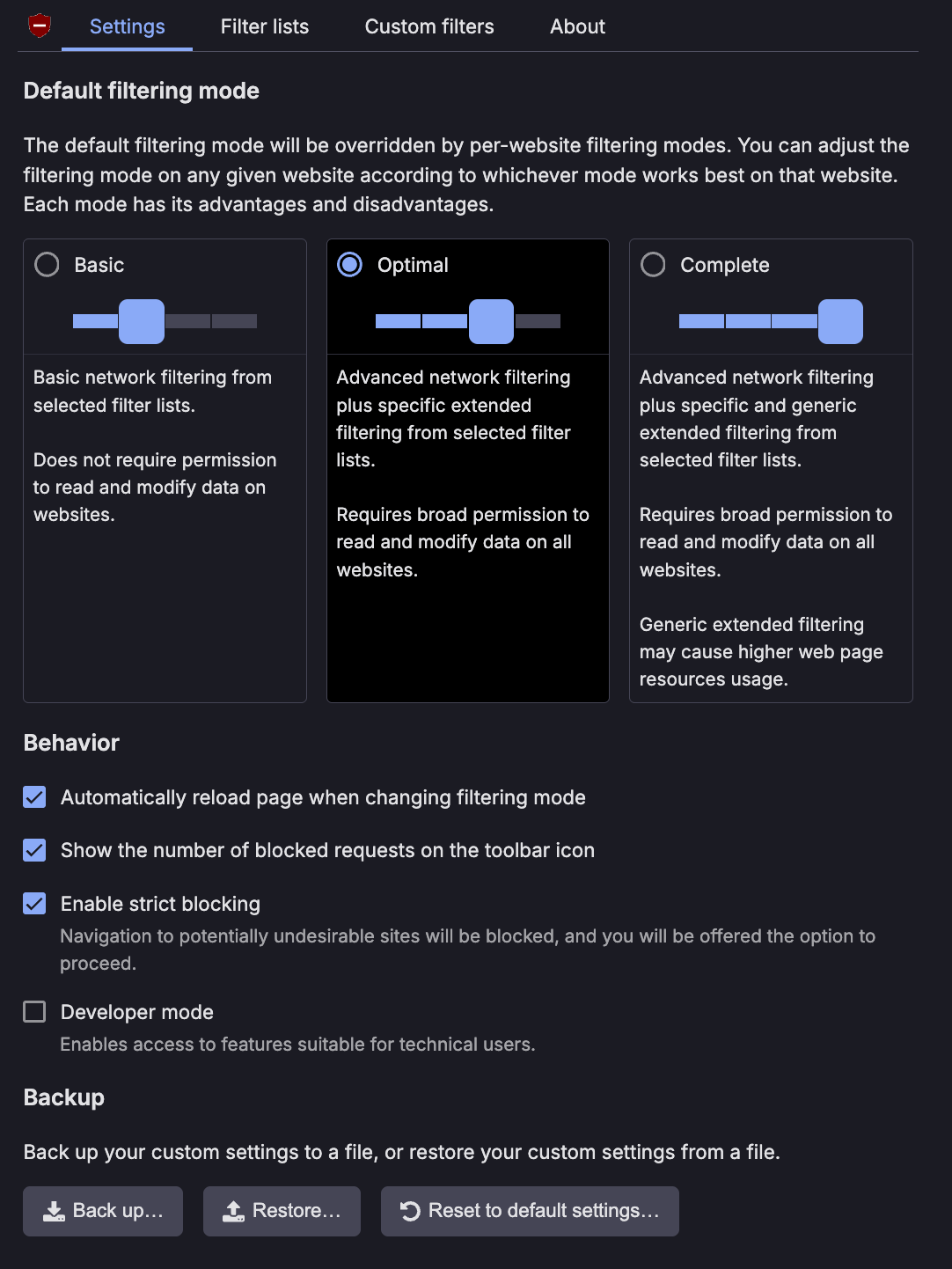
This is the one I stopped thinking about the fastest. Four days in, I genuinely forgot it was installed.
The change wasn’t dramatic in any screenshot-able way. It was behavioral as pages stopped shifting while loading. That half-second where five ad containers appear and shove all the text downward just stopped happening. I kept noticing I wasn’t bracing slightly before a page finished loading, which is apparently something I had been doing without realizing it.
YouTube felt cleaner during long sessions, especially late at night when double ads before a video start feeling genuinely irritating. I also noticed Chrome feeling less busy overall. Less random lag between tabs. Less fan noise during long browsing stretches. Nothing I could put a number on, just the sense that the browser wasn’t constantly processing things it shouldn’t have been.
Reddit discussions consistently bring up uBlock Origin Lite as one of the better compromises after Google’s Manifest V3 transition, specifically because it stays lightweight and doesn’t require much setup.
The frustration is that it isn’t bulletproof. YouTube occasionally punches through, especially right after a filter update hasn’t caught up yet. Some websites actively detect blockers and slow playback or hide content. That’s not a uBlock problem specifically, it’s just the current state of Chrome ad blocking after MV3.
Still. This was the one I kept returning to. So much so that I built an upgraded version of uBO Lite that can work more aggressively for filtering and blocking rather than switching to some other browser. If you want a blocker that quietly does most of the job without ever demanding your attention, this is probably it.
AdGuard: The ad blocker that cleaned up things I had stopped noticing
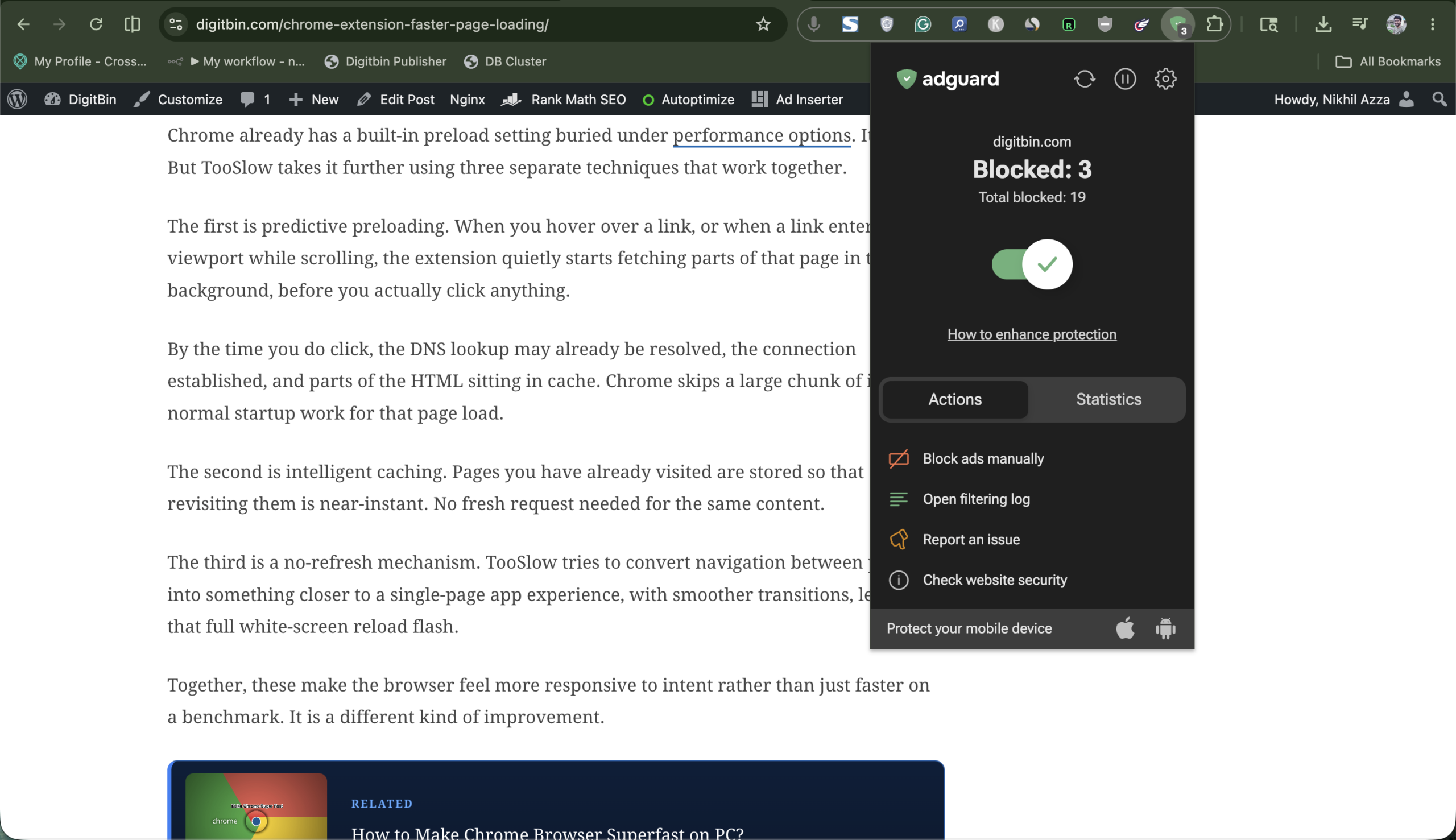
AdGuard felt more aggressive from the first tab I opened. Not just ads, but trackers, fake overlays, cookie banners, autoplay garbage, and newsletter popups that appear before the article even loads. Whole categories of clutter just stopped appearing.
Shopping websites were where I felt it most clearly. Product pages loaded without that delayed wall of sponsored recommendations sliding in after the main content settled. The first time I opened a major retailer and the right sidebar just stayed still, I actually paused. I hadn’t realized how much that sidebar movement had been training me to wait before engaging with a page.
Streaming sites that normally trigger several fake tabs suddenly became tolerable. Article pages on media sites lost their floating video players. The one that follows you while you scroll, appearing exactly where your eyes are reading, simply stopped showing up.
Reddit users frequently compare the AdGuard experience to what full uBlock Origin used to feel like before the MV3 changes, specifically because it still blocks aggressively without requiring much configuration.
The tradeoff is occasional breakage. A few comment sections needed manual whitelisting. One login popup refused to appear until I paused the blocker. That’s maybe a five-minute problem over a week of browsing, but it happens.
If your frustration with the modern internet is mostly about websites becoming bloated data-collection machines dressed up as content, AdGuard is the one that felt most satisfying to use.
Ghostery: The extension that changed how I look at websites
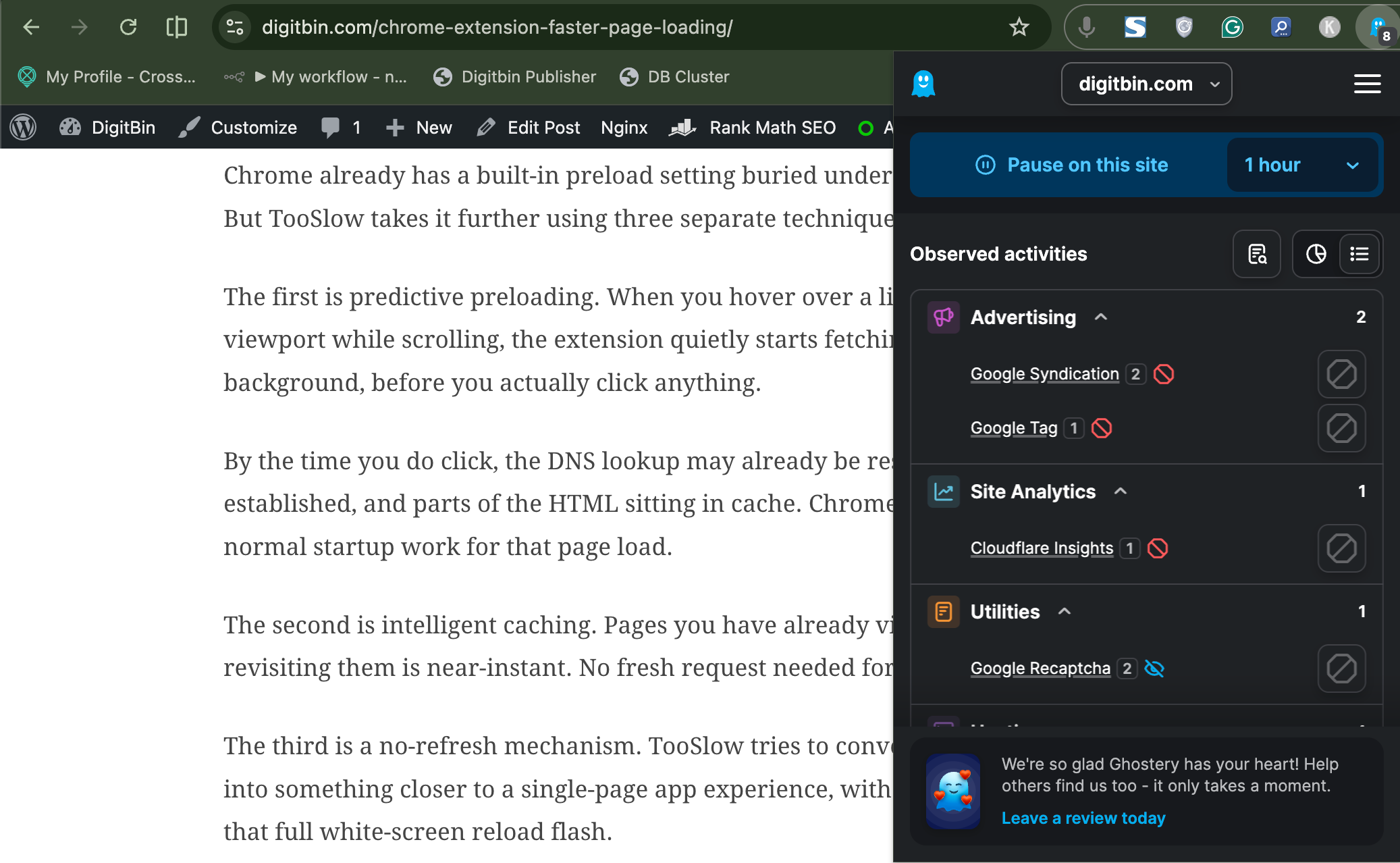
Ghostery did something the other blockers didn’t. It made the invisible visible.
After a few days with the tracker panel open, I started recognizing company names I had never consciously noticed before, appearing across completely unrelated websites. A media company’s tracker on a cooking site. An ad network fingerprinting script loading before the article text on a local news page. At first I thought the tracker count was inflated to make the extension look useful. Then I started paying attention to the names.
Browsing felt quieter with Ghostery running. Fewer autoplay interruptions. Less background noise. Less sense of something happening just outside my field of view on every page I opened. That sounds vague, but after a few days it became noticeable.
Ghostery is primarily positioned as a privacy and tracker-blocking tool, which means it approaches the problem differently than a pure ad killer. Some cosmetic ads still appear occasionally, especially sponsored content that’s baked into the page layout rather than loaded from an external script.
Switching away from older uBlock Origin to Ghostery specifically works well out of the box without much tweaking.
The downside is that it won’t satisfy people who want maximum visual ad removal. But if what’s actually bothering you is the feeling that dozens of companies are building a profile on every page you visit, Ghostery is the one that makes that legible.
AdBlock Plus: The ad blocker that most people will actually stick with
AdBlock Plus is the extension you install for someone who just wants Chrome to stop being annoying and doesn’t want to think about filter lists.
Within an hour, news sites became readable again. Autoplay banners disappeared. YouTube interruptions dropped noticeably. I found myself not adjusting anything for the first three days, which for a browser extension is a reasonable outcome.
The friction comes from what it lets through. The Acceptable Ads program is enabled by default, which means some non-intrusive ads still appear unless you turn it off in settings.
Most people won’t. Occasionally a sponsored section loads awkwardly. Sometimes a placeholder flashes briefly where an ad was. It’s not ruining anything, it just makes AdBlock Plus feel like it’s running at about 80% of its potential unless you dig into preferences.
I kept leaving AdBlock Plus alone after installing it, which is probably the biggest compliment I can give it. It didn’t remove every ad, but it consistently cleared away the small annoyances that slowly make browsing feel more tiring than it should.
For parents, occasional tech-averse users, or anyone who wants to install one thing and stop thinking about ads, AdBlock Plus is probably the right answer.
Privacy Badger: The one that felt different from everything else
Privacy Badger doesn’t really feel like an ad blocker. It feels more like quietly closing the curtains.
The difference wasn’t immediately visible. There are no dramatic before-and-after screenshots. After about four days I noticed I had stopped getting that specific uncomfortable feeling where an ad for something I searched once is now appearing on websites that have nothing to do with the original search. That particular variety of online creepiness just faded out.
It’s designed around blocking tracking behavior rather than aggressively removing visual ads, so some sponsored content and page clutter still appears. That’s a genuine limitation if you’re looking for a clean-page experience.
A lot of privacy-focused users pair Privacy Badger with another blocker rather than relying on it alone. That’s probably the honest use case. It’s not trying to win a filter count competition. It’s trying to make browsing feel less like being monitored.
Hard to measure that properly. But I noticed it after a few days.
Which one I’d actually keep installed
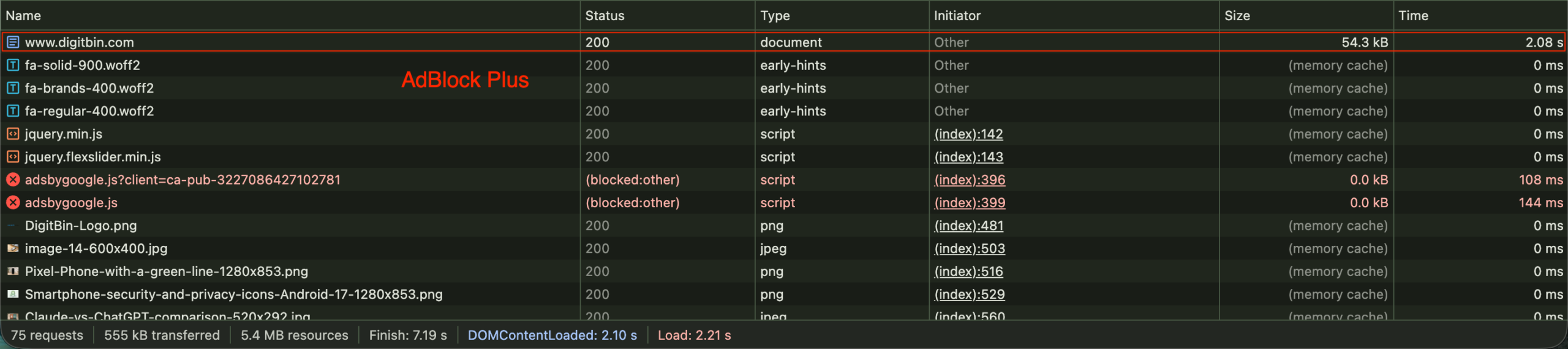



| Extension | Ads Blocked | Load Time | What I Noticed |
|---|---|---|---|
| AdBlock Plus | Google Ads scripts blocked | 2.21s | Fastest loading experience with minimal breakage |
| Privacy Badger | Ads + analytics trackers blocked | 3.01s | Focused more on hidden tracking behavior than visual clutter |
| Ghostery | Ads and tracking scripts redirected | 3.50s | Most aggressive privacy filtering during browsing tests |
| AdGuard | Ads blocked cleanly | 3.48s | Balanced blocking with stable page rendering |
uBlock Origin Lite is the one I’d install on my own machine and forget about. AdGuard is the one I’d recommend to someone who wants the most aggressive cleaning experience Chrome currently allows.
Ghostery changed how I actually think about websites more than any other tool here. AdBlock Plus is the right answer for anyone who wants something simple that just works. And Privacy Badger solved a problem that wasn’t about ads exactly, but about feeling watched.
The week without any blocker was enough of a reminder. The modern internet isn’t really built for browsers without one. These five are the best options Chrome has right now, with the understanding that Manifest V3 has put a ceiling on what any of them can do.
| Extension | Best For | What Stood Out |
|---|---|---|
| uBlock Origin Lite | Everyday browsing | Quiet, lightweight, and easy to forget about |
| AdGuard | Aggressive ad blocking | Removed overlays, popups, and autoplay clutter |
| Ghostery | Privacy-focused browsing | Made hidden trackers feel visible |
| AdBlock Plus | Casual users | Simple setup with fewer daily annoyances |
| Privacy Badger | Tracker blocking | Reduced creepy cross-site tracking behavior |
Frequently Asked Questions
Is uBlock Origin still available for Chrome?
The full uBlock Origin is being phased out on Chrome due to Manifest V3 restrictions, but uBlock Origin Lite is available and works as a lighter alternative with slightly reduced filtering capability.
Which Chrome ad blocker blocks the most?
AdGuard is currently one of the most aggressive options, blocking ads, trackers, overlays, and autoplay content more thoroughly than most alternatives under MV3 limitations.
Does AdBlock Plus let some ads through by default?
Yes, the Acceptable Ads program is enabled by default, which allows some non-intrusive ads to pass through. You can disable it in the AdBlock Plus settings.
Can I use Privacy Badger as my only Chrome extension for blocking ads?
Privacy Badger focuses on blocking trackers rather than removing visible ads, so it works better paired with another blocker if you want clean pages.
Why did my ad blocker stop working on YouTube?
YouTube actively fights ad blockers and regularly updates its detection methods. Chrome’s Manifest V3 restrictions also limit how aggressively extensions can filter, which means some YouTube ads occasionally slip through even with a blocker active.