I had been running uBlock Origin Full on Firefox for years. Not thinking about it and not configuring it. Just open a page, the page loads clean, no ads, no cookie banners crowding the screen, YouTube playing without interruption. It had gotten so quiet I’d stopped noticing it was there.
Then I switched to a new laptop, defaulted to Chrome out of laziness, and installed uBlock Origin Lite because I assumed it was close enough. Raymond Hill built it, after all, so how different could it be?
The first YouTube session answered that question. Pre-roll ads on videos I’d watched clean for years. Promoted slots across search results. I sat there genuinely confused for a moment before the obvious hit me: I was on the MV3 version now, the one with real limits baked in. Which is why the OG uBO is not working at full power.
I tried chrome://flags to roll back to MV2 for a few months, but it didn’t last long. Chrome eventually brought forces to bring the change for good.
So I did what any reasonable person does when an open-source tool frustrates them. I modified it to make it close to the uBO I was using on Firefox.
TL;DR: uBlock Origin Lite ships with most of its features switched off by default. On Chrome, you can sideload a custom-configured build to unlock what’s already inside the extension. It gets you meaningfully closer to full uBlock Origin, but a permanent gap remains because of how Chrome’s Manifest V3 works at the platform level.
Why uBlock Origin Lite exists and what it is actually missing
The full uBlock Origin ran quietly for years. You installed it once and forgot about it. Pages loaded clean, and it just worked and after a while you stopped noticing it was even there.
Then Chrome pulled it. Late 2024, the extension was gone from the Web Store. By mid-2025 it stopped working entirely for most users. The replacement was uBlock Origin Lite, and the difference was immediate.
YouTube brought it home fastest. Pre-rolls on videos I had watched clean for years. Promoted slots across search results I had not seen in ages. News pages felt noisier again in a way I had genuinely forgotten was normal. Not broken exactly. Just the old internet, the one I thought I had left behind.
Lite also ships with most of itself turned off. Dozens of filter lists are bundled inside the extension but disabled by default.
Cosmetic filtering is off, so even when an ad gets blocked, the space it would have sat in stays there. Pages feel slightly wrong. Something is off but you cannot name it. You keep scrolling.
There is also a whole layer of controls most users never find. Per-site rules, custom filters, advanced tools. All hidden behind a toggle in Settings with nothing pointing to it from the main interface.
I spent twenty minutes assuming those features did not exist before I found them by accident.
They were there the whole time. Just off.
What I actually changed in the build
The changes were small. That was the surprise.
I enabled 17 filter lists instead of the default 4. That included all six annoyances lists, AdGuard Mobile Ads, Peter Lowe’s list (already on by default, but worth confirming), and a regional ad network ruleset that covers exchanges EasyList does not reach. These were all already bundled and compiled inside the extension.
Nothing needed to be downloaded or built. I just changed the default-enabled state in the settings JSON.
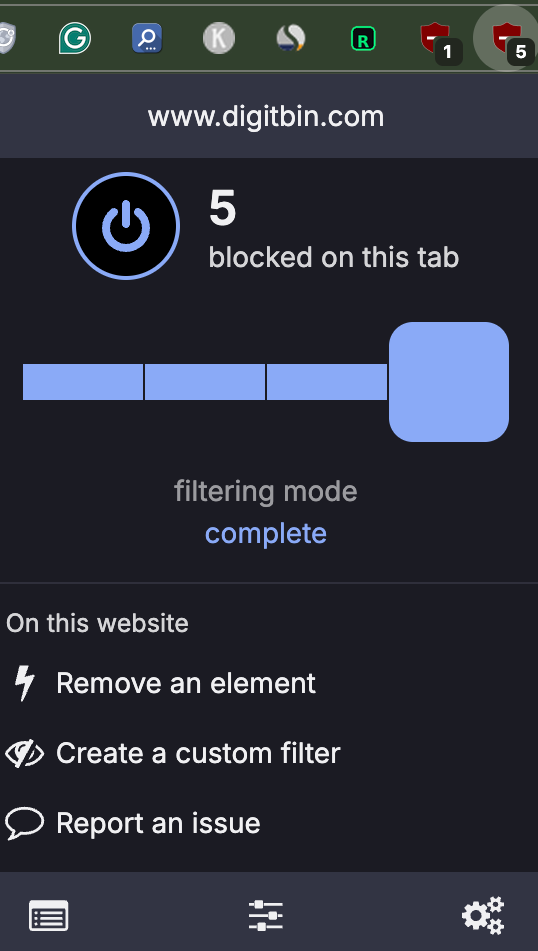
I set Complete mode as the default filtering mode for all sites. This activates cosmetic filtering, which is what actually hides those empty ad container boxes and cleans up the page layout.
Without it, blocked ads leave visible gaps. With it, the page renders as if the containers never existed.
I enabled Advanced Mode in the default config so the Per-site Rules panel and network rule editor are visible without hunting for a toggle. They were already present in the extension. Just hidden behind a preference that ships as off.
There were also two silent JavaScript error handlers in the YouTube tab logic that fired on every load and logged to Chrome’s extension error panel without affecting anything. I fixed those too, mostly because they were there and they were easy.
The whole process took a weekend. Most of that was reading through the source and understanding which files controlled which defaults. The actual edits took maybe an hour.
How to install the uBO Lite forked version?
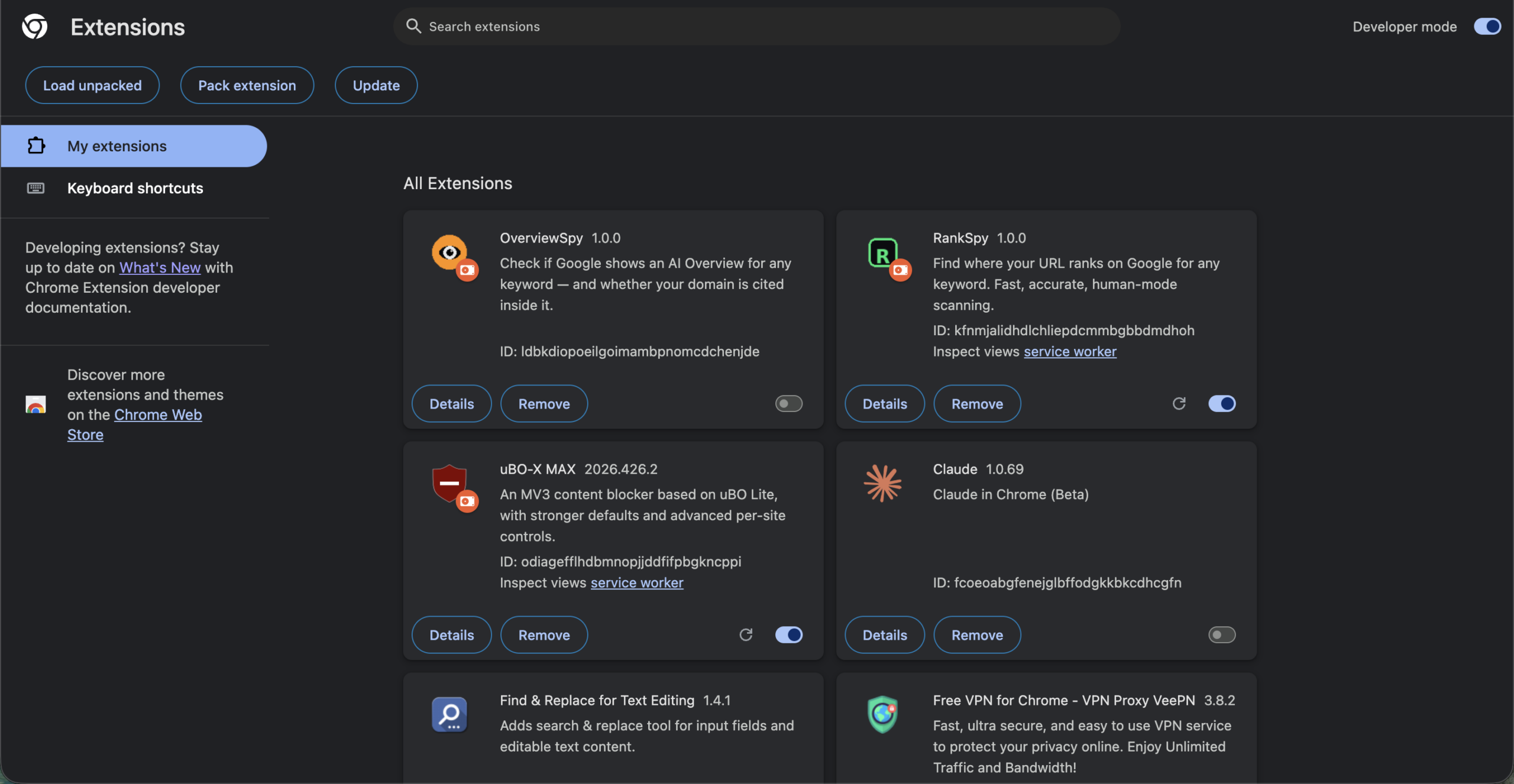
- Download the ZIP file.
- Extract (unzip) the file to a folder on your computer.
- Open Chrome and go to chrome://extensions.
- Turn on Developer mode (toggle in the top-right corner).
- Drag and drop the extracted folder onto the extensions page.
How close this gets to uBlock Origin full
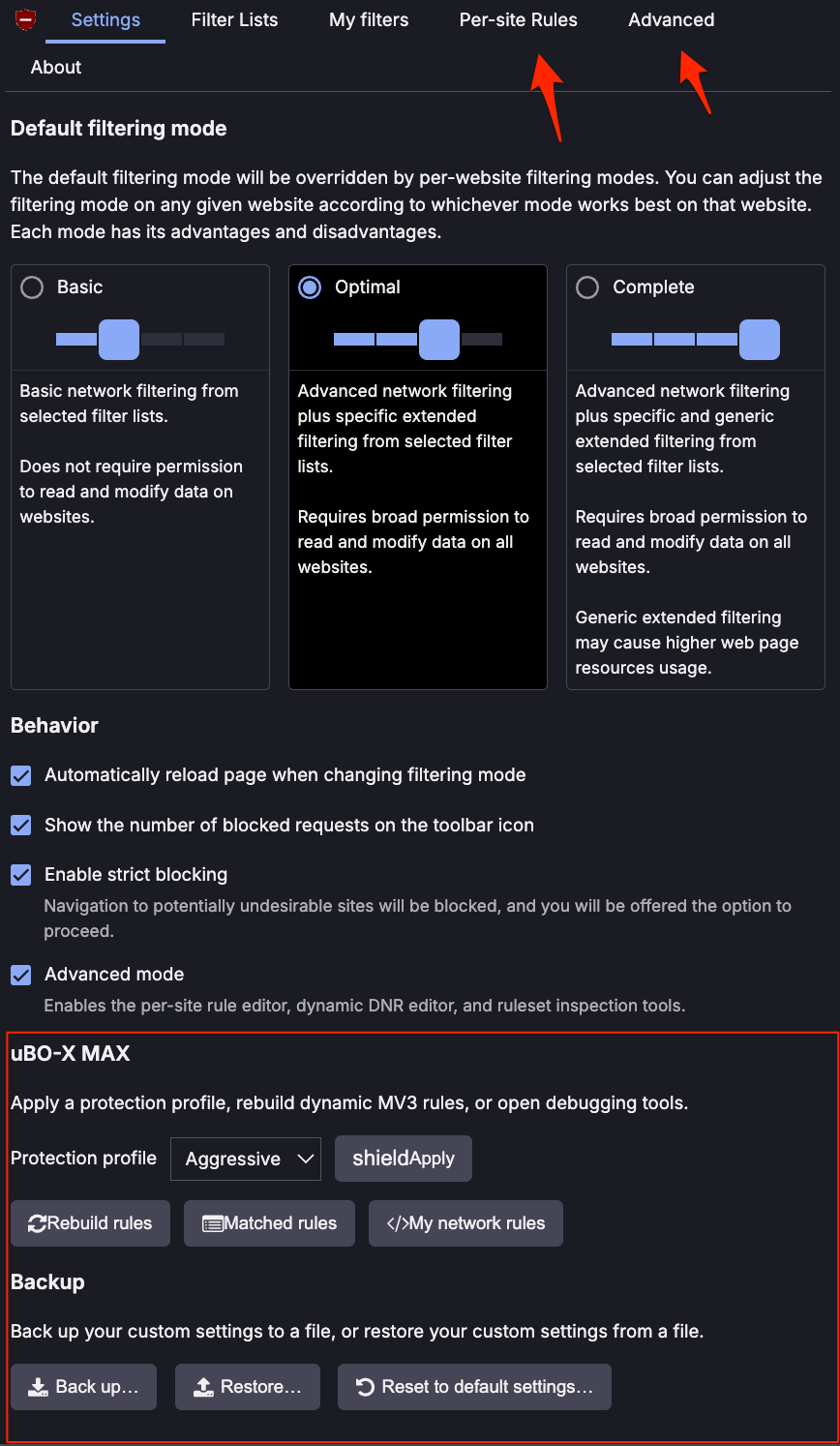
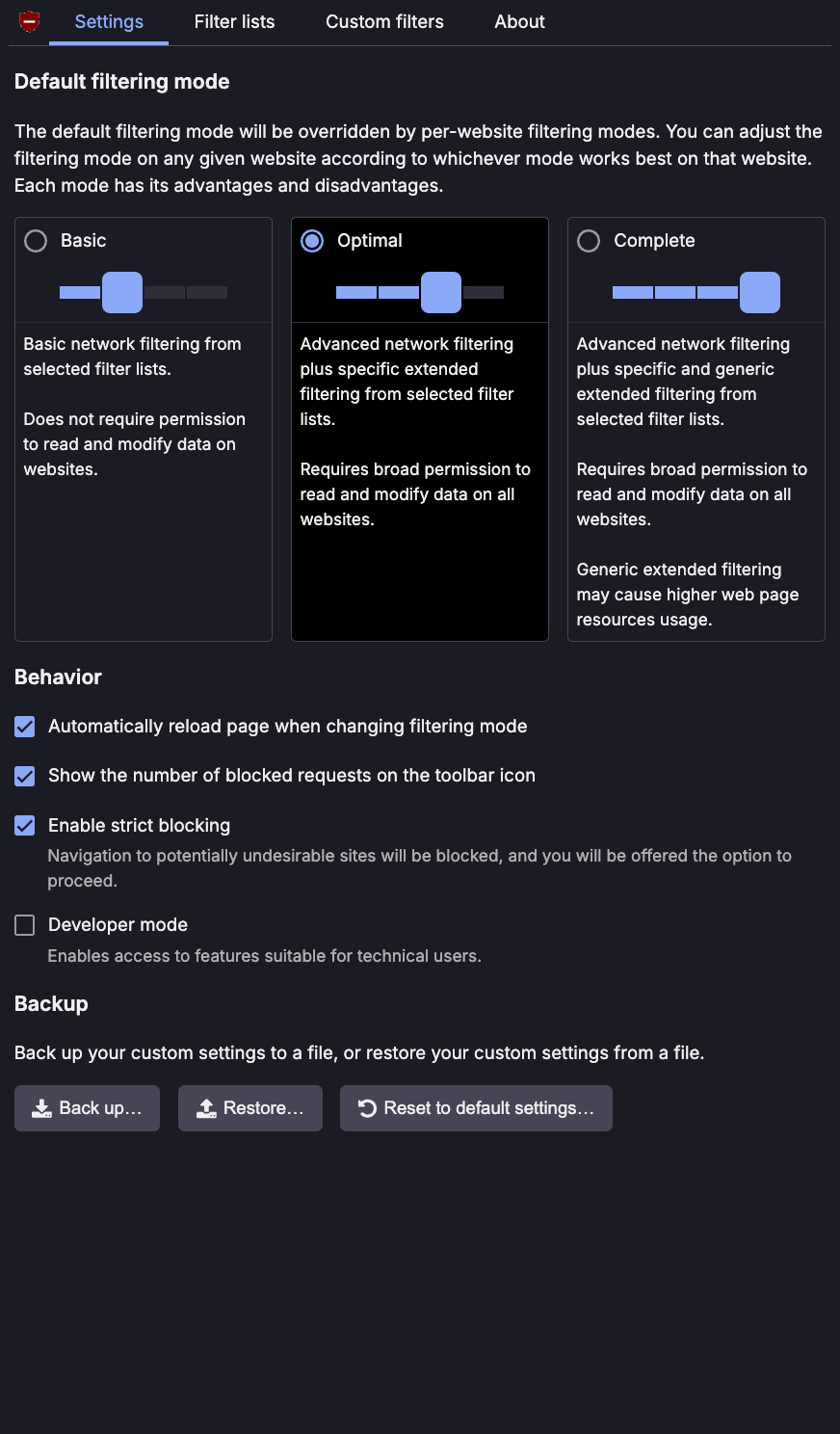
Closer than I expected. Not all the way there, and I want to be honest about both sides.
For the sites I use every day, news, search, YouTube, the experience is close to what I had with Full on Firefox. Pages load clean. The controls that matter are there when I need them. Most of the time I am not thinking about the extension at all, which is exactly what you want.
Then there are the moments where the gap shows.
Google pushes updates to YouTube specifically to break ad blockers, and it works, at least temporarily. With a Web Store extension, a filter update rolls out automatically and most users never notice.
With a sideloaded build, you are the update pipeline. An ad plays, you know something shifted, you go update manually. That has happened to me twice over several months. Not a disaster, but it is effort that did not exist before.
The deeper gap is not something more filter lists can fix. Some trackers are engineered to slip past extension-level blocking entirely, and no amount of tuning changes that on Chrome right now.
A research study from Goethe University Frankfurt found MV3 left visible ad placeholders on 21% of pages tested. Under MV2, that number was zero. That matches what I notice on heavier commercial sites.
For most browsing it holds. The gap is real but it tends to show up in specific places rather than everywhere at once.
| Feature | uBO Full (Firefox) | uBO Forked | uBO Lite (stock) | |
|---|---|---|---|---|
| Filter lists | 100+ | 21 enabled / 56 available | 4–6 enabled / 56 available | |
| Default mode | Full | Complete | Basic | |
| Cosmetic filtering | ✅ Full | ✅ Full | ❌ Off by default | |
| Element picker | ✅ | ✅ | ❌ | |
| Element zapper | ✅ | ✅ | ❌ | |
| Per-site rules | ✅ | ✅ | ❌ Hidden | |
| Network rule editor | ✅ | ✅ | ❌ Hidden | |
| Matched rules viewer | ✅ | ✅ | ❌ Hidden | |
| Scriptlets | ✅ Full runtime | ✅ 65 pre-compiled | ⚠️ Basic only | |
| Real-time request inspection | ✅ | ❌ MV3 limit | ❌ MV3 limit | |
| CNAME uncloaking | ✅ | ❌ MV3 limit | ❌ MV3 limit | |
| Automatic filter updates | ✅ | ❌ Manual | ✅ | |
| Chrome compatible | ❌ | ✅ | ✅ | |
| Install method | Firefox add-on store | Sideload (Developer Mode) | Chrome Web Store |
What actually changed day to day
News sites load cleaner and YouTube stays clear most of the time. Regional ad networks that were getting through on local publications I read regularly are quiet now.
The thing I did not expect to notice was the layout. Empty ad containers nudging content around had become background noise. I’d normalized it.
When Complete mode removed them, pages felt different in a way I had to think about for a second before I understood what had changed. Whole sections of news articles were no longer shifting down on load. Pages just sat still.
The build has been running for several months. I have updated the filter lists manually twice when something stopped working. That is the real maintenance burden, and it is light enough that it has not become a problem.
What surprised me most was not how much more it blocked. It was how much of what I wanted was already inside the extension I had installed from the Web Store, already compiled, already functional, just turned off.
I had spent weeks assuming features were missing when they were present the whole time.