Apple has had Handoff since 2014. That is twelve years of a feature that lets you start a task on your iPhone and pick it up on your Mac, iPad, or Apple Watch without doing anything except walking into the other room.
Android has had various cross-device tools over the years but nothing that matched the core mechanism.
At Google I/O 2026, that changed. Android 17 is shipping with a feature called Continue On, and comparing the two honestly is worth doing because the headlines tend to overstate both how similar they are and how far apart they remain.
TL;DR: Apple Handoff works across iPhone, iPad, Mac, and Apple Watch bidirectionally, requires Bluetooth and Wi-Fi proximity, and has been available since iOS 8 in 2014 with broad app support accumulated over twelve years. Android 17 Continue On works phone-to-tablet at launch, is bidirectional in design but launches one-directional, requires the same Google account on both devices, includes an app-to-web fallback when apps are not installed on the receiving device, and depends entirely on developer adoption. Continue On is a genuine answer to Handoff. It is not yet a match for it.
What Android 17 Continue On actually does
Continue On is the user-facing name for the feature built on top of Android 17’s Handoff API, which first appeared in Beta 2 in February 2026. is confirmed at Google I/O 2026 that the feature was officially announced during the “What’s New in Android” developer session, not the main keynote.
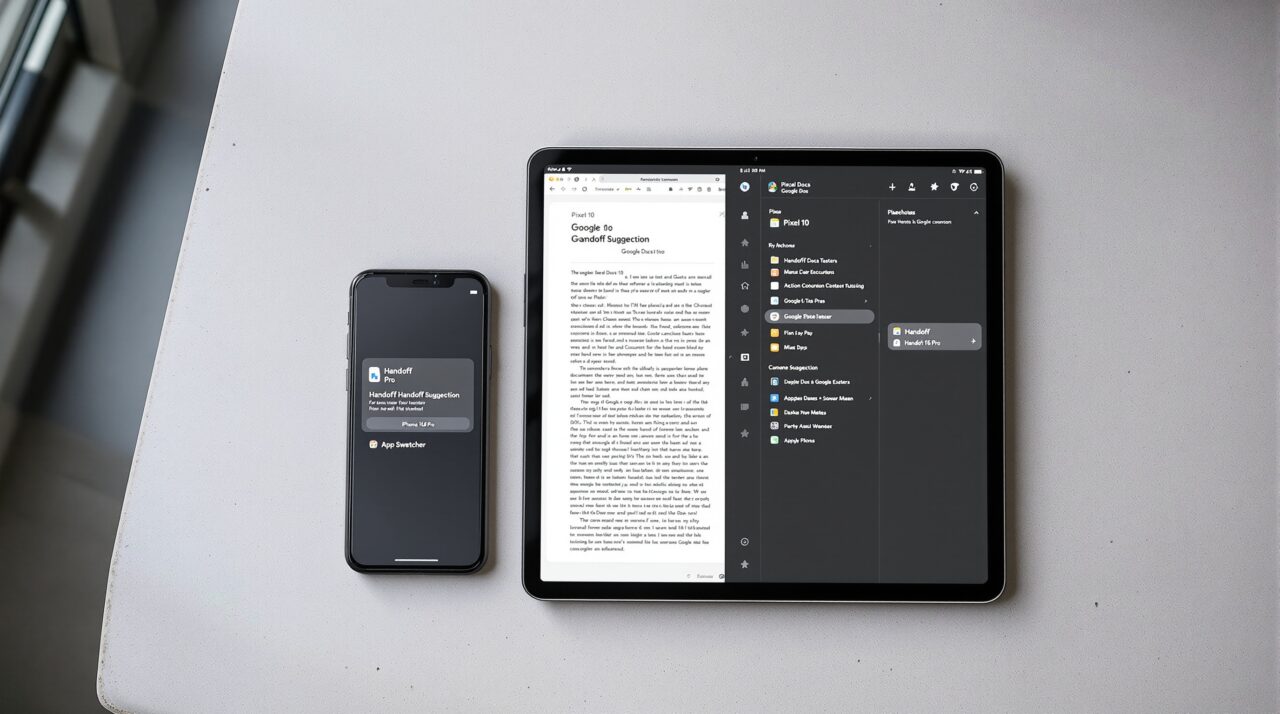
The mechanism is straightforward. You are working on a document in Google Docs on your Android phone. You pick up your Android tablet. A suggestion appears in the tablet’s taskbar showing the Docs app with a small phone icon. You tap it and the same document opens at the same point on the tablet. No saving, no searching, no reopening from history. The state transfers.
Google demonstrated two handoff flows at I/O. The first is app-to-app: if the same app is installed on both devices, it opens directly and resumes the activity. The second is app-to-web: if the receiving device does not have the app installed, it falls back to the web version.
The Gmail example Google used showed an email thread open in the Android app on a phone handing off to Gmail in Chrome on a tablet, opening the exact same thread. That fallback is a practical design decision because it means the feature does not silently fail when app coverage is incomplete.
At launch, Continue On only works phone-to-tablet. Google confirmed the feature is designed to be bidirectional, meaning tablet-to-phone will also work, but that support is not present in the initial release. No timeline was given for when the reverse direction arrives.
What Apple Handoff actually does
Apple Handoff launched with iOS 8 and OS X Yosemite in 2014. According to Apple’s support documentation, it works across iPhone, iPad, Mac, and Apple Watch, requiring both devices to be signed into the same Apple account with Bluetooth and Wi-Fi active. The devices need to be physically near each other.
There is no cloud relay step in the standard flow: the handoff suggestion appears because the devices detect each other locally over Bluetooth and pass state over Wi-Fi.
The feature is bidirectional from day one and has always been. You can move a task from iPhone to Mac, Mac to iPhone, iPad to iPhone, or any combination. Apple Watch supports handing off from the watch to an iPhone, iPad, or Mac. The handoff icon appears in the Mac Dock, in the iOS App Switcher, or at the right end of the iPad Dock depending on which device you are receiving on.
Apple’s own apps that support Handoff include Safari, Mail, Maps, Calendar, Contacts, Notes, Pages, Numbers, Keynote, Reminders, FaceTime, Freeform, and Stocks.
Third-party developers can implement Handoff using a public API available since 2014. Twelve years of developer time means a significant portion of major iOS and macOS apps support it, though support is still inconsistent across less mainstream apps.
The structural differences that matter
The first difference is scope. Apple Handoff crosses device categories: phone, tablet, laptop, desktop, and watch all participate. Continue On at launch is phone to tablet only. Google has indicated laptop support is coming, particularly as Android powers the new Googlebook laptops launching in fall 2026, but that is not in the initial release.
The second difference is connection method. Apple Handoff uses Bluetooth for device detection and Wi-Fi for state transfer. The devices need to be physically near each other. Continue On uses Android’s CompanionDeviceManager framework to synchronize task continuity state between associated devices.
The practical effect is that Continue On may work across greater distances than Handoff, but it also depends on an internet connection and introduces a cloud step that Handoff avoids in its local flow.
Developer adoption may end up being the biggest real-world limitation.. Apple Handoff has twelve years of third-party app adoption behind it. Continue On ships with API level 37 support and developers can start building it now. The gap in adoption at launch will be real.
Google’s own apps, Docs, Gmail, Chrome, will work. Apps from developers who have not implemented the Handoff API will not surface a Continue On suggestion regardless of whether you are running Android 17 on both devices.
The fourth difference is directionality at launch. Handoff is fully bidirectional. Continue On launches one-directional: phone to tablet. The reverse direction is confirmed as planned but ships later.
Where Continue On is genuinely better
The app-to-web fallback in Continue On has no direct equivalent in Handoff. When a Mac does not have an iOS app installed, Handoff simply does not appear as an option.
Continue On’s fallback to the web version means the suggestion always surfaces when a developer has set up a fallback URL, even when app coverage is incomplete. For a fragmented ecosystem where not every Android tablet has the same apps as the paired phone, that flexibility is a practical advantage.
The Google account linkage rather than Bluetooth proximity may also work better in some scenarios. Handoff requires the two devices to be physically near each other.
If you leave your phone in another room and sit down at your tablet, Handoff on Apple devices may not detect the proximity. Continue On’s account-based sync means the task state is available on the tablet regardless of where the phone is at that moment.
What the feature comparison looks like side by side
| Feature | Android 17 Continue On | Apple Handoff |
|---|---|---|
| Launch year | 2026 | 2014 |
| Devices supported at launch | Phone to tablet (one direction) | iPhone, iPad, Mac, Apple Watch (all directions) |
| Bidirectional | Planned, not at launch | Yes, from day one |
| Connection method | Google account sync | Bluetooth detection, Wi-Fi transfer |
| Proximity required | No | Yes, devices must be near each other |
| App-to-web fallback | Yes | No |
| Developer API | API level 37, available now | Available since iOS 8 in 2014 |
| Third-party app support | Limited at launch | Broad, accumulated over 12 years |
| Laptop support | Planned for Googlebook, not yet | Yes, macOS since 2014 |
Frequently Asked Questions
Does Android 17 Continue On work between phone and laptop?
Not at launch. Continue On supports phone-to-tablet transitions initially. Google has signalled future support for Googlebook laptops but no timeline is confirmed.
Do both devices need Android 17 for Continue On to work?
Yes. Both the sending and receiving device must run Android 17 and be signed into the same Google account for Continue On to function.
Does Apple Handoff work without Wi-Fi?
Handoff uses Bluetooth to detect nearby devices and Wi-Fi to transfer state. Both need to be active on each device. Without Wi-Fi, the state transfer step cannot complete.
Will Continue On work with third-party apps at launch?
Only if the developer has implemented the Handoff API targeting API level 37. At launch, Google’s own apps including Docs, Gmail, and Chrome are the reliable use cases. Third-party support will grow over time as developers adopt the API.
Can I hand off from an Android tablet to my Android phone?
Not at Android 17’s initial stable release. Google confirmed bidirectional support is coming but did not give a date. The launch direction is phone to tablet only.
The honest verdict
Continue On is a real feature doing a real thing, not a marketing announcement. The app-to-web fallback is genuinely clever and solves a fragmentation problem that Apple never had to address because it controls both sides of the ecosystem. The Google account sync rather than proximity detection gives it a different character from Handoff, not worse, just different.
But calling it equivalent to Handoff in 2026 is not accurate. Apple Handoff is bidirectional, covers phone, tablet, laptop, desktop, and watch from a single account, works without an internet connection for the state transfer itself, and has twelve years of developer adoption behind it. Continue On launches one-directional, covers two device types, requires internet connectivity, and is starting its developer adoption cycle from zero. The gap will close. It will not close this year.