Apple has had Handoff since 2014. If you started a document on your iPhone, your Mac had a small icon in the dock letting you pick it up instantly.
It worked quietly enough that you stopped noticing it was doing something unusual. Android 17 is arriving in June 2026 with its own version of that idea, called Continue On, and it is closer to the real thing than anything Google has shipped before.
TL;DR: Continue On is a new Android 17 feature that lets you start a task on your Android phone and continue it on your tablet. The Handoff Suggestion appears in your tablet’s dock. At launch it only works phone-to-tablet, not the reverse. Bidirectional support is confirmed as coming but has no release date. The feature requires both devices to share the same Google account and will be available in Android 17 RC1.
What Continue On actually does
Android 17’s Continue On feature enables users to start an Android app on one Android device and then transition to another device in their Android ecosystem, continuing the user journey they started.
That is direct coverage of Google’s Android developer documentation, published after the feature was revealed at Google I/O 2026.
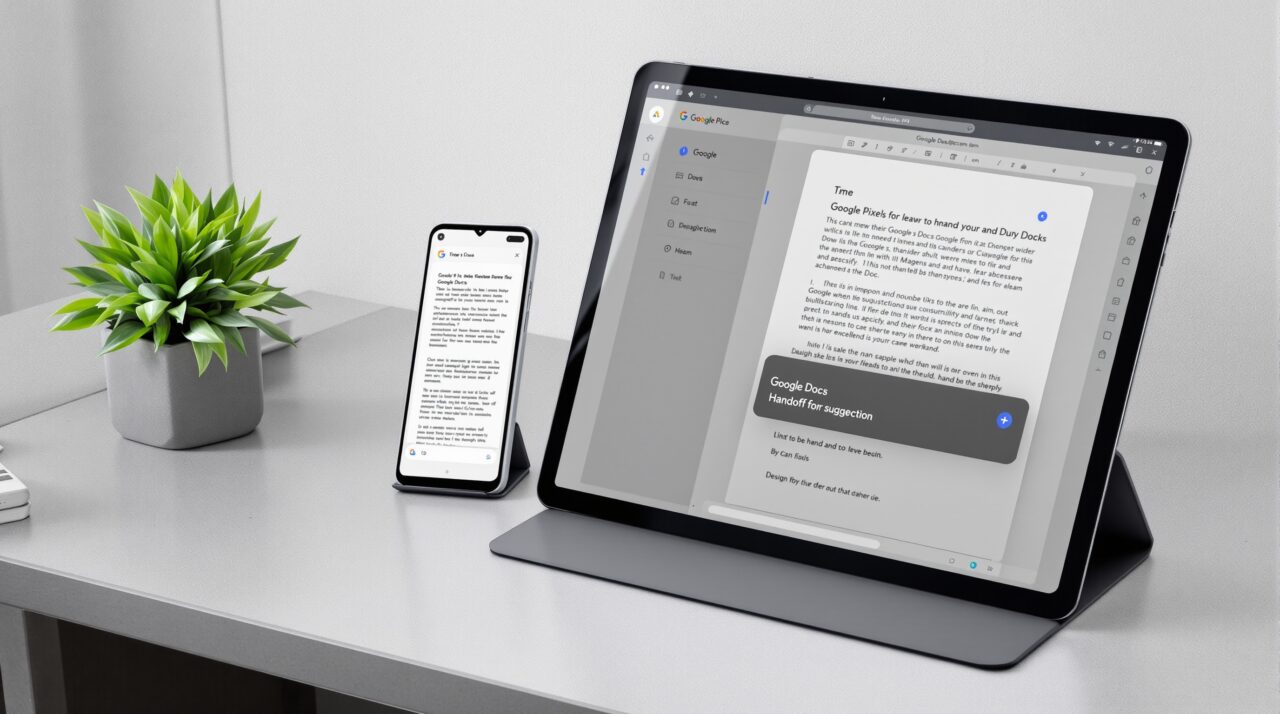
In practice: you are composing a Gmail message on your phone. You pick up your tablet. In the dock, a suggestion appears showing the Gmail app with a visual indicator.
You tap it and the same email opens on the tablet, ready to continue. Google also demonstrated this with a Google Docs document and with Chrome, where an email open in Gmail on the phone was handed off to the Chrome browser on the tablet when the Gmail app was not installed on the tablet side.
That last part matters. The feature can fall back to a web version of the content when the target app is not installed. This adds useful flexibility for less common apps without requiring both devices to have identical setups.
Where it falls short compared to Apple Handoff
Apple Handoff works in both directions. You can move from iPhone to Mac, Mac to iPhone, iPhone to iPad, or any combination. Continue On at launch only goes from phone to tablet. Tablet-to-phone transfers are confirmed as planned but Google has not given a timeline.
Apple Handoff also has about twelve years of developer adoption behind it. A significant portion of iOS and macOS apps support it because the API has been available since 2014. Continue On is new, and adoption depends entirely on whether developers implement it for their Android apps.
Google is leaving the implementation details to developers, which means the feature may work beautifully in Google’s own apps from day one while third-party apps take months or longer to add support.
There is also the ecosystem question. Apple Handoff works across iPhone, iPad, Mac, and Apple Watch. Continue On works across Android phones and tablets for now, with no mention of Googlebook laptop support yet, though the timing of this feature alongside Google’s announcement of Android-powered Googlebook laptops is not likely coincidental.
How it compares to what Android users had before
Android has had various cross-device tools for years. Phone Link on Windows, Chrome tab syncing, and Google’s own Cast features are all adjacent ideas.
None of them handled active task transfer at the app level in real time. You could see what tabs were open on another device, but switching meant manually navigating to that state, not having the state appear in your dock and wait for you.
Continue On is the first time Android has a mechanism that mirrors what Handoff feels like from the receiving end: something you are working on is already there on the other screen, and you just have to tap to step into it. That is a meaningfully different experience from tab sync or clipboard sharing.
Who this works for right now
Continue On requires Android 17 on both devices. It requires the same Google account signed in on both. And it requires developers to opt in.
If you own a Pixel phone and a Pixel tablet, both running Android 17, and you primarily use Google’s own productivity apps, this will likely work from the stable release in June 2026.
If you own a Samsung phone and a non-Samsung tablet from a different manufacturer, or if you rely on third-party apps that have not implemented the API, the feature may be limited or invisible at launch.
OnePlus, Xiaomi, and Motorola are all expected to ship Android 17 later in 2026, which means the practical addressable audience for this feature grows slowly through the year.
Frequently Asked Questions
Does Continue On work between phone and laptop?
At launch, Continue On only works between Android phones and tablets. Laptop or Googlebook support has not been announced.
Do I need the same apps on both devices?
No. If the app is not on the target device, Continue On can fall back to a web version of the content in Chrome.
When is Continue On available?
Continue On is included in Android 17, expected to release stably in June 2026. It will first appear in Android 17 RC1.
Does Continue On work from tablet to phone?
Not at launch. Google has confirmed bidirectional support is planned but has not said when it will arrive.
Is Continue On exclusive to Pixel phones?
No. It requires Android 17, which will arrive on Pixel first and roll out to Samsung, OnePlus, Xiaomi, Motorola, and others later in 2026.
The real question is developer adoption
The mechanism Google has built here is well designed. A suggestion in the dock is a low-friction, non-intrusive way to surface the option without requiring users to learn a new gesture or open a dedicated app. The problem is not the mechanism. It is the gap between Google’s own apps and everything else.
Apple’s Handoff became reliable partly because Apple controls the most popular apps on its platform. Google controls a strong set of productivity apps, but Android’s ecosystem is broader and more fragmented. The feature will probably work well for the users who spend most of their time in Docs, Gmail, and Chrome. For everyone else, 2026 is a wait-and-see year.