While using Google search, I have encountered a redirect to another page with a message “Our systems have detected unusual traffic from your computer network.”
I could not use Google search until I completed a CAPTCHA challenge. This article explains why this Google search error message appears and how to fix it.
I came across this issue around a year ago. Initially, I thought I somehow got redirected to a phishing page, or perhaps my computer was hacked.
I was wrong, as this message is genuinely shown by Google search security. I completed the CAPTCHA and was redirected to the Google search results page.
Following this, I have faced this problem time and again. I tried understanding what might have gone wrong for the Google search security to trigger the unusual traffic message.
I realized that specific user behavior, or the use of tools in the browser, causes the security mechanism of Google search to think that a bot is using the search engine instead of a human.
Hence, it redirects the user to complete a CAPTCHA to proceed with the Google search.
What does the “Unusual Traffic Detected” message mean in Google search?
Google deploys a robust search security mechanism at their end.
To prevent abuse of Google search by automation tools or bots, they have set some user behavior patterns that they track to detect if one or more searches are initiated by a bot.
When the security system detects anomalous search behavior, it temporarily blocks the process and redirects the user to the CAPTCHA page, showing the “Our systems have detected unusual traffic from your computer network” message.
Let me explain those anomalies in the search behavior that disrupt Google search.

Searching for different unrelated terms in quick succession
I have noticed that when I search for different terms in quick succession, I get redirected to the captcha page with the “Our systems have detected unusual traffic from your computer network” message.
Probably, the security search system of Google thinks that it is some sort of bot that is searching for different things instead of searching for related terms.
I have also noticed that when I search for several terms, things related to another previously searched item, it doesn’t trigger the Google search unusual traffic error. My thoughts have been confirmed by several users on Reddit who have experienced the same issue.
Also, if you have some page bookmarked on Chrome and you are visiting it every day for any purpose whatsoever, that might be classified as a bot behavior and trigger the Google search security.
Using a VPN while searching on Google
I tend to use VPN a lot, especially when downloading torrents or simply trying to get better network speed during browsing.
Now, I’m logged into my Google account, but Google detects the change of IP address (which happens when I activate the VPN).
So, searching for different terms in quick succession can trigger the search security and prevent the search by showing the “unusual traffic” error.
Deploying automation tools/bots to perform a Google search
Sometimes, the Google search security might be correct.
When using an automation tool to perform a Google search for obtaining data, Google’s system will find it out and prevent the search.
Malicious browser extension with hidden functions
This bit is quite interesting, which even made me recheck my browser extensions.
I have installed several extensions on Chrome, and do not use them all.
Some extensions are not even available on the Chrome Web Store or have been removed due to any ToS violations for malicious functions.
Having a similar browser extension installed on Chrome running some sort of automated function in the background during your Google search(irrespective of being used or not) can cause the Google Search Security to get alerted and prevent the search.
Using Google search in a shared network
Let us talk about another common scenario where Google search might get interrupted with the unusual traffic detection error from your computer network message, followed by a CAPTCHA challenge.
When using a PC connected to a public network, such as in a cafe, airport, office, or college, the dozens of queries about different search terms(by different users) in a short duration will trigger the security system of Google search and might stop the Google search.
Fix: “Our systems have detected unusual traffic” message on Google search
Here are a few tips on personalizing the browsing and stopping Google from redirecting you to the “Our systems have detected unusual traffic from your computer network” page.
Complete the captcha challenge
The simplest way to get past the “Our systems have detected unusual traffic from your computer network” message is by completing the captcha challenge on the same page.
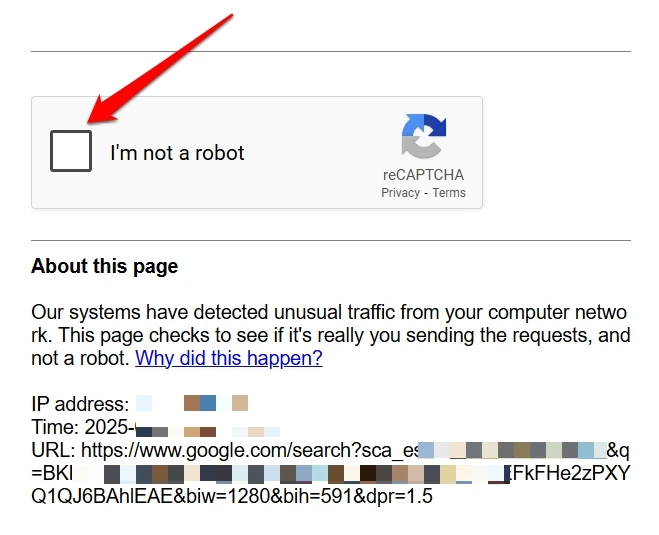
Do not worry, as the CAPTCHA generated by the Google search security is safe.
Sometimes, completing one CAPTCHA challenge might not be sufficient. You may have to repeat it twice/thrice to return to the search results.
Avoid using automation tools
If any automation tool or bot is running on the browser, I suggest removing it.
Otherwise, Google search will get interrupted with repeated CAPTCHA challenges, citing a surge in traffic.
Update Chrome browser
A buggy Chrome browser may mess around with the Google search security when performing a search or accessing any webpage repeatedly, leading to the “unusual traffic” message.
Normally, Chrome updates install automatically.
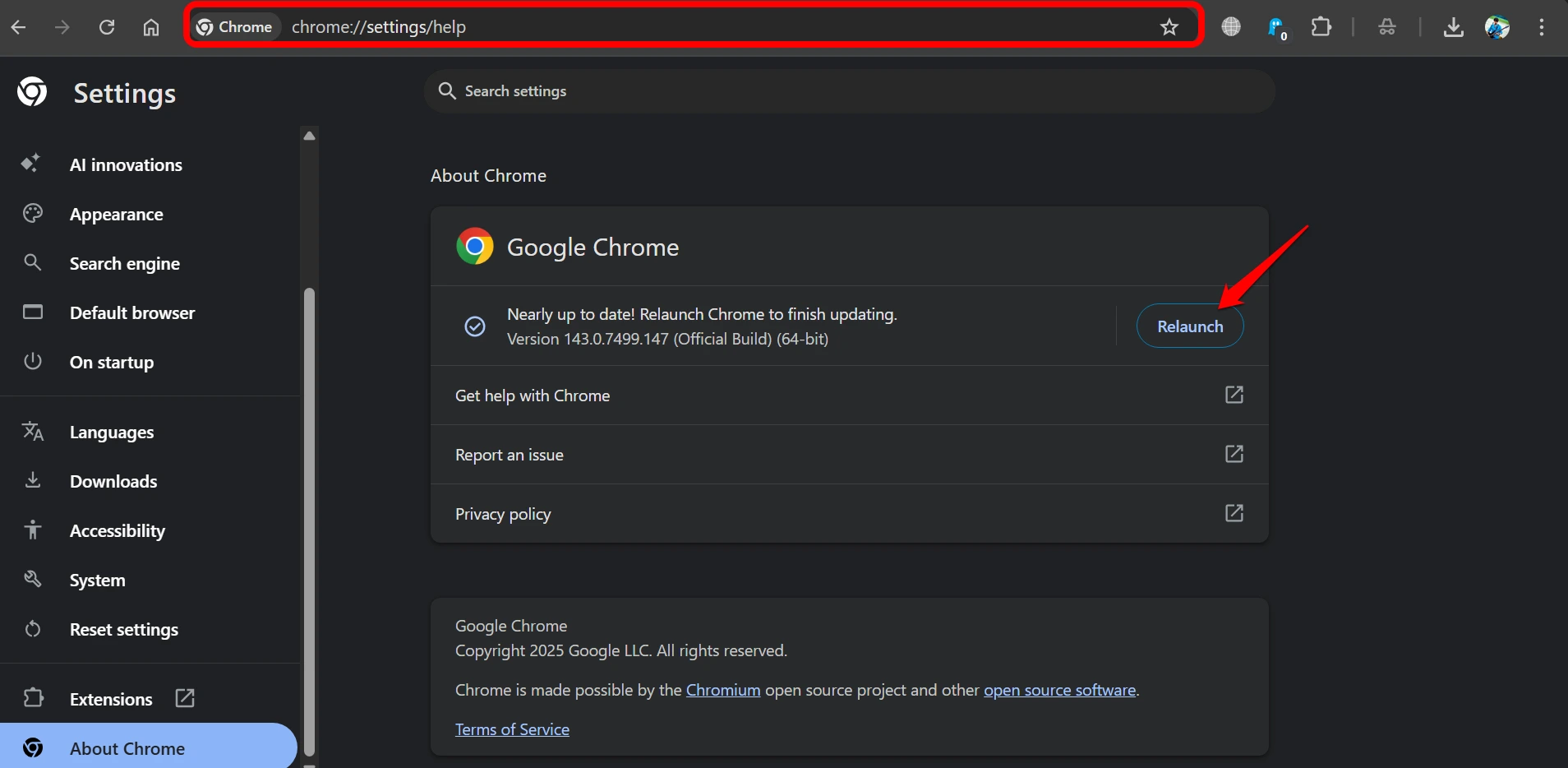
Alternatively, here is how to manually check for Chrome browser updates.
- Launch the Chrome browser and type Chrome://settings in the URL.
- Press “About Chrome” in the left sidebar, and Chrome should start updating automatically.
- Relaunch Chrome.

Turn off VPN
Unless there is a dire need for a VPN, I suggest turning it off momentarily on the PC to browse Chrome or use Google search without triggering the search security.
I have noticed the “Our systems have detected unusual traffic from your computer network” message appears on many occasions when the VPN is active. Various Reddit users have confirmed this.
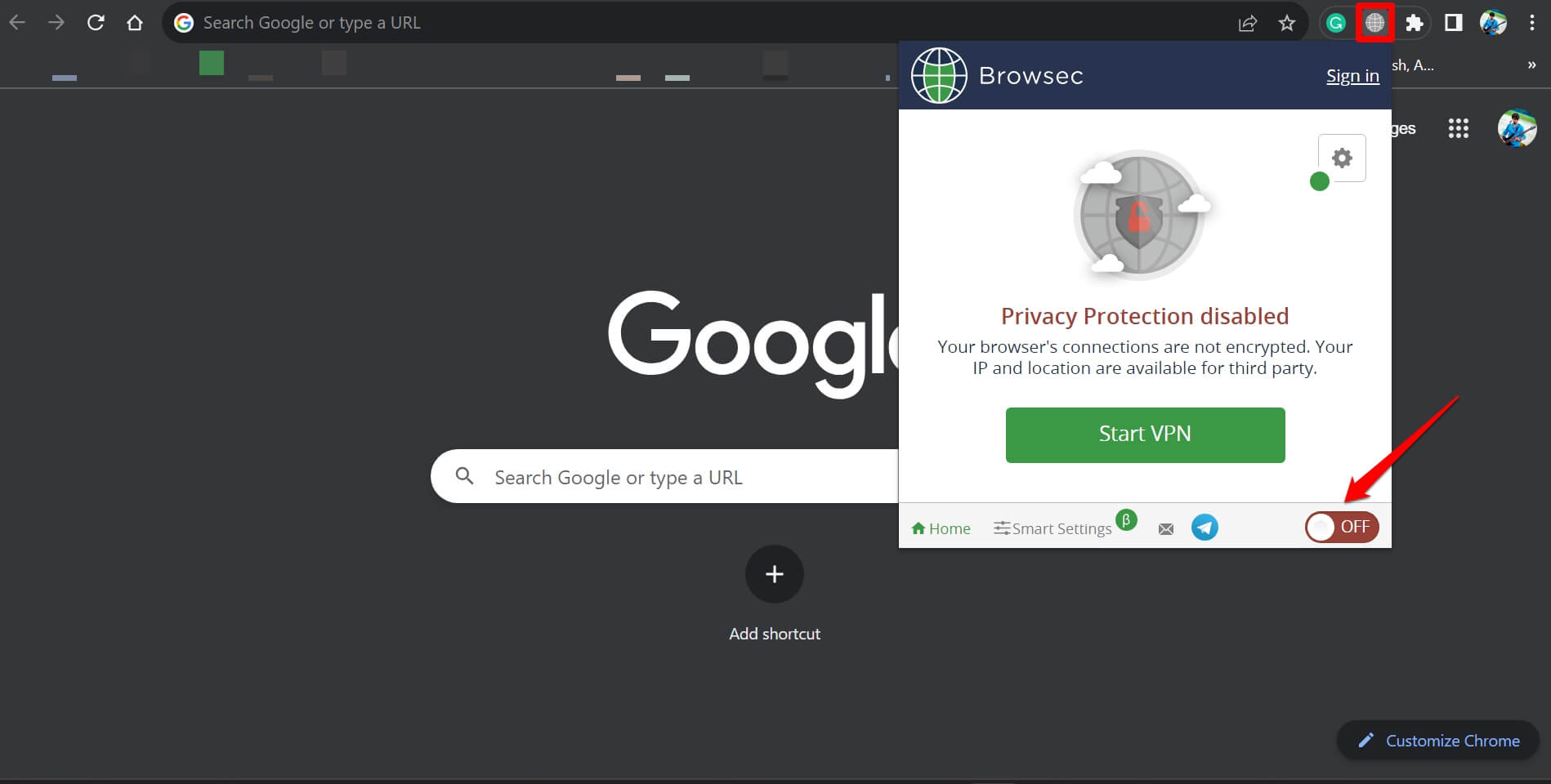
With the VPN turned off, your Google search is not likely to get disrupted or prevented by the search security system.
Remove unused browser extensions
I checked the Chrome browser for unused extensions that may have been sitting idle on the front but running malicious code in the background when I carry out a Google search, leading the search system to prevent search and redirect you to the CAPTCHA challenge page.
I removed the Chrome extensions I don’t use.
- Open Chrome browser and type Chrome://extensions in the URL.
- Press the Remove button next to the extension that is lying unused.
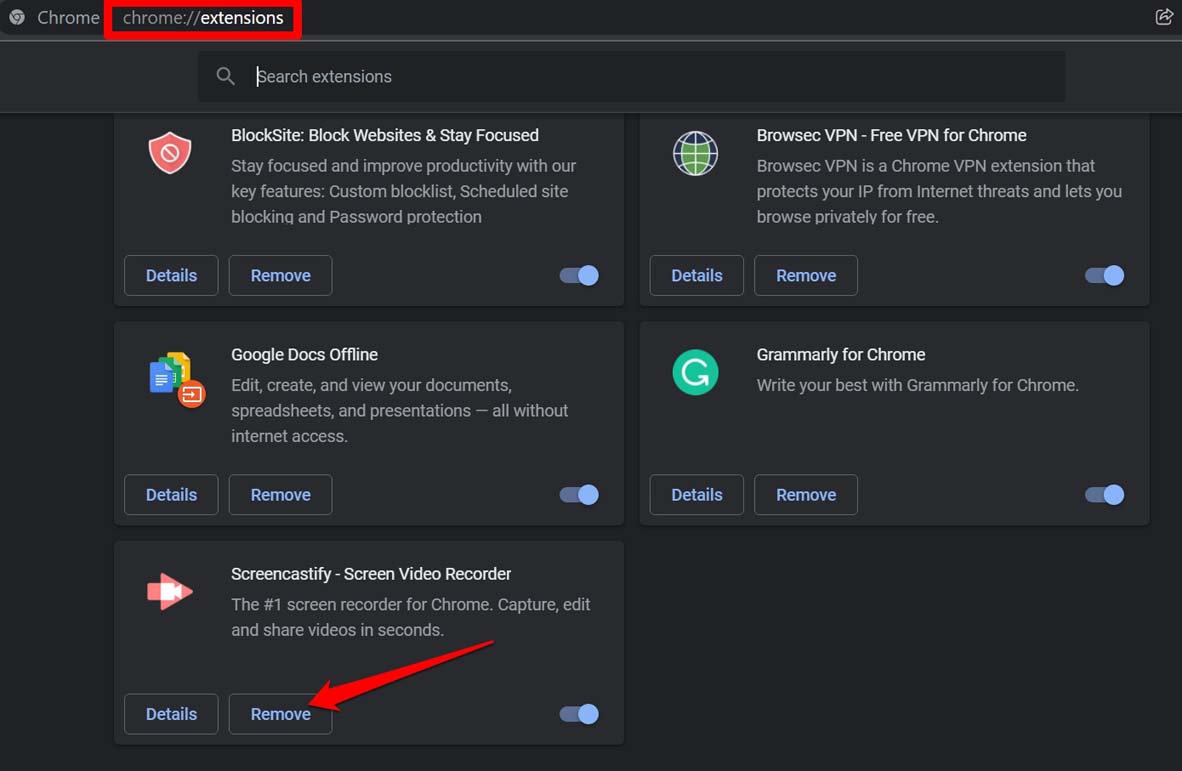

- Restart Chrome to use Google Search.
NOTE: Avoid installing Chrome extensions from sources other than the Web Store when using the Chrome browser.
Run a malware scan
I realized it had been a while since I ran a malware check on my PC.
Seeing the “Our systems have detected unusual traffic from your computer network” message does not necessarily indicate that my PC has been hacked.
Just to be on the safe side, it is smart to run a malware scan.
It is hard to ascertain if some malware made its way into the PC and might be doing something nasty in the background, especially when browsing on Chrome.
These are the steps I followed to check for malware on Windows 11.
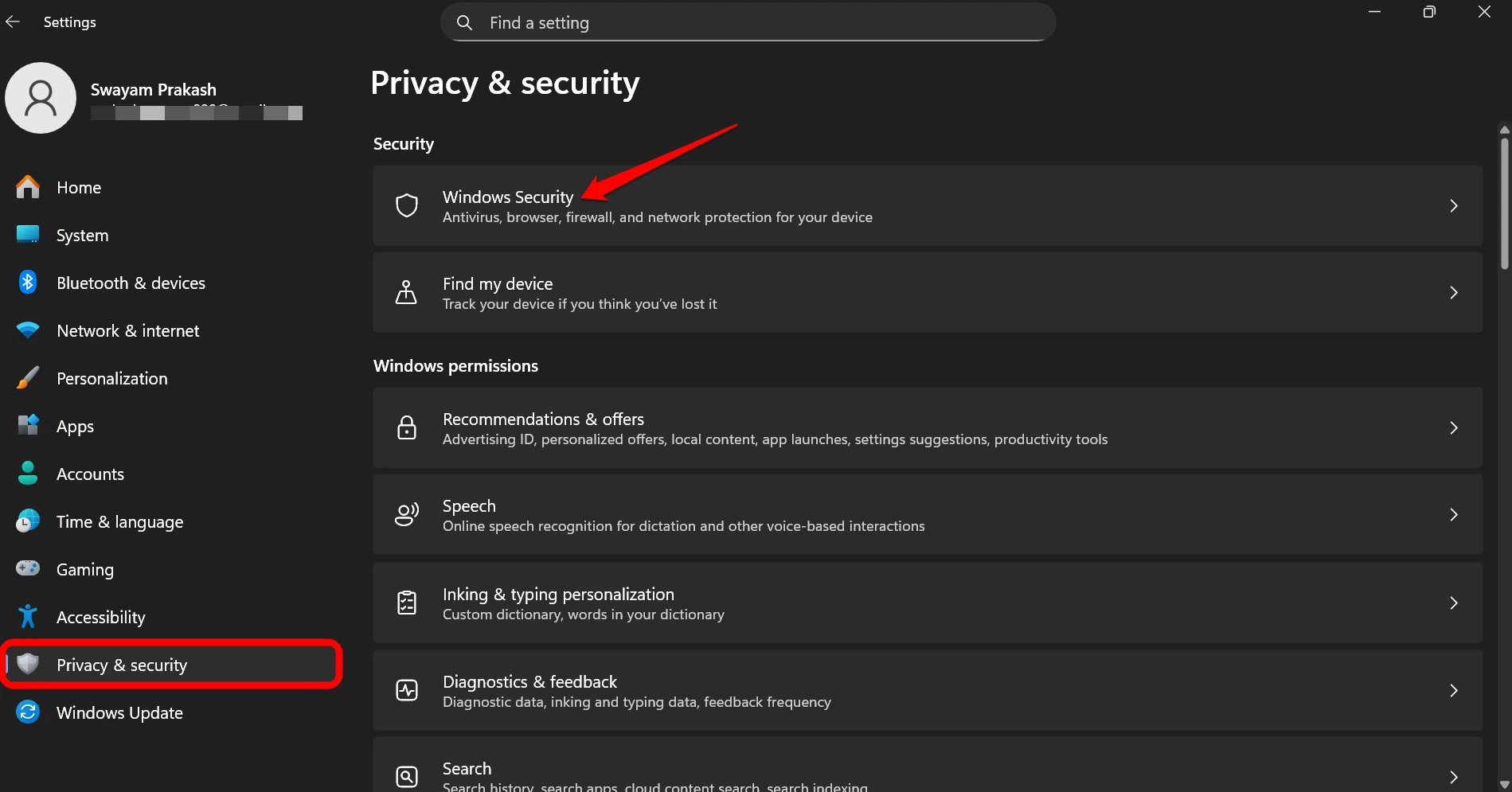
- Press Windows + I to access Windows OS settings.
- Click on the Privacy and Security tab on the left.
- Now, click Windows Security.

- Go to Virus and Threat Protection.
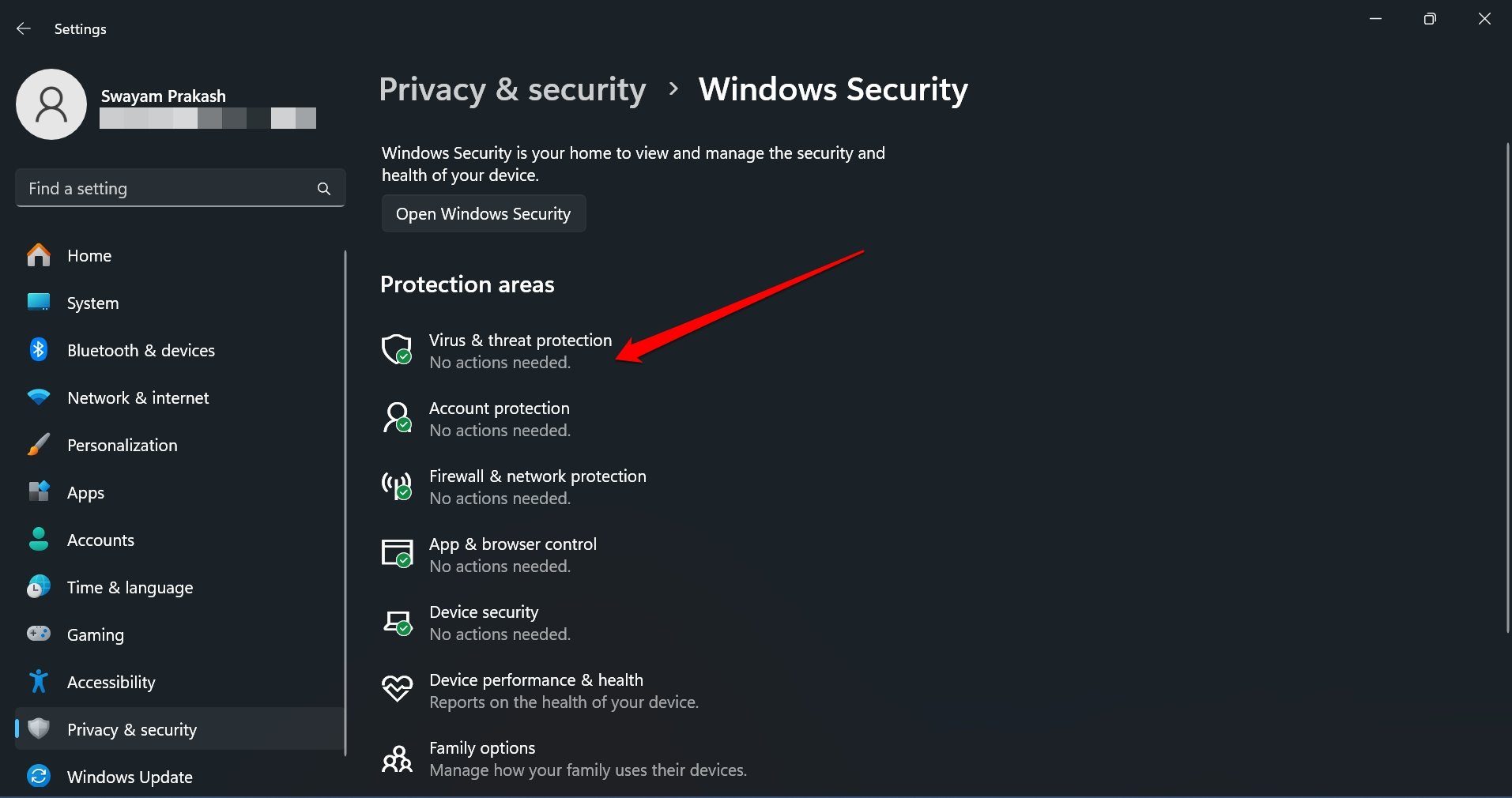

- Click on Scan Options.
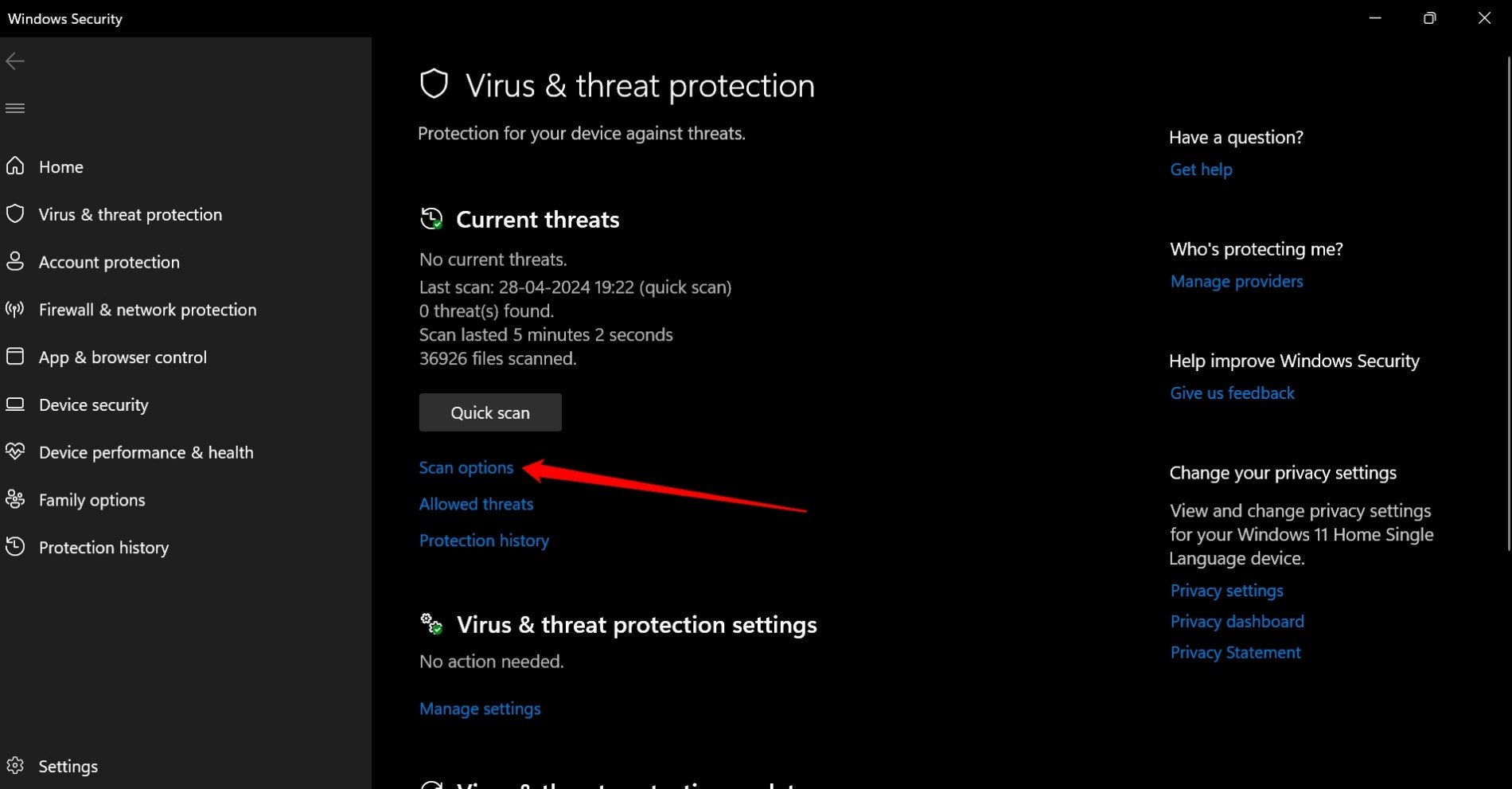

- Select Full Scan.
- Scroll down and press Scan Now.
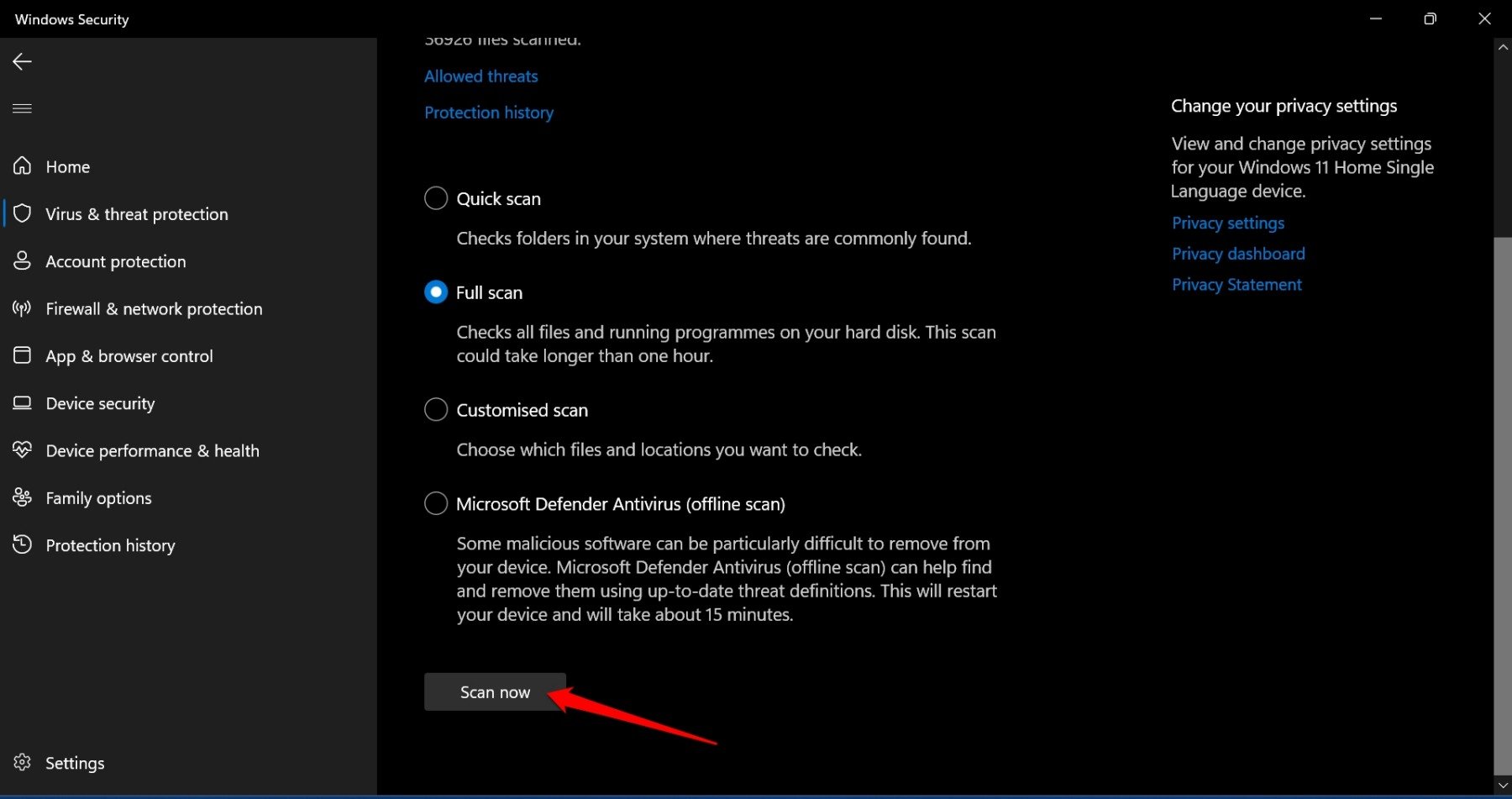

If no malware is found, then the PC is secure. Otherwise, it is wise to follow the on-screen instructions to remove the affected files/folders from your PC.
Switch to another browser/search engine
On repeat encounter of the “Our systems have detected unusual traffic from your computer network” message while searching on Google, instead of trying my luck with the Captcha, I use another browser, such as the Zen Browser or Firefox.
Search on Google without error
I realized my PC was not hacked when the “unusual traffic detected” message appeared during a Google search.
The search security can be triggered due to specific actions resembling a bot behavior, even though a human is performing the search.
Completing the captcha challenge helped me resume the Google search, and I did not face any further hurdles while browsing.
Had the captcha failed, my next best step would be switching to a privacy-oriented search engine for hassle-free browsing.
If you've any thoughts on I fixed the “Our systems have detected unusual traffic from your computer network” in Google Search, then feel free to drop in below comment box. Also, please subscribe to our DigitBin YouTube channel for videos tutorials. Cheers!