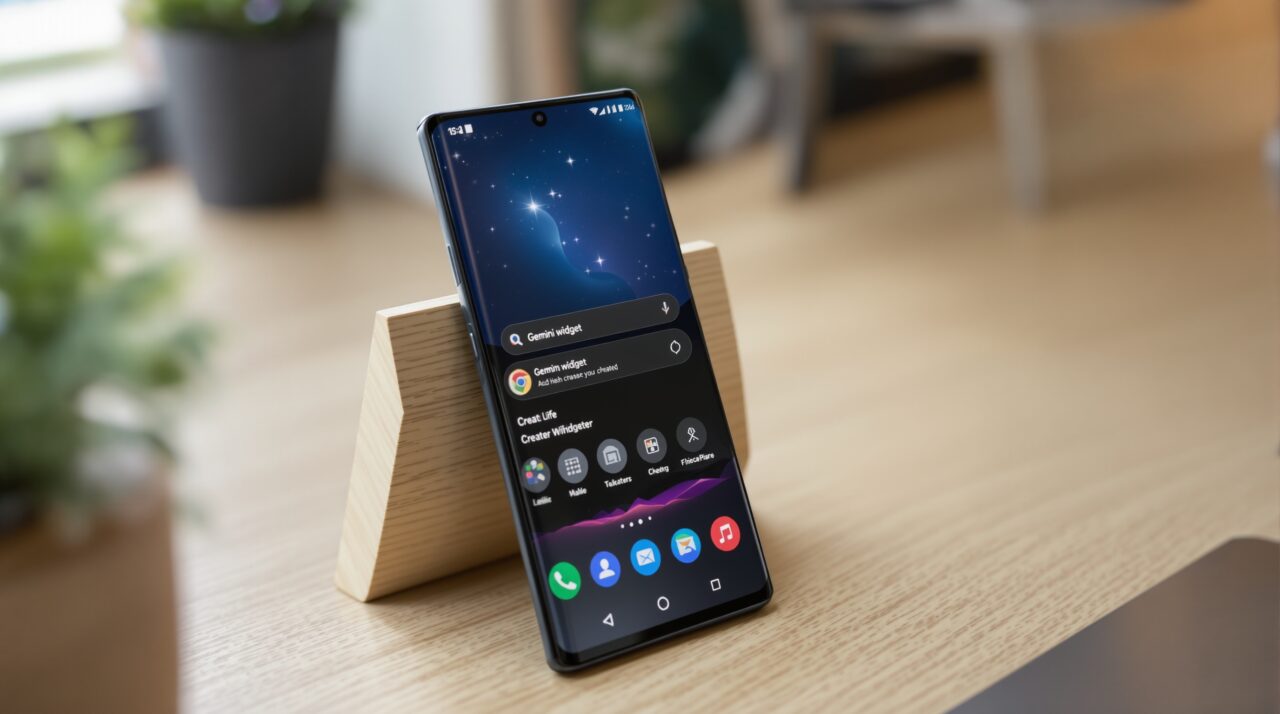
Google announced Gemini Intelligence on May 12, 2026, at The Android Show: I/O Edition, and described it as the moment Android stops being an operating system and starts being an “intelligence system.”
The feature is the centerpiece of Android 17, and the demos were genuinely impressive. A parent says one sentence. Gemini finds the class syllabus in Gmail, identifies the required books, opens the shopping app, and fills the cart. The user confirms. That is it.
The question worth asking, especially after watching Google’s AI promises for the past three years, is how much of this holds up when you hand it to a real phone on a real day.
Google Assistant was supposed to do multi-step tasks too. So was the original Gemini overlay. The engineering this time is different. Whether the daily experience is different is still an open question on May 19, 2026.
TL;DR: Gemini Intelligence is the umbrella name for a new set of proactive AI features in Android 17, starting on Pixel 10 and Galaxy S26 this summer. It includes multi-step app automation, Create My Widget, Rambler voice-to-text, and Intelligent Autofill. The automation runs on-device using Gemini Nano v3, which is why only a narrow set of 2026 flagships qualify. The debut is expected on the Galaxy Z Fold 8 in July 2026, with the Pixel 10 series and Galaxy S26 following in the same window.
What Gemini Intelligence actually bundles
Gemini Intelligence is not a single feature. It is a branding layer over four distinct capabilities, each of which does something different and ships on a slightly different timeline.
| Feature | What it does | Availability |
|---|---|---|
| Multi-step automation | Executes chains of actions across apps from one request | Summer 2026, Pixel 10 and Galaxy S26 first |
| Create My Widget | Generates custom home screen widgets from plain language prompts | Summer 2026 with Android 17 stable |
| Rambler | Gboard voice input that filters filler words and handles multilingual dictation | Summer 2026 with Android 17 stable |
| Intelligent Autofill | Cross-app form filling using connected Google account data | Summer 2026, opt-in via Gemini connection |
According to Google’s official announcement, the company spent months fine-tuning the multi-step automation on the Galaxy S26 and Pixel 10 using popular food ordering and rideshare apps before going public with the feature. That is a meaningful detail. It signals that the initial rollout will be narrow and that the app list will grow over time.
How multi-step automation is supposed to work
The flagship use case is a chain of actions that would normally require you to open three or four apps, copy information between them, and make several decisions along the way.
You hand the whole sequence to Gemini with a single request, and it handles the steps while you do something else. A Live Update notification in the status bar shows progress. You only return to confirm the final action before anything is purchased, posted, or sent.
Google demonstrated several scenarios at The Android Show. A parent asks Gemini to find a class syllabus in Gmail and add the required books to a shopping cart.
A user long-presses the power button over a grocery list in the Notes app and asks Gemini to build a delivery cart from it. Another example involves pointing the camera at a hotel brochure and asking Gemini to find and book a similar tour for six people on Expedia.
These are the kinds of tasks that technically work today if you copy, paste, and switch apps yourself. Gemini Intelligence is supposed to make that invisible.
Whether it works as shown in a demo environment is a different matter from whether it works on your specific apps on your specific phone. Google fine-tuned this on food and rideshare apps first.
That is the honest scope of what launches this summer, not a universal task runner across every app in the Play Store.
Create My Widget and what it actually means for home screens
Create My Widget is the part of Gemini Intelligence that has the least precedent in Android’s history. Every widget on the Play Store today was built by a developer. A user could not generate one.
Create My Widget changes that. You describe what you want in plain language, and Gemini builds a working widget you can drop on your home screen, resize, and use immediately.
Google described this as “the first step in generative UI,” which is a phrase worth holding onto. If it works reliably, it means the home screen becomes something you configure with a sentence rather than something you hunt for in app settings.
The same generative widget capability extends to Wear OS tiles and to the new Googlebook laptops launching later this year.
The obvious limit is that generative widgets depend on what data sources Gemini can access. A widget that pulls from Gmail, Google Calendar, or Google Keep has a natural connection.
A widget that pulls from a third-party app requires that app to have exposed data in a way Gemini can reach. The full scope of what works at launch will not be clear until the stable Android 17 release in June 2026.
Rambler and what changes for voice dictation
Rambler is a Gboard feature, not a separate app. It replaces the existing voice input system for composing messages with an AI layer that filters filler words, handles self-corrections, and supports multilingual dictation mid-sentence.
If you switch between Hindi and English in the same message, the way most people in multilingual households actually speak, Rambler is meant to follow that without losing the thread.
The practical difference from standard voice input is that you no longer need to speak in complete, clean sentences. You can think out loud and revise your thought mid-dictation, and Rambler produces a coherent message at the end.
According to Google, speech is processed in real time and is not stored. That is worth noting given how sensitive voice data tends to be.
Frequently Asked Questions
Does Gemini Intelligence replace Google Assistant?
Gemini Intelligence is not a replacement for the Gemini assistant. It is a layer of proactive automation built on top of the existing Gemini infrastructure in Android 17. The Gemini overlay you access by holding the power button remains separate from the background automation that Gemini Intelligence handles.
Which apps does multi-step automation work with at launch?
Google confirmed it fine-tuned the feature on popular food and rideshare apps first. The broader app list will expand over time. At the stable Android 17 launch in June 2026, expect food delivery and ride-booking to be the most reliable use cases.
Does Create My Widget work with third-party apps?
Create My Widget works naturally with Google’s own services, including Gmail, Calendar, and Keep. Third-party app support depends on whether those apps expose data in a way Gemini can access. The full compatibility list has not been confirmed ahead of the June 2026 stable release.
Is Rambler the same as standard Android voice typing?
No. Standard voice typing transcribes what you say literally, including filler words and corrections. Rambler interprets your meaning, filters out “ums” and repetitions, handles mid-sentence language switching, and produces a polished message from a casual spoken input.
The one thing worth keeping in mind
Gemini Intelligence is the most ambitious version of proactive AI Google has shipped on Android. It is also the narrowest at launch, limited to a handful of 2026 flagships, a short list of supported apps, and a rollout window that starts in summer and expands gradually through the year.
Magic Cue on the Pixel 10 was supposed to be the beginning of this kind of background automation. Most Pixel 10 owners barely noticed it existed.
The honest version of covering Gemini Intelligence is to say: the engineering is real, the demos are plausible, and the gap between the demo and the daily experience is what gets settled after June 2026, not before. If your phone qualifies, the Android 17 stable release this summer is when the real test begins.