I have had an ad blocker running in Chrome for years. Ads gone, trackers reduced, pages theoretically lighter. But the one thing it never fixed was the pause. That brief but consistent gap between clicking a link and watching the next page start to load. On documentation sites, Reddit threads, GitHub discussions, long news articles. That pause repeated itself dozens of times a day.
At some point I started looking for something different. Not another blocker, not a privacy tool. Just something that made Chrome feel faster to actually use.
TL;DR: TooSlow is a free Chrome extension that uses preloading, prefetching, and caching to reduce the wait time between clicking a link and the next page appearing. It works well for everyday browsing: articles, forums, documentation, search results. Some JavaScript-heavy sites may behave oddly, but the extension lets you disable it per site. The difference is noticeable from day one.
How preloading actually works
Chrome already has a built-in preload setting buried under performance options. It helps. But TooSlow takes it further using three separate techniques that work together.
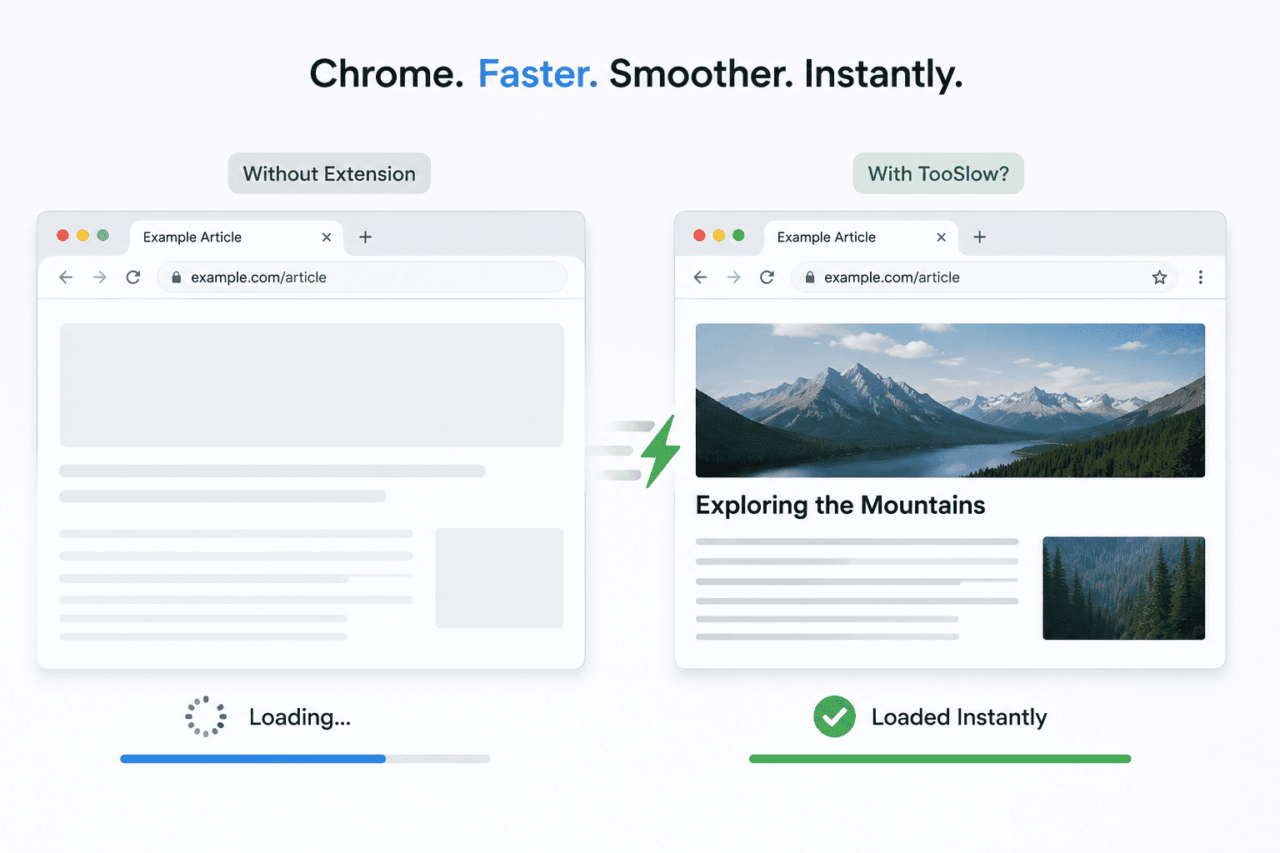
The first is predictive preloading. When you hover over a link, or when a link enters your viewport while scrolling, the extension quietly starts fetching parts of that page in the background, before you actually click anything.
By the time you do click, the DNS lookup may already be resolved, the connection established, and parts of the HTML sitting in cache. Chrome skips a large chunk of its normal startup work for that page load.
The second is intelligent caching. Pages you have already visited are stored so that revisiting them is near-instant. No fresh request needed for the same content.
The third is a no-refresh mechanism. TooSlow tries to convert navigation between pages into something closer to a single-page app experience, with smoother transitions, less of that full white-screen reload flash.
Together, these make the browser feel more responsive to intent rather than just faster on a benchmark. It is a different kind of improvement.
What the difference actually feels like
The first thing I noticed was how it changes link-heavy workflows. Reading through a long Reddit thread and jumping between comments, opening links from search results, moving between tabs in documentation, all of it felt quicker. Not dramatically. But consistently.
The DigitBin internal page that used to take 1 or 2 sec to load now loads instantly as I click. That was something I needed but was not expecting it to be that fast.
The best way I can describe it: pages used to appear after I clicked. Now they appear as I click. That half-second dead time mostly disappears. On slower or ad-heavy sites the difference is even more obvious because there is more normal latency to cut into.
It pairs naturally with an ad blocker too. The blocker handles trackers and ad scripts. TooSlow handles navigation latency. They solve different things, and running both together makes the combination feel lighter than either does alone.
I also did not have to change anything about how I browse. No settings to configure per site, no manual rules to set up.
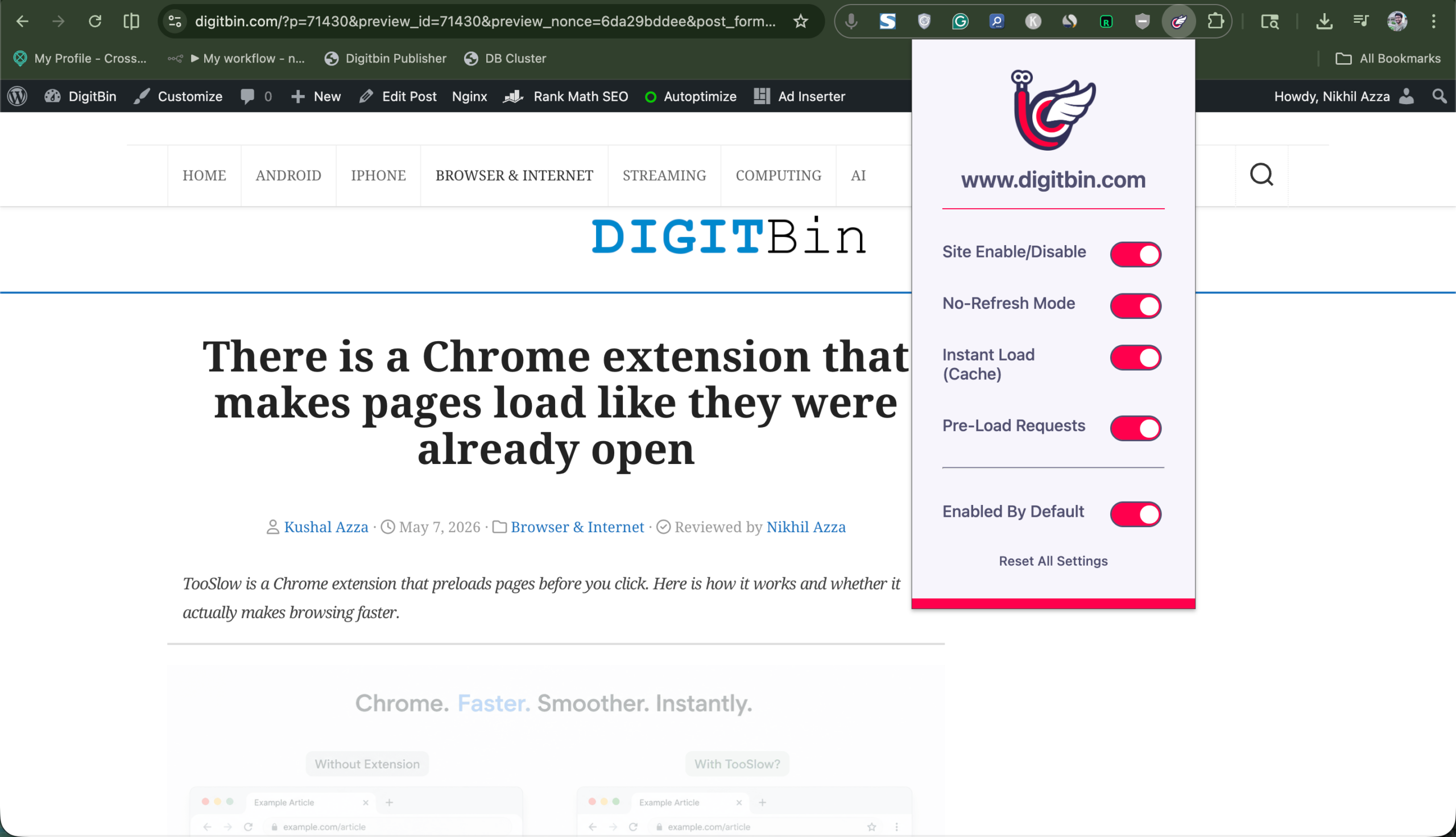
It enabled itself for all sites by default, and mostly disappeared into the background, until I disabled it temporarily to check something and immediately noticed how much slower normal Chrome felt without it.
The part that does not always work
There is an honest caveat worth mentioning, and the extension’s own description flags it: TooSlow may affect complex JavaScript-dependent sites. Web apps built on heavy frameworks like dashboards, interactive tools, anything with a lot of client-side rendering, can sometimes load with missing elements or broken functionality.
I have not personally hit a serious case of this in regular browsing. But comments on the Chrome Web Store mention occasional issues with certain sites, and a few reviewers found it interfered with extension functionality in specific scenarios. It is not frequent, but it is real.
The extension handles this cleanly enough. You can disable TooSlow for any individual site from the toolbar icon, and the toggle takes effect immediately without a browser restart. So when something looks off, the fix is two clicks.
One thing I notice dis that certain pages load with fonts reverting to defaults and colours looking washed out. That is TooSlow’s no-refresh mechanism interfering with how some sites apply their stylesheets during navigation.
It is also worth knowing this does not fix everything. Heavy web apps that load large JavaScript bundles still take time to render fully. TooSlow reduces navigation latency, not render time.
For traditional browsing: articles, forums, search results, documentation, the improvement is real. For apps like Figma or Notion, it is less relevant.
Worth trying if you live in browser tabs
TooSlow has a 3.5 rating on the Chrome Web Store, which is mixed enough that I almost skipped it. I am glad I did not. The rating probably reflects that JavaScript-heavy site issue affecting some users more than others, depending on what they browse daily.
For anyone whose Chrome workflow involves a lot of jumping between articles, documentation, Reddit, GitHub, or search results, it is worth a few days of testing.
If you want to go deeper on browser Chrome speed fixes beyond extensions, there are also settings-level changes that stack well on top of this.
The extension is free. It installs in seconds and requires no setup. And if it does not work well on a site you care about, the per-site toggle is right there.