Every year Android gets a major release and every year the same question follows for Galaxy owners: what does this actually mean for my phone? Android 17 is arriving as a focused, stability-first update, with real improvements in memory management, privacy, and large-screen support.
But the moment it lands on a Galaxy device, it stops being Android 17 and becomes One UI 9. Samsung takes the platform, rebuilds what it wants, adds its own features on top, and ships something that often looks and feels nothing like what Google designed.
That is not a criticism. In several areas, the result is more capable than what Android 17 delivers on a Pixel. Understanding how Android 17 integrates into One UI 9, what Samsung carries through unchanged, what it reshapes, and where its own implementations are already more mature is the more useful question than any version number comparison.
According to Google’s Android developer documentation, Android 17 is currently in beta 4, confirmed as the final scheduled beta before the stable release. The stable build is expected sometime around mid-2026.
Based on reporting from SamMobile, One UI 9 is expected to follow in the second half of 2026, though Samsung has not officially confirmed a release date or launch timeline.
TL;DR: Android 17 powers One UI 9 but Samsung reshapes a significant portion of it. Core platform improvements including memory management, the new Contacts Picker, SMS OTP protection, and large-screen enforcement arrive intact. Samsung replaces some visible features with its own more mature implementations. In several areas, One UI 9 ends up ahead of what stock Android 17 delivers, because Samsung was already there. The platform foundations are stronger after the integration than before.
Samsung does not install Android 17, it absorbs it
Before getting into specific features, the relationship between Android 17 and One UI 9 needs to be understood clearly. Android 17 is the platform foundation.
One UI 9 is Samsung’s interpretation of that foundation. Samsung takes Google’s open-source release and builds its own launcher, Quick Settings, multitasking system, camera app, and AI features on top.
Some Android 17 features arrive on Galaxy intact. Others are replaced by Samsung’s own implementations. Several additions Google frames as new on Pixel have been part of One UI for years.
The result is a software experience that shares a version number with Pixel but diverges meaningfully in daily use.
Floating multitasking: refined in Android 17, already mature in One UI
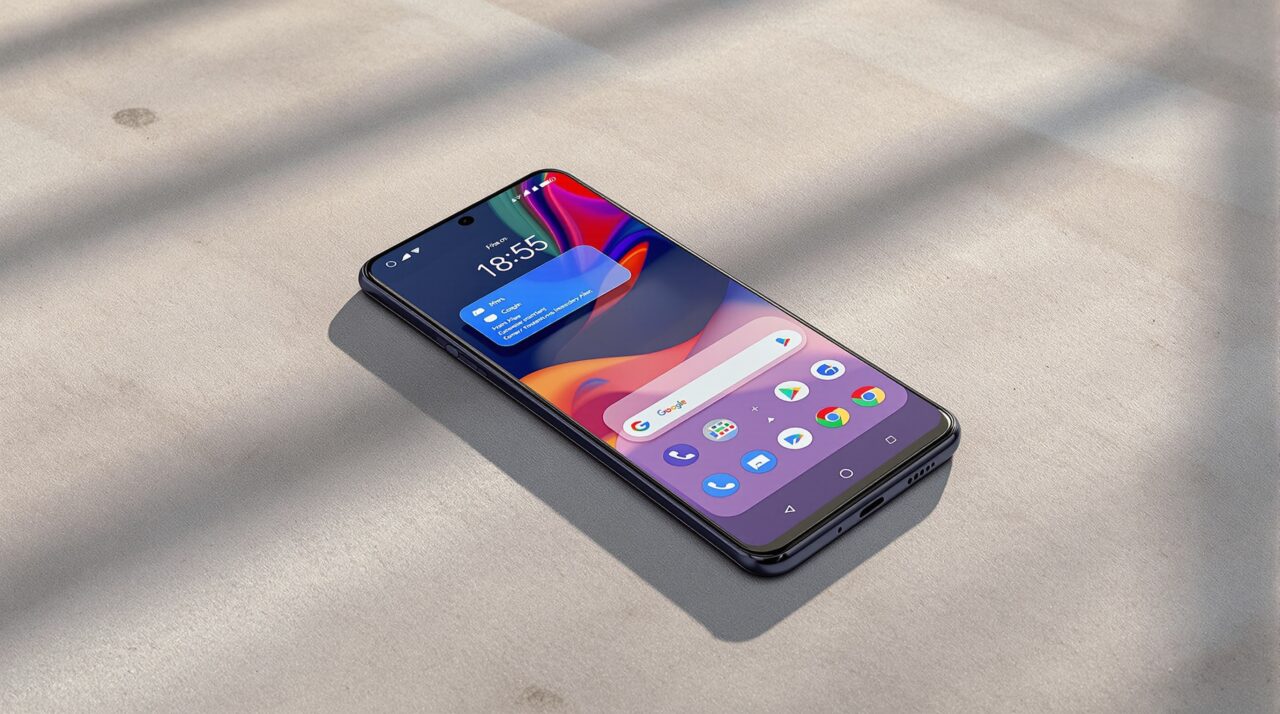
Android 17 expands the platform’s windowed multitasking behavior, building on the conversation bubbles system that first arrived in Android 11. The update improves how floating windows are triggered and managed, and adds a bubble bar for large-screen devices. On Pixel, this feels like a meaningful step forward for a feature that had been limited in its implementation.
On Samsung, this update arrives through One UI 9 as a platform-level improvement, but it sits beneath a multitasking system that is already significantly more developed.
One UI’s Pop-up View lets you float any app from inside any running app, without going back to the home screen first. Edge Panel puts quick-launch access at the edge of the display, available mid-task at any point. Both have been part of the Galaxy experience for several generations.
If you are the kind of person who switches constantly between a messaging app, a map, and a document during a commute, you already know this workflow. On One UI 9, the Android 17 improvements land as additions to a foundation Samsung built well before Google got there. The experience does not step backward. It builds on what was already working.
Privacy additions that integrate into Samsung’s existing architecture
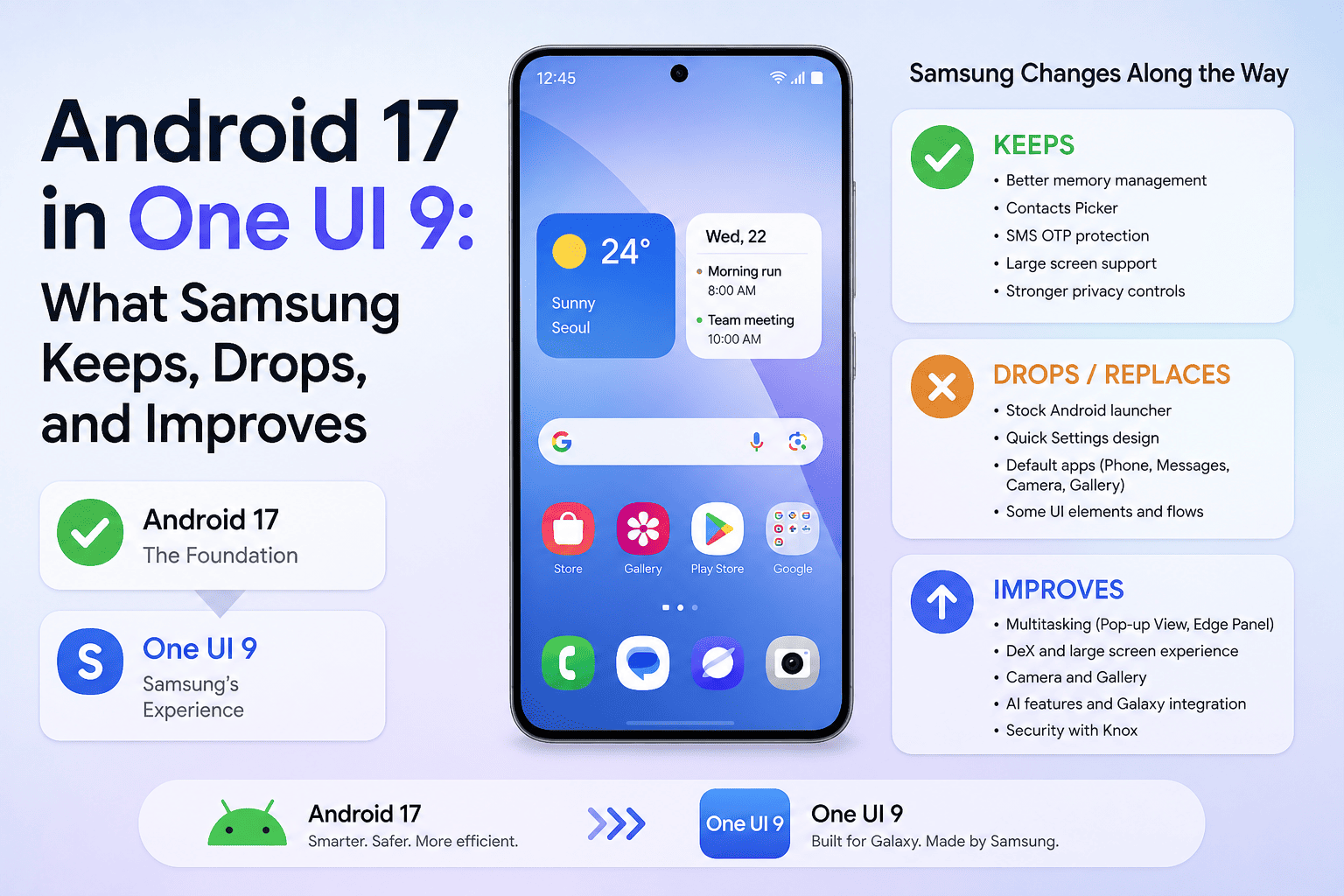
Android 17 brings two privacy improvements worth noting. The Contacts Picker replaces full address book access with session-based, contact-specific permission. The SMS OTP protection delays programmatic access to one-time passwords by three hours for apps that have not updated to proper APIs. Both changes are part of the core platform and apply to all Android 17 devices.
On One UI 9, these arrive without Samsung removing or overriding them. But they land on top of a privacy architecture that already includes Secure Folder, Samsung Knox hardware-backed isolation, and per-app permission controls refined across multiple One UI versions.
The Contacts Picker is new at the system level and represents a real addition regardless of what Secure Folder offered before. The SMS OTP delay addresses a specific attack surface that Knox was already hardening around more broadly.
The practical result for One UI 9 users is a privacy stack that is more layered after the update than before, with the new platform protections stacking on top of existing Galaxy-specific ones rather than replacing them.
Memory management: Android 17 sets a floor, One UI 9 raises it
Android 17 introduces app memory limits based on total device RAM. According to the Android Developers Blog, the system sets conservative ceilings designed to catch extreme memory leaks that cause UI stuttering, battery drain, and unexpected app kills. Google notes this targets outlier behavior rather than restricting normal apps, and recommends developers check for memory leaks ahead of the stable release.
Think of it this way: if you have ever had a phone that gets noticeably slower after four or five days without a restart, this is the kind of fix that addresses the underlying cause rather than the symptom.
Samsung adds its own memory optimization layer on top. One UI’s background process management has historically been more aggressive than stock Android, which has occasionally frustrated users whose apps refresh unexpectedly after being backgrounded. The upside of that strictness is more consistent performance over extended use.
With Android 17’s memory ceilings now part of the platform beneath One UI 9, the two systems work in the same direction. The combination should produce more stable performance than either delivers on its own.
UI refinements: subtle changes that One UI shapes further
Android 17 continues the Material 3 Expressive design rollout, bringing subtle refinements including Gaussian blur effects in system panels, updated animations, and some changes to icon treatment. These are incremental rather than a redesign, and their rollout is gradual even within the beta cycle.
On One UI 9, Samsung absorbs parts of this direction while maintaining its own design system. Blur effects in system panels are already present in One UI, so the transition feels less dramatic on Galaxy than on Pixel.
The Pixel Launcher redesign, search bar changes, and Gemini shortcut integration are Google-layer additions that do not transfer to One UI Home. Samsung runs its own launcher and its own design language.
What One UI 9 builds toward is an extension of the Ambient Design direction introduced in One UI 8.5. Early reports point to design refinements in lock screen elements and system controls, with Samsung developing these in its own direction rather than mirroring Google’s Material changes directly. The two design systems are evolving in parallel, not in lockstep.
Large-screen enforcement: where Android 17 genuinely helps Galaxy foldables
One of the cleaner wins in Android 17 is a platform enforcement change that directly benefits foldables and tablets. Apps targeting Android 17 can no longer opt out of maintaining proper orientation, resizability, and aspect ratio support. Developers who previously locked their apps to portrait mode must now support the full range of screen configurations.
For Galaxy Z Fold devices, this matters. Apps that refused to properly fill the large interior display have been a consistent irritation for foldable users, and Google is now enforcing the fix at the platform level. One UI 9 on the next Galaxy Z Fold is expected, based on current reports, to benefit from better third-party app behavior on the inner screen as a result.
This is a case where Android 17 delivers something One UI could not achieve on its own. Samsung can build workarounds for apps that misbehave on large screens, but it cannot force third-party developers to fix their orientation handling. The platform can, and Android 17 does.
What Android 17 adds to Galaxy that is genuinely new
Setting aside the areas where One UI already had more developed implementations, several Android 17 additions land on Galaxy as real net-new improvements. The Contacts Picker is new at the system level. The SMS OTP access delay is a specific protection that did not exist in this form before.
Advanced Protection Mode for high-risk users is a new option. Improved ultra-wideband distance measurement between compatible devices expands what Galaxy hardware can do at the platform level. Better satellite connectivity support when cellular networks are unavailable is another platform capability that arrives through the Android 17 integration.
These improvements arrive intact through One UI 9. Samsung does not intercept or replace them. They represent the parts of the integration story that are straightforward: platform adds something real, Galaxy users receive it without needing to look for it.
Which Galaxy phones are expected to receive One UI 9
Based on Samsung’s published update commitments, the Galaxy S23 series, S24 series, S25 series, S26 series, recent A-series models including the A56 and A36, and the Galaxy Tab S10 and S11 lineups are expected to be in line for One UI 9.
The Galaxy S22 series and Galaxy Z Fold 4 are no longer on a major OS update schedule based on Samsung’s current policy, making them unlikely candidates.
Samsung has not published an official One UI 9 eligibility list as of May 2026, so users should check Samsung’s official channels for confirmation when it becomes available.
The stronger foundation underneath
Android 17 is a focused and well-constructed platform update. Its emphasis on stability, memory efficiency, privacy, and large-screen enforcement gives One UI 9 a stronger foundation than One UI 8 had.
The areas where Samsung’s implementations were already more capable, including floating multitasking and layered privacy controls, remain intact. The areas where Android 17 adds something genuinely new pass through cleanly.
One UI 9 will not make every Android 17 headline feel like news to long-term Galaxy users. Several of those headlines describe features One UI has offered for years.
But the platform underneath One UI 9 is meaningfully stronger after the integration, and that tends to show up in the kind of stability and consistency that is easy to take for granted and difficult to notice until something goes wrong.
Frequently Asked Questions
When is One UI 9 expected to release for Samsung Galaxy phones?
Based on current reports and Samsung’s historical release patterns, One UI 9 is expected in the second half of 2026. Samsung has not officially announced a release date or confirmed a timeline as of May 2026. Users should monitor the Samsung Members app for official beta announcements.
Does One UI 9 keep all Android 17 features or replace some?
Samsung keeps core Android 17 platform changes including memory management improvements, the Contacts Picker, SMS OTP protection, and large-screen enforcement. It replaces Google-specific features like Pixel Launcher changes and Gemini launcher shortcuts with its own One UI implementations, which in several cases are more developed than the Android 17 defaults.
Is Samsung’s multitasking more capable than what Android 17 adds?
In most day-to-day scenarios, yes. One UI’s Pop-up View and Edge Panel allow apps to be floated or quick-launched from inside any running app without returning to the home screen. Android 17 refines the platform’s windowed multitasking behavior, which is a meaningful step forward on Pixel but a smaller change on Galaxy where the workflow was already more capable.
Will Galaxy foldables benefit more from Android 17 than standard phones?
The large-screen enforcement change in Android 17 is particularly relevant for foldables. Apps can no longer opt out of supporting proper orientation and resizability, which should improve how third-party apps behave on the Z Fold’s large interior display. This is one area where Android 17 delivers something One UI alone could not enforce.
Which Samsung phones are not expected to receive One UI 9?
Based on Samsung’s published update commitments, the Galaxy S22 series and Galaxy Z Fold 4 are no longer on a major OS update schedule and are unlikely to receive One UI 9. Samsung has not officially confirmed the eligibility list, so final decisions may differ. Check Samsung’s official channels for confirmation when the list is published.