I had fourteen Chrome tabs open on a Tuesday afternoon. Half of them were for researching one article. The other half were stuff I meant to read but never did. Out of habit, I started closing them one by one without reading.
Instead, I opened the Gemini side panel in Chrome and asked it to summarize what was actually in front of me. That became the routine for the following week. Every cluttered browsing session, same question.
Gemini Chrome tab summary requests are one of the more practical uses of Gemini in Chrome, not because it is flashy, but because it directly addresses the specific moment when browsing usually breaks down due to too many open tabs and not enough patience to read them properly.
TL;DR: Gemini in Chrome reliably summarized long articles and compared shopping tabs into clear tables, saving real time on research-heavy days. It struggled with tabs behind logins, video-heavy pages, and anything requiring judgment about which details actually mattered. By the end of the week, I was closing tabs faster because I trusted the summary enough to skip re-reading the original.
How the Gemini Chrome tab summary feature actually works?
Opening the side panel takes one click on the Gemini icon in the top toolbar, or typing @gemini directly into the address bar. You can also press the Alt + G shortcut key.
From there, clicking the plus icon at the bottom of the chat lets you select which open tabs Gemini should read before answering.
It is not an automatic process. You choose the tabs each time, which sounds like friction until it becomes the habit that stops it from reading things you did not mean to include.
A prompt as simple as “summarize these three tabs” pulls information directly from the live page content, not a cached or outdated version.

So, it reflects whatever is actually loaded in that tab right now. Google’s own description of the feature frames it as turning a browser full of open tabs into a clear summary, which lines up with how it actually behaved over the week.
Where summarizing Chrome tabs genuinely saved time?
Comparison shopping is where this clicked fastest. Three tabs open for the same category of product, and asking Gemini to build a table of price, specs, and standout differences took maybe fifteen seconds instead of the usual back-and-forth scrolling between tabs trying to hold three sets of numbers in my head at once.

Long articles were the second clear win. A 2,000-word piece I would normally skim in thirty seconds and mostly forget got compressed into three or four sentences that actually stuck. I stopped opening the original tab afterward unless something in the summary needed more context.
By day three, I noticed I was reading fewer full articles and trusting more summaries, which felt like it should have bothered me more than it did.
Where the tab summaries fell apart?
Anything behind a login wall came back thin or completely empty. Gemini reads what Chrome can see on the page, and a paywalled article or a dashboard that requires scrolling through several screens to load content did not summarize cleanly.
Video-intensive pages were similarly weak unless the video itself had a transcript Gemini could pull from, which ruled out a lot of the shorter clips I had open just to half-watch later.

The summaries also had a tendency to flatten nuance. A comparison table between two products would list specs accurately but miss the one sentence buried in a review explaining why one option was actually better for a specific use case.
That is the kind of judgment call a summary structurally cannot make, and I kept catching myself needing to open the original tab anyway for anything I actually planned to act on.
| Tab type | Summary quality |
|---|---|
| Long articles or blog posts | Strong, consistently useful |
| Shopping or product comparisons | Strong, builds clean comparison tables |
| Paywalled or login required pages | Weak, often incomplete |
| Video pages without transcripts | Weak or unavailable |
| Pages needing nuanced judgment | Moderate, misses subtle context |
What actually changed by the end of the week?
I stopped hoarding tabs the way I used to. The old habit was keeping a page open as a reminder to read it properly later, which usually meant it sat there for days.
Now the instinct is to ask for a summary first and decide from there whether the tab earns a second look. Most do not. That alone thinned out my daily tab count more than any tab management extension I have tried before.
I also noticed I stopped mentally cataloging what each tab was for. Gemini remembering the context meant I did not have to, which is a small thing that added up over a full week of using it this way.
The trade-off is trust. I am summarizing more and reading less, and for anything that actually matters. It may be a contract, a technical spec, a decision with money attached. The summary is a starting point, not the final word.
Frequently Asked Questions
Does Gemini in Chrome read tabs automatically?
No. You choose which open tabs to include by clicking the plus icon in the Gemini side panel before asking a question.
Can Gemini summarize a page behind a login?
Not reliably. Gemini reads what is visibly loaded on the page, so paywalled or login-gated content often comes back incomplete.
Does Gemini in Chrome cost anything to use for summaries?
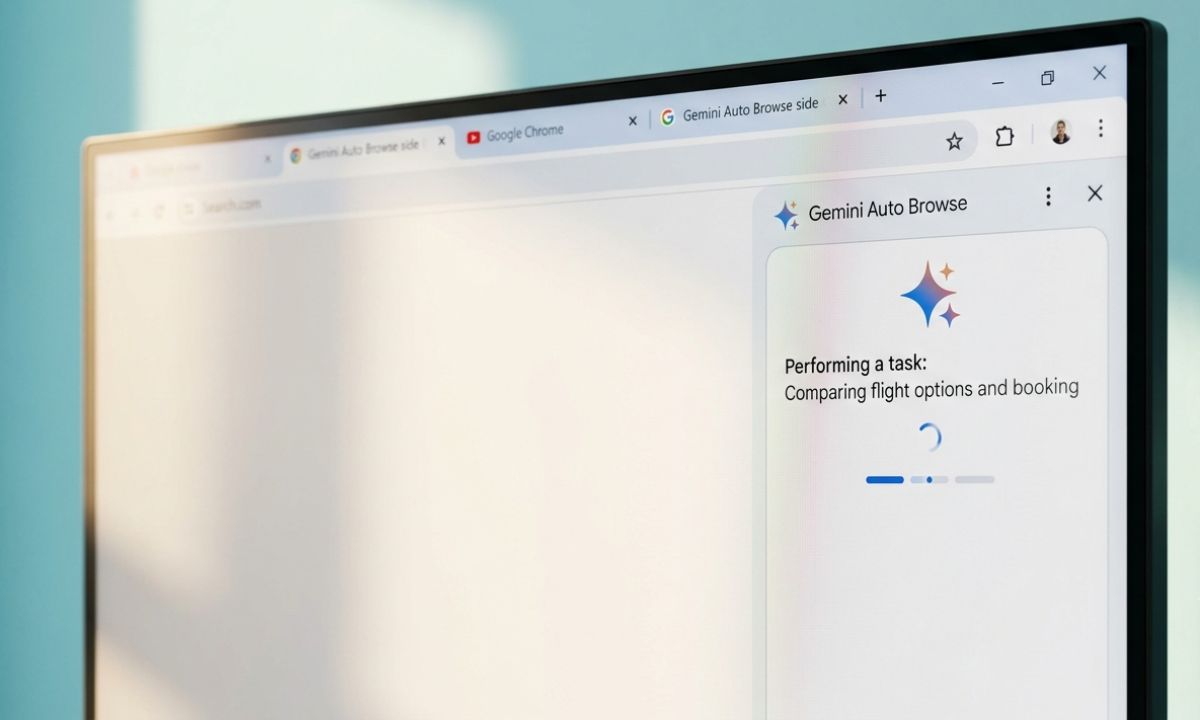
Basic summarization is available to signed-in Google accounts without a paid plan. More advanced features like Auto Browse require a Google AI Pro or Ultra subscription.
Is the tab content sent to Google permanently?
Page content is processed to generate the response and can appear in your Gemini Apps Activity if that setting is enabled, though you control what gets shared per session.
Does it work on mobile Chrome?
Gemini in Chrome with tab summarization is built for desktop Chrome on Windows, Mac, and Chromebook Plus, not the mobile app.
Whether this Gemini feature is worth adding to your browsing routine
Tab summarization is not a feature that changes how you browse in one dramatic moment. It changes a habit slowly, tab by tab, until closing things without reading them stops feeling careless.
For research-heavy days or comparison shopping, it earns its place in the toolbar. For anything requiring real judgment, it can act as a starting point that still needs the original page open beside it.