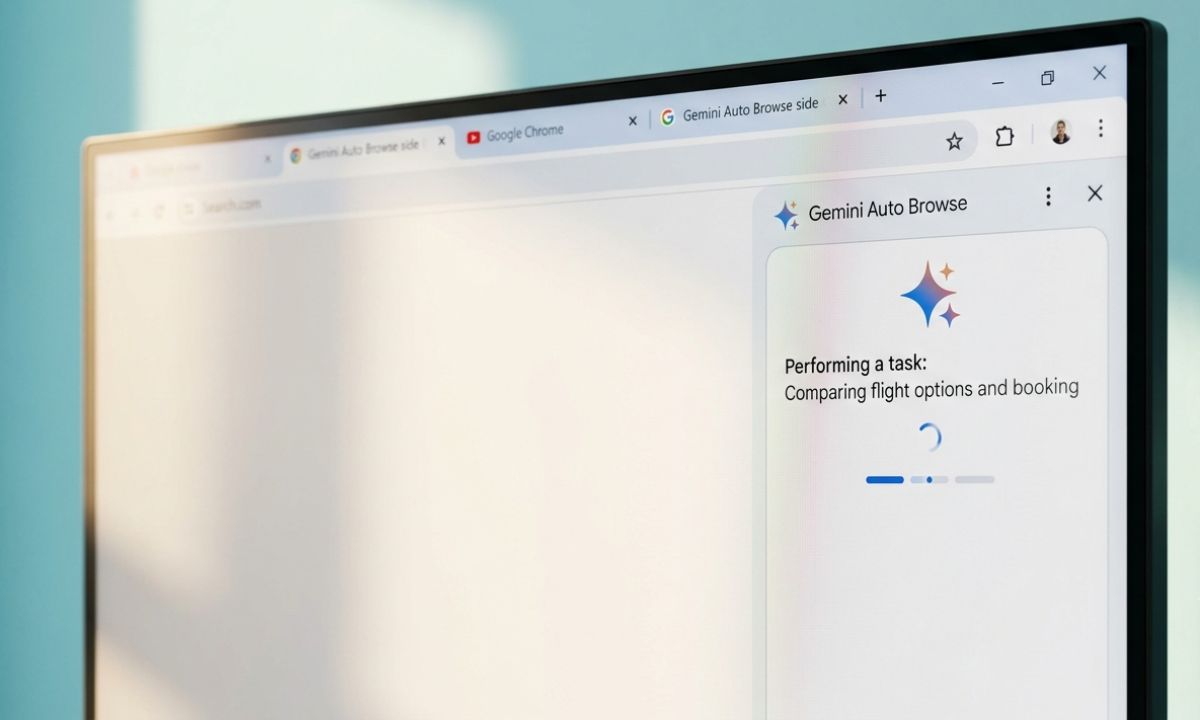
I asked Gemini in Chrome to find a hotel under 120 dollars a night in Austin for a weekend in October, book it, and send me the confirmation. I did not click anything after that.
Chrome opened its own tabs, scrolled past listings I would have skipped, applied a filter I had forgotten existed, and came back with three options and a plan waiting for my approval.
That is Gemini auto browse in Chrome, Google’s attempt at letting the browser run errands instead of just answering questions about what is on the page. It is not the same as the regular Ask Gemini panel, and knowing the difference matters before you point it at anything with a price tag.
TL;DR: Gemini auto browse lets Chrome complete multi-step tasks like booking hotels, comparing prices, and filling out forms on its own, not just answer questions about a page. It currently requires a Google AI Pro or Ultra subscription, a personal Google account, and a US location, and it will not run in Incognito mode. It pauses before purchases or other sensitive actions so you can approve or stop the task at any point.
What does Gemini auto browse actually do in Chrome?
The normal Ask Gemini panel in Chrome summarizes a page or answers a question about what you are reading. Auto browse is the agentic version. It opens tabs, clicks buttons, and fills in fields the way you would, based on a task you describe in plain language.
Google’s own examples include comparing flight and hotel prices across a range of dates, scheduling appointments, filing expense reports, requesting quotes from plumbers or electricians, and reordering something from a photo.
The Gemini vs ChatGPT Atlas comparison covers how this stacks up against OpenAI’s own browser agent, but the short version is that Chrome leans on your saved logins and passwords instead of asking you to start over somewhere new.
In my case, it handled the boring part. Ten hotel listings opened and closed on their own while it read cancellation policies I usually skip. I still made the final call.
Who can actually use it right now?
Auto browse is not available to everyone with Chrome installed, even inside countries where the assistant itself already works. As of now, using it requires all of the following.
| Requirement | Status |
|---|---|
| Age | 18 or older |
| Location | United States only |
| Subscription | Google AI Pro or Google AI Ultra |
| Account type | Personal Google account |
| Browser | Latest version of Chrome(Safe browsing enabled) |
| Device | Windows, Mac, or Chromebook Plus with language set to English |
| Incognito mode | Not supported |
| iPhone or iPad | Not supported |
Auto browse will not run in Incognito mode, and there is no version for iPhone or iPad yet.
The broader chat version of Gemini in Chrome is already available in more than 190 regions and 40-plus languages, according to Google.
Auto browse itself stays in a US-only preview for now, which is a gap worth knowing before you go looking for the option and cannot find it.
Turning a task loose without babysitting every click
The flow is simple once the requirements are met.
- Click Ask Gemini in the top bar
- Describe the task, and Chrome writes a short plan before doing anything.
- You approve it by clicking Start Task, or edit it first if a step looks off.
You can watch it work in real time, switch to another tab and let it run, or take over manually the moment something needs a human decision. I kept refreshing the tab out of habit even though nothing on my screen needed refreshing, an old reflex from watching pages load the slow way.
There are daily limits too. AI Pro subscribers get 20 auto browse tasks a day, and AI Ultra subscribers get 200, according to Google’s help page.
Instances where Ask Gemini stops and asks you first
Auto browse pauses before anything sensitive. It could be purchases, bookings, or posts, and waits for a confirmation click rather than pushing through on its own. That pause is doing real work, and it is the one part of the experience that stayed reassuring even after a week of use.
Auto browse can still get things wrong. Google’s own guidance warns that Gemini may share personal information with third-party sites to complete a task, and that mistakes, including an unwanted purchase, are possible.
You stay responsible for whatever it does under your account, which is worth remembering given it is working with saved passwords and payment details the whole time. Running a solid antivirus Chrome extension alongside it is not a bad idea if you are letting an agent touch autofill data regularly.
By day four, I stopped watching every step and only opened the tab when a confirmation prompt actually needed me. The quiet in between got normal faster than I expected, which felt slightly wrong the first time I noticed it.
Frequently asked questions
Is Gemini auto browse the same as Ask Gemini in Chrome?
No. Ask Gemini answers questions about the page you are on, while Auto Browse completes multi-step tasks like bookings and form filling on its own.
Do I need a paid subscription to use Auto Browse?
Yes. Auto Browse currently requires a Google AI Pro or Google AI Ultra subscription.
Can I use Auto Browse outside the United States?
Not yet. Auto Browse is in a US-only preview, though the regular Gemini in Chrome chat feature is available in more than 190 regions.
Does auto browse work in Incognito mode?
No. Auto browse does not run in Incognito mode, and it is not available on iPhone or iPad.
How many auto browse tasks can I run per day?
AI Pro subscribers get 20 tasks a day, and AI Ultra subscribers get 200.
The part of browsing that still needs a human
Auto browse once picked a hotel listing with a resort fee buried in the fine print, the kind I would have caught scanning the page myself but missed while skimming its summary instead.
Nothing about that is a dealbreaker, but it is a reminder that the plan Gemini shows you is worth actually reading, not just approving out of momentum.
Auto browse is genuinely useful for the errands you would run anyway, price comparisons, appointment booking, the small forms nobody enjoys filling out. It is not yet something to leave running unsupervised on anything expensive.