On most workdays I cross 25 to 30 open tabs between Docs, Reddit, YouTube, Gmail, and whatever I am researching at the time. Every browser tab eventually starts looking the same at that scale.
Chrome has been adding AI features at a fast clip since early 2024, and most of them felt interesting for about three days before I forgot they existed. A handful quietly became things I now depend on. These are those ones.
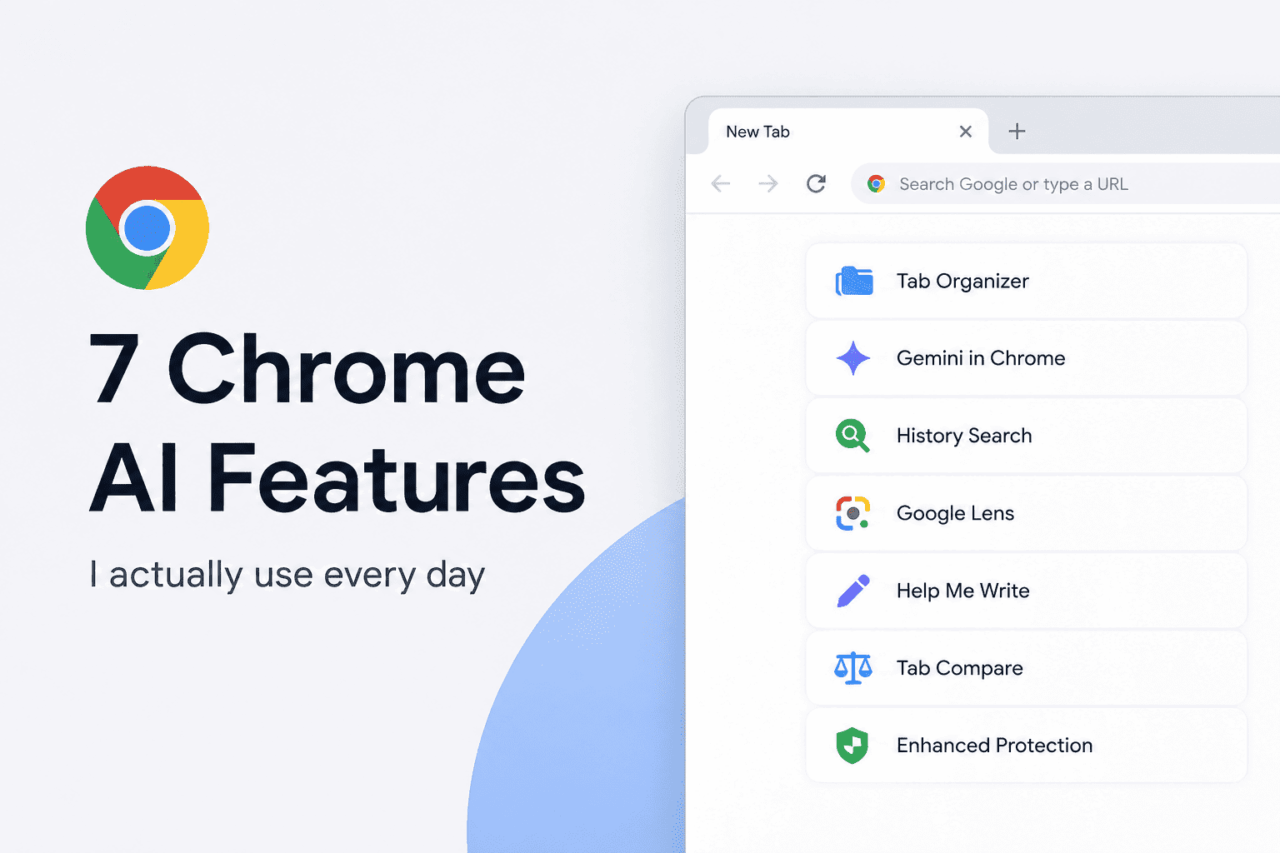
TL;DR: Chrome’s best AI features reduce friction instead of trying to replace how you browse. Tab Organizer, the Gemini side panel, natural language history search, Google Lens, Help Me Write, Tab Compare, and Enhanced Protection scam detection have earned a permanent place in my daily workflow. Most are available on Chrome for Mac and Windows, though availability still varies by region, language, and account type. Some are better than others, and a few come with real limitations worth knowing before you rely on them.
Tab Organizer cuts through the visual noise
Chrome’s Tab Organizer groups related open tabs automatically and suggests names and emojis for each group. You trigger it by right-clicking any tab and choosing “Organize similar tabs,” or using the dropdown arrow at the far left of the tab bar.
The feature became genuinely useful once I stopped expecting perfection. During a research session on Android emulators, Chrome grouped Reddit benchmark threads separately from official Android developer docs and YouTube comparison videos without me asking.
It got the groupings right about 80 percent of the time. The rest involved tabs sharing keywords but serving different purposes, corrected in seconds.
Grouping does not reduce Chrome’s RAM usage. Thirty grouped tabs is still thirty tabs. What it removes is the mental overhead of scanning a sea of identical favicons every time you switch context. After a week I stopped noticing it was running, which is usually the sign a feature actually worked.
| Feature | Free | Platform | Availability | Notes |
|---|---|---|---|---|
| Tab Organizer | Yes | Mac, Windows | Gradual rollout | Auto-groups related tabs |
| Gemini Side Panel | Yes | Mac, Windows | Expanding globally | Built-in Gemini assistant |
| History Search | Yes | Mac, Windows | Limited rollout | Natural language search |
| Google Lens | Yes | Mac, Windows | Widely available | Visual search in Chrome |
| Help Me Write | Yes | Mac, Windows | Limited regions | AI writing assistance |
| Tab Compare | Yes | Mac, Windows | Limited rollout | Compares shopping tabs |
| Enhanced Protection | Yes | Mac, Windows, Android | Widely available | AI scam protection |
| Auto Browse | No | Mac, Windows | Limited access | Requires AI subscription |
Gemini side panel keeps context inside the browser
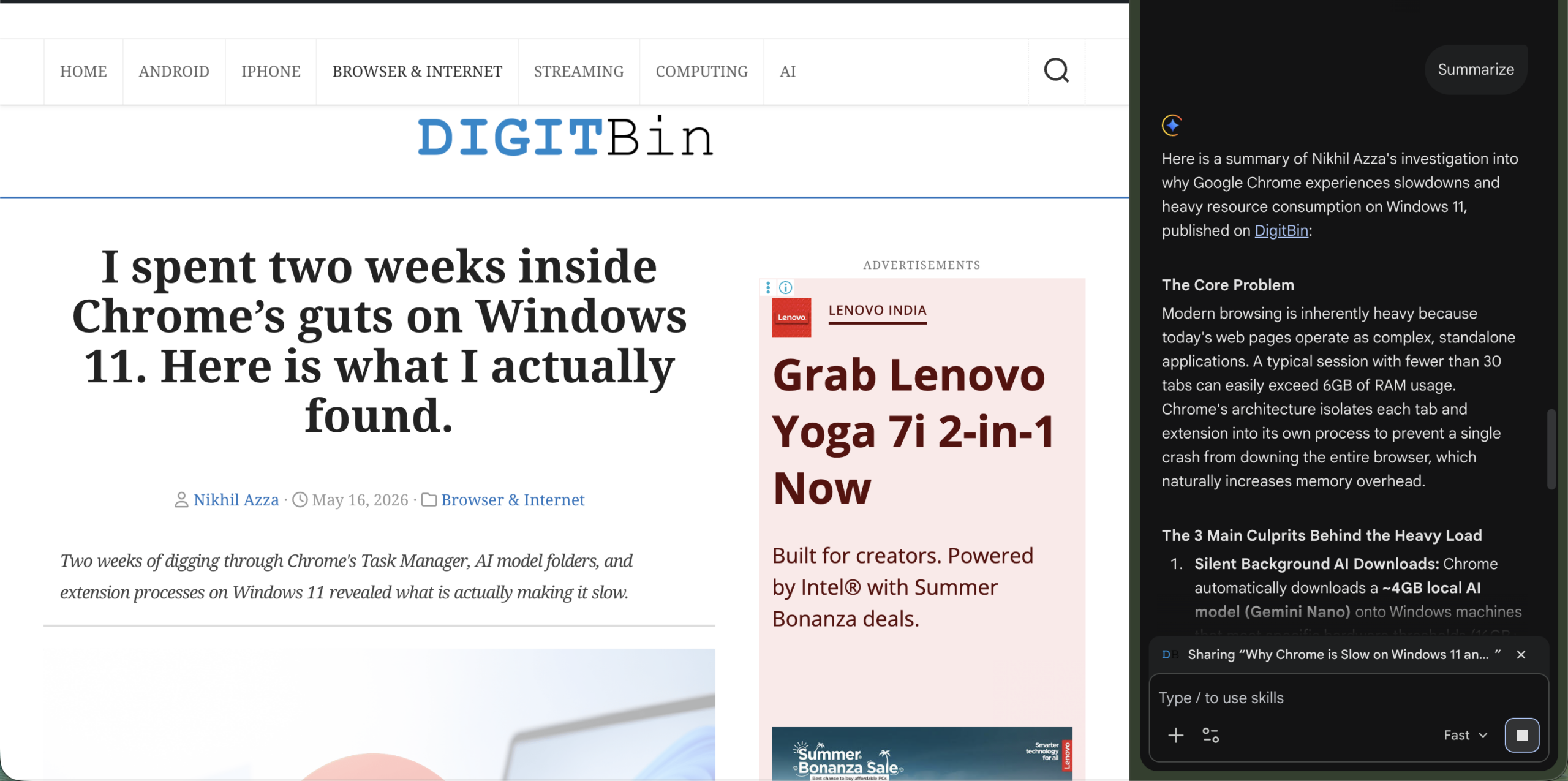
Google expanded Gemini in Chrome through 2025, first as a floating assistant window and later as a persistent side panel for Mac and Windows users. In January 2026, Google upgraded it with Gemini 3 integration and deeper multi-tab assistance features.
Before this I was copying paragraphs from long articles into a separate Gemini tab to ask questions. Now I can ask Gemini to pull recurring complaints from a 3,000 word laptop review, summarize thermal issues across multiple open tabs, or flag which specs actually differ between two similar products, without leaving the window.
The side panel is heavier on systems with 8GB of RAM. On a 16GB machine it stays comfortable through a full workday. Google also announced on May 12, 2026 that Gemini in Chrome is coming to Android in late June, powered by Gemini 3.1, with Nano Banana image editing and Personal Intelligence included. Devices need Android 12 or higher and at least 4GB of RAM.
History search the way human memory actually works
Chrome’s enhanced history search, which rolled out in August 2024, lets you find previously visited pages using plain language instead of exact URLs.
Instead of scrolling through a long history list hoping to recognize the right favicon, you type something like “that Reddit thread about Android emulators overheating on Mac” and Chrome surfaces it.
Human memory stores context and impressions, not URLs. This feature matches the way people actually remember what they read, which sounds obvious until you realize how many years browsers ignored that completely.
I use this four or five times a day for reopening benchmarks, tutorials, and old comparison tabs I closed too quickly. It works best for pages you spent real time on. Tabs you bounced off in three seconds are harder to surface cleanly.
Google Lens inside Chrome removes several steps from image search
Google Lens arrived in Chrome’s desktop browser in August 2024. You select the Lens icon in the address bar, then click or drag over anything visible on the page. Results and visual matches appear in a side panel without opening a new tab.
The use cases that actually stuck for me: identifying a mechanical keyboard from a blurry Reddit image (found the exact model in seconds), copying text out of a screenshot without needing a separate OCR tool, and reverse searching product images to check whether a shopping listing is legitimate. That last one has become almost a reflex during deal research.
Without Lens, the same workflow meant screenshotting, uploading to Google Images in a new tab, then cross-referencing results. Lens cuts that to a single drag selection. The difference feels small until you do it ten times in a day.
Help Me Write for the emails nobody wants to write
Help Me Write puts an AI writing assistant directly inside Chrome’s text fields, including contact forms, email drafts, and marketplace listings. It launched alongside Tab Organizer in Chrome M121 in January 2024. You right-click a text field and it appears as an option.
I do not use it for serious writing. But for low-stakes text where I want something readable and professional in 30 seconds, it is exactly right. A delayed parcel inquiry that would have read “hi parcel not arrived pls check” becomes a coherent customer support message without me spending ten minutes on it.
The output usually needs a light edit. The first draft reads slightly formal and occasionally misses the specific tone you want. But as a starting point for anything you would otherwise put off writing, it does the job and does it fast.
Tab Compare for shopping across multiple sites
Tab Compare started appearing as part of Chrome’s AI feature rollout during 2024, which lets Chrome summarize product information across multiple open tabs into a single AI overview. You access it when you have several product pages open at once and Chrome detects a comparison opportunity.
I had nine tabs open comparing mechanical keyboards before realizing Chrome could pull the key differences together automatically. The summary covered price gaps, switch types, build materials, and polling rates across all nine. It narrowed the field from nine options to three that were actually worth reading closely.
Where it still falls short: AI summaries miss long-term reliability complaints, community concerns from forum threads, and the kind of specific quirks that only show up in Reddit comment sections six months after launch. Tab Compare is genuinely useful for narrowing choices, not for making the final decision. Those two things are different jobs.
Frequently Asked Questions
Are Chrome AI features available outside the US?
Many Chrome AI features first launched in the US, but Google has gradually expanded several of them to additional regions and languages. Availability still varies depending on feature rollout, account type, and Chrome language settings.
Does the Gemini side panel slow Chrome down?
The Gemini side panel uses additional RAM, which can be noticeable on machines with 8GB or less. On systems with 16GB of RAM the impact is minimal during normal use. Chrome still loads pages at the same speed, but overall memory usage climbs when the panel stays open with many tabs running.
Do I need a paid Google subscription for these features?
Most Chrome AI features, including Tab Organizer, history search, Google Lens, Help Me Write, and Tab Compare, are free for any signed-in Google account holder in the US. Auto Browse, which handles multi-step web tasks automatically, requires a Google AI Pro or Ultra subscription.
When is Gemini coming to Chrome on Android?
Google announced at The Android Show on May 12, 2026 that Gemini in Chrome for Android will begin rolling out in late June. Google says the feature will initially support select Android 12+ devices with at least 4GB of RAM, and requires Chrome to be set to US English.
The features worth actually turning on
Chrome’s AI additions work best when they solve a specific frustration rather than trying to reimagine browsing from scratch. Tab Organizer handles a real problem. History search fixes something that should have worked this way years ago. Lens in the desktop browser removes steps that were never necessary. The Gemini side panel still asks more of your hardware than some machines can comfortably give.
The most useful AI tools are the ones that become invisible. You stop noticing them because the friction they removed stopped existing. A few of these have reached that point. The rest are still earning it.