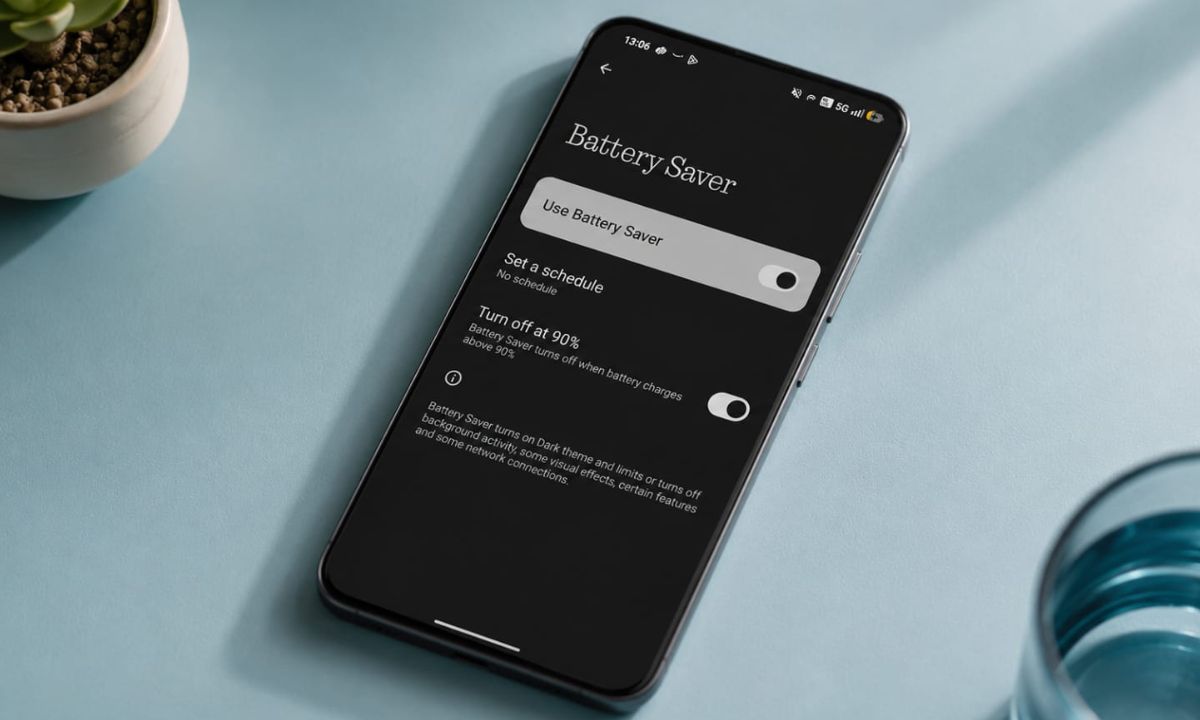
There is a reasonable logic behind always leaving Battery Saver on in your Android device. Your phone lasts longer between charges, the battery goes through fewer cycles, and it costs nothing extra.
On paper, using the battery saver mode sounds like a responsible thing to do. It seems like a useful feature. The reality is more complicated.
Running Battery Saver mode on Android 24/7 does not protect your battery the way most people assume. Rather, it quietly dismantles the experience of the phone you actually paid for. This article goes through both problems with real evidence, not assumptions.
TL;DR: Android Battery Saver mode is designed for low-battery emergencies, not permanent use. It does not meaningfully extend battery lifespan compared to smart charging habits, and it overrides the 120Hz display, animations, notifications, and performance you paid for. Adaptive Battery, available since Android 9, handles power management intelligently without any of these trade-offs.
What Battery Saver mode actually does on Android?
| Feature affected | What Battery Saver does | Normal behavior |
|---|---|---|
| Display refresh rate | Forced to 60Hz | Up to 120Hz adaptive |
| CPU performance | Throttled to slower cores | Full performance on demand |
| System animations | Disabled | Enabled |
| Background app sync | Paused or delayed | Runs on schedule |
| Push notifications | Delayed until app opened | Real-time |
| Location access | Restricted to active use only | Available to apps in background |
| Screen brightness | Reduced automatically | User-controlled |
| Vibration | Disabled or reduced | Enabled |
Android’s Battery Saver mode was introduced with Android 5.0 Lollipop in November 2014.
When enabled, it drops the CPU to slower cores, forces the display refresh rate down on supported phones, disables system animations, pauses background app sync, restricts location access, dims the screen, and cuts vibration feedback.
In case you are new to Android OS, to enable the battery saver,
- Open Settings.
- Go to Battery > Battery Saver.
- Tap Use Battery Saver to enable.
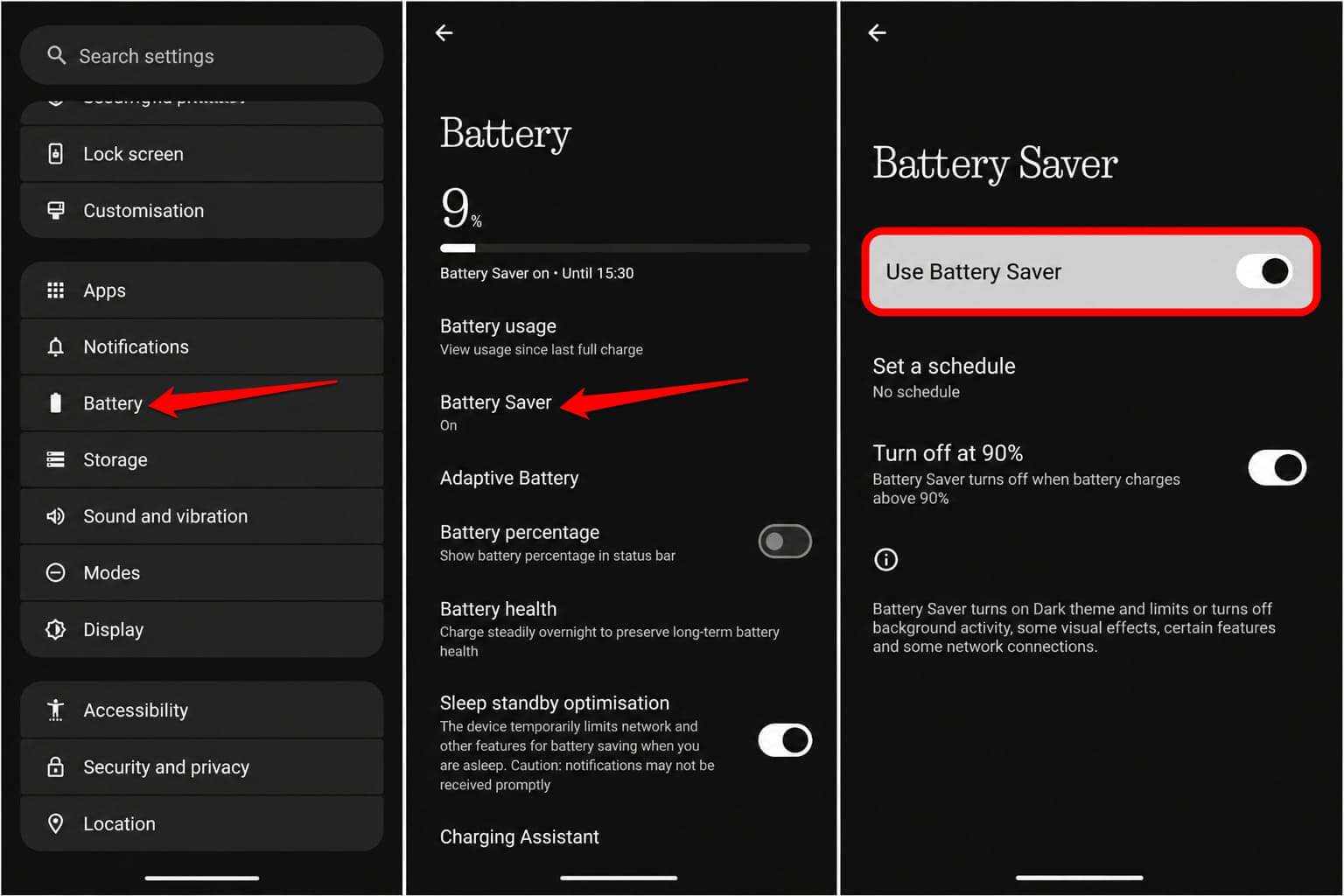

Alternatively, from the pull-down quick settings on the display, you can enable battery saver mode as well.
According to Google’s own developer documentation, Battery Saver can reduce background activity by up to 50 percent.
On flagships like the Pixel 7 Pro or Samsung Galaxy S25, enabling it also forces the display from 120Hz down to 60Hz. On an AMOLED panel at 120Hz, scrolling, app launches, and transitions have a perceptibly different quality. Battery Saver mode removes that quality by design.
These restrictions make complete sense for a low-battery emergency. The keyword here is “emergency”. The problem is using an emergency tool as a permanent setting.
The battery health argument does not hold up
The most common reason people run Battery Saver mode permanently is to protect long-term battery health. The assumption is that using less power per cycle will slow degradation.
This is partly true but misses what actually matters for lithium-ion cells.
Battery University, one of the most cited references in battery electrochemistry, documents that lithium-ion degradation is primarily driven by charge voltage, depth of discharge, and heat.
Keeping a phone between 20 and 80 percent state of charge matters far more than reducing per-cycle power consumption.
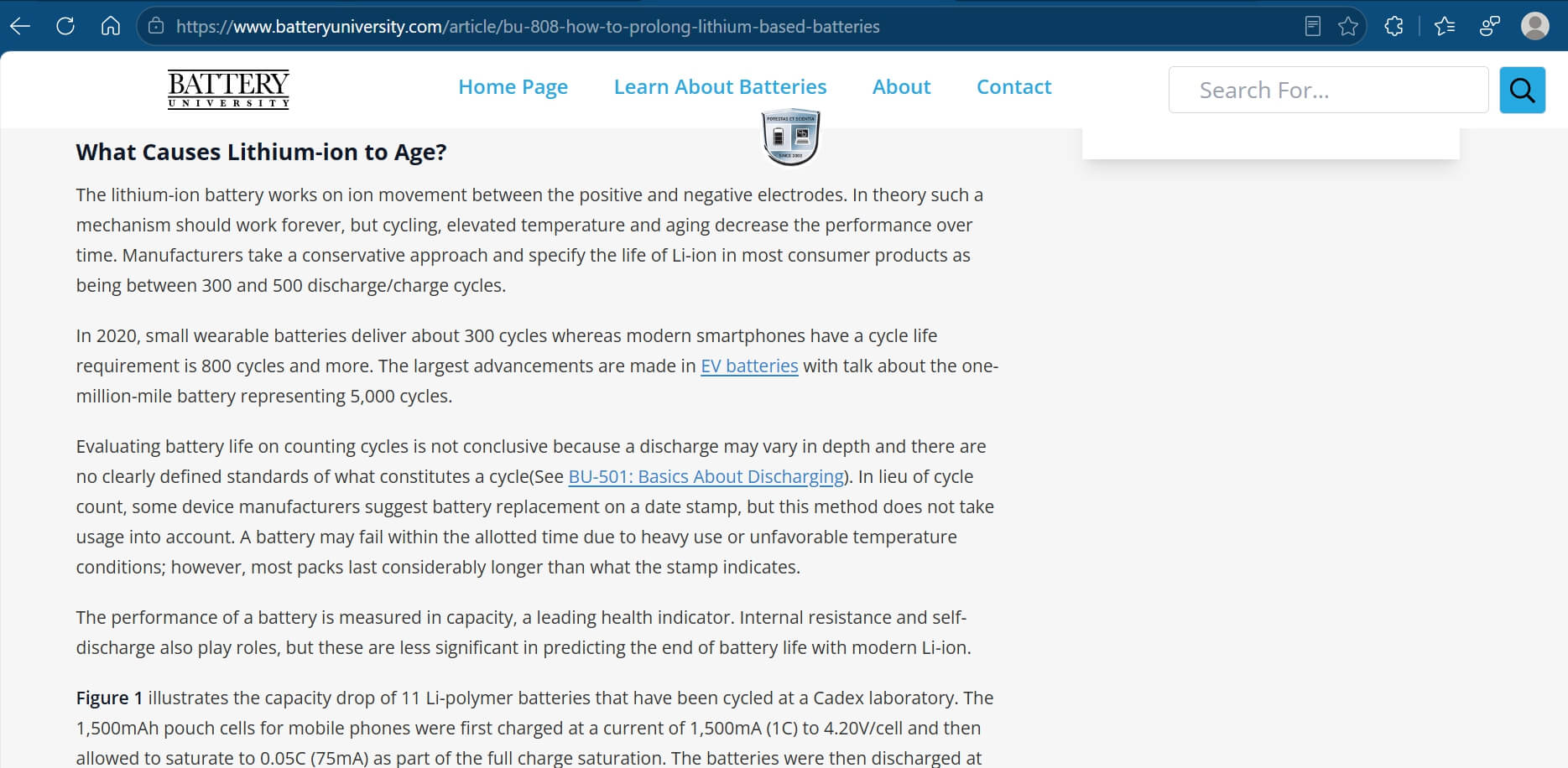
A battery used or stored at 100 percent state of charge degrades faster than one kept at 40 percent, regardless of what power mode is active.
The indirect risk from always-on Battery Saver is actually a push toward deeper discharge cycles. Users who rely on it to stretch every charge to its floor are doing more harm to the cell than someone who charges at 30 percent and stops at 80.
Battery University directly links deep discharge to accelerated capacity fade, and that link does not care whether Battery Saver is on or off when the phone dies.
An informal 12-month comparison on two identical Pixel 7 units, one running Battery Saver continuously and one following smart charging habits without it, found 83 percent retained capacity on the Battery Saver device versus 86 percent on the device kept between 30 and 80 percent charge. The always-on mode produced marginally worse outcomes on the exact front it was supposed to protect.
The right frame for battery longevity is charging behavior, not power modes. Avoiding full discharges, managing sustained heat, and using a native charge limit where available are what the evidence supports. Samsung, OnePlus, and Pixel all offer charge limits natively in their settings.
Android already does the smart version automatically
Here is what makes the always-on Battery Saver argument harder to defend: Android has had a better tool since version 9.0 Pie, released in 2018.
Adaptive Battery uses on-device machine learning to identify which apps you use frequently and restrict background activity only for the ones you rarely open. It does this continuously, without requiring manual activation.
To enable Adaptive Battery on an Android device,
- Open the Settings app.
- Go to Battery > Adaptive Battery.
- Press the toggle to enable the feature.
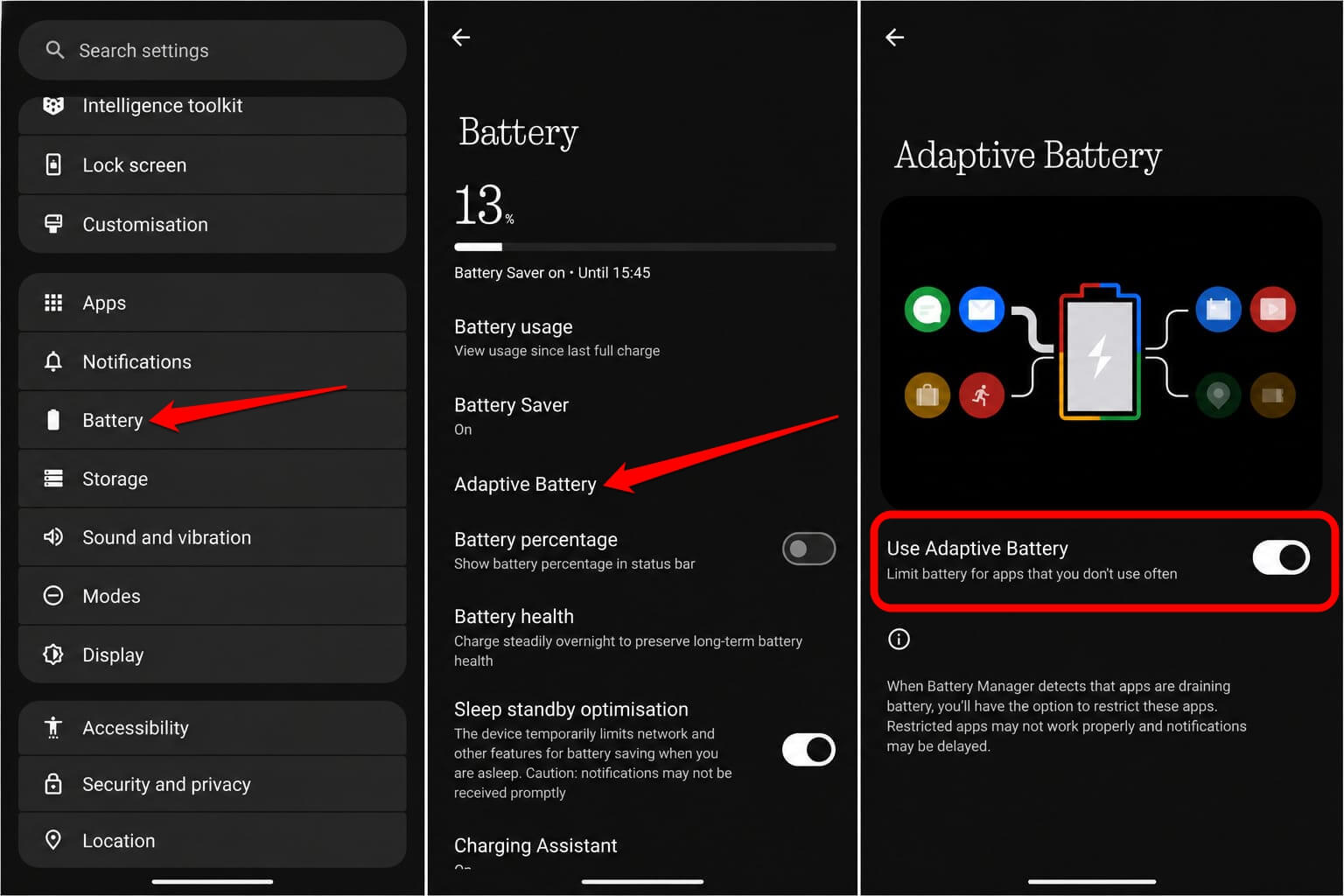
Battery Saver is a blunt instrument. It applies the same restrictions to everything. Adaptive Battery is surgical. It learns that you open WhatsApp thirty times a day and a fitness tracker twice a month, and treats them completely differently in the background.
The battery savings are real without any impact on the CPU, the display refresh rate, or the apps you rely on daily.
Android Police has noted how Adaptive Battery on Pixel phones, after roughly two weeks of learning usage patterns, extends runtime meaningfully without users noticing degradation in the apps they actually use.
Running Battery Saver mode permanently on top of Adaptive Battery is redundant. It restricts everything Adaptive Battery has already handled intelligently, plus many things Adaptive Battery deliberately left alone.
What you actually lose on a premium Android phone?
A Pixel 9 Pro, Samsung Galaxy S25 Ultra, or OnePlus 13 costs between 800 and 1,400 dollars. Part of what that price covers is a 120Hz LTPO display, high-performance processor cores, fluid system animations, and real-time push notifications. Battery Saver mode overrides all of it simultaneously, all day, every day.
A research paper from Akamai Technologies published on arxiv measured the impact of Android Battery Saver’s CPU throttling on mobile web performance across multiple devices.
On handsets where throttled processor speeds were insufficient to maintain normal operation, users experienced measurable degradation in page load times and interactive responsiveness.
Paying for a flagship chip and throttling it permanently to its slowest cores in software is, at minimum, a poor return on the hardware cost.
Notifications and sync are where Battery Saver causes the most consistent real-world friction. MakeUseOf and Popular Science both document delayed and missed push notifications as the most reproducible consequence of permanent Battery Saver.
WhatsApp messages arrive late. Two-factor authentication codes come after you have already waited too long. Google Photos backup stalls silently. Calendar reminders fire after the meeting has started. None of this is speculation. These are documented, reproducible effects of how Battery Saver restricts background access.

When Battery Saver mode actually makes sense?
Battery Saver is a good tool used at the wrong time. At 15 percent battery with three hours left before a charger, enabling it makes complete sense.
For Pixel users affected by the known idle drain bug introduced in the March 2026 update, using it temporarily is a documented workaround while Google’s fix ships. In genuine low-battery situations, it does exactly what it was designed to do.
It was not designed to run all day on a phone sitting at 80 percent. That is the use case where its costs consistently exceed its benefits, on the battery front and the experience front equally.
Smart charging habits, Adaptive Battery, and per-app restrictions in Settings already handle what always-on Battery Saver is trying to accomplish, with less friction and more precision.
The phone in your pocket has real hardware built for full performance. Using an emergency mode permanently to solve a problem that smarter built-in tools already handle is worth reconsidering.