Google is rolling out five new Android features today, and Android 17’s new Motion Assist feature is the one worth paying attention to. It adds a subtly animated bubble to your screen that moves with your car, bus, or train, aimed at the nausea that comes from staring at a phone while the vehicle sways around you. The update also ships a Gemini feature that remembers where you put your passport and keys, plus smaller changes to Google Messages. For anyone who gets queasy scrolling in the back seat, or loses track of small items around the house, this update touches real daily friction instead of new toggles nobody asked for.
TL;DR: Google’s September Android Drop adds Motion Assist, a bubble overlay on Android 17 phones that fights motion sickness, an idea borrowed from Apple’s Vehicle Motion Cues. Gemini can now remember where you placed items like keys or a passport and save the spot to Find Hub on Android 16 and newer. Guided vision adds spoken descriptions of your surroundings, and Messages gets shared Keep notes and custom chat themes. All five features start rolling out today.
What Motion Assist actually does in the car
Motion Assist adds a small animated bubble to your screen that shifts position based on how the vehicle is moving. Erik Kay, Google’s VP of engineering for the Android core platform, wrote in a blog post that the goal is closing the gap between what your eyes see on the display and what your inner ear feels from the road.
The feature can turn on automatically once Android detects you are in a moving car, bus, or train, and it also lives in Quick Settings as a manual toggle. You can adjust the bubble’s shape, color, and opacity. The underlying idea is not new: Apple shipped a near identical screen overlay called Vehicle Motion Cues on iPhone years before Android caught up.
| Feature | Requires | Availability |
|---|---|---|
| Motion Assist | Android 17 | Rolling out today |
| Find Hub Remembered items | Android 16+ | Countries with Gemini and Find Hub support |
| Guided vision (Gemini Live) | Android 9+ | Coming soon, countries with Gemini |
| Google Keep in Messages | Google Messages | Rolling out today |
| Chat theme in Messages | Google Messages | Available now |
Gemini becomes a memory for things you do not tag
Find Hub already tracks tagged items through Bluetooth trackers, but the new Remembered tab covers things that never get a physical tag. Tell Gemini something like “remember in Find Hub that I put my passport in the bedroom drawer,” attach a photo if you want, and the location saves automatically.
This works on any phone running Android 16 or newer, one version behind Motion Assist’s requirement, and only in countries where both Gemini and Find Hub are supported. Ask Gemini for the item later, or check the Remembered tab inside the Find Hub app directly.
Guided vision and the smaller changes riding along
Gemini Live is also picking up a feature called Guided vision, which gives spoken descriptions of whatever the camera is pointed at. Google built it with input from blind and low vision users and points to reading a food label or ordering from a menu in a dim restaurant as the kind of task it is meant for. Google’s own footnote is blunt about the limits: the feature can make mistakes and is not a substitute for a mobility aid or real navigation help.
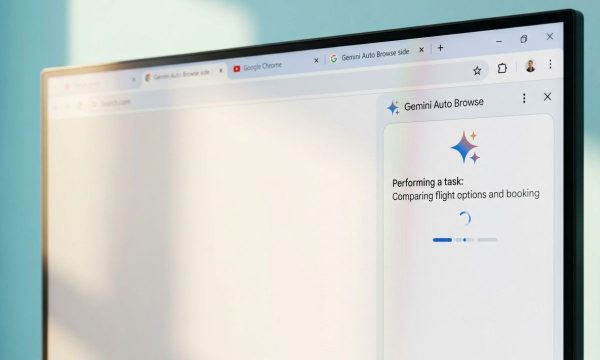
Google Messages picks up two smaller updates alongside all this. You can now create and edit a Google Keep note directly inside a group chat, and pick a custom background and color theme for individual conversations. Both are minor next to Motion Assist, but they fit a pattern from Google’s other recent releases, including Gemini auto browse in Chrome, of quietly automating small chores instead of chasing one marquee AI feature.
How to actually turn these on
Motion Assist needs a phone running Android 17, and it should show up as an automatic prompt the first time Android detects a moving vehicle, or as a manual entry in Quick Settings. Find Hub’s Remembered tab works one Android version further back, on Android 16 and newer, and both AI features depend on regional availability for Gemini. The staggered version requirements echo how Android’s sideloading changes rolled out earlier this year, feature by feature rather than all at once.
Chat theme in Google Messages is live immediately with no version gate, and Google Keep inside Messages starts rolling out today. None of this requires buying a new phone, which is the more consequential detail buried in the announcement. Google is spending this cycle on people who already own a Pixel or Galaxy device running current software, not on selling new hardware.