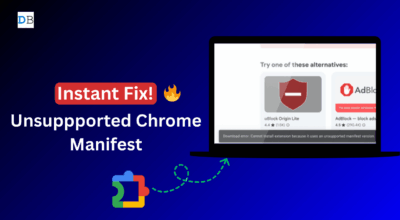
Chrome 150, releasing June 30, removes the last flag that was keeping full uBlock Origin functional in the browser. A Google engineer confirmed the change in a Chromium commit, calling the flag dead code now that Chrome no longer supports Manifest V2 extensions in any form. For the roughly 40 million people still running uBlock Origin in Chrome, this closes the final technical escape hatch. The extension that replaced it, uBlock Origin Lite, is available for free, but it lacks the capabilities that made the original worth installing.
TL;DR: Chrome 150 removes the ExtensionManifestV2Disabled flag, the last working bypass for Manifest V2-based ad blockers in Chrome. Full uBlock Origin stops working in Chrome entirely after this update. The MV3-compatible replacement, uBlock Origin Lite, exists and is free, but it loses dynamic filtering, cosmetic filtering, and anti-adblock bypass. Firefox still supports the full extension without restriction. Brave builds its ad blocker directly into the browser, so Chrome’s extension rules do not apply to it.
What Chrome 150 is actually removing
The ExtensionManifestV2Disabled flag is not something most Chrome users would ever encounter. It was the last remaining toggle that let technically-inclined users force Chrome to continue loading Manifest V2 extensions after Google had shut them off for standard users in July 2025.
A Google engineer filed the Chromium commit removing this flag and described it as dead code, noting that security bugs specific to MV2 had been accumulating since the transition. Chrome 151, expected in July 2026, will remove the remaining MV2-associated flags entirely, closing off any residual code path.
For uBlock Origin users, the practical consequence is this: no method available to a regular Chrome user can re-enable the full version after June 30. The Chrome Web Store now lists uBlock Origin Lite as the only option in the ad blocker category. That shift in what Chrome permits shapes every decision that follows.

What uBlock Origin Lite can and cannot do

uBlock Origin Lite is a real extension and it handles most standard display ads without configuration. For casual browsing, it removes the majority of ads that most people encounter in a regular session.
Dynamic filtering is the most significant loss. The original uBlock Origin intercepted network requests in real time and cancelled them before they loaded. Under Manifest V3, Lite submits declarative rule lists to Chrome instead, and Google controls which types of rules are permitted and how many.
Some ad networks built to evade blockers pass through more consistently under Lite than they did under the full MV2 version. Cosmetic filtering is another gap: the original extension hid the placeholder spaces left behind when an ad was blocked, while Lite handles this inconsistently and occasionally leaves a visible blank space where an ad used to sit.
Raymond Hill, the developer of uBlock Origin, has estimated the reduction in blocking effectiveness at roughly 30 to 40 percent under MV3 constraints. The exact impact varies by site and ad network. For users who want to close some of that gap, the uBlock Origin Lite setup guide covers how to extend its default filter lists toward the original configuration.
Why Firefox and Brave became the practical answers
Firefox never enforced Manifest V3 as a binding restriction on MV2 extensions. The browser supports MV3 but continues running MV2 alongside it, which means full uBlock Origin works in Firefox exactly as it did in Chrome before 2024. For users whose primary concern is blocking effectiveness, switching browsers solves the problem that switching extensions cannot.
Brave takes a different approach. Its built-in Shields system operates as a browser-level content blocker, entirely outside Chrome’s extension architecture. Brave is still Chromium-based, but it modified the underlying source to handle ad blocking at a layer where extension policies do not reach.
Microsoft Edge and Opera are expected to follow Chrome on MV2 removal, according to a commenter on the Chromium commit. That narrows the list of Chromium-based browsers where the full version of uBlock Origin still works.
| Browser | Full uBlock Origin | Built-in blocking | MV3 enforced |
|---|---|---|---|
| Chrome | No | No | Yes |
| Firefox | Yes | No | No |
| Brave | No | Yes (Shields) | No |
| Edge | No (expected) | No | Expected |
| Opera | No (expected) | No | Expected |
What Chrome users running an ad blocker should know now
The Manifest V3 story has been covered mainly as a technical API change. The practical effect is more behavioral. The situations where full uBlock Origin made the most visible difference were YouTube, recipe blogs that reload mid-scroll, and shopping sites that follow a single search query across unrelated pages for days.
Those are the situations where MV2’s real-time network access mattered most, and they are where the gap between Lite and the original shows up most clearly. For users weighing their Chrome ad blocker options after June 30, the question is whether what Chrome currently allows is sufficient for how they actually browse.
Google’s decision closes off the workarounds but does not close off the alternatives. The browser you end up using after Chrome 150 depends on how much the gap between Lite and the original actually shows up in a daily session.