Google is launching Gemini in Chrome for Android at the end of June, bringing the browsing assistant that has been on desktop for months to phones for the first time. The update adds a Gemini side panel, an image tool called Nano Banana, and a feature called auto browse that handles multi-step tasks automatically. Auto browse is the part that changes how Chrome actually works as a daily tool, and it is restricted to Google AI Pro and Ultra subscribers.
The rest of the Gemini features are free. They require Android 12 or higher, at least 4GB of RAM, and Chrome set to English-US. The rollout starts at the end of June and is initially US-only, according to Google’s announcement on The Keyword, written by Charmaine Dsilva, Director of Product Management for Chrome.
TL;DR: Gemini in Chrome for Android arrives at the end of June 2026 for US users on Android 12 or higher with 4GB RAM minimum. Free features include the Gemini side panel, page summarization, Google app integration, and Nano Banana image editing. Auto browse, which automates tasks like booking parking or updating subscriptions, is limited to AI Pro and Ultra subscribers. Chrome must be set to English-US.
What auto browse actually does on Android
Auto browse has been available on Chrome desktop, but bringing it to Android is a different proposition. On a phone, it means you can hand Chrome a task mid-errand and let it finish without watching every step.
Google’s examples from the announcement are specific. You are heading to a comedy show and forgot to book parking. You ask Gemini in Chrome, and it pulls event details from your ticket confirmation, finds a spot through SpotHero, and presents a booking to confirm. A second example involves switching a Chewy subscription from puppy food to adult food as your dog grows. These are not searches. They are multi-step sequences Chrome handles end to end.
The security model is built around confirmation before anything sensitive. Auto browse asks before completing purchases or posting to social media. Google also says the feature is protected against prompt injection, where a malicious webpage tries to instruct the AI to take actions you did not request.
Auto browse on Android requires an AI Pro or Ultra subscription on top of device eligibility. The free Gemini features in Chrome are useful, but auto browse is the one that materially changes what a browser can do for you in a day. That is the feature behind the paywall.
Nano Banana and what the Gemini side panel adds
Nano Banana is Google’s image creation and editing tool built directly into Chrome for Android. From a page you are already viewing, you can ask it to turn a blog post into an infographic or modify a room in an apartment listing photo. It runs inside the browser without switching apps or uploading files to a separate service.
The Gemini side panel works similarly to the desktop version. Tap the Gemini icon in the toolbar and a panel opens at the bottom of the screen. From there you can ask questions about the page you are on, summarize a long article, add an event to Google Calendar, drop recipe ingredients into Keep, or search a Gmail thread for something specific, without leaving Chrome.
Google also supports an optional feature called Personal Intelligence, which connects Gmail and Google Photos so Gemini can give responses tailored to your actual context and interests. Opting in is required, and Google says the feature respects privacy controls. The whole stack runs on Gemini 3.1, the same model powering the desktop version.
Which devices qualify and what the split actually looks like
The eligibility requirements are specific enough to exclude a meaningful portion of Android phones currently in use. The device needs Android 12 or higher, at least 4GB of RAM, and Chrome set to English-US. The 4GB RAM floor cuts out a large share of budget Android devices, where 2GB and 3GB configurations remain common in lower-tier markets.
| Feature | Free | Subscription Required | Device Minimum |
|---|---|---|---|
| Gemini side panel | Yes | No | Android 12+, 4GB RAM |
| Page summarization | Yes | No | Android 12+, 4GB RAM |
| Calendar, Keep, Gmail integration | Yes | No | Android 12+, 4GB RAM |
| Nano Banana image editing | Yes | No | Android 12+, 4GB RAM |
| Auto browse | No | AI Pro or Ultra | Android 12+, 4GB RAM |
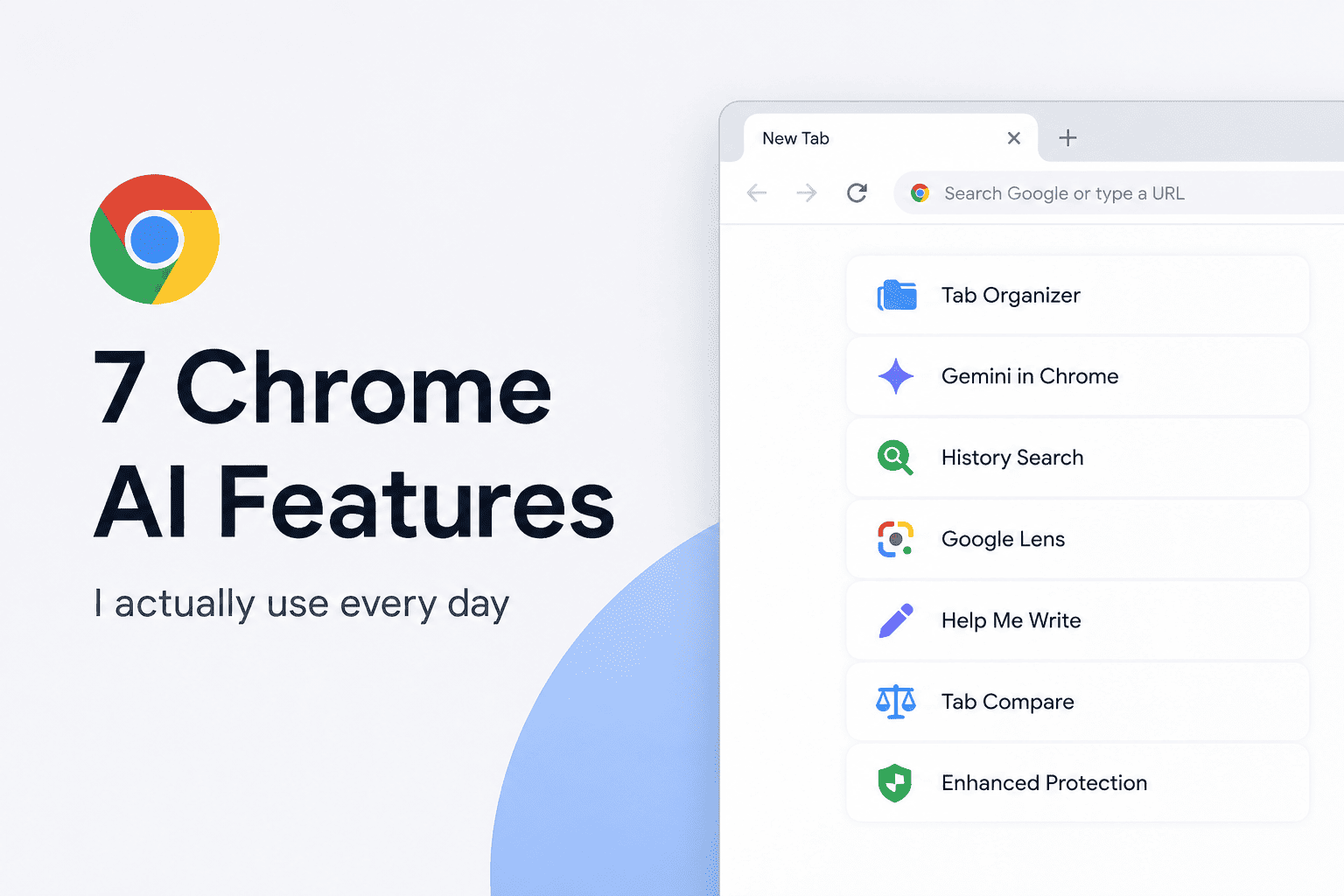
There are effectively three groups here: devices that do not meet the hardware requirements and get nothing, devices that qualify for the free Gemini features, and subscribers who get everything including auto browse. The existing Chrome AI features on desktop give a reasonable preview of what the free Android tier will feel like. The side panel and summarization are the most consistently useful parts of the desktop experience.
What Gemini in Chrome for Android actually changes about your phone
For most people, Gemini in Chrome for Android means a side panel that can answer questions about whatever page is open, without copying text into a separate app. That is the practical day-to-day change for the free tier. You stop switching between Chrome and the Gemini app to get context on something you are already reading.
Auto browse is the more significant shift, and it only lands for subscribers. The difference between the two tiers is whether Chrome can do things or only explain things. Summarizing a page is useful. Booking parking while you are already on the way is a different category of tool entirely.
Google has not given a precise date beyond end of June. For Android 12 or higher devices with 4GB or more of RAM, the rollout will arrive as a Chrome app update rather than a separate download. Devices must have Chrome set to English-US to unlock the features when the update lands. If you want to check whether your Android device is already running a version of Chrome with any of the newer AI flags enabled, the Chrome flags guide covers what is currently stable versus experimental.