There is a micro-stutter in Windows 11 that most people have learned to live with. You click the Start menu, and it pauses for a fraction of a second before the interface renders.
Similarly, when you double-click an app, there is a moment when nothing happens before the window appears.
Situations like these do not indicate a crash or a driver issue. This is something a restart cannot fix.
It is just how Windows has always felt compared to macOS, which opens apps with an immediacy that makes the Windows experience feel slightly behind by comparison. Microsoft is addressing this directly in June 2026 with a feature called Low Latency Profile.
TL;DR: Low Latency Profile is a Windows 11 scheduler change that temporarily boosts CPU frequency to maximum for 1 to 3 seconds when you initiate a high-priority action such as launching an app, opening the Start menu, or accessing the Action Center. It is part of the Windows K2 initiative, currently live in Release Preview build 26200.8514, and expected to roll out in the June 2026 Patch Tuesday update. Sources at Windows Central report up to 40% faster app launch times for in-box apps and up to 70% faster for shell interfaces like Start. Battery and thermal impact is reported to be minimal due to the short burst duration.
What Low Latency Profile actually does
The Windows CPU scheduler normally manages processor frequency to balance performance and power consumption.
Under everyday use, the CPU runs at a moderate frequency and scales up when sustained workloads demand it.
The problem is that scaling up takes time. When you click to launch an app, the CPU needs a moment to ramp frequency before it can process the launch task at full speed. That ramp delay is the micro-stutter.
Low Latency Profile changes this by detecting high-priority interactive events and immediately pushing CPU frequency to maximum before the ramp would normally complete.
The boost lasts 1 to 3 seconds, which is enough time to complete the launch or render the interface element, then the CPU returns to its normal scaling behaviour.
Pureinfotech confirmed the feature is currently in Release Preview build 26200.8514, the final stage before public rollout.
Microsoft’s release notes for the preview build describe it as: the update accelerates app launch and core shell experiences such as Start menu, Search, and Action Center.
The company did not use the internal Low Latency Profile name in the public changelog, but Windows Latest tested the preview build and confirmed the behaviour matches the feature exactly.
How I enabled the Low Latency profile on Windows 11
I’m in the Windows Insider program. So, I decided to see what the low latency profile actually does.
I have a working laptop that is a couple of years old with low-end hardware resources. I thought it would be a good specimen for testing the low latency profile.
Now, this feature doesn’t come with a toggle in the Windows settings. I installed ViveTool and used it to enable the feature ID that enables
Here are the entire steps.
- Install ViveTool from the Microsoft Store and launch it.
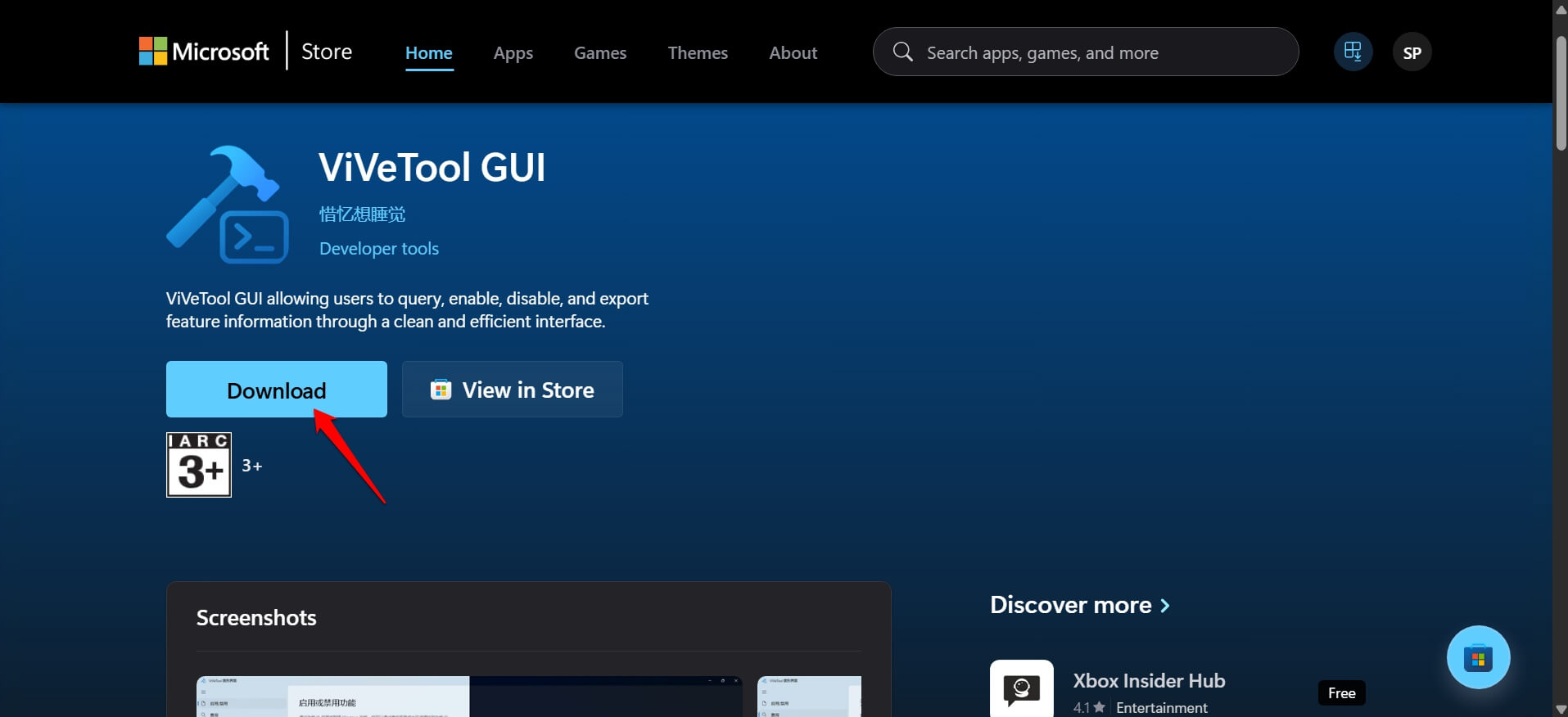

- Enter the Feature ID 60716524 to enable the Low Latency Profile
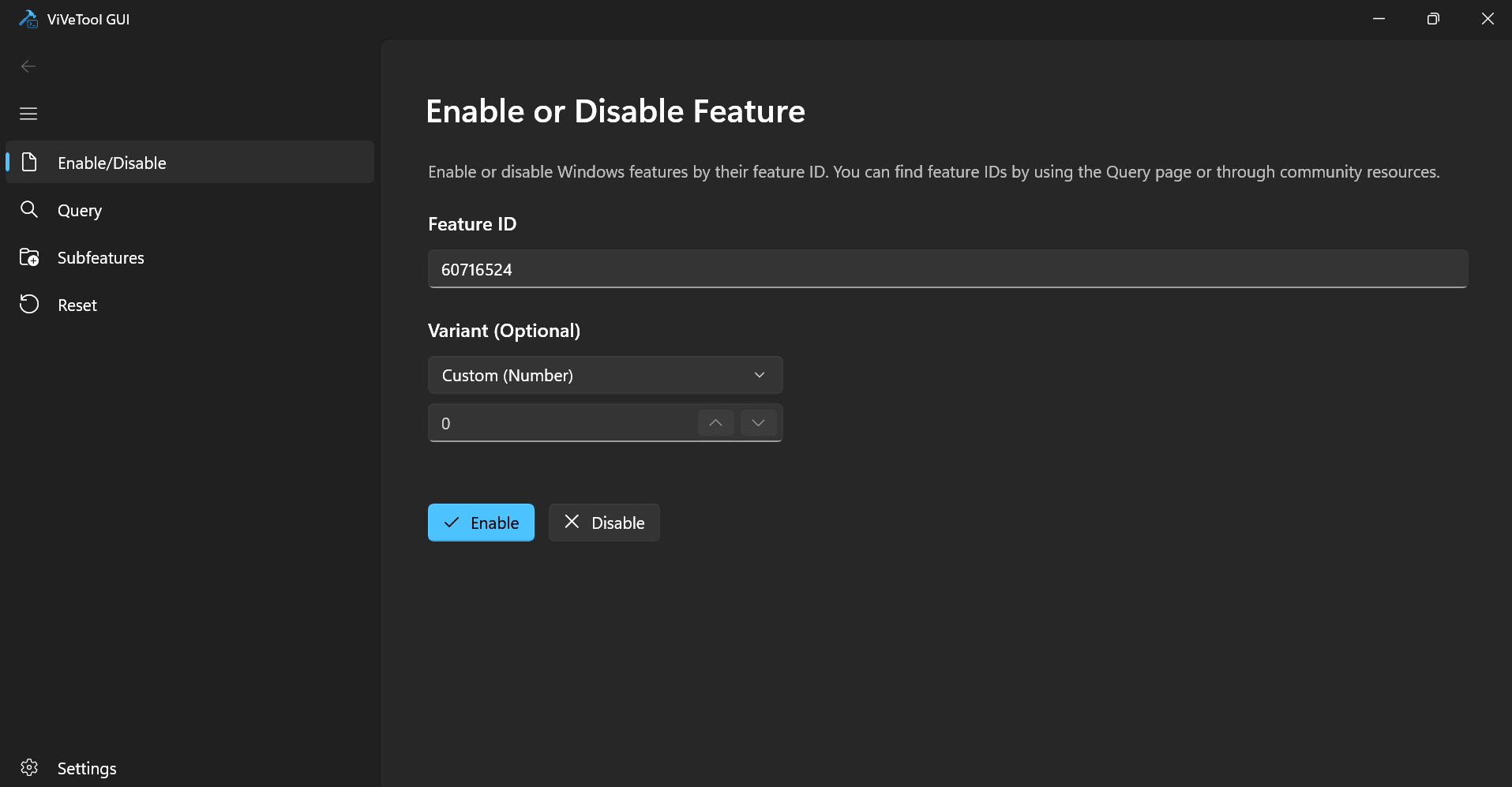

- Press Enable.
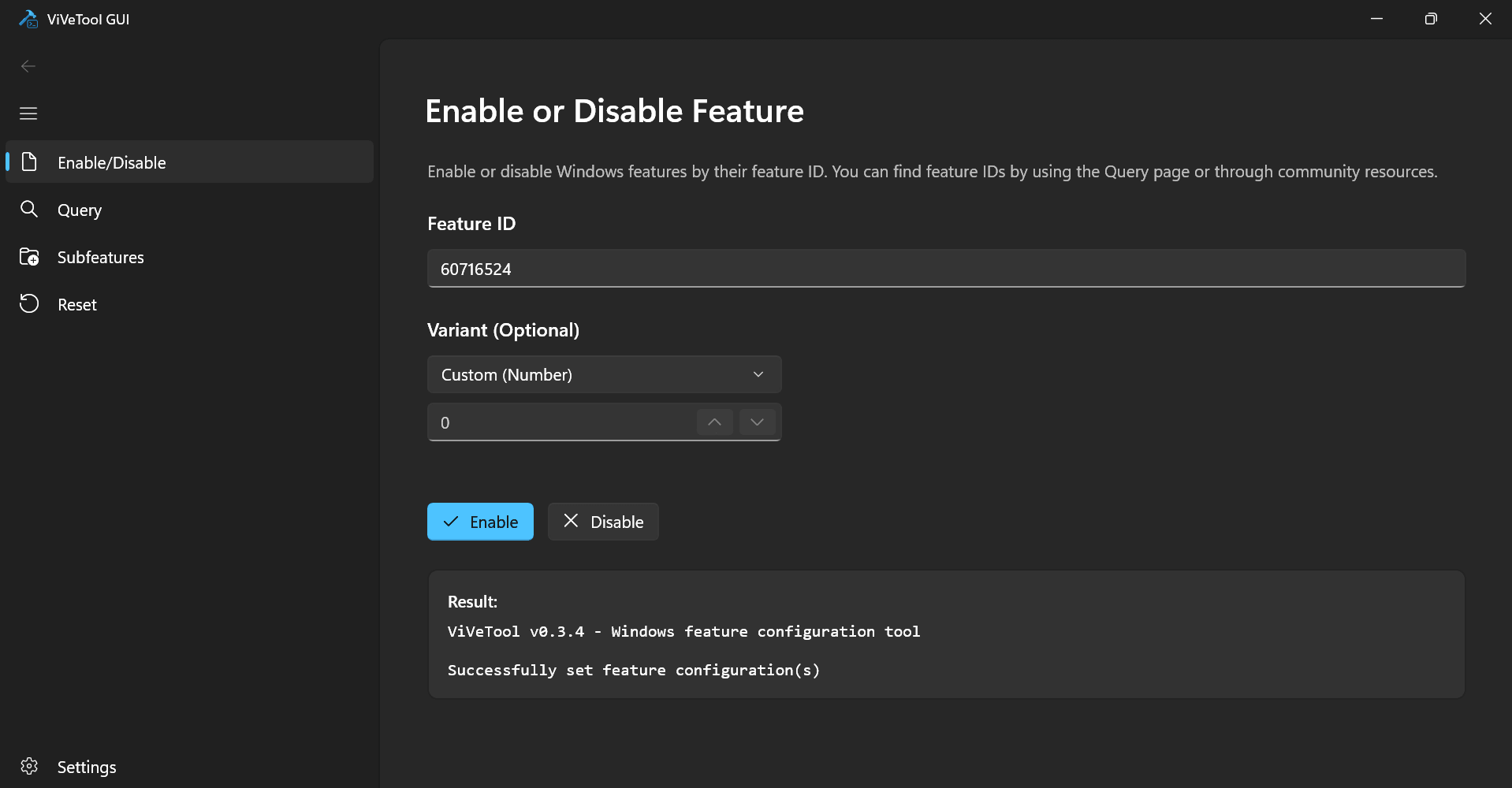

- Similarly, type in the feature ID 61391826 to activate LowLatencyProfileForApplicationLaunch.
- Press Enable.
The featureIDs for the Low Latency profile were shared by X user phantomofearth.
After turning on the Low Latency profile, I restarted my PC.
Before turning on the feature, clicking the Start button on the Taskbar would take around a second for the system to show the Start menu. But with Low Latency enabled, the Start menu shows up instantly as I click the Start button.
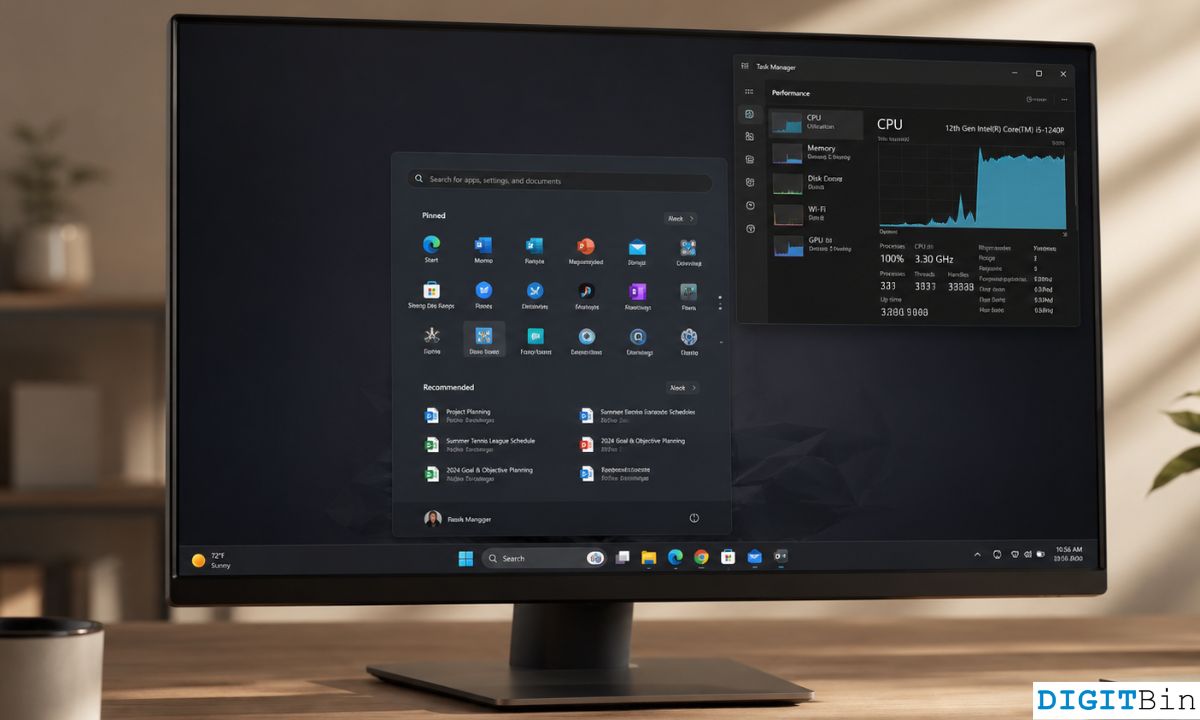
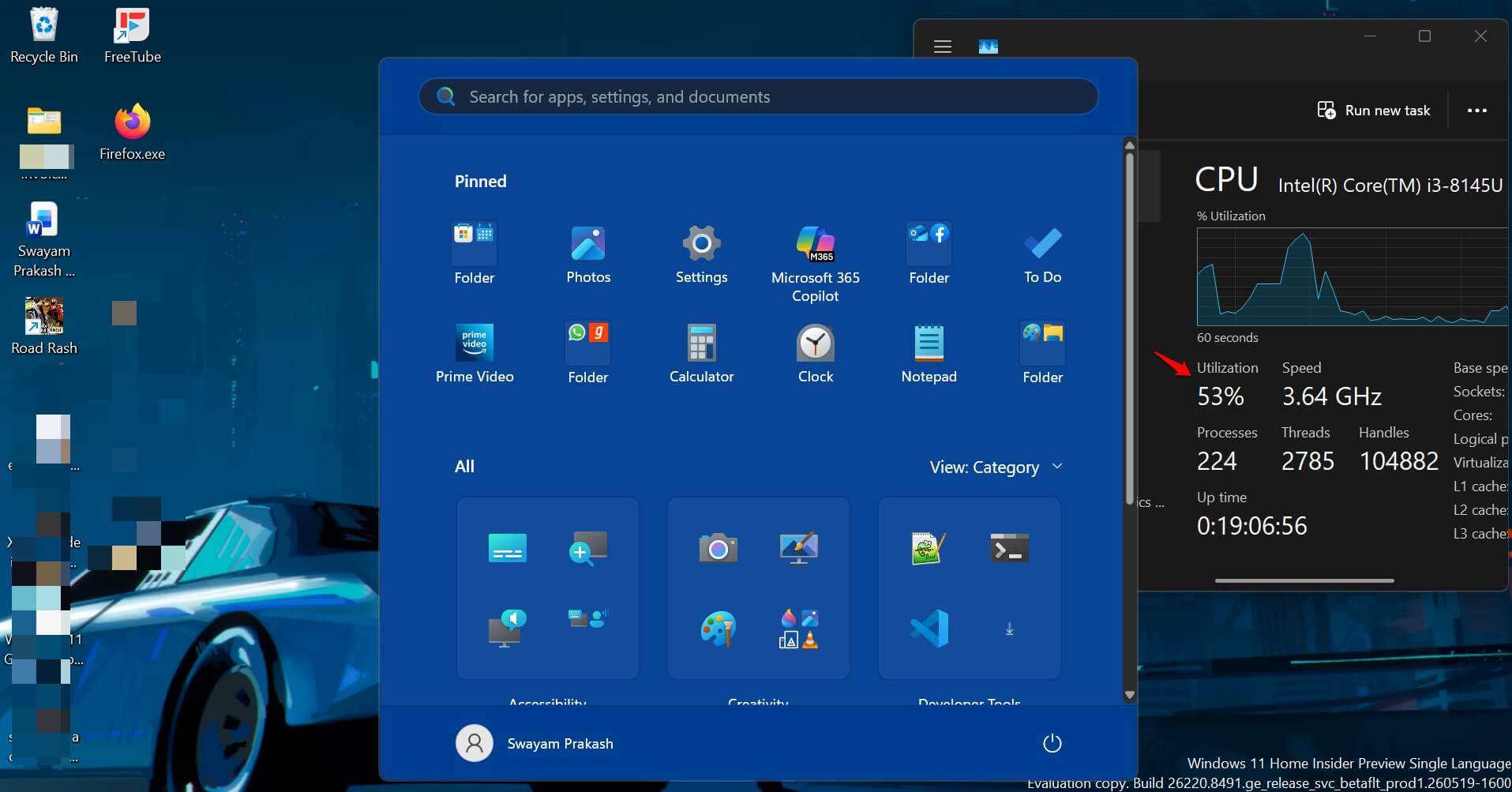
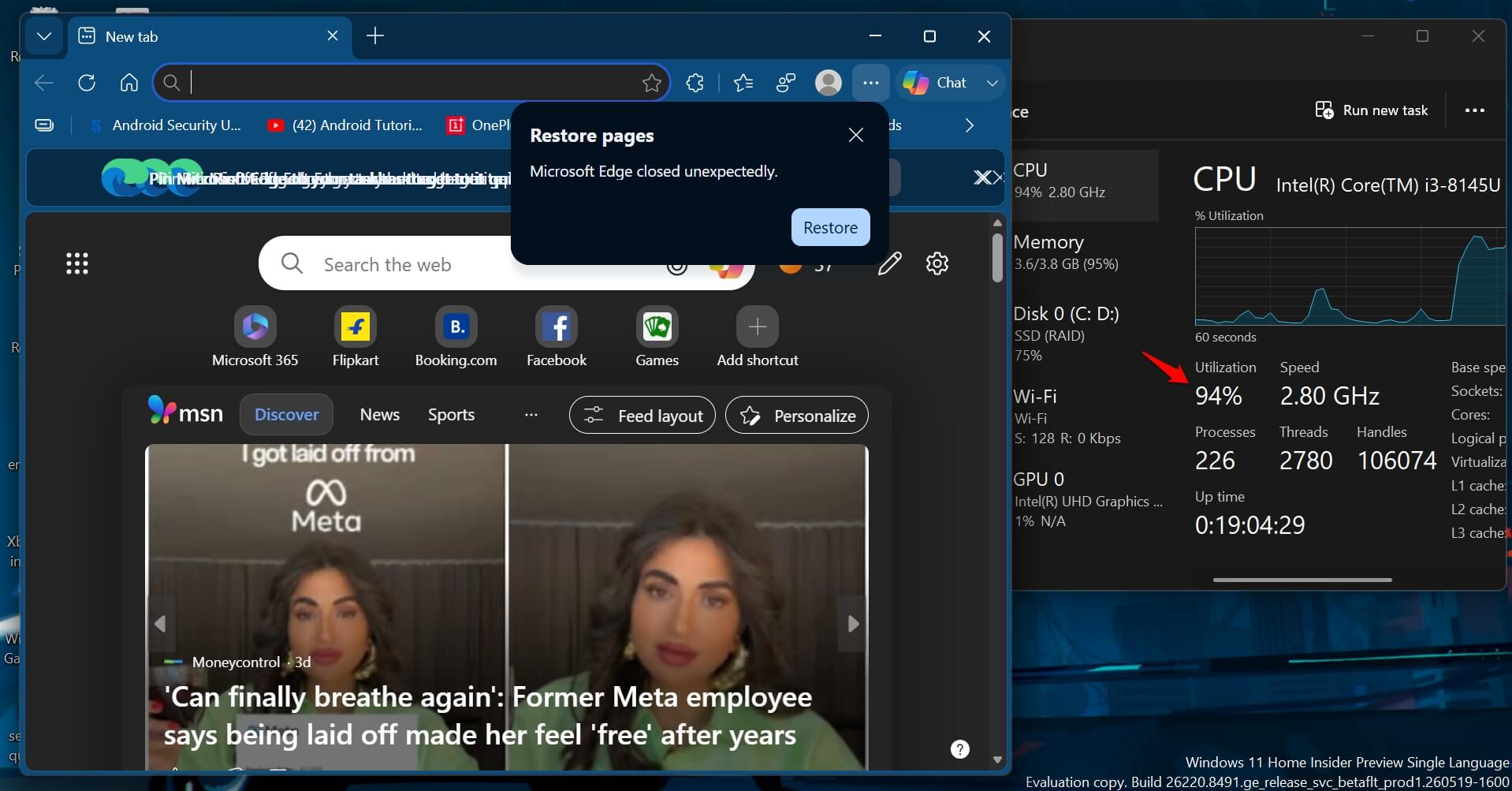
I used the Task Manager(Ctrl + Shift + Esc) to check the spike in CPU usage to see the boost caused by the Low Latency profile. It does work. Not too much of a noticeable difference, but it does.
The CPU spikes up a few percent right as I hit the Start button when there are other programs open and running in the background.
Also, when launching an app, the CPU utility spikes instantly to allow the app to load faster and more smoothly.
Unless you are a power user or someone who minutely notices the way Windows 11 or its apps perform, you might not even notice the difference.
The performance numbers in testing
Windows Central’s Zac Bowden said Low Latency Profile delivers up to 40% faster launch times for in-box apps like Edge and Outlook, and up to 70% faster rendering for shell interfaces, including the Start menu and context menus.
Those figures come from internal Microsoft testing and should be treated as best-case results under controlled conditions.
Independent testing by Windows Latest on a low-powered VM showed CPU frequency visibly spiking to maximum for 1 to 3 seconds during menu and app opens, with the result described as making a budget machine feel noticeably snappier.
Why Microsoft faced pushback and what they said about it
When the feature leaked ahead of announcement, a segment of the Windows community criticised it as a band-aid fix that addresses perceived performance through brute-force CPU boosting rather than actually optimising the underlying code.
The argument: if Windows is too slow, make Windows faster rather than pushing the CPU harder to compensate.
Microsoft’s response was to point to Apple’s macOS as a reference implementation of the same design pattern.
Apple uses CPU priority scheduling on MacBooks, including MacBook Air models without active cooling, to ensure interactive tasks are handled at elevated priority regardless of sustained workload state.
The mechanism is philosophically identical to Low Latency Profile: detect a user interaction, prioritise it at the processor level, and return to normal state once the interaction is complete.
The difference is that Apple has used a version of this approach for years without it generating controversy, partly because macOS’s reputation for snappiness is built partly on this behaviour being well-implemented and invisible.
Battery and thermal impact
The concern with any feature that increases CPU frequency is whether it degrades battery life or increases heat output.
A 1 to 3 second spike at maximum frequency consumes meaningfully more power than idle but the total energy expenditure is small because the spike ends before it would register in a battery discharge curve measured over minutes or hours.
This is consistent with how similar features behave on other platforms. The issue would only arise if the burst duration were longer, or if the detection system misidentified sustained workloads as interactive events and kept the CPU pinned at maximum.
Microsoft says the current implementation targets only interactive actions and not sustained workloads, and that tweaks to both duration and frequency of the boost are still being refined before the public release.
When it arrives and whether older hardware benefits
Low Latency Profile is expected to ship as part of the June 2026 Patch Tuesday update, based on its current presence in the Release Preview channel.
This is a gradual rollout through Microsoft’s Controlled Feature Rollout system, which means not every Windows 11 PC will see it on day one of June Patch Tuesday, even after installing the update.
The new Windows 11 feature is part of the Windows K2 initiative, a broader performance and responsiveness programme Microsoft has been running internally.
Older hardware stands to benefit more from this feature than newer hardware, specifically because the ramp-up latency at the processor level is more pronounced on older CPUs with lower base clocks.
A 2019-era laptop with an Intel Core i5-8250U running Windows 11 through a workaround should theoretically see a larger perceived improvement than a 2024 machine with a Snapdragon X Elite.
Low latency profile operates at the system scheduler level and does not require specific CPU generation support, since it works with existing frequency scaling infrastructure rather than replacing it.
You can also improve your old PC performance by changing these default Windows 11 settings. I did that, and saw immediate results on my computer.
The thing low latency profile will not fix
Low Latency Profile addresses the transition latency between idle and active states.
The feature will not speed up apps that are already open, boost gaming experience on Windows 11, reduce background CPU usage from running services, or fix memory pressure caused by too many applications competing for RAM.
Nor will the feature improve SSD read speeds that bottleneck app load times on storage-limited machines. It is a targeted intervention for a specific type of friction, the moment between clicking and the interface responding.
That moment matters more than it sounds, because it happens dozens of times in a normal working day, but it is not a substitute for hardware that meets the demands of what you run on it.
The feature being invisible and automatic is the right design choice. A toggle would mean most users never enable it, the people who need it most might never find it, and the discourse about whether to turn it on would outlast the actual impact of the change. You will probably notice the Start menu feels quicker before you notice anything else.