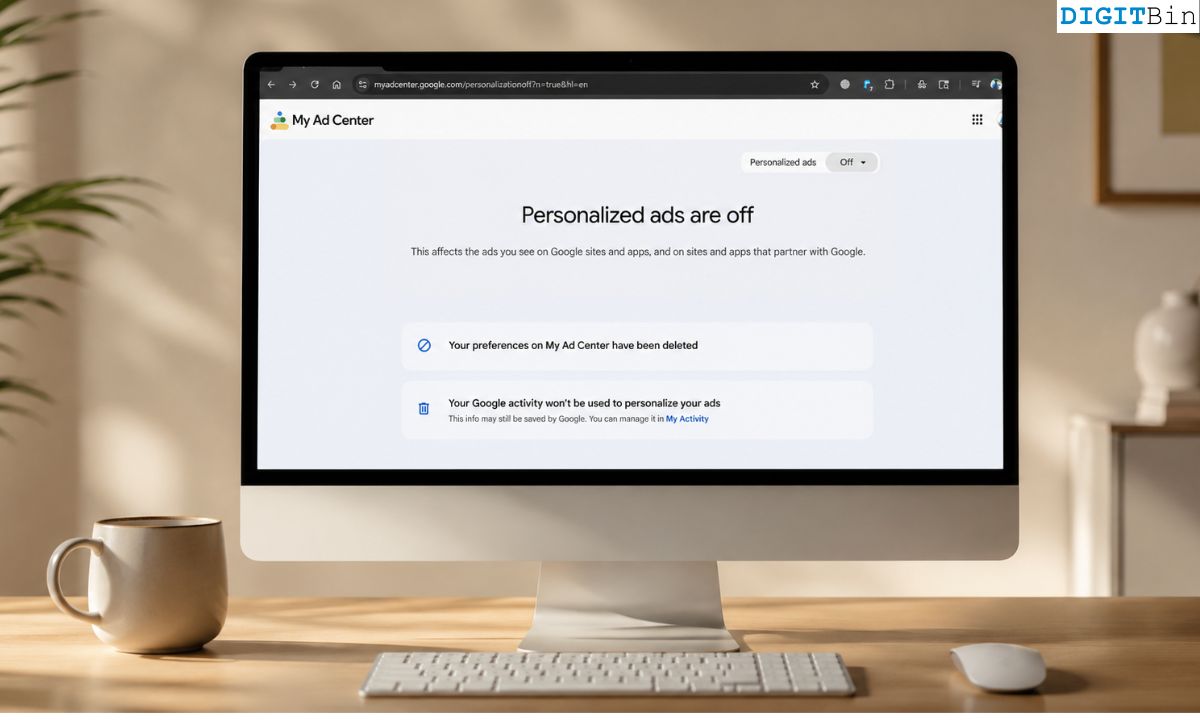
Somewhere between reading a privacy article and actually doing something about it, most people end up in the same place: the Google My Ad Center page, staring at a toggle labelled Personalized ads, wondering if flipping it off will make any difference at all.
I could not bear the ads anymore. So, I turned it off.
I watched what happened over the next 30 days. The honest answer is more complicated than you probably want it to be.
TL;DR: Turning off Google ad personalization stops your search history and interests from targeting you directly, but ads do not disappear. You still see ads. They just become generic, based on context and location instead of your profile. More importantly, turning off personalization does not stop data collection. Google continues to log your activity. The two things are not the same switch.
How to turn off Google Ad Personalization?
Go to Manage your Google Account and open the Data and Privacy tab.
Scroll to Personalized Ads and select My Ad Center.
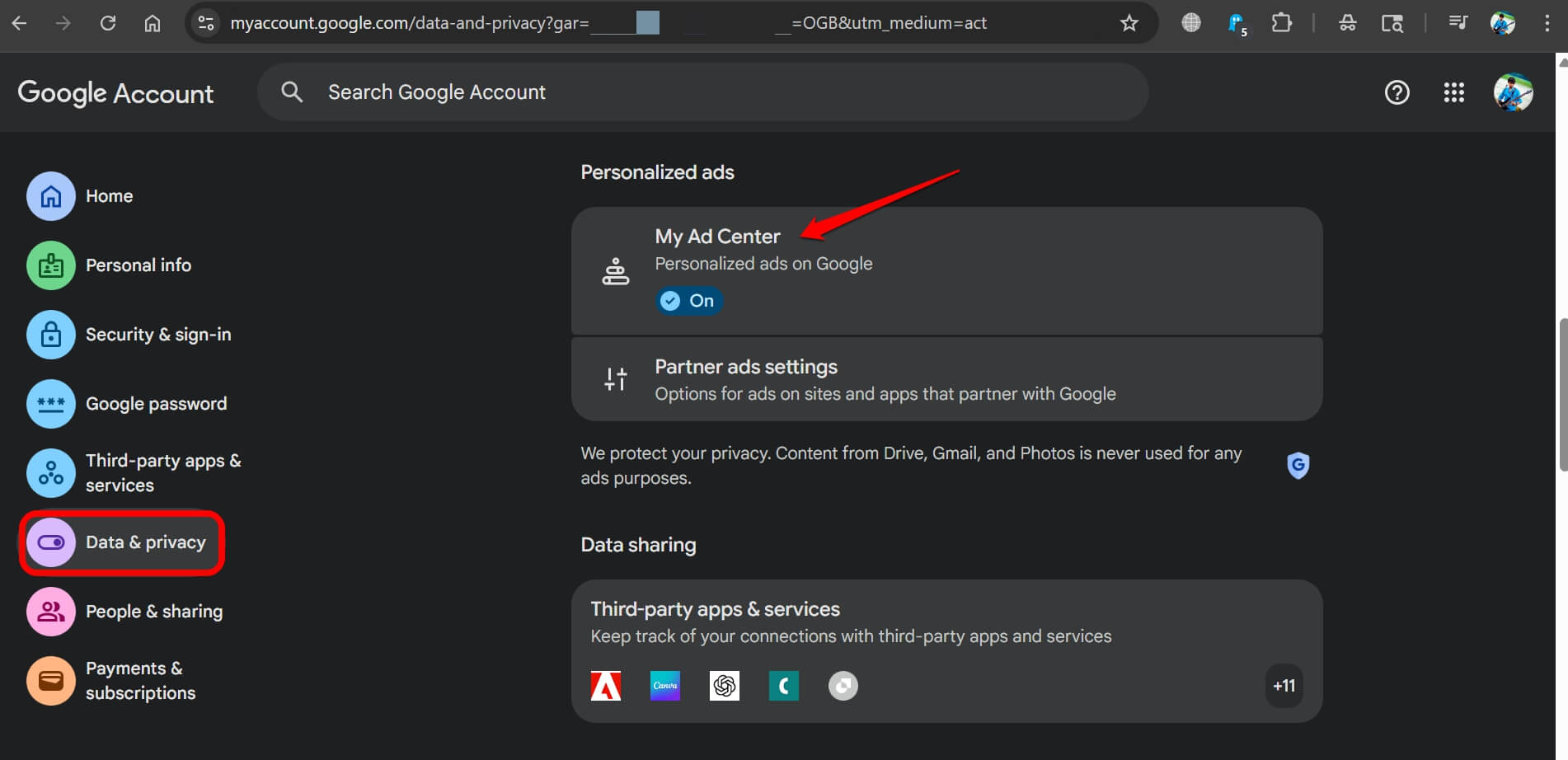 The toggle labelled Personalized ads is on by default. Click the drop-down menu, and select Turn Off.
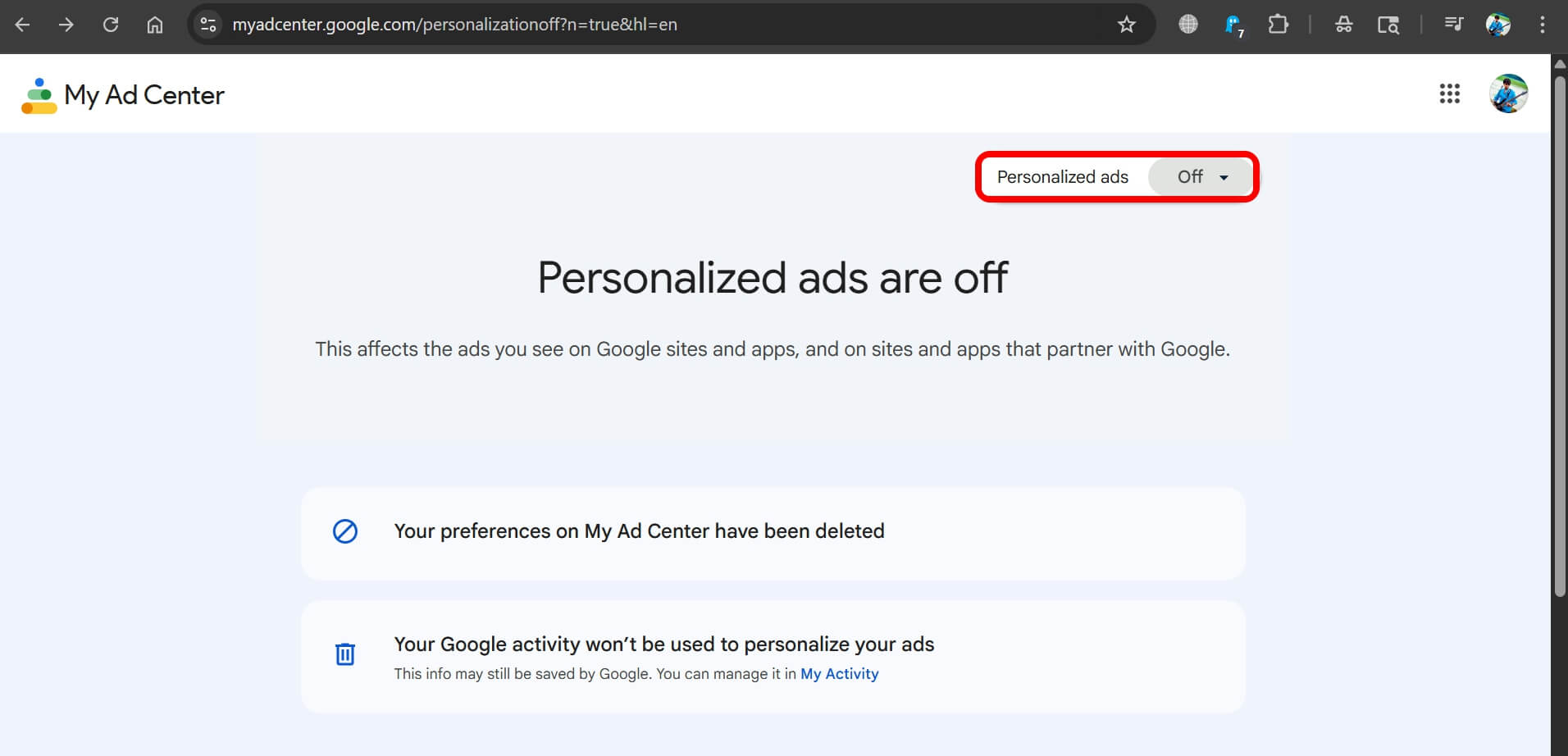
The setting applies across Google Search, YouTube, and Discover, as well as partner sites and apps that use Google to serve ads.
If you are signed in with the same Google account on multiple devices, the change follows across the devices.
NOTE: When signed out of your Google Account, the setting does not carry over automatically. You would need to adjust it separately at the browser or device level.
What actually changes after you turn it off
The ads do not go away. That part surprises a lot of people.
What changes is how those ads are chosen.
With personalization on, Google draws on your search history, YouTube watch time, apps you have installed, your estimated age and gender, and your location patterns.
The result is ads that feel weirdly specific, a running shoe ad the day after a long walk, a flight deal to a city you searched three weeks ago.
With personalization off, Google shifts to what it calls contextual targeting. Ads are chosen based on the page you are currently reading, the time of day, and your approximate city-level location.
Ads are no longer catered based on your profile or your history.
In practice, the ads become random. You might be reading an article about Wi-Fi routers and see an ad for a bank.
While streaming on YouTube, you may see a generic insurance ad with no connection to anything you have watched.
This is less eerie. It is also somehow more noticeable, because generic ads are obviously mismatched in a way targeted ones are not.
You still have the upper hand if using an Android device, as you can block YouTube ads easily.
There is an odd psychological effect here.
Personalized ads feel invasive but familiar. Non-personalized ads feel like background noise, but they make the whole mechanism more visible. You become more aware that you are being shown ads, not fewer.
The part most articles skip: Data collection does not stop
This is the distinction that actually matters, and it rarely gets explained clearly.
Turning off ad personalization changes how your data is used to show you ads. It does not change whether Google collects that data in the first place.
According to Google’s own documentation, if ad personalization is off, Google will not use your information to build an ad profile or personalize the ads you see.
But your Web and App Activity, your YouTube history, and your location data continue to be saved to your account unless you separately disable each of those settings.
Check out our guide explaining how to prevent YouTube from storing your search and watch history.
In other words, Google still logs what you search, what you watch, and where you use its services. It just does not use those logs to target you with ads specifically.
The data is still there, tied to your account. It influences other things, like recommendations on Search and YouTube.
If you went to My Ad Center expecting to stop Google from knowing things about you, that is a different setting entirely. Or more precisely, several different settings.
What you actually need to turn off if privacy is the goal
Ad personalization is one layer. Here is what sits underneath it.
Web and App Activity is the main data stream. It captures your searches, the sites you visit through Google products, and your app usage on Android.
Access the Data Privacy tab under the Manage Your Google Account.
Scroll to the Personalization and Activity tab. Click on Web and App Activity.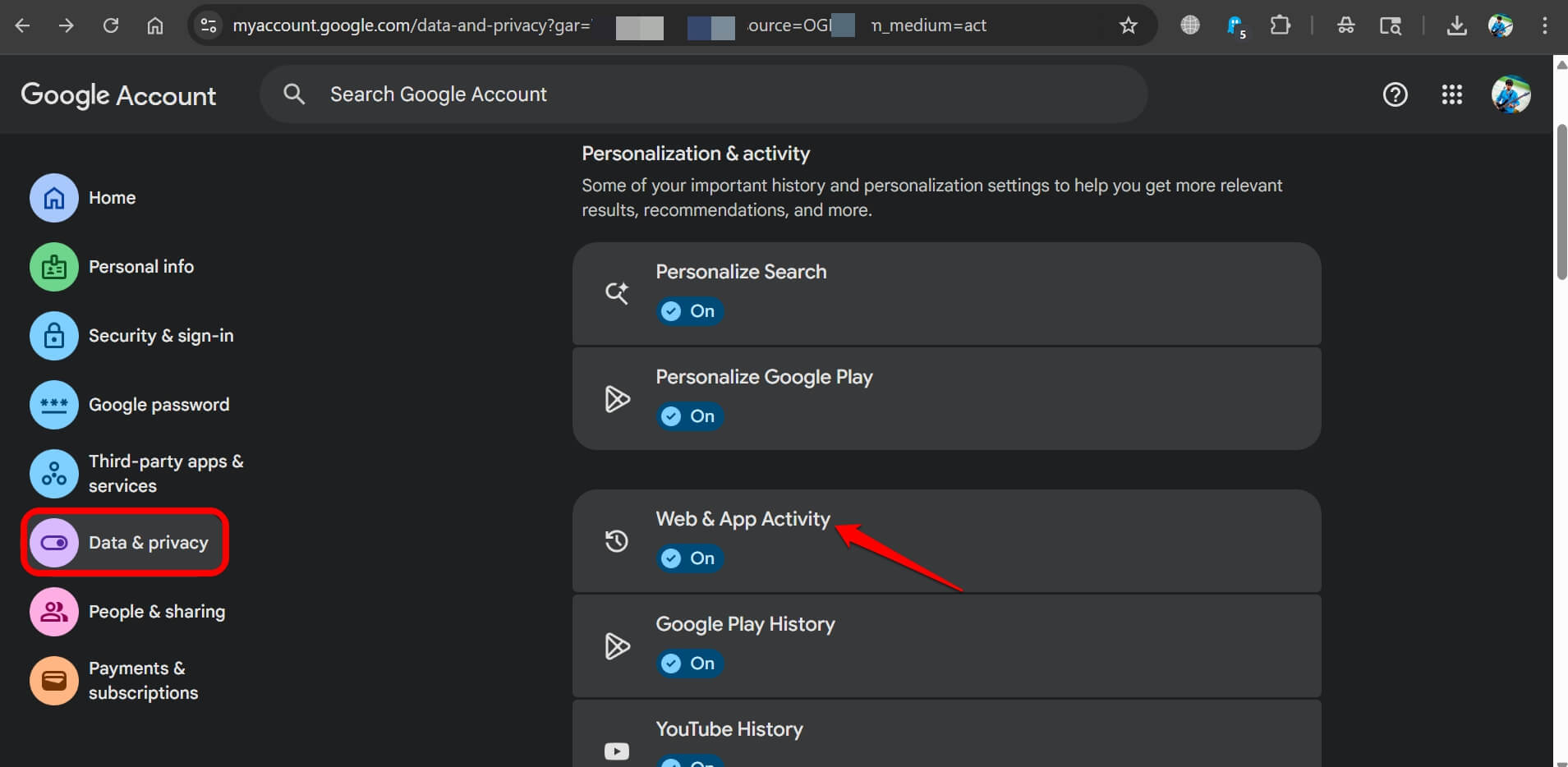
Turn Web and App Activity off under Data and Privacy in your Google Account, and Google stops saving new activity to your account.
You can also auto-delete it on a 3, 18, or 36-month rolling basis.
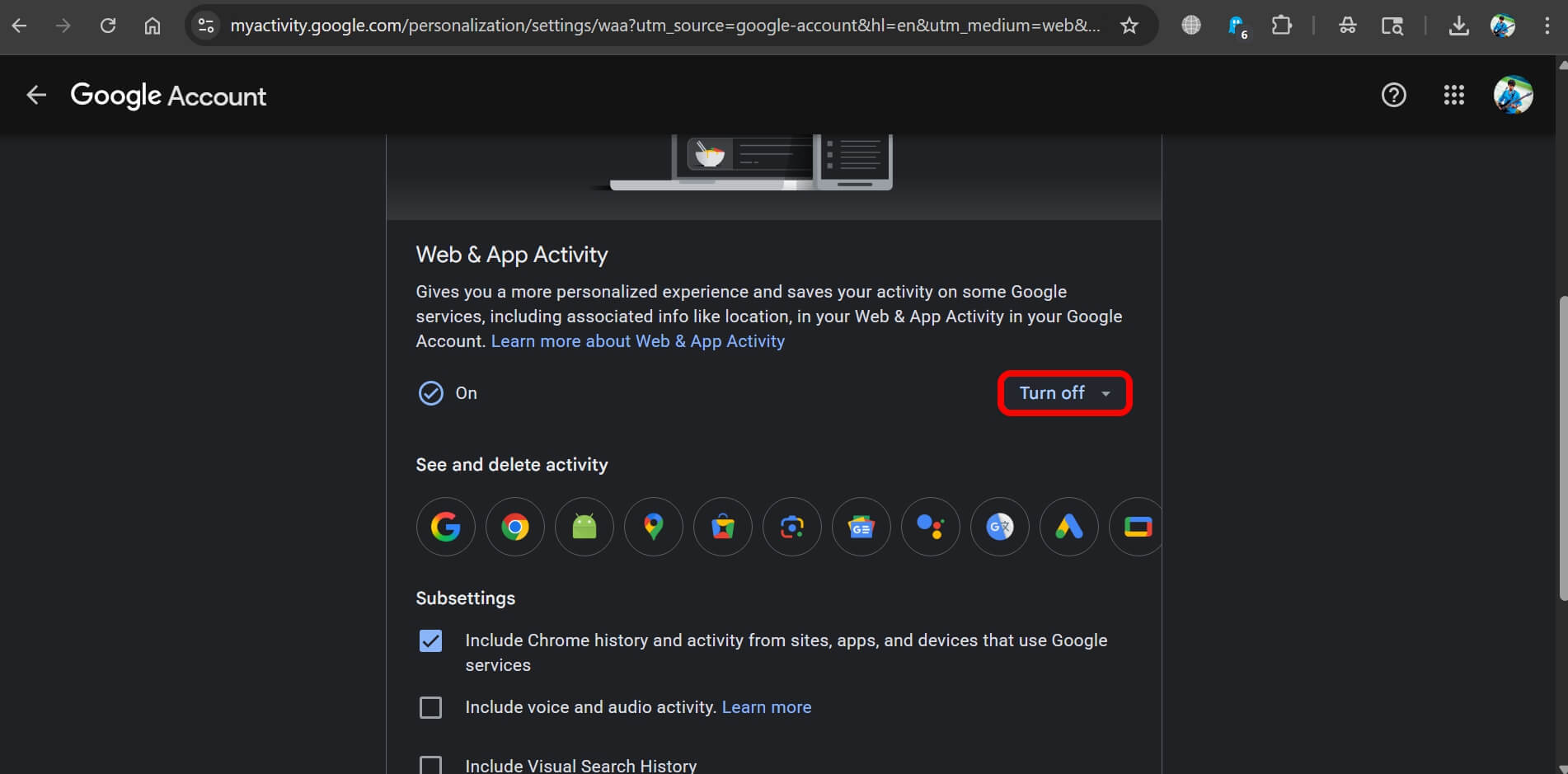
YouTube History is separate. It is not included in Web and App Activity by default, so it needs its own toggle.
Location History, if you have ever enabled it, is a third stream. It is off by default for most accounts, but worth checking.
None of these are the same as ad personalization.
You can turn off personalized ads while all three remain active, which is likely the default state for most users who just toggled the one setting and walked away.
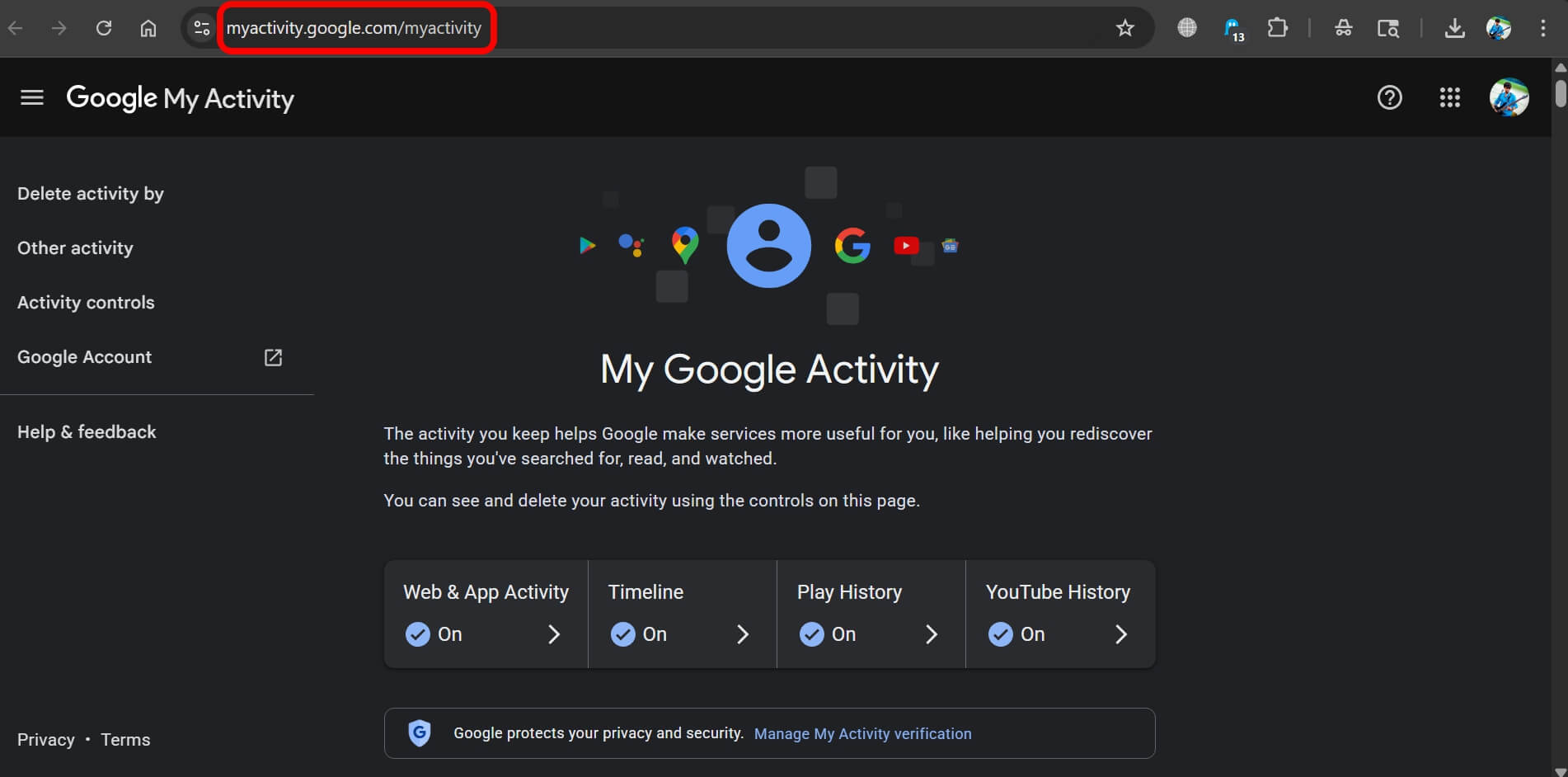
If you are serious about reducing what Google collects, the My Activity page lets you review and delete saved data.
Combined with turning off the activity controls above, it gets you considerably further than the ad personalization toggle alone.
Non-Personalized Ads Still Use Some Data
One more nuance is worth understanding. Even with personalization completely off, the ads you see are not truly blind.
Google’s non-personalized ads still use your approximate location, the content of the page you are on, and the time of day.
Cookies and device identifiers may still be used for frequency capping, meaning Google tracks how many times you have seen a particular ad to avoid showing it ten times in a row.
This is not personalization in the behavioural sense, but it is still data use.
On partner sites and apps, ads from non-Google ad networks may also operate independently of your Google settings entirely.
Turning off Google ad personalization has no effect on a social media platform running its own ad system, for example.
If you want broader ad-blocking coverage rather than just a change in ad type, a DNS-level blocker or a browser extension handles that differently.
The situation with uBlock Origin on Chrome has changed significantly since 2024, so the options available depend on which browser you use.
So was it worth doing?
After 30 days, the most honest summary is this: turning off Google ad personalization did not completely remove ads, but it is also not what most people think it is.
You stop seeing ads that feel like they are reading your mind. That part works.
The ads become generic and occasionally absurd, which is a different kind of annoying but a less unsettling one.
What does not happen is a meaningful reduction in what Google knows about you, unless you also go into your activity controls and change those separately.
The toggle does exactly what it says. It changes the way ads are personalized. Data collection is a parallel track.
For most users, the more useful exercise is visiting myactivity.google.com and seeing what Google has actually saved.
It is usually more than people expect, and the controls for managing it are right there on the same page. That is where the real picture is.
Frequently asked questions
Does turning off ad personalization stop Google from tracking me?
No. It stops Google from using your data to personalize ads, but it does not stop Google from collecting your activity data. Web and App Activity, YouTube History, and Location History are separate settings.
Will I still see ads after turning off Google Ad personalization?
Yes. Ads will still appear on Google Search, YouTube, and partner sites. They will be based on context, like the page you are reading or your approximate location, rather than your browsing history or interests.
Does the setting apply to all my devices?
Yes, if you are signed in to your Google Account. The preference follows your account, so it applies across any device where you are logged in.
Can I delete the data Google has already collected?
Yes. Go to myactivity.google.com to review and delete saved activity. You can also set automatic deletion on a rolling 3, 18, or 36-month cycle in your account’s Data and Privacy settings.
Does this setting affect ads on non-Google apps and websites?
Only for ads served through Google. Platforms with their own ad systems, like social media apps, operate independently and are not affected by your Google ad personalization settings.