I set up a Focus mode on my iPhone a few months ago. My life felt very organized for exactly one week, and then I forgot about it until I started comparing Focus mode on iPhone and Digital Wellbeing on Android.
That is roughly the experience most people have with these tools, on either platform, and it says less about the features themselves than about how quietly they work in the background once the initial setup enthusiasm wears off.
iPhone and Android both ship with built-in distraction management tools. Interestingly, they are not the same tool with different names. One reorganizes your entire phone around a context. The other mutes the apps on your phone and hopes that is enough.
TL;DR: iPhone’s Focus lets you build separate profiles for Work, Sleep, and Personal time. Each of those can change your home screen and lock screen, and decide which notifications come through. Android’s Digital Wellbeing pauses selected apps and hides their notifications, with no home screen changes. Android 17 adds a new Pause Point feature that forces a 10-second delay before opening flagged apps, currently exclusive to Pixel 11 devices.
Focus mode on iPhone and Android: how the two actually differ
To set up Focus Mode on iOS, go to Settings > Focus. Each Focus profile can carry its own home screen page, its own lock screen layout, and its own rules for which contacts and apps can interrupt you.
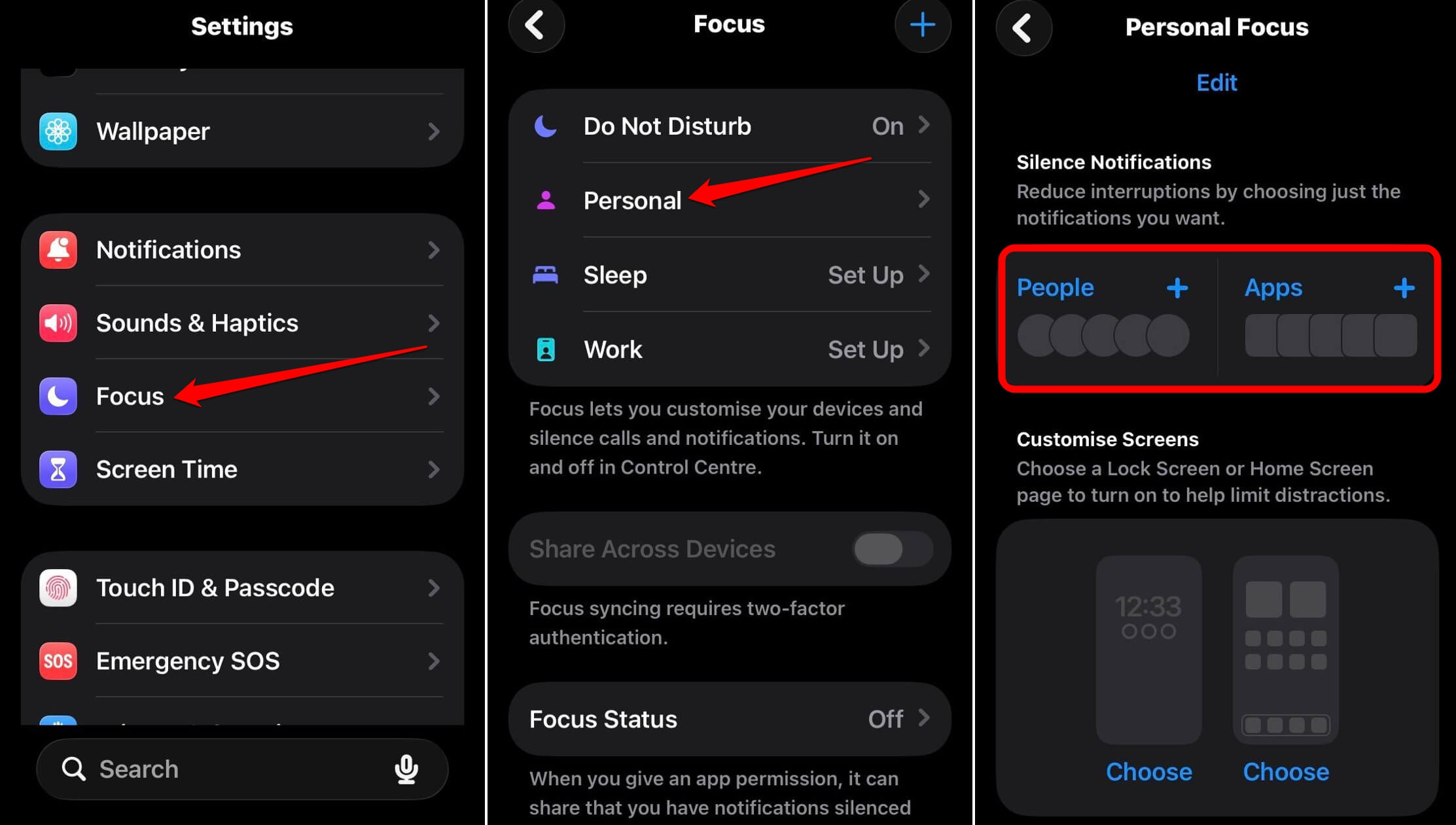
A Work Focus can show only work apps on the front page and silence everything else. Switch to a Personal Focus and the layout changes with it.
It sounds like a good way to minimize notifications. However, this is the part that never stuck for me. Building a separate home screen felt like decorating a room I would rarely enter, since most of my actual phone use does not sort cleanly into Work versus Personal in the first place.
The feature works exactly as designed. My habits and way of using the device just did not match the shape it wanted me to use.
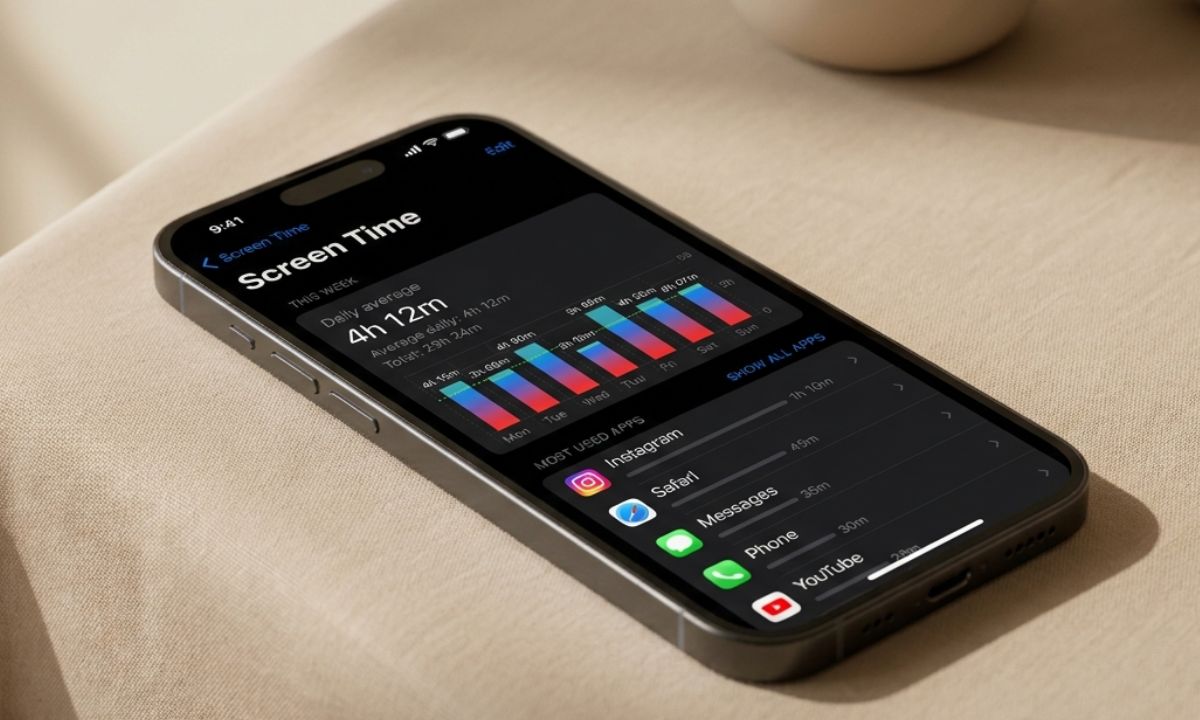
iOS Focus mode sits alongside the other iPhone screen time features Apple has been expanding.
What Android’s Digital Wellbeing Focus Mode does instead
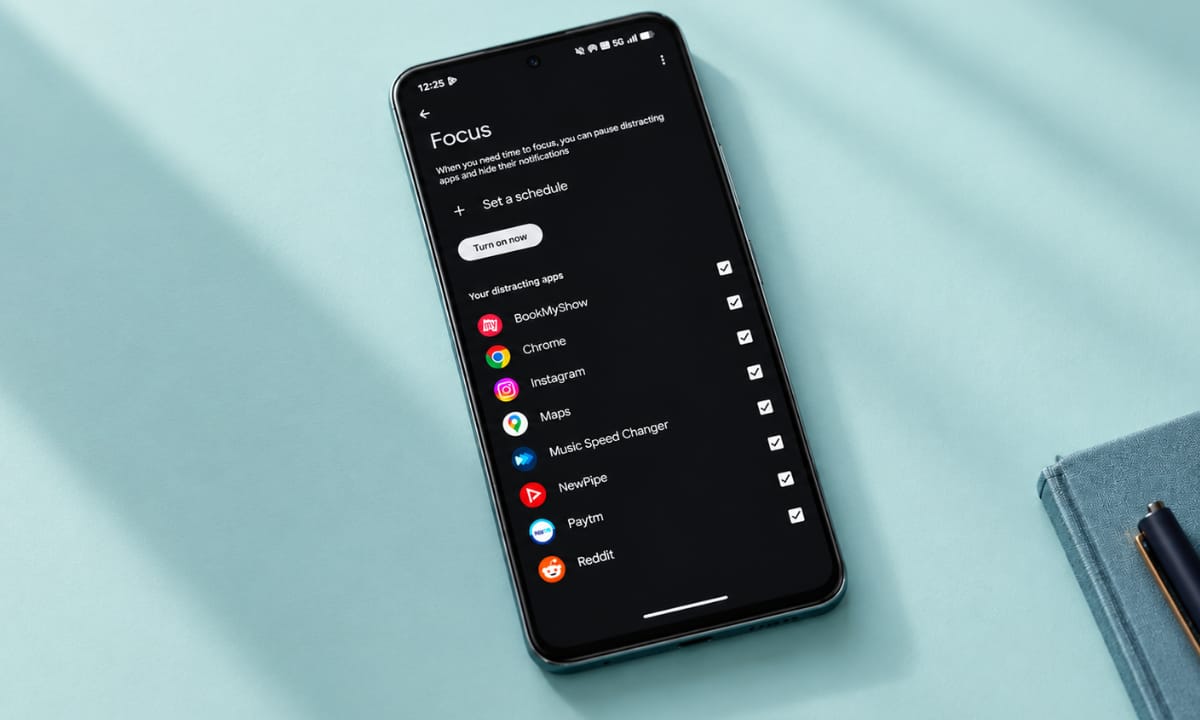
Inside Settings, under Digital Wellbeing and Parental Controls, Focus Mode lets you pick specific apps to pause. Once active, those apps grey out on the home screen and stop sending notifications entirely.
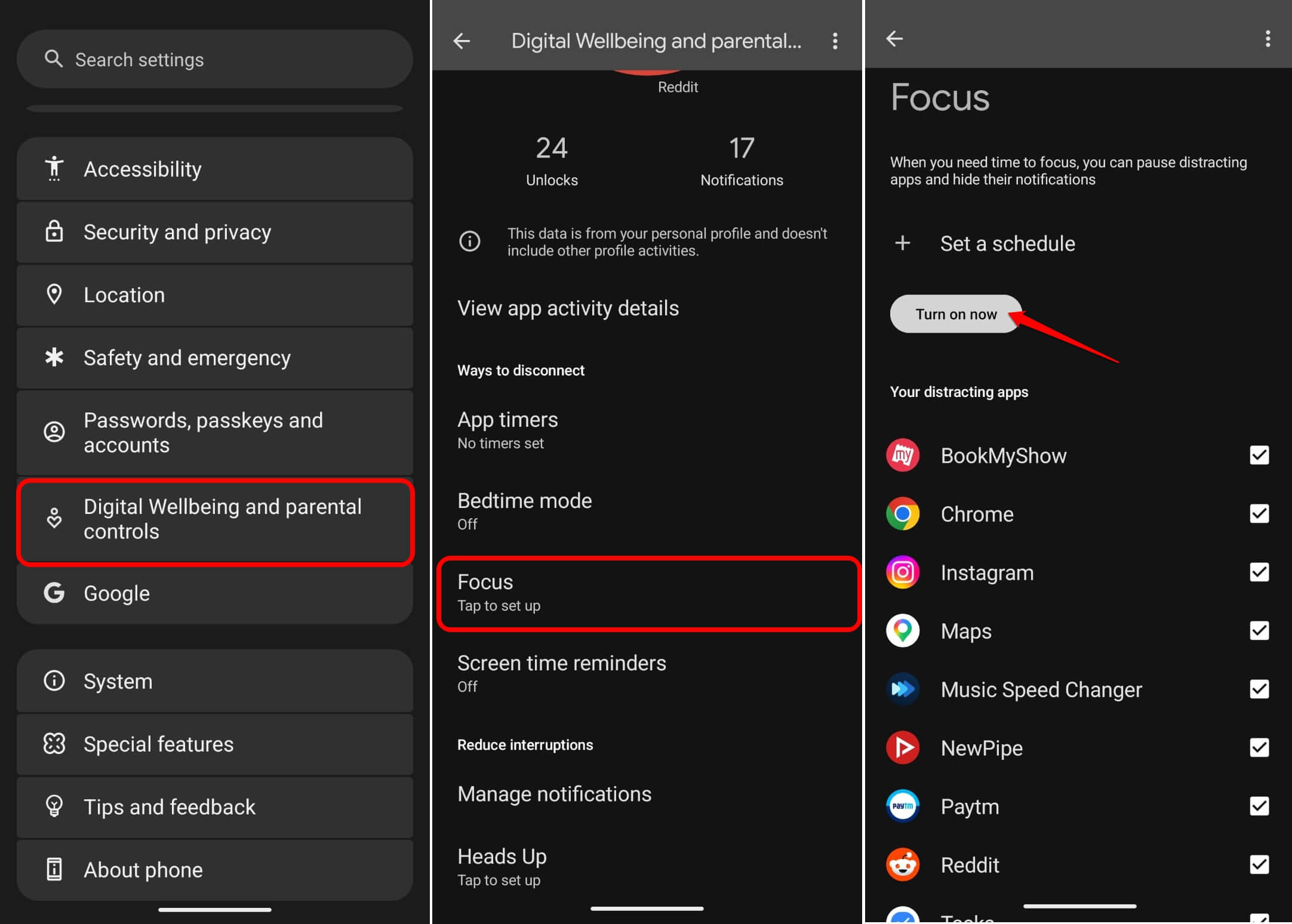
Opening an app with Focus Mode enabled still works, but it requires going back into settings to formally unpause first, adding a small but real bit of friction.
Unlike iPhone Focus, this does not touch your home screen layout or your contacts. It is narrower by design, targeting the handful of apps that actually cause the distraction rather than reorganizing the whole phone around a scenario.
For me, this ended up being the version I actually kept using, mostly because there was nothing extra to set up beyond picking three apps once and leaving it alone.
| Capability | iPhone Focus | Android Digital Wellbeing |
|---|---|---|
| Changes home screen layout | Yes | No |
| Multiple named profiles | Yes | Limited |
| Pauses specific apps | Indirectly, via allowed apps | Yes, directly |
| Pre-access delay (Pause Point) | No | Yes, Pixel 11 only on Android 17 |
| Schedule by time or location | Yes | Yes |
The new twist: Android 17’s Pause Point
Android 17 introduced a Digital Wellbeing feature called Pause Point, which forces a mandatory 10-second pause with a visible countdown before opening any app you have flagged as distracting.
During those 10 seconds, the phone can show a breathing exercise, a reminder of your goals, or a suggestion toward something else entirely.
What makes this different from a standard app timer is timing itself. App timers step in after you have already been in an app for a while, once the scrolling has already started. Pause Point intervenes before you even open it, at the exact moment your thumb is already moving toward the icon out of habit rather than intention.
As of now, Android Authority confirmed Pause Point is limited to Pixel 11 devices running Android 17. Google has not confirmed a timeline for bringing it to other Android phones. If you are on an older Pixel or a different Android brand entirely, the standard Focus Mode pause and grey-out behavior is what you get instead.
There are also various other Android 17 wellbeing features Google has been rolling out, which you can check out in the link below.
Why the friction is the actual point?
I tried disabling Focus Mode entirely at one point just to see how quickly I would notice its absence. It took less than a day. Notifications I had forgotten I was suppressing through different focus modes all landed at once. I picked my phone up noticeably more often that afternoon to attend to the barrage of notifications.
That small experiment told me more than the initial setup ever did. The feature was not really about willpower or magical enhancement in productivity. It was about removing the trigger before the habit could fire, which only becomes obvious once you take the trigger away and watch the old pattern come right back.
Frequently Asked Questions
Does Pause Point work on all Android phones?
No. Pause Point is currently limited to Pixel 11 devices running Android 17, with no confirmed timeline for wider availability for other Android devices.
Can I disable Pause Point once it is turned on?
Yes, but it requires a full phone restart to disable completely, which adds deliberate friction to turning it off.
Does iPhone Focus block calls too?
Yes. You can set which contacts are allowed to call or message through during a specific Focus, unlike Android’s Focus Mode, which only targets apps.
Which is easier to set up, iPhone Focus or Android Digital Wellbeing?
Android’s Focus Mode is faster to set up since it only requires picking apps to pause, while iPhone Focus involves building a home screen layout too.
Do these features work automatically on a schedule?
Yes. Both iPhone Focus and Android Digital Wellbeing support scheduling by time or location.
Which productivity setup is actually worth using?
If you already think in terms of contexts, a real Work self and a real Personal self that genuinely use different apps, iPhone’s full Focus system rewards the setup time.
Otherwise, to mitigate the distraction problem caused by specific apps, Android’s Digital Wellbeing does the job pretty straightforwardly. Either way, the setup itself is not the finish line. It mainly depends on the app and device usage regardless of the operating system.