The first search that made me question the ChatGPT Chrome extension was not a complicated one. I typed a brand name into the address bar to find a product image and compare colour options before buying.
The ChatGPT search extension took over, opened a new tab, thought for a moment, and returned three paragraphs about the brand’s history and product line. No images. No side-by-side comparisons. No way to simply look at the product or its variants I was interested in viewing.
I waited for a second, then opened a new tab and typed the same thing into Google Images. Done in two seconds. I found what I was looking for.
That was probably week two of using the ChatGPT Chrome extension as my default search. I had installed it because the pitch made sense: set it as your default, search from the address bar, get answers instead of ten Google search result links.
I was curious enough to try it for a couple of weeks. The thing is, parts of it genuinely worked. That part I did not expect to admit, but it is true.
TL;DR: The ChatGPT search extension replaces your Chrome address bar with ChatGPT, giving AI answers instead of Google results. It handles multi-step research and conversational queries well. It breaks for image search, local results, shopping comparisons, and any query using operators. Switching back to Google takes about thirty seconds in Chrome settings.
What the ChatGPT Chrome extension does to your browser
| Feature | ChatGPT search extension | Google Search |
|---|---|---|
| Result format | AI-generated answer in a new tab | Links, images, maps in same page |
| Image results | Occasional, unpredictable | Dedicated Images tab, always present |
| Local results | IP-based, limited depth | Maps, hours, reviews, directions |
| Multi-turn follow-up | Yes, same conversation thread | No, each search is separate |
| Search operators (site:, etc.) | Not supported | Fully supported |
| Ads in results | None | Present at top of results |
| Tab behaviour | New tab per search | Same tab, results update in place |
| Shopping comparisons | Inconsistent, no live pricing | Live prices, merchant links |
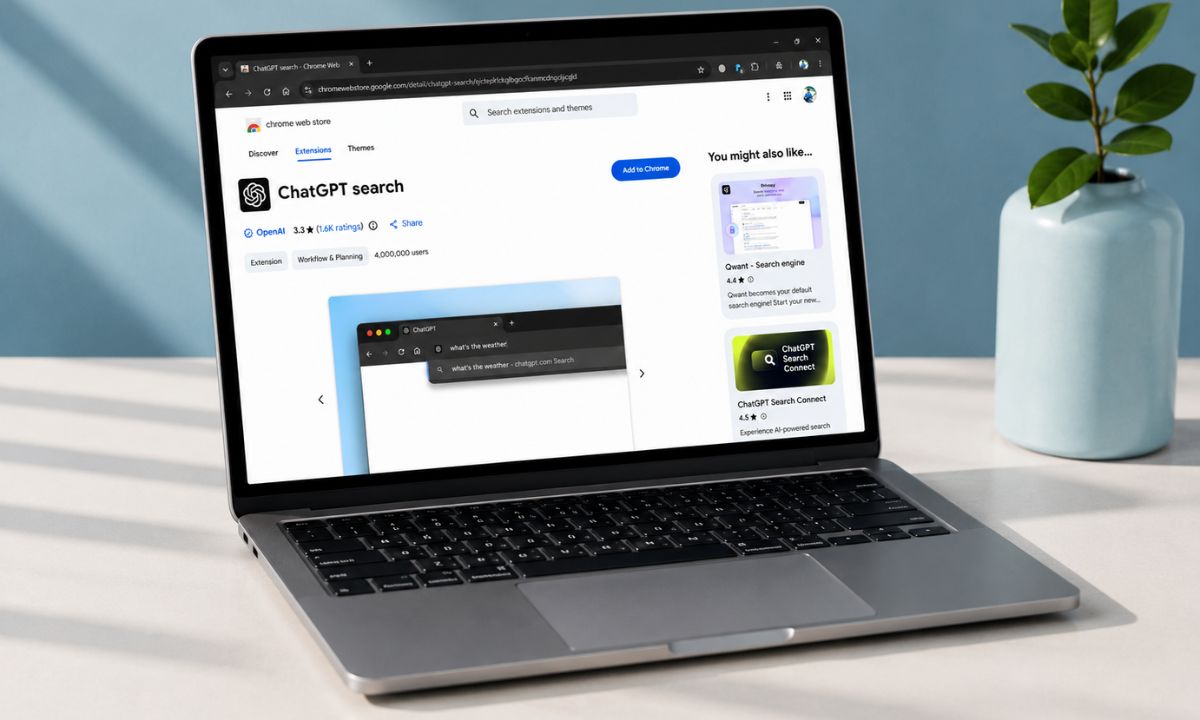
The official ChatGPT search extension, published by OpenAI, sets itself as your default search engine when you install it from the Chrome Web Store.
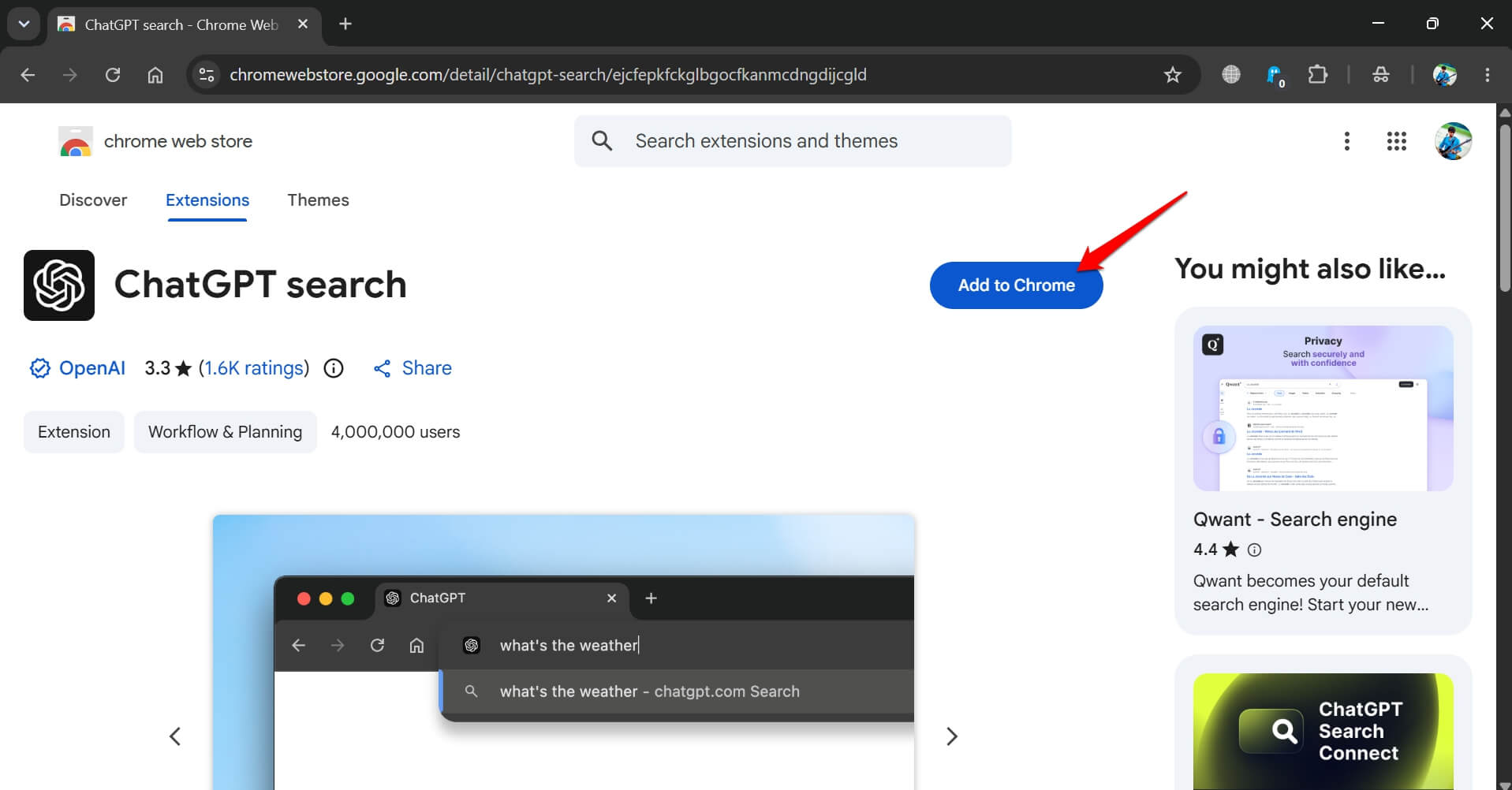
Every time you type into Chrome’s address bar and press Enter, instead of Google results, a new ChatGPT tab opens and processes your query using the GPT-4o model with web search enabled.
That new tab behaviour matters more than it sounds. On a normal Google search, you type and scan and click, all in roughly the same interface.
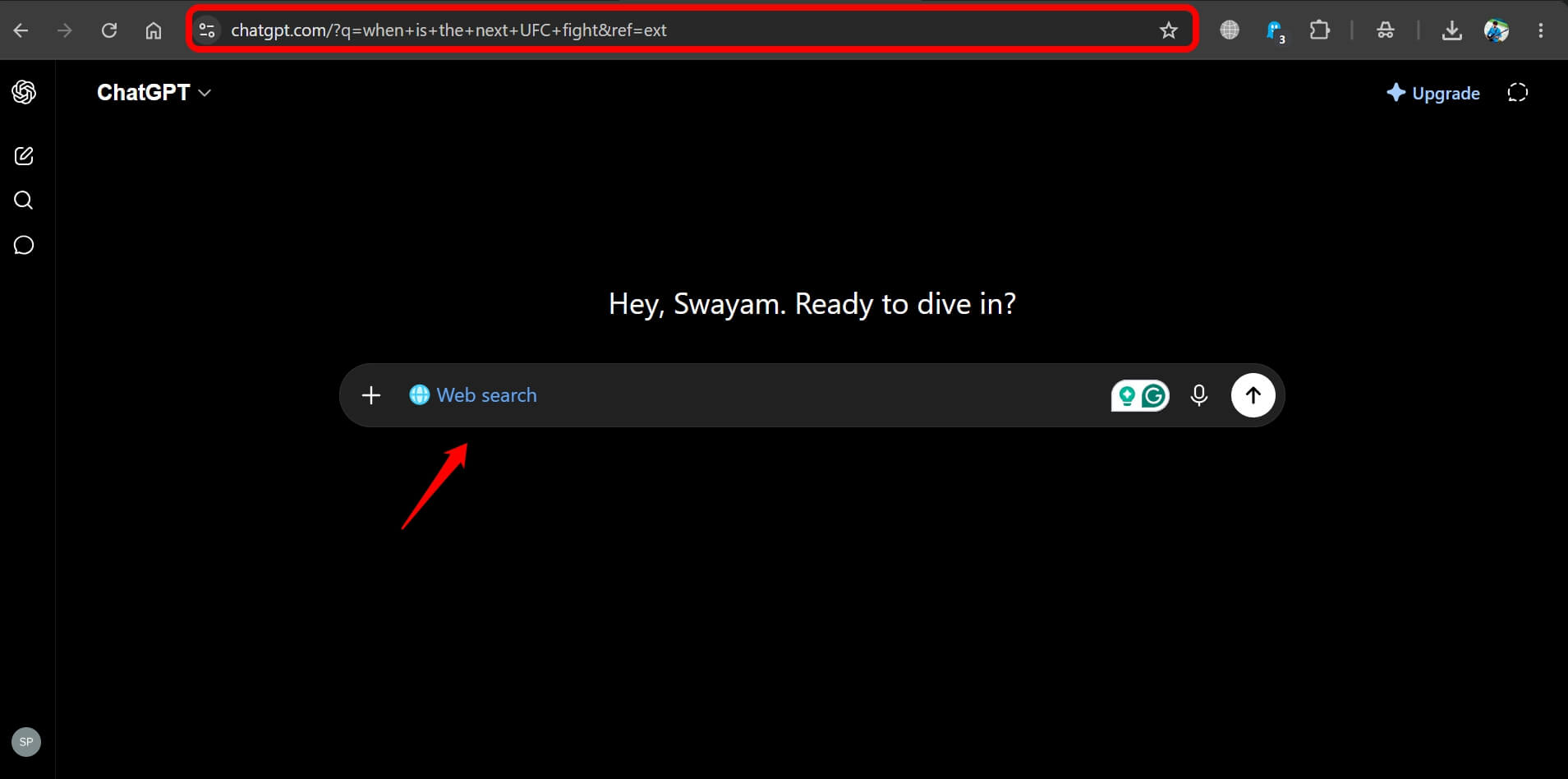
With ChatGPT, each search becomes its own conversation thread. By mid-morning on a research-heavy day, you can have eight or ten ChatGPT tabs open, each a separate session with no connection to the others.
There is no shared history, no way to glance back at what you looked at an hour ago without hunting through the tab bar.
OpenAI does include a workaround. Typing !g before your query in the address bar sends it to Google instead.
I used it constantly and kept forgetting it was there. The muscle memory for searching is fast and automatic. Stopping to prepend two characters to a quick query breaks that rhythm every single time, and when you are doing it fifteen times a day, the friction adds up.
When the ChatGPT extension genuinely earned its place
For research that unfolds as a conversation, the ChatGPT Chrome extension is genuinely better than Google.
I was investigating a software library, had follow-up questions about compatibility, wanted to understand a specific error, then needed to know whether a workaround applied to my version.
In Google, that is four or five separate searches, each starting from scratch. In ChatGPT, it is one thread that keeps building context.
Long technical questions are where it shines most. The kind where you would normally spend twenty minutes piecing together an answer from three Stack Overflow posts and a 2019 forum thread. ChatGPT synthesises those into one structured response you can read in sequence.
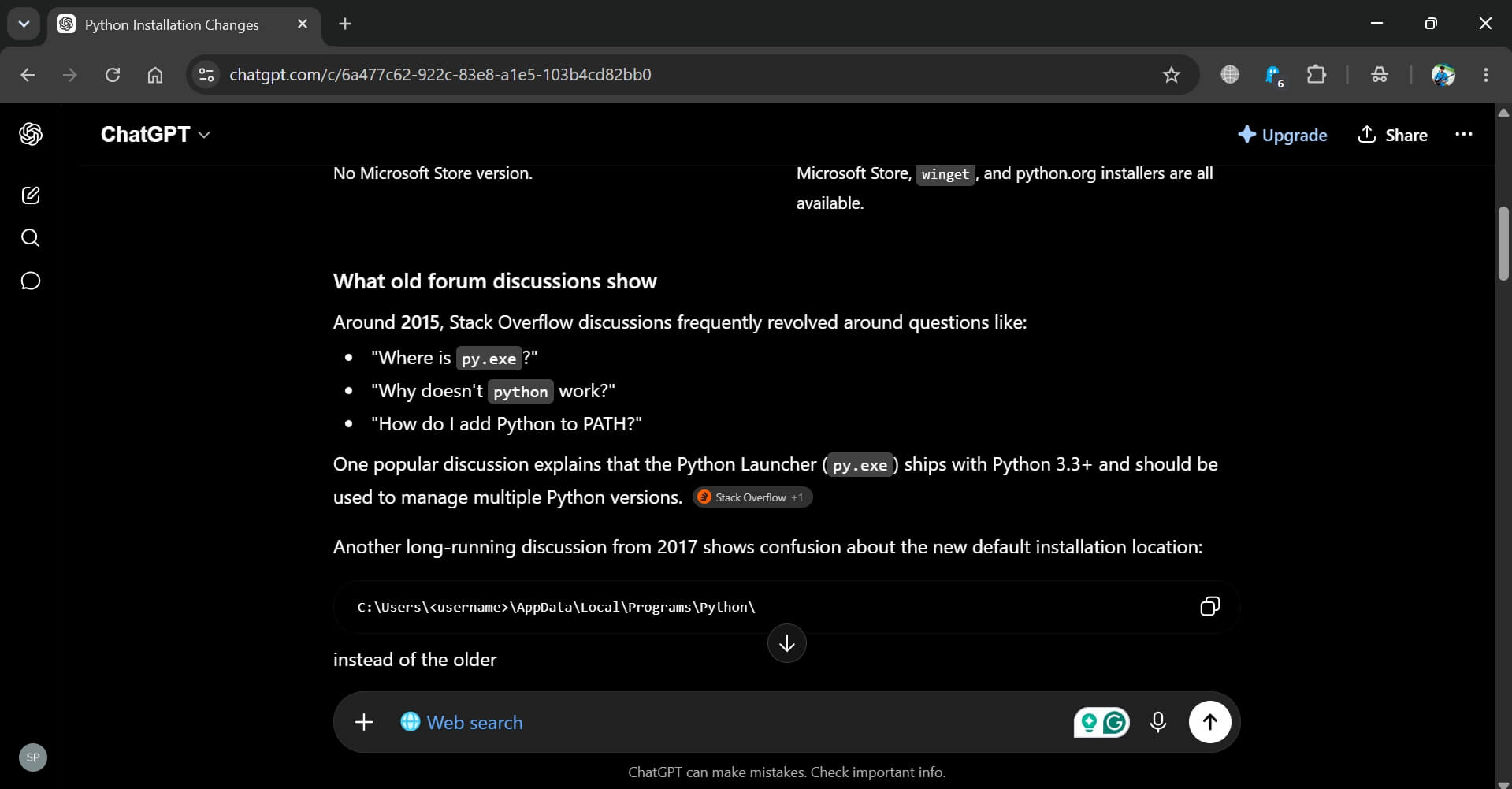
I stopped opening multiple tabs for that type of query entirely. The first time a follow-up question tracked exactly what I meant, I actually paused and reread the response just to confirm.
There are no ads. That sounds small until you realise how much of a Google results page is not actually results. The absence of sponsored listings, shopping panels, and People Also Ask boxes makes the answers feel cleaner when they land.
The three things that sent me back to Google
Images were the first wall where I felt the roadblock. ChatGPT search occasionally surfaces a photo or two at the top of a response, but it is unpredictable.
Fashion searches, product comparisons, travel photos, recipe visuals, anything where you want to see the thing first and read second: ChatGPT is the wrong tool. The lack of options in the search results is felt almost immediately.
You do not realise how much of your searching is visual until the visuals are gone. I understood it right away when I searched for some apparel and was presented with merely three options.
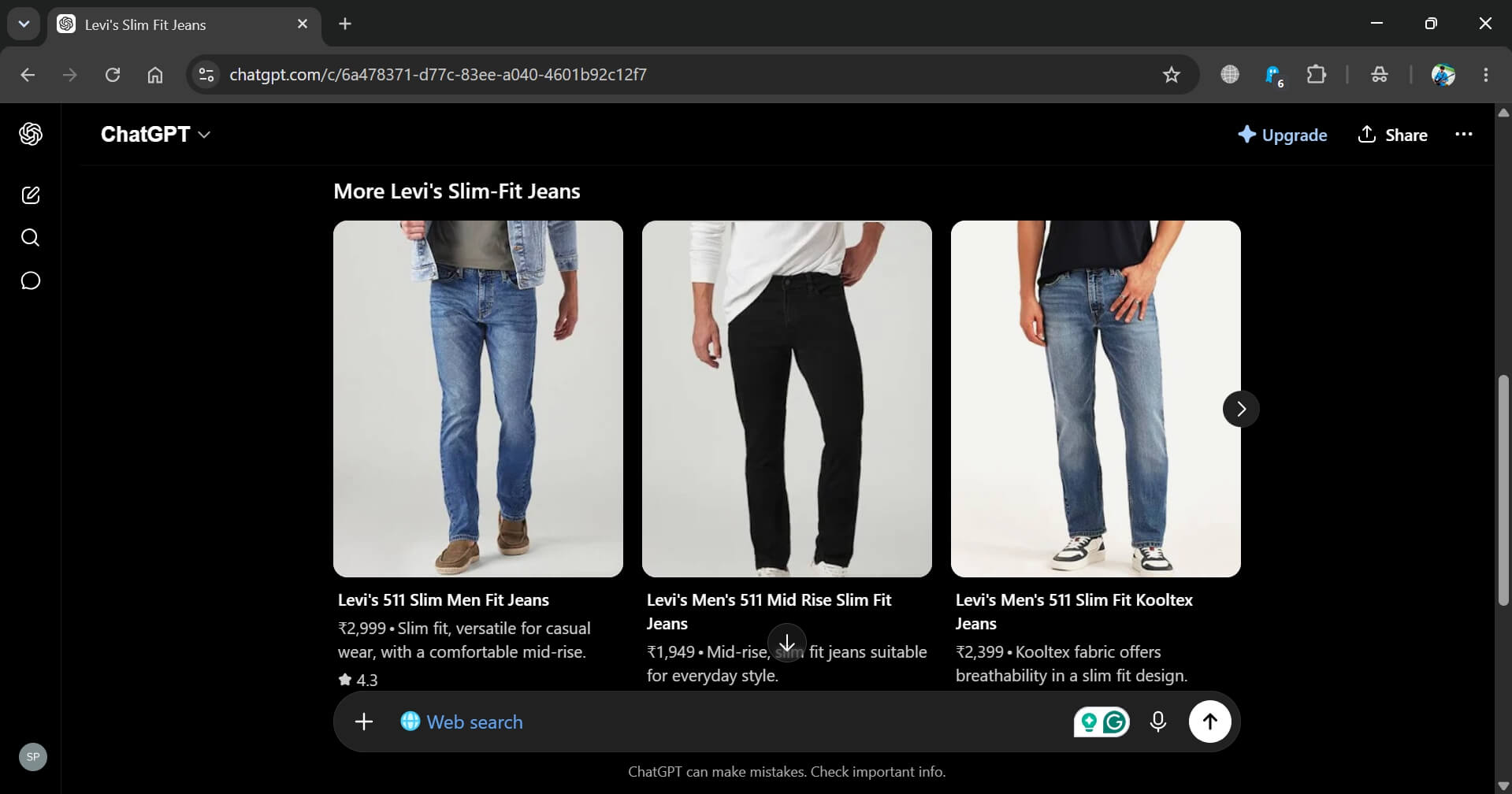
Then came the second hurdle. The local search broke quickly. I searched for somewhere to eat near a specific area and got three options, one of which had closed.
ChatGPT uses your rough IP location but has nowhere near the depth of Google Maps, which pulls in reviews, current hours, distance, and photos from recent visitors.
Also, due to the rough location, ChatGPT search results suggested places that were far away from my actual location. In the search results, most eateries’ exact area location was not even mentioned. It was quite confusing.
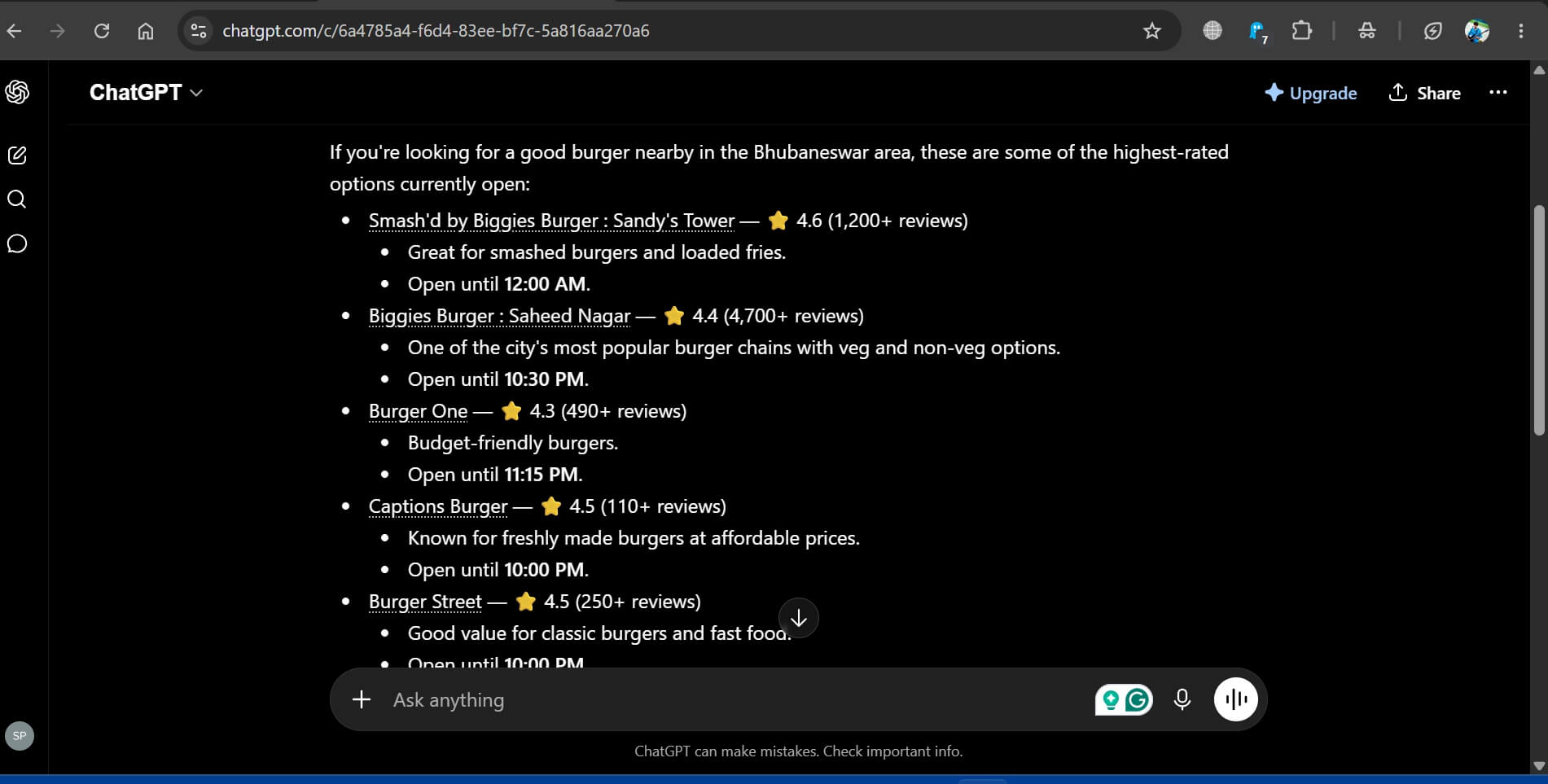
When I ran the same query on Google, a dozen results came back with all of that layered in. Three came back on ChatGPT, and one of those was no longer there. It was starting to get frustrating.
The third issue was tab accumulation and lost context. After a full day of searching, the browser felt cluttered in a way Google never produced. Each search lived in its own isolated thread.
I could not go back and refine a query the way you can by editing a Google search and hitting Enter again. If I needed to revisit something ChatGPT had said two hours earlier, the only option was scrolling through a pile of open tabs to find the right one.
Shopping was another related problem. I tried to compare laptop prices across a few retailers. The figures were vague, inconsistent, or missing, and every time I ran the same search in a fresh session, the recommendations came back different.
That is not useful for any purchase decision where you need a stable, repeatable baseline. It just did not work for me.
How to switch back to Google in Chrome?
Removing the extension does not automatically restore Google. It sets itself as the default search engine on install, and that setting stays behind even after the extension is gone.
- Go to Chrome://extensions.
- Remove the ChatGPT search extension.
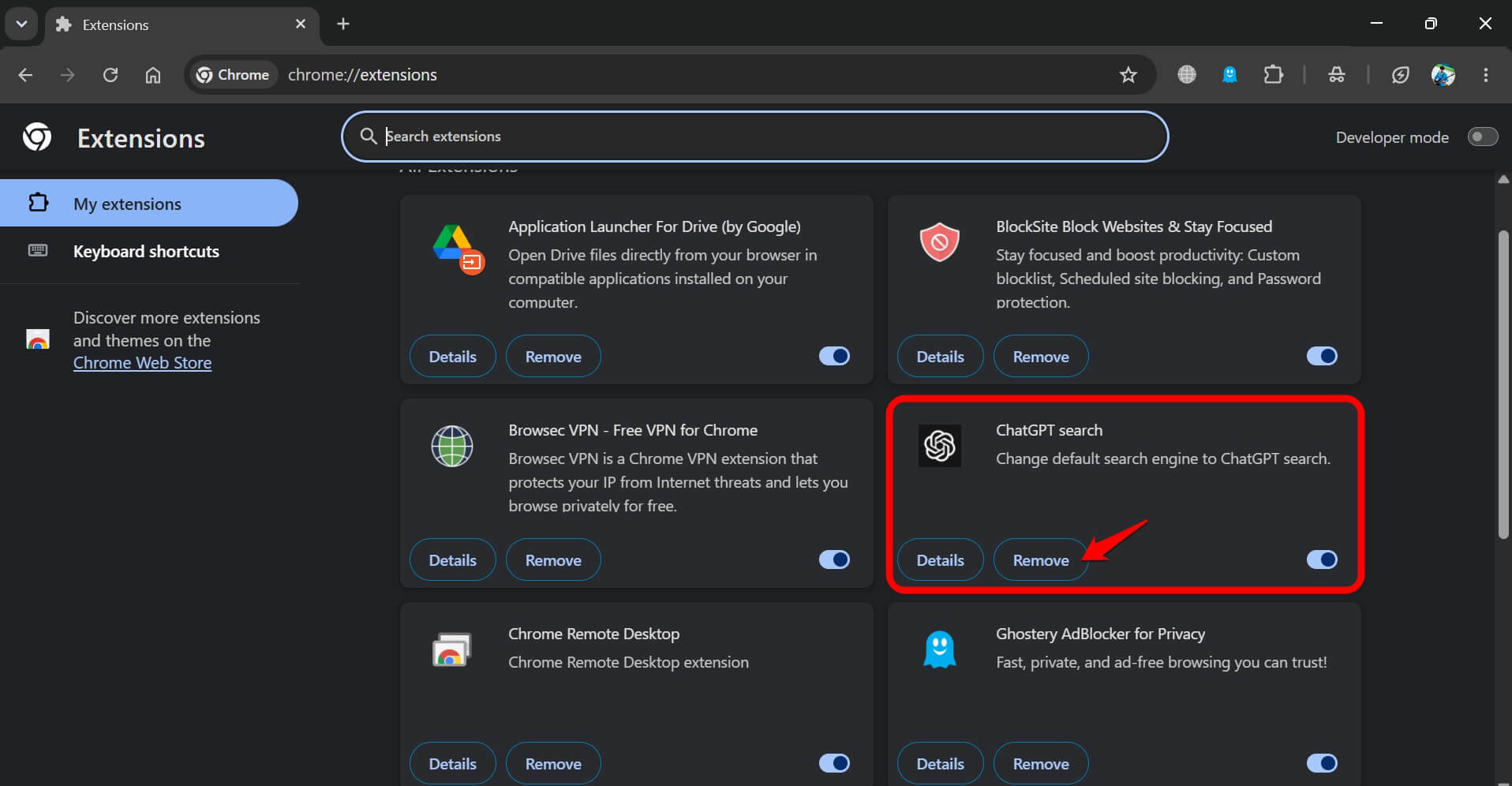

- Open Chrome://settings/searchEngines.
- Confirm Google search is set as the default.
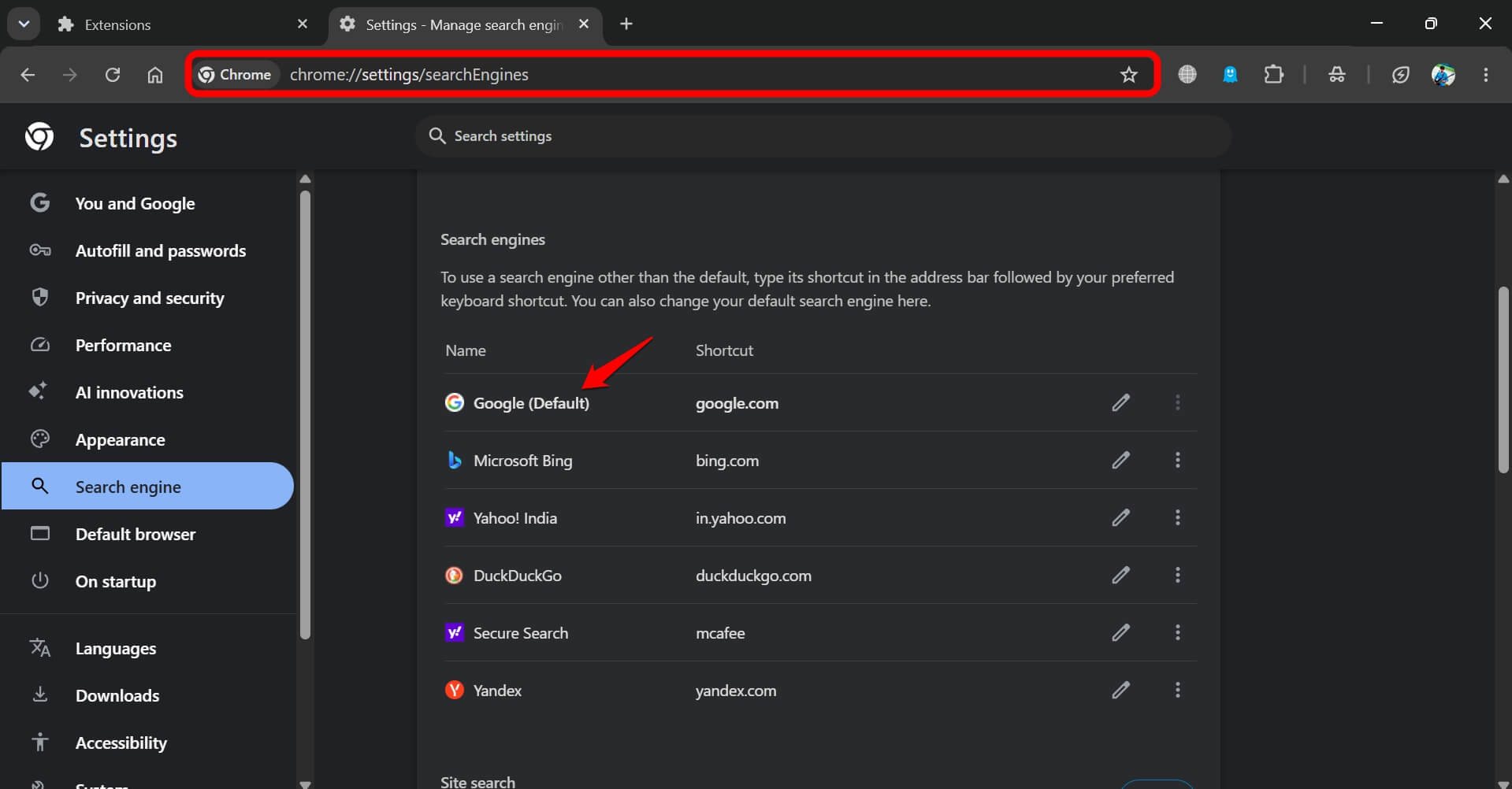

If ChatGPT still appears in the list after uninstalling, go to Manage Search Engines inside the same settings panel and delete the entry manually. The address bar returns to normal within seconds of making that change.
Why do I still use ChatGPT after all of this?
The extension came off. It did not solve my problem. At least, not the way I wanted. Google is back as the default. But ChatGPT search, as a tab, I do open when I need it. It stayed.
The distinction matters. The problem was never the tool. It was using it as a replacement for everything when it is only a replacement for some things.
Complex, multi-step, conversational research belongs in ChatGPT. Quick lookups, image searches and local queries belong in Google.
Nothing about two weeks with the extension changed that. The extension made the switch feel automatic. That is exactly where I realised Google search made more sense.