Google has a friction problem. Not a broken one. Just a slow, grinding one that you stop noticing until someone points it out.
Open a tab, click the first result, scroll past the ads and the People Also Ask boxes, scan for the actual answer, realise the article is three years old, go back, try the next one.
Four tabs later, you have something close enough. You close everything and move on. I had been doing that loop several times a day for years.
At some point, I started appending “Reddit” to half my searches just to cut past the SEO layer and get something real. That is not a power user trick. That is a workaround for a search engine that stopped giving me what I needed on the first page.
Then I read something that stuck: Google results have measurably changed since 2022, and not always in ways that help the person searching.
That was enough. I decided to take ChatGPT Search seriously for 30 days. Not a casual try. A real attempt to replace most of my daily searching and see what broke.
TL;DR: Thirty days of using ChatGPT Search instead of Google showed a clear split: faster and genuinely better for explanations, troubleshooting, and follow-up questions, but it broke down on local queries, real-time pricing, and anything where scanning multiple sources quickly matters. Neither tool won outright. The most useful outcome was learning which one to reach for first.
Week one: What felt instantly better
The first few days felt genuinely different. Like cutting a cord.
The click-scroll-back-repeat loop just stopped for most queries, which was the case with Google search.
Ask a question, get a synthesised answer with citations, follow up in the same conversation without re-typing any context.
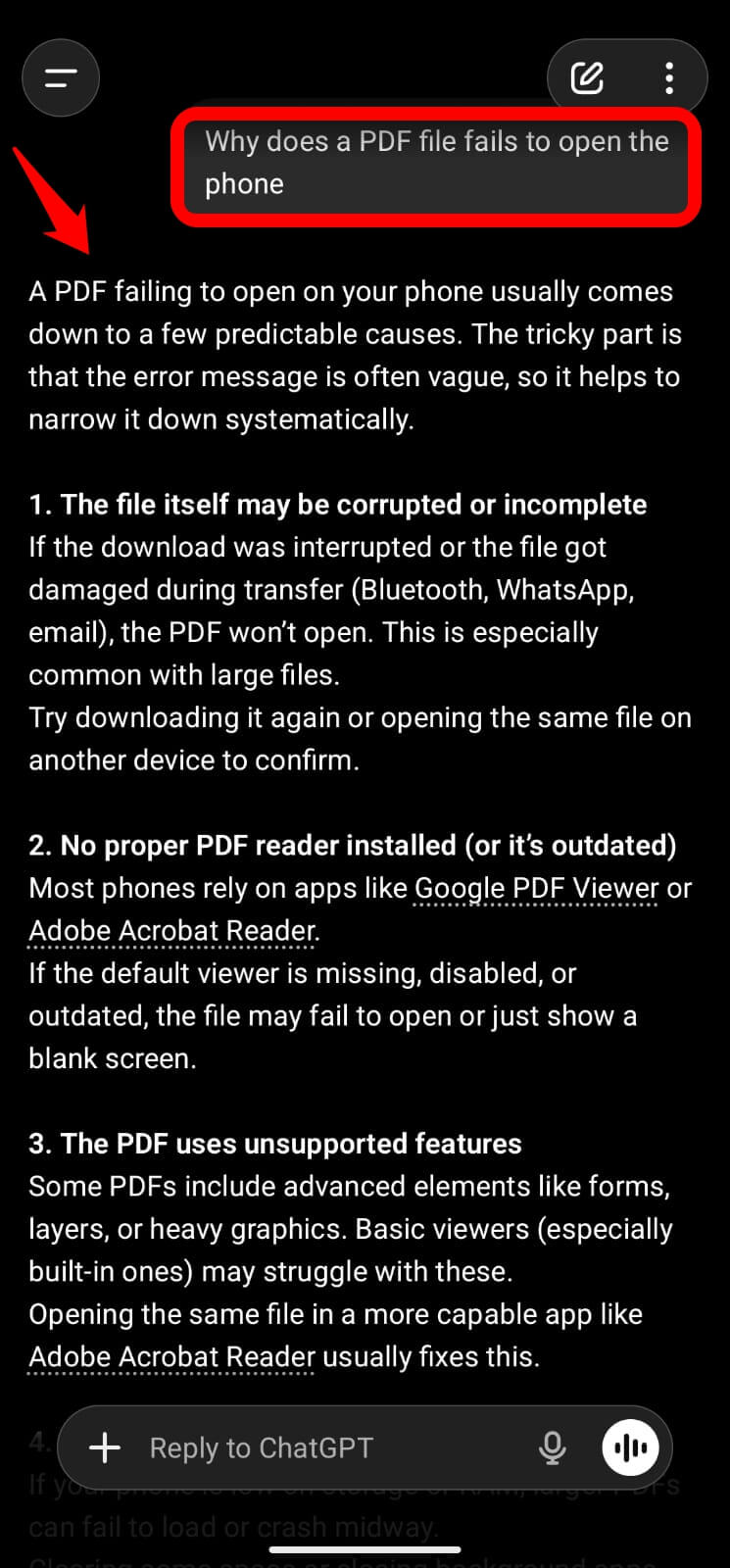
I remember the specific moment it clicked for me: I was troubleshooting why a PDF would not open on my phone. Instead of the usual parade of forum links and paywalled articles, I had a clear likely cause in about eight seconds.
I did not open a single other tab.
Follow-up questions felt natural in a way that Google never managed. Not starting over, not reformulating a search phrase, just continuing the thought. “Okay, but what if I already tried that?” That sounds like a small thing. It is not.
I also noticed I had stopped thinking in keywords.
Google trains you over the years to compress your actual thoughts into search-friendly phrases.
ChatGPT Search lets you ask the way you think. That rewiring happened faster than I expected, probably inside the first week.
Week Two: The first real failures
The honeymoon ended around day ten. Predictably.
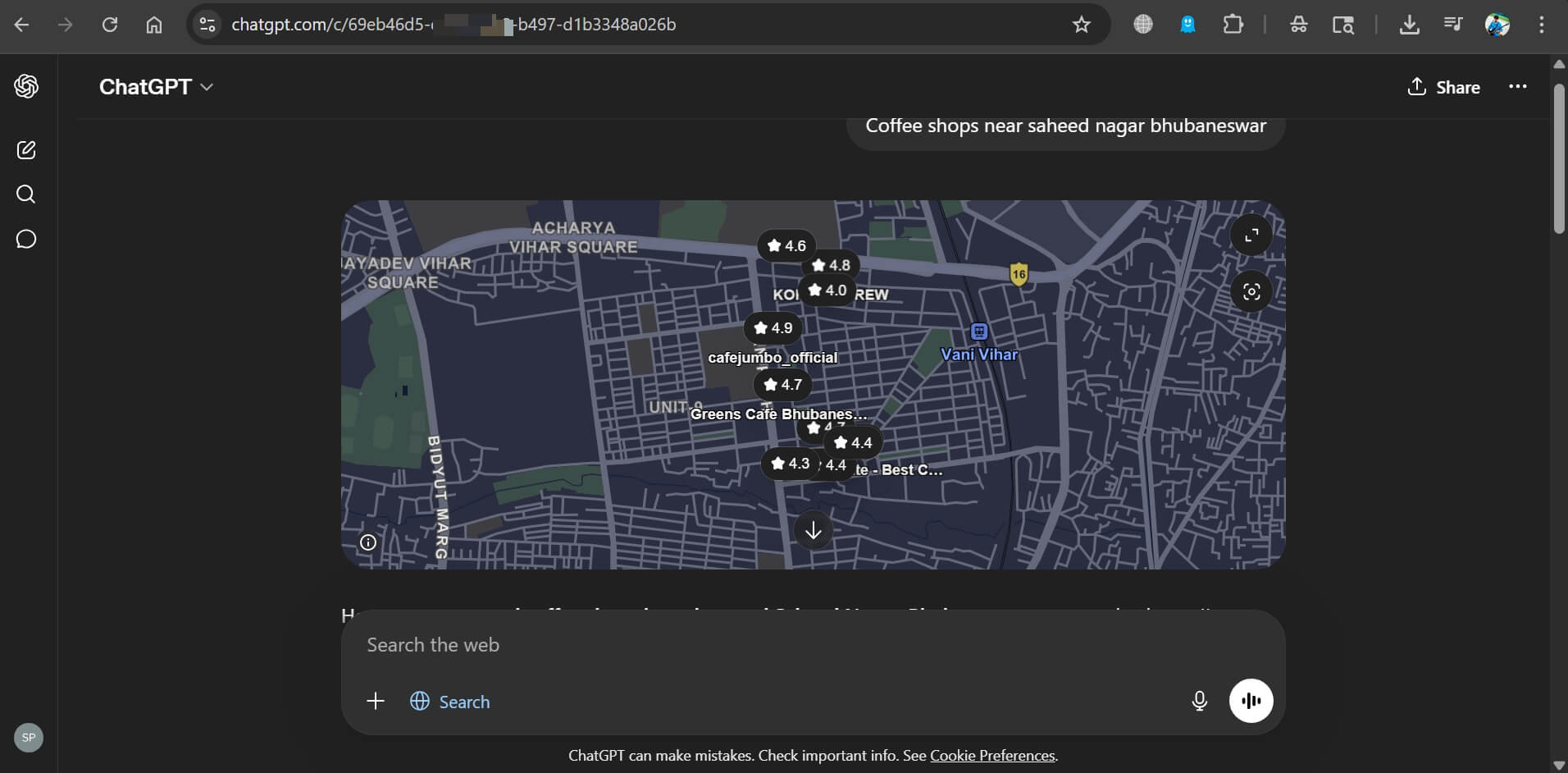
I asked for coffee shop recommendations near a specific area I was visiting.
The response from the AI sounded confident and specific.
One place had apparently closed. Another was in the right neighbourhood but several kilometres from where I actually meant.
ChatGPT Search does use your rough location via IP address, but the depth is nowhere near a Google Maps search with recent check-ins and photos from the last month.
Product pricing was worse. I tried comparing laptop prices across a few retailers.
The figures were either missing, clearly outdated, or stated without any indication of when they were last accurate.
I knew enough to check. If I had not, I would have walked into a store with the wrong number in my head.
Then there was the moment that properly rattled me.
I asked about a specific software setting, got a structured and clearly cited response, and one detail was quietly wrong. Not wildly off. Just wrong enough to cost me twenty minutes before I figured out what was actually happening.
The citations were right there. I just did not check them because the answer sounded correct.
That is the real risk. Not that it lies. That it sounds right often enough that you stop verifying.
Google result pages, for all the noise, give you something valuable: you can scan ten sources and make a credibility call before you even click anything. That judgment layer disappears with a single synthesised answer.
Week Three: The hybrid instinct takes over
By week three, I had quietly stopped trying to use one tool for everything and started routing by query type instead.
ChatGPT for understanding and Google for verification.
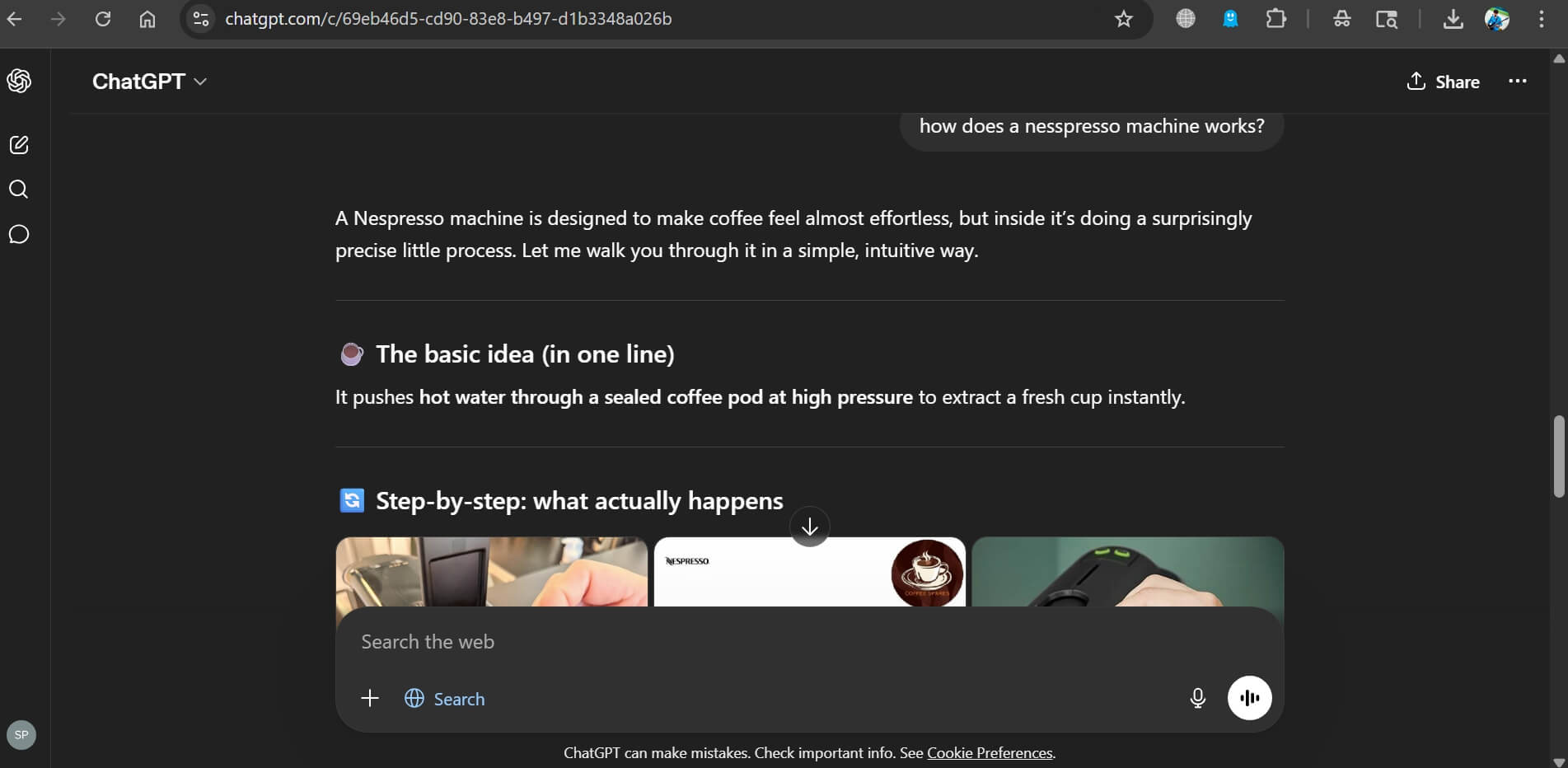
ChatGPT for “how does this work” or “explain my options.” Google for “what is the current price” or “is this still accurate.”
I would use ChatGPT to narrow a decision to two or three real options, then flip to Google to validate before committing. That combination was genuinely faster than pure Google for most of what I do in a day.
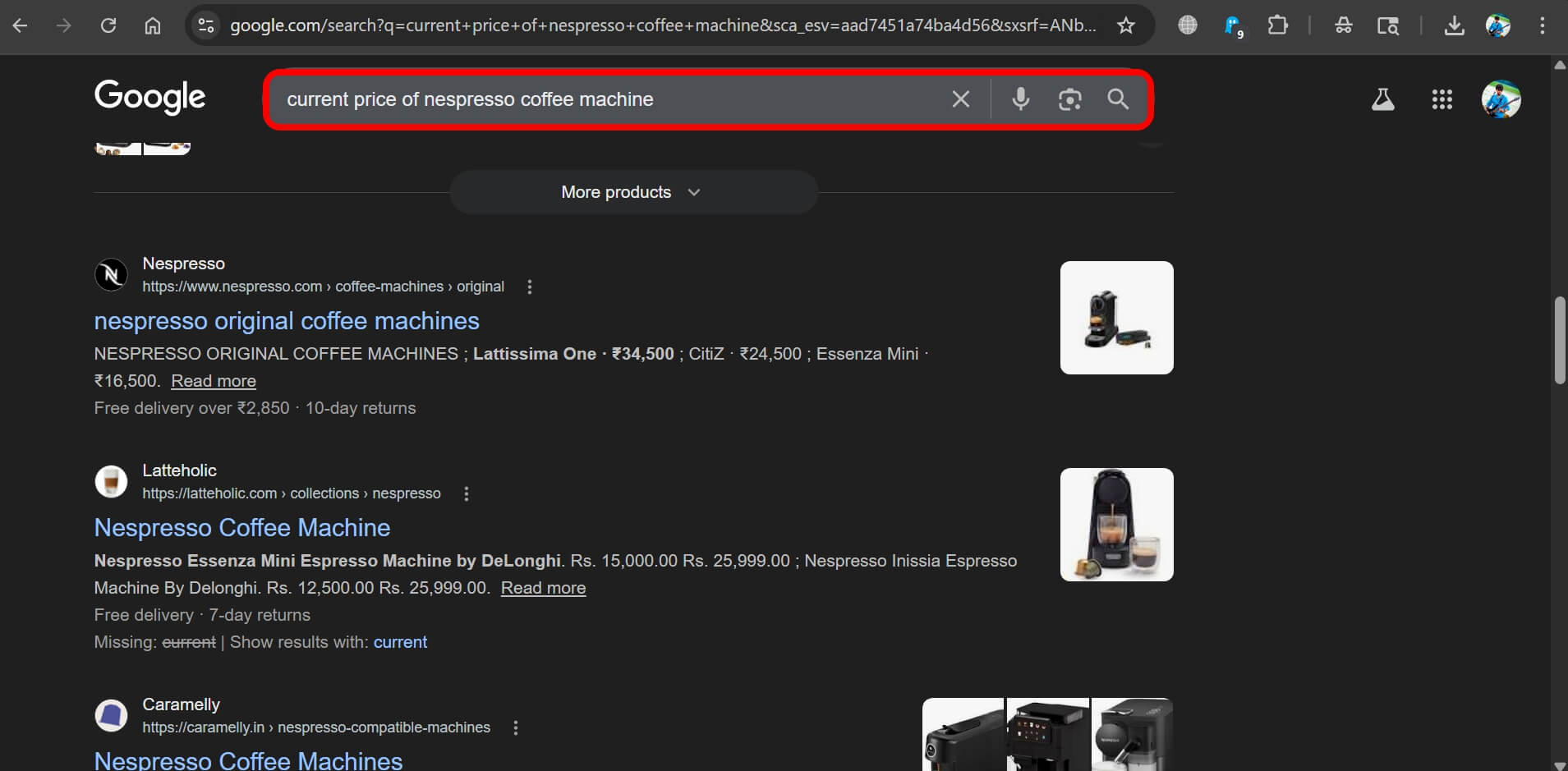
Complex buying decisions still leaned toward Google. Comparing phones, checking live deals, reading hands-on impressions from multiple outlets: all of that still worked better with a results page where I could choose my own sources.
Simple learning, debugging, and step-by-step problem-solving: stayed almost entirely in ChatGPT Search.
If you are curious how AI tools handle that kind of research differently, the comparison between Chrome Ask Gemini and ChatGPT Atlas gets into the specifics well.
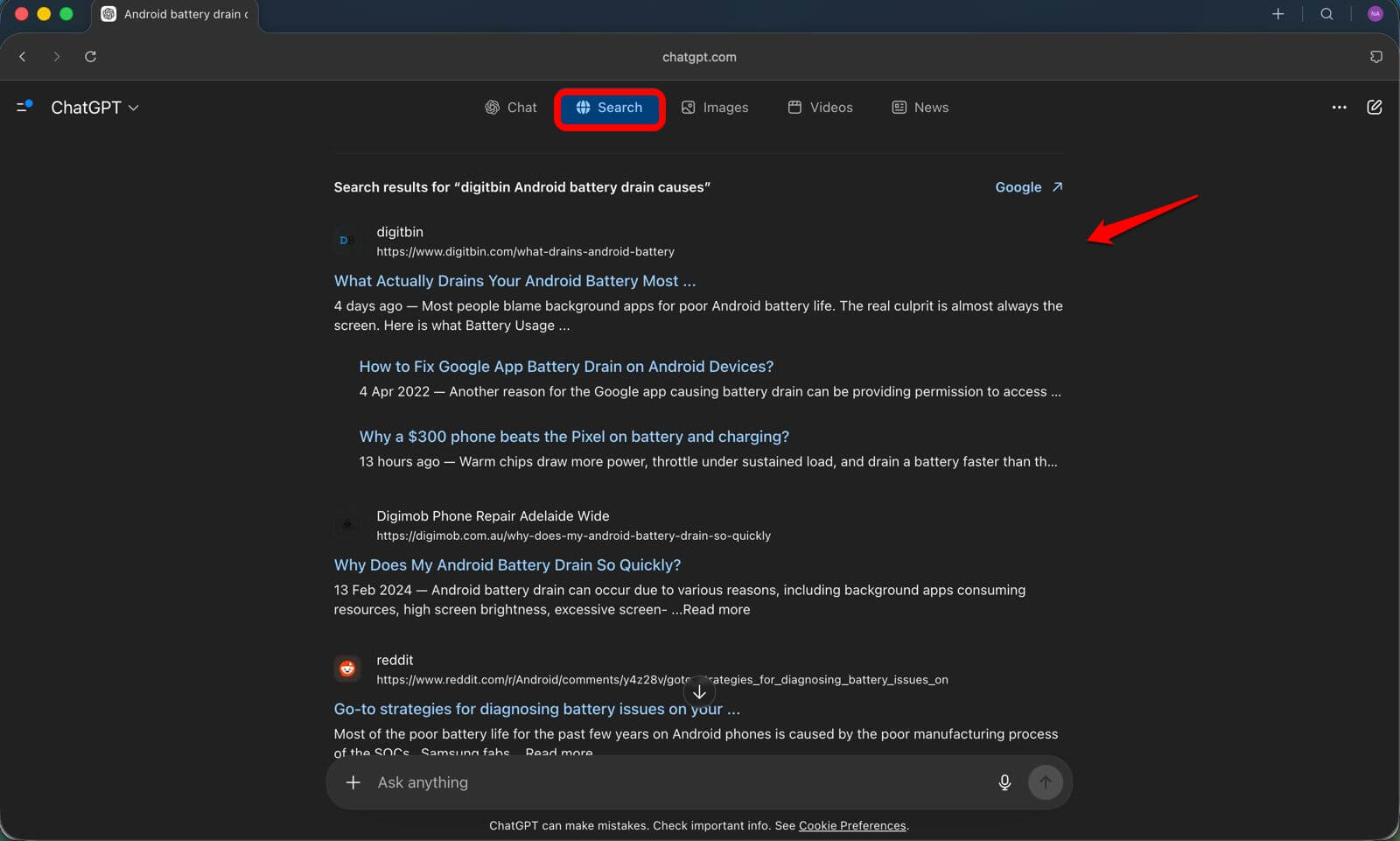
I even tried Atlas on my Mac M1 and found its ChatGPT search to be similar to the one we use. The thing is, it has Google-like tabs and is even powered by Google.
What broke: The honest list
Real-time accuracy is inconsistent.
You often cannot tell from the response whether you are reading something current or something from eight months ago. That ambiguity is a problem.
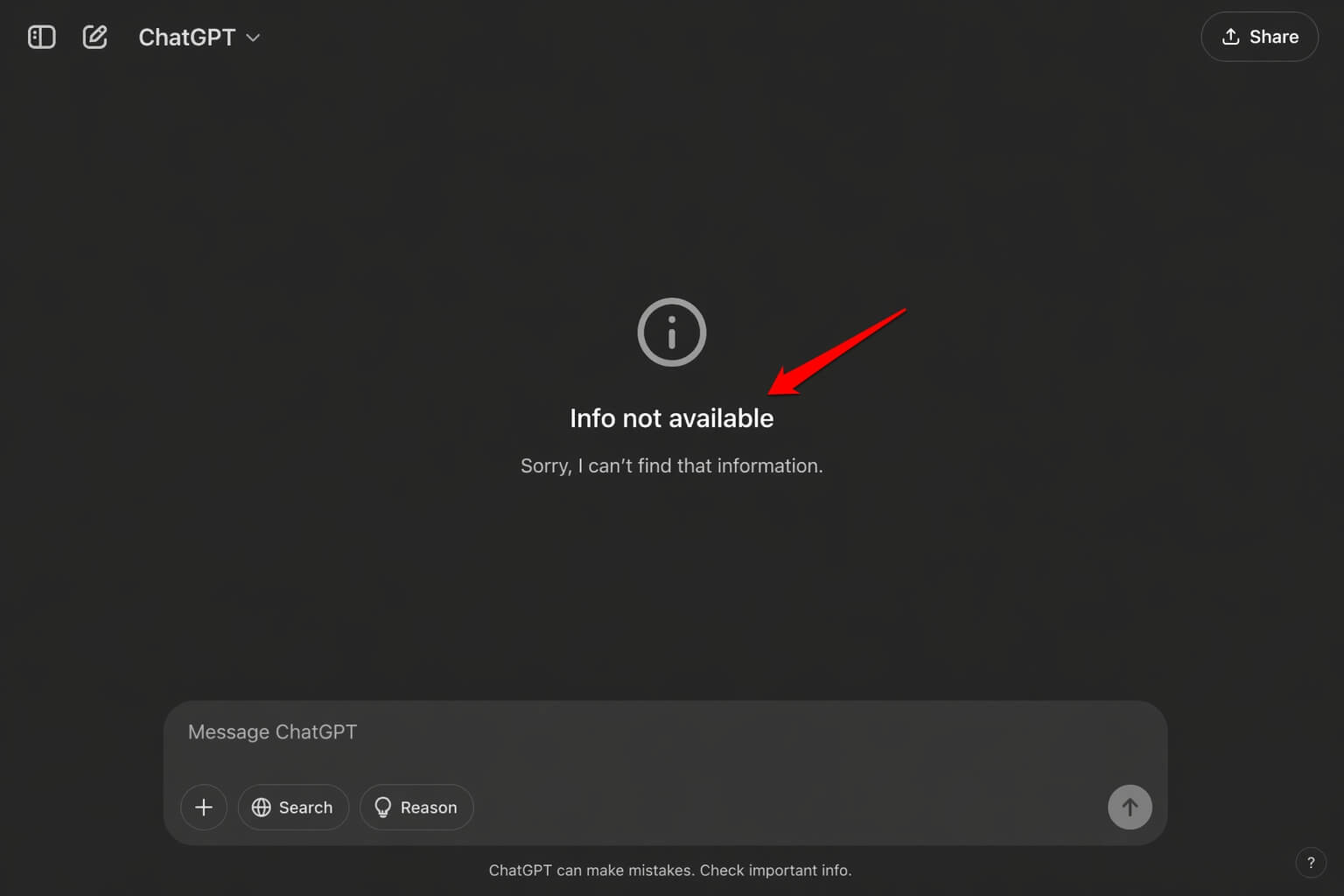
When I’m looking for a news item or want to verify any fact, ChatGPT replies that the info is not available.
This happens due to the model being trained on an older dataset, but Google pulls the latest news, which is something that matters as a substantial difference between the generative AI and Google.
Also, it is important that the local queries need a second source.
The location-aware results are better than nothing, but I would not trust them for anything that actually matters without checking elsewhere first.
The overconfidence trap is real as well. Fluent answers are easy to trust.
Checking citations takes an extra step that feels unnecessary until it very much is necessary.
One thing I started doing partway through the experiment: I had already disabled Google AI Overviews on my end before starting, which made the comparison cleaner.
If you want to do the same, there is a straightforward guide to turning off Google AI Overviews and getting plain results back.
Where it clearly won
First, I would say explaining complex topics simply.
Being able to say “explain that differently” or “give me an example” without starting a new search is something a results page genuinely cannot do. That one thing alone saved time almost every day.
The second one would be debugging and step-by-step help.
I worked through a misbehaving browser extension with three follow-up questions, no tab-switching, done in about twelve minutes.
The Google path for the same problem would have been four tabs, two Reddit threads, and a forum post from 2021 that was close but not quite right. I have been down that road enough times to know.
Reducing tab-switching was the most practical daily improvement. My browser felt less like a disaster zone by the end of the month, and I do not think that is a small thing at all.
Who should try this (and who should not)
| Category | When ChatGPT Search is Worth Using | When It’s Not the Right Primary Tool |
| Primary Use Case | Explanatory or learning-focused queries | Real-time, dynamic information needs |
| User Behavior Indicators | You open multiple tabs to confirm one thing | You regularly check product prices or availability |
| Efficiency Benefit | Helps narrow down a topic before going deeper | Google is faster for quick, factual verification |
| Strength | Consolidates information into a single, clear answer | Better to compare multiple independent sources elsewhere |
| Limitation | Not ideal for time-sensitive accuracy | ChatGPT may not always reflect the latest data |
| Recommended Tool | ChatGPT Search |
The biggest change was not the tool
Thirty days in, the most lasting thing was not about which product came out ahead.
In the end, I stopped searching the way Google trained me to search over the last decade. Compressing every thought into a keyword phrase, sifting through links, opening tabs.
I started asking the way I actually think. Following up in the same context. Treating a search like a conversation instead of a transaction.
That habit change outlasts any specific tool. It also made me a better Google user, oddly, because I stopped typing keyword strings for questions that were always better asked as actual questions.
The tool changed. The habit changed more. That part I did not see coming.
Frequently asked questions
Does ChatGPT Search replace Google?
Not entirely. It handles explanations, troubleshooting, and conversational queries well, but Google is still stronger for real-time pricing, local results, and scanning multiple sources at once.
Is ChatGPT Search available on free accounts?
Yes, though free users have usage limits on advanced models, and some features vary by plan and region.
How accurate is ChatGPT Search?
It pulls live results with citations, but accuracy varies for time-sensitive or location-specific queries. Checking cited sources before acting on important answers is worth the extra step.
Can I set ChatGPT as my default browser search engine?
Yes. OpenAI offers a Chrome extension that routes address bar searches directly to ChatGPT Search without needing to open a separate tab each time.
What is ChatGPT Search consistently worst at?
Real-time product pricing, local business accuracy, and anything where you need to compare multiple independent sources side by side before trusting an answer.