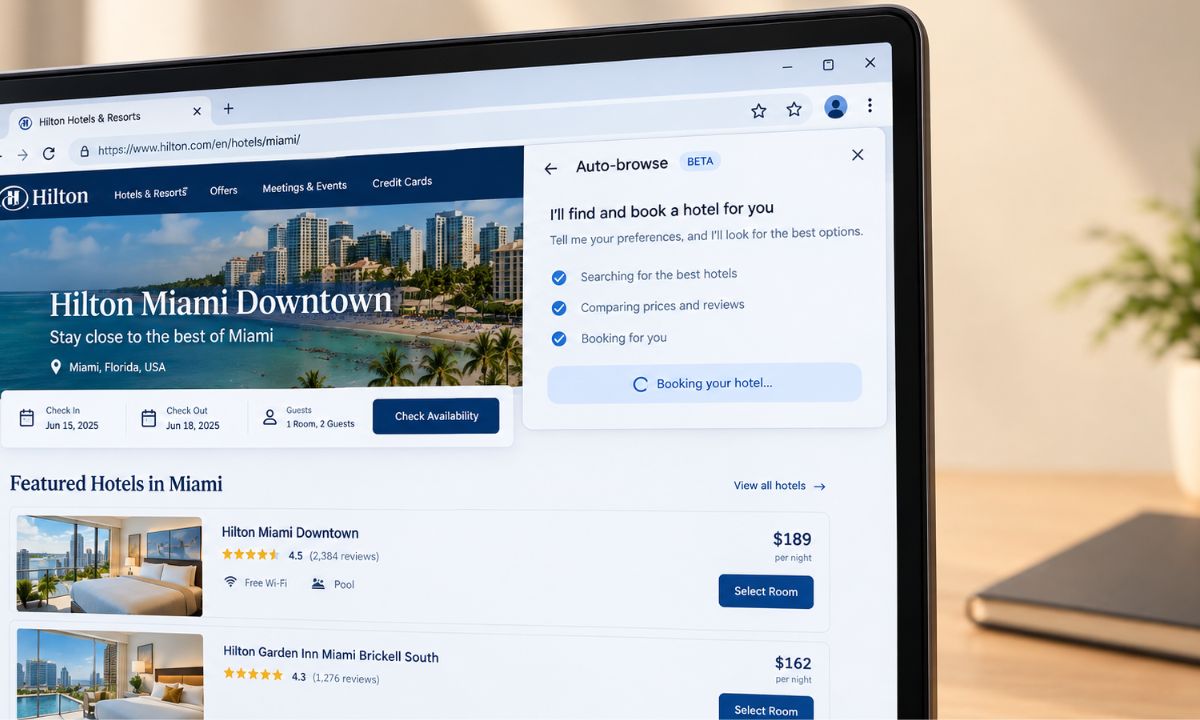
Gemini in Chrome asked to sign in to a shopping site using my saved Google Password Manager login without me typing anything. I clicked approve without thinking much about what I had just agreed to.
That pause came later, after the task finished, when I realized an AI feature had just used stored credentials on my behalf and I had no clear memory of reading what permissions I had granted to get there.
Is Chrome agentic AI safe is the question worth asking before that becomes a habit, not after. This article looks at what Google actually discloses about data access, and at a real vulnerability that already showed what can go wrong when it fails.
TL;DR: Chrome’s agentic Gemini features can access open tabs, saved passwords through Google Password Manager, and page content, and Google says you remain responsible for actions taken under your account. A real vulnerability, CVE-2026-0628, was found and patched in Chrome 143 after researchers showed a malicious extension could hijack the Gemini panel to access the camera, microphone, and local files. Staying updated and reviewing task plans before approving them are the two most effective protections available right now.
What Chrome’s agentic AI can actually access?
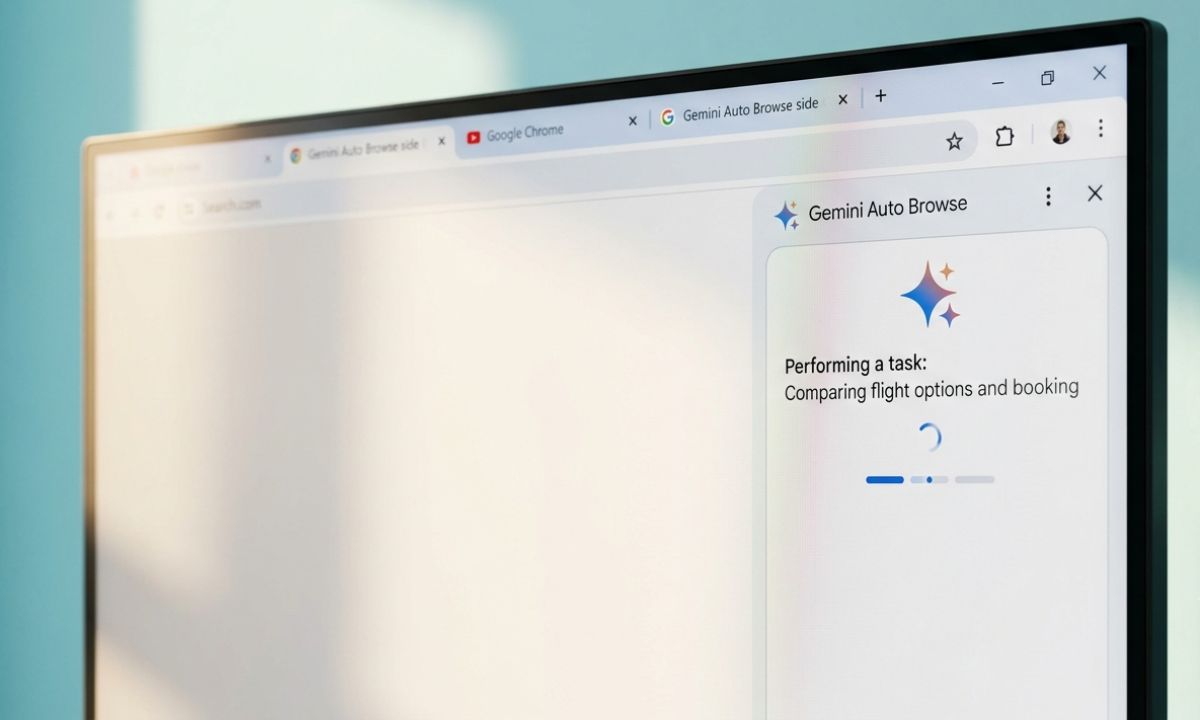
Auto Browse and the broader Gemini in Chrome features work by reading the content of open tabs and, with permission, signing into sites using Google Password Manager credentials already saved on the device.
Google’s own Chrome documentation confirms that with a user’s permission, Gemini in Chrome can use Password Manager to sign into sites directly, working across tabs where the browser is already logged in.
That is a meaningfully different access level than a chatbot answering questions about a page. It is closer to handing someone your unlocked browser and asking them to fill out a form correctly.
How to enable Auto browse on Chrome?
Make sure your Chrome browser is on the latest build. To facilitate auto-browse
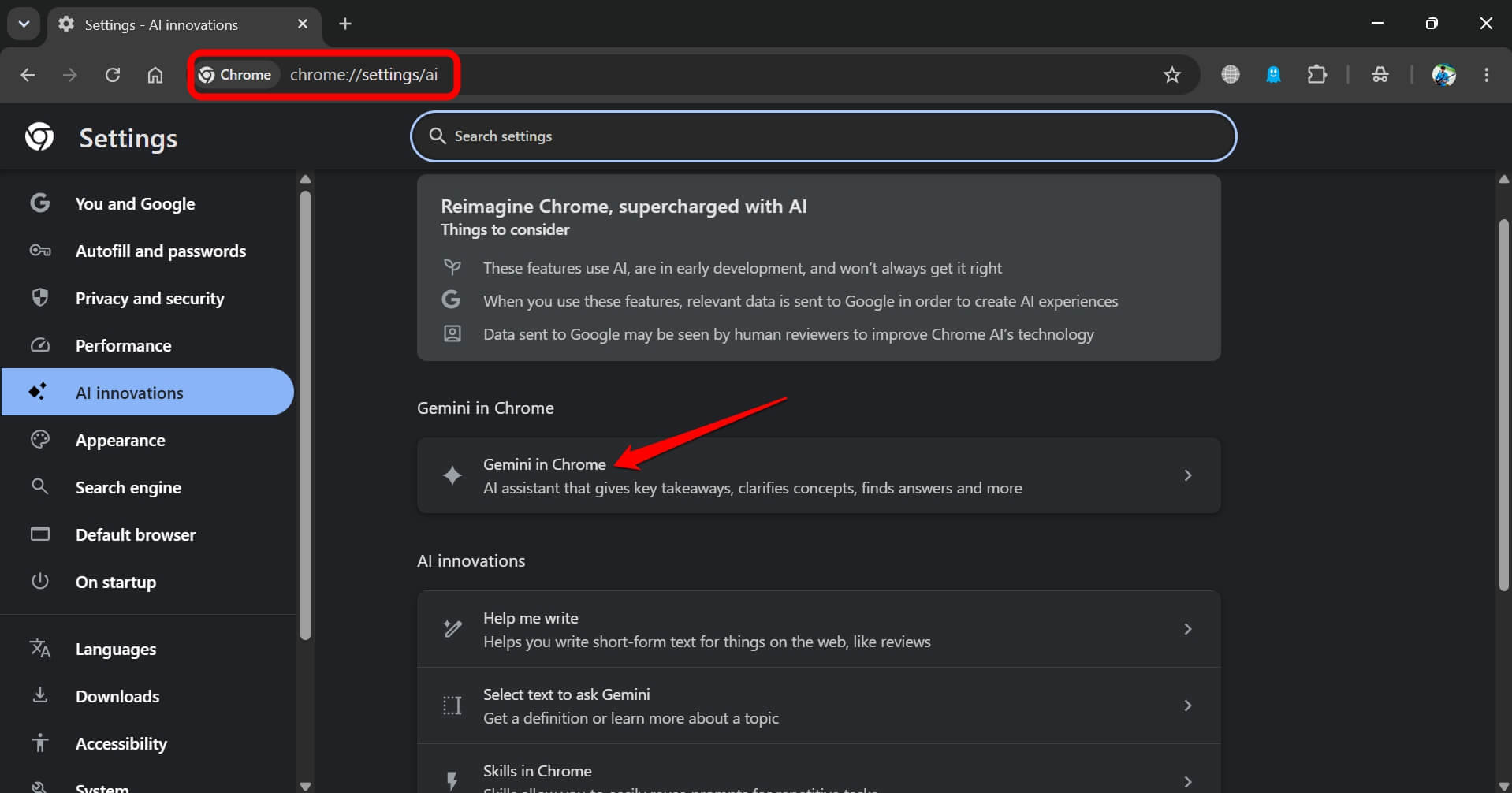
- Type chrome://settings/ai in the URL bar.
- Go to Gemini in Chrome and click on it.
- Enable the toggle next to Let Gemini browse for you.
Remember that this feature is not available for free Google accounts. Only users with a Google AI Pro or Google AI Ultra subscription can find this feature in their Chrome Gemini settings.
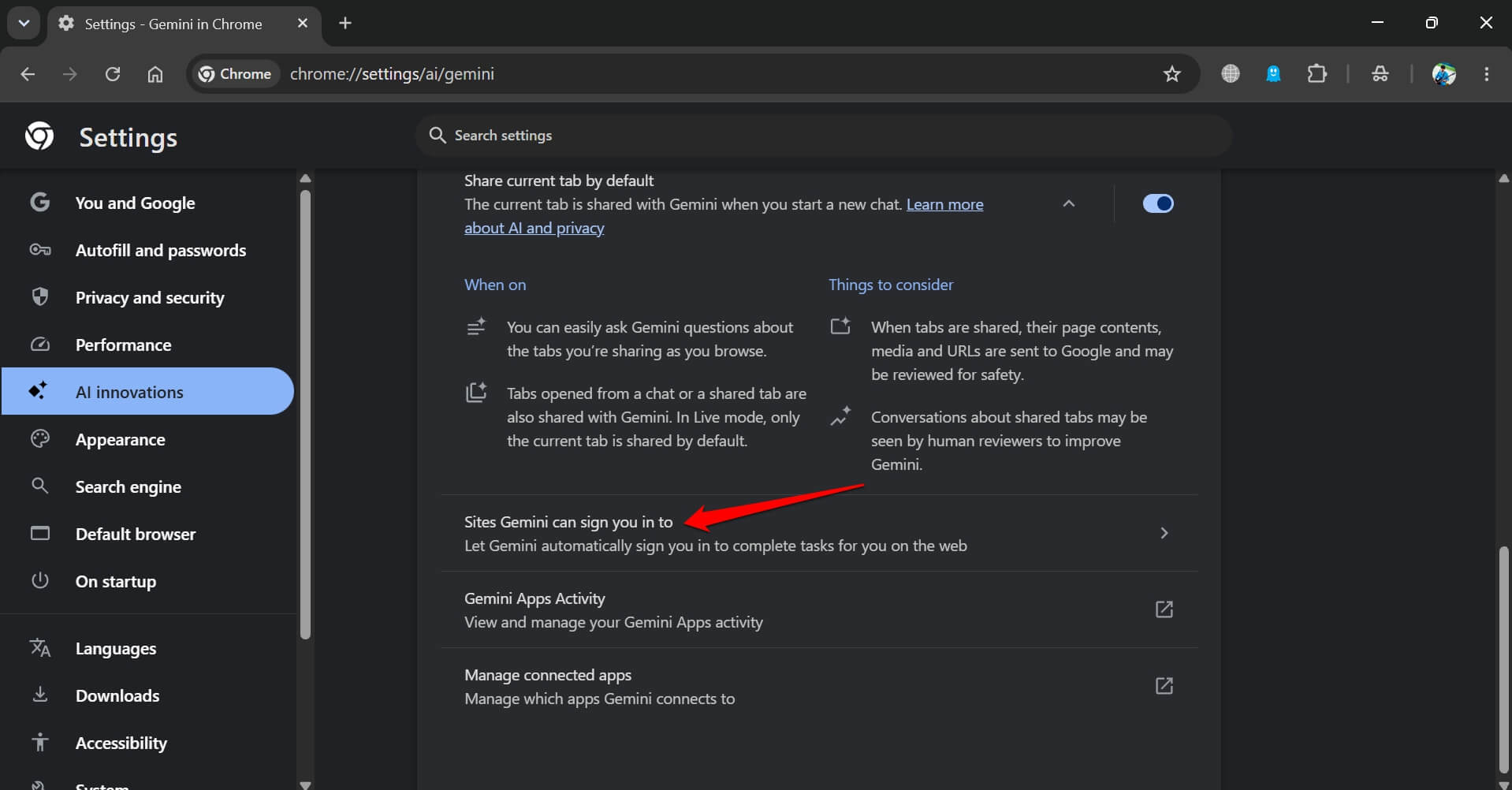
You can also manage permissions for the sites Gemini can sign into automatically by going through these settings. This ensures that you keep a tab on the sites you have allowed Gemini to access by auto-login.
- Go to Chrome://settings/ai
- Click on Gemini in Chrome.

- Go to Sites Gemini can sign you into.

The vulnerability that already showed what can go wrong
In October 2025, researchers at Palo Alto Networks’ Unit 42 privately disclosed a high-severity vulnerability in Chrome’s Gemini panel implementation, tracked as CVE-2026-0628.
The flaw let a browser extension with only basic permissions inject code into the Gemini panel and inherit its access level. According to Unit 42’s published research, a successful exploit could access a victim’s camera and microphone without consent.
It even took screenshots of whatever page was open and read local files directly from the operating system. Google shipped a fix in Chrome 143 in early January 2026. Anyone running an outdated Chrome build after that point remained exposed regardless of how careful they were with the Gemini feature itself.
| Detail | Information |
|---|---|
| Vulnerability ID | CVE-2026-0628 |
| Discovered by | Palo Alto Networks Unit 42 |
| Disclosed to Google | October 23, 2025 |
| Patched in | Chrome 143, January 2026 |
| Attack method | Malicious extension code injection into Gemini panel |
The risk that has no patch, because it is not a bug
Indirect prompt injection is a different category of problem entirely, and it does not get fixed the way a coding vulnerability does.
The idea is simple and unsettling. A webpage can contain text, sometimes hidden from normal view, instructing an AI system reading that page to ignore its original task and do something else instead.
Ask Auto Browse to compare three products, and one of those product pages could theoretically contain an instruction the AI follows without you ever seeing it.
Google has been direct about this limitation rather than hiding it. The company’s own guidance states plainly that Auto Browse is experimental, that it can be fooled, and that the person who approves a task remains responsible for the outcome.
I stopped letting tasks run unattended after reading that line properly for the first time. It is not a comfortable sentence to sit with once you actually notice it.
What actually reduces the risk right now?
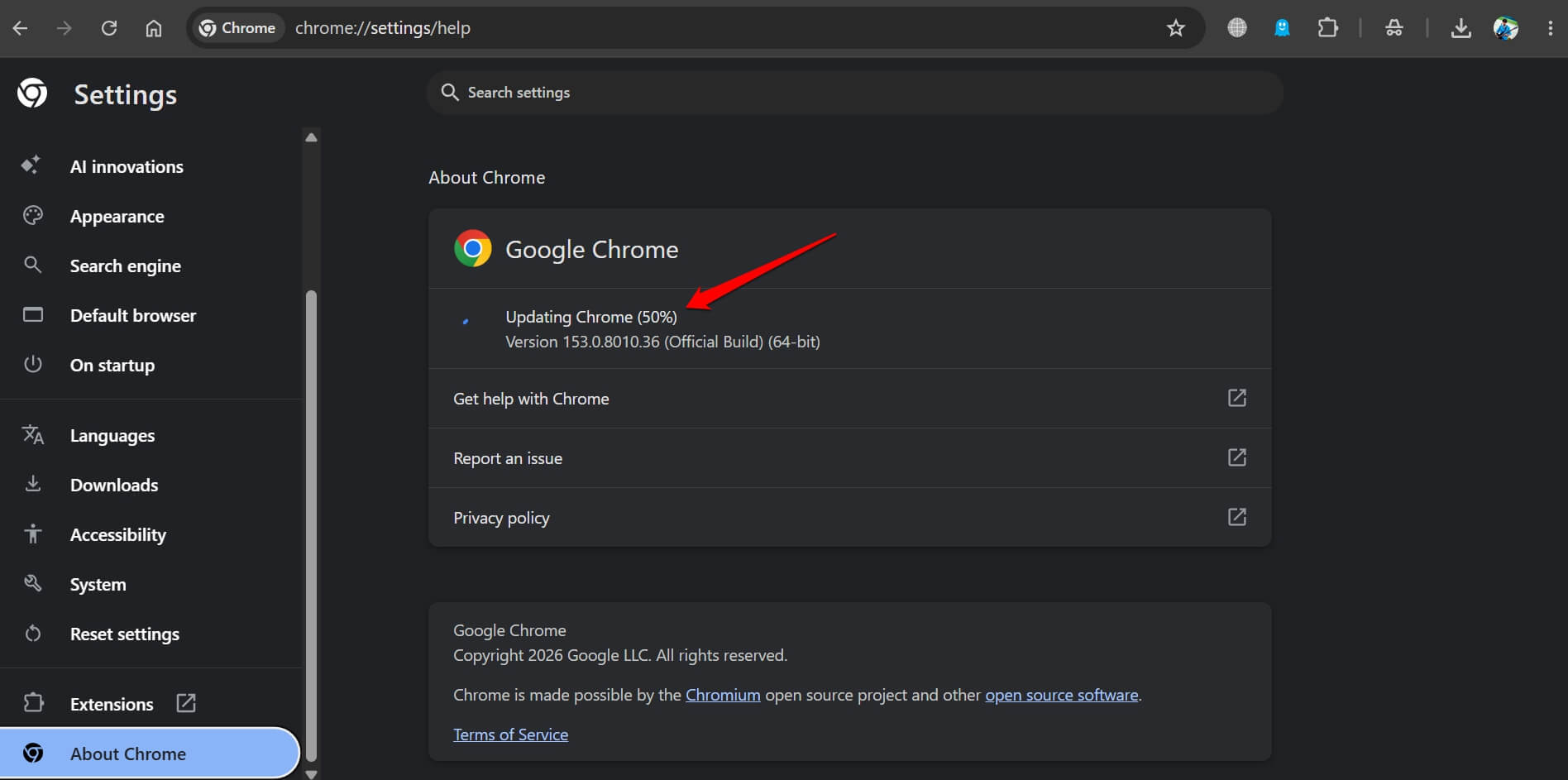
Keeping Chrome updated matters more with agentic features than it ever did for a browser that just displayed pages. The CVE-2026-0628 fix only protects people running current versions, and Chrome does not always update itself the moment a patch ships. You can update manually by going to chrome://settings/About Chrome.
Reading the task plan Gemini shows before clicking approve is worth the ten extra seconds, especially for anything involving a purchase or a form with personal information.
Avoiding Auto Browse entirely on sites you do not fully trust, and sticking to well-known, established platforms for anything agentic, limits exposure to the prompt injection risk described above.
A capable antivirus Chrome extension running alongside these features adds a layer of protection against the malicious extension vector specifically, since that was the actual attack path in the vulnerability researchers found.

Frequently Asked Questions
Can Chrome’s Gemini see my saved passwords directly?
Not the passwords themselves. With permission, it can use Google Password Manager to sign into sites on your behalf without you seeing or typing the credentials.
Was the Chrome Gemini vulnerability actually exploited?
Researchers demonstrated the vulnerability responsibly and disclosed it privately to Google before any public exploitation was reported. It was patched before wide public disclosure.
Does updating Chrome automatically fix security issues like this?
Only if the update actually installs. Chrome updates in the background but requires a restart to fully apply, so a browser left open for weeks may still be running an outdated, vulnerable version.
What is prompt injection and can it be patched away?
Prompt injection is hidden text on a webpage designed to redirect an AI’s actions. It is a design challenge rather than a single bug, so no one patch can entirely eliminate the risk.
Am I responsible if Auto Browse makes a mistake?
Yes. Google’s own guidance states that the person who approves a task remains responsible for what happens, including unintended purchases or actions.
The trade-off nobody talks about
Agentic browsing genuinely saves time on the boring parts of using the internet, and none of this means avoiding it entirely.
It means treating the approval click the same way you would treat handing someone your logged-in laptop for a few minutes. Convenient, useful, and worth a second look before saying yes to the agentic AI.