The trigger was July 24, 2024. I opened Chrome on my Windows laptop, and the password manager was completely empty. Every saved login, gone. I searched for a password I needed urgently for a work account and got nothing back. The vault looked like I had never used Chrome in my life.
It turned out to be a confirmed bug in Chrome version M127 on Windows. Google’s own status dashboard acknowledged the issue affected an estimated 15 million users, caused by a configuration change deployed without a proper feature guard.
They fixed it within about 18 hours. But the only workaround during the outage was launching Chrome from the command line with a specific flag, which is not something most people would ever know to do.
That morning locked me out of the accounts I needed. And I realized I had been trusting Chrome’s password manager with something it was not really built to protect: access to everything.
Why Chrome’s password manager is a structural gamble?
The M127 incident was not a freak accident. It exposed something I had not fully thought through. Chrome’s password manager is not a standalone product. It is a feature wired into a browser and tied to a Google account sync cycle.
When sync breaks, passwords can fall out of step across devices. When a Chrome update ships a bad configuration, your access depends entirely on how fast Google notices and rolls back the change.
There is no independent encrypted vault you hold. There is no fallback that lives outside Google’s infrastructure.
I had used Chrome’s manager for years because it was frictionless. But frictionless and reliable are not the same thing. I had just never felt the difference until that morning.
Why I chose Bitwarden password manager?
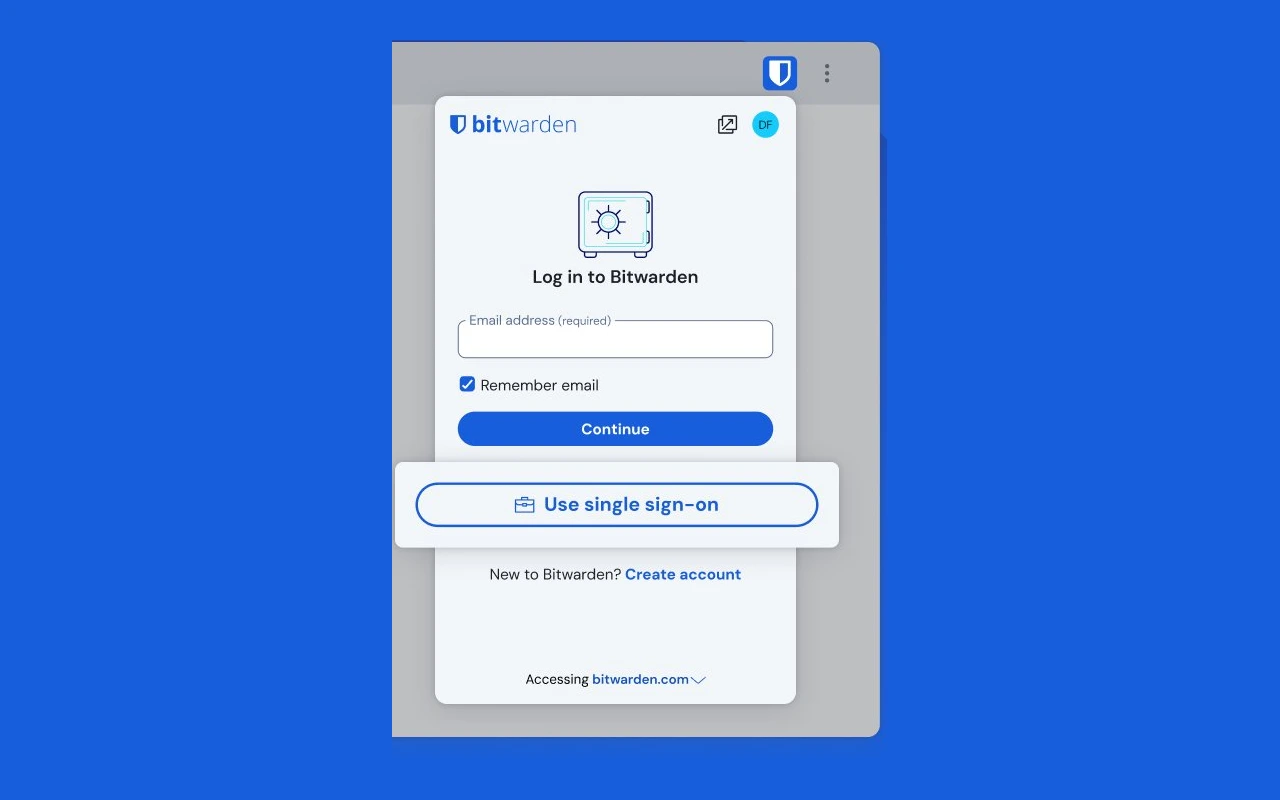
After the incident, I looked seriously at 1Password and Bitwarden. Both are well-regarded. 1Password costs around $36 per year and has a polished interface. I went with Bitwarden for two reasons.
First, the free tier is genuinely usable. Unlimited passwords, unlimited devices, cross-platform sync, and browser extensions for Chrome, Firefox, Edge, and Safari. No artificial limits designed to push you toward a paid plan.
Second, Bitwarden is open source. The client code is publicly audited. Combined with end-to-end encryption, where even Bitwarden cannot read your vault, it felt like a meaningfully different model from storing passwords inside a browser controlled by an advertising company.
The premium plan recently repriced to $19.80 per year and adds the built-in TOTP authenticator, vault health reports, and encrypted file attachments. The free plan was enough for me to start.
How did the migration actually go?
Getting passwords out of Chrome was straightforward.
I navigated to chrome://password-manager/settingsand used the Export option to download a CSV file containing the saved passwords.
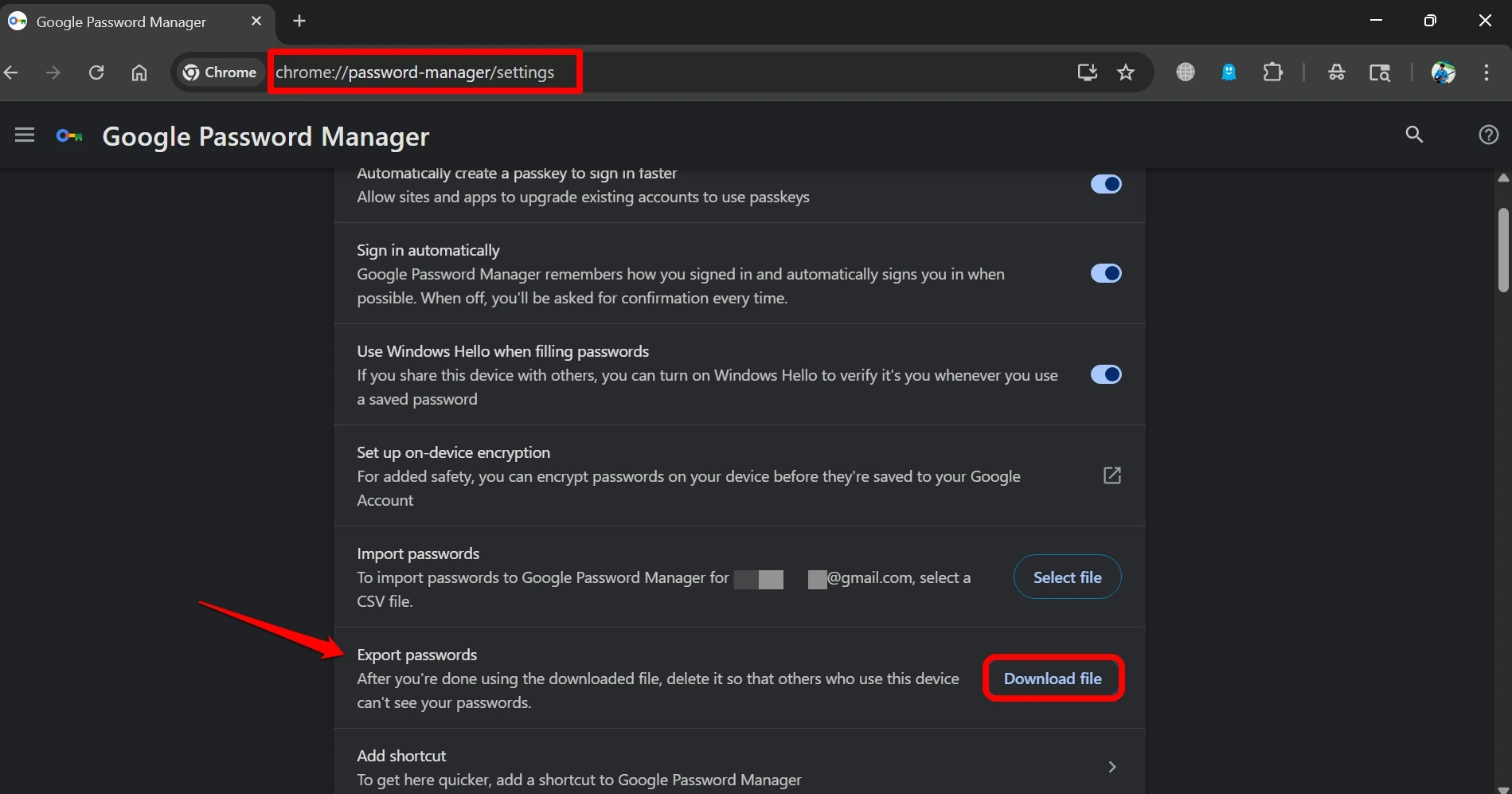
NOTE: Before you do the above step, remember that CSV is plain text. Every password you own is readable by anyone who opens the file.
I imported it into Bitwarden via the web app under Tools, then Import Data, selecting Chrome CSV as the format, and deleted the file from my machine immediately after.
The import took under two minutes. Everything transferred cleanly.
Bitwarden does not check for duplicates on import, so running it twice will create duplicate entries. One clean import is all you need.
The Bitwarden desktop app also has a direct import option that reads Chrome’s local password files without generating a CSV at all. That is the cleaner route if you want to avoid leaving an unencrypted file on your machine even briefly.
Where Bitwarden falls short on Android?
I want to be honest about this part because most reviews skip it.
Bitwarden’s autofill on Android has had a difficult stretch. In late 2025, versions 2025.10.x introduced a regression where autofill stopped matching by website domain in Chrome and Brave, falling back to app package names instead.
Logins simply would not appear. Bitwarden addressed it in version 2025.11.0, but getting things working again required updating the app and reconfiguring autofill settings manually.
There is also a recurring issue with Android’s battery optimization killing Bitwarden’s background service, particularly on Samsung and Huawei devices. If autofill stops working a few days after setup, that is usually the cause.
The fix is to exempt Bitwarden from battery optimization in Android settings, but the app does not surface this clearly during onboarding.
Chrome’s autofill on Android, by comparison, just works. It is deeply integrated and rarely needs intervention. If you do most of your browsing on Android and have a low tolerance for occasional troubleshooting, that gap is real and worth factoring in.
Was switching to Bitwarden worth it?
On desktop, yes, without question. The Bitwarden browser extension works across every browser I use. Password generation is more configurable than Chrome’s.
The vault is accessible even when signed out of Google. I have not had a single access failure since switching.
On Android, it is worth it but requires more active management than Chrome ever did. I had to troubleshoot autofill twice in the first six months. Both times the fix existed and worked, but I had to find it myself.
The underlying question is whether you want your password access to depend on Chrome staying healthy and Google’s update process going smoothly.
The M127 incident was an edge case. It was also a clear illustration of what that dependency costs when something goes wrong at exactly the wrong moment.
A dedicated manager, even one with occasional Android friction, puts more of that control in your hands. For me, that shift made the switch worth it.
Frequently asked questions
Is it safe to export Chrome passwords as a CSV?
The file is plain text, so handle it carefully. Import it into Bitwarden immediately and delete it from your machine right after.
Does Bitwarden work across iPhone, Android, and desktop?
Yes. Bitwarden has apps for iOS, Android, Windows, Mac, and Linux, plus browser extensions for all major browsers. The free plan covers all of them with no device limit.
What happens to my Bitwarden vault if the company shuts down?
Because Bitwarden is open source, you can export your vault at any time and self-host the server. Your data is not locked to their infrastructure the way it is with most proprietary managers.
Will turning off Chrome’s password manager delete my saved passwords?
No. Disabling it only stops Chrome from offering to save new passwords and autofilling. Existing passwords stay in your Google account until you remove them manually.
Is the Bitwarden free plan enough for most people?
For personal use, yes. Unlimited passwords, unlimited devices, and browser extensions are all included free. The $19.80 per year premium plan adds the TOTP authenticator and vault health reports, which are useful but not essential to get started.
If you've any thoughts on I stopped using Chrome’s built-in password manager and here’s why, then feel free to drop in below comment box. Also, please subscribe to our DigitBin YouTube channel for videos tutorials. Cheers!