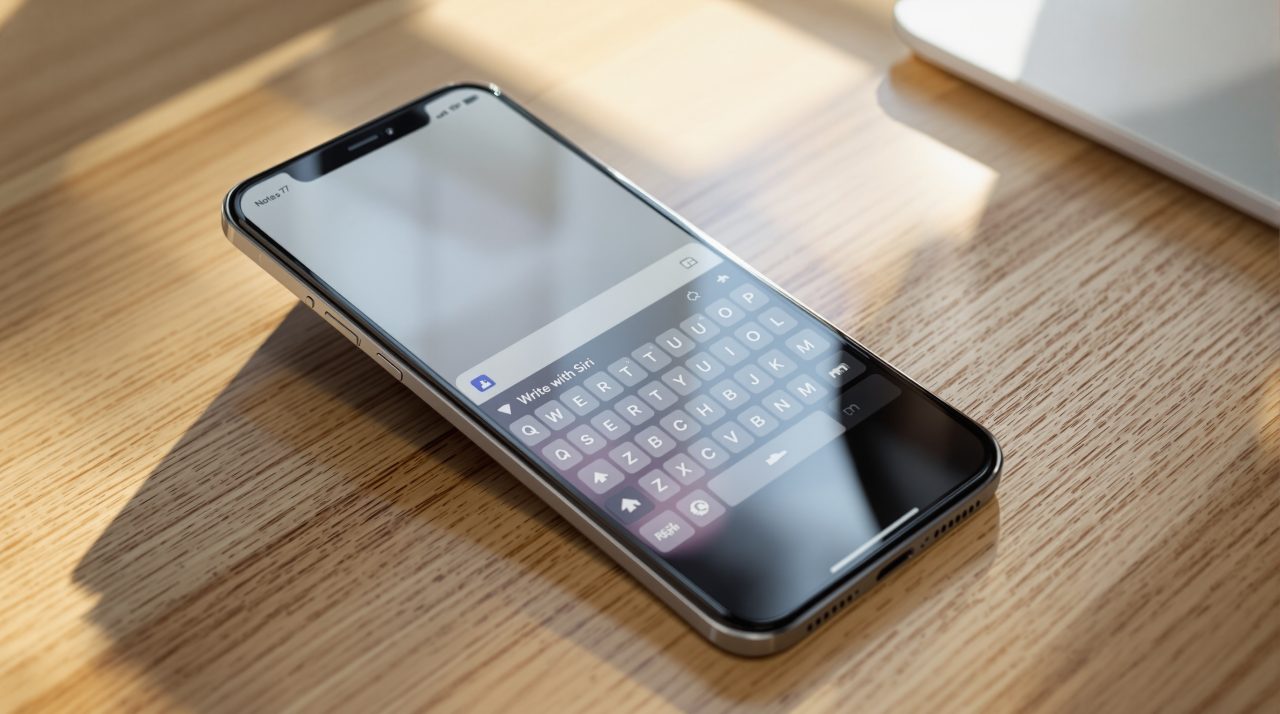
Apple released iOS 27 Beta 2 to developers on June 22, and the most visible change affects something you use every time you type. Write with Siri, powered by Apple’s rebuilt assistant, now appears as a persistent button directly above the system keyboard in Notes, Mail, Messages, and any app that uses the iOS 27 keyboard. It replaces Writing Tools, which required navigating into an edit menu. The button is no longer buried. The AI behind it is considerably more capable. Together, those two changes turn something most people ignored into something you will reach for without thinking.
TL;DR: iOS 27 Beta 2 adds a Write with Siri button above the system keyboard, replacing the Writing Tools shortcut that required going through an edit menu. The change affects Notes, Mail, Messages, and any app using the system keyboard. Write with Siri runs on Apple’s rebuilt Siri AI and requires Apple Intelligence-compatible hardware, starting with iPhone 15 Pro and later, iPhone 16 family, and iPhone 17 family. iOS 27 is expected to launch for everyone in September 2026 alongside the iPhone 18 lineup.
What Write with Siri does that Writing Tools did not
Write with Siri puts an AI writing shortcut directly above your keyboard in any app that uses the system keyboard, replacing Writing Tools, which required navigating into an edit menu and selecting text before it appeared.
| Feature | Writing Tools (iOS 18/26) | Write with Siri (iOS 27) |
|---|---|---|
| Location | Edit menu, multiple taps | Above keyboard, always visible |
| Requires text selected | Yes | No |
| AI model | Writing Tools AI | Siri AI (rebuilt) |
| Works in any app | Only compatible apps | Any app with system keyboard |
| Hardware requirement | iPhone 12 and later | iPhone 15 Pro and later for full features |
Writing Tools launched with iOS 18 and offered AI-assisted editing you had to remember to find. You highlighted text, tapped the edit menu, found the pencil icon, and then found the tool you wanted. Most people discovered it once and then forgot it was there.
Write with Siri does not require text selected. Tapping the button opens a Siri writing interface where you describe what you want written and Siri composes it. You can also select existing text and ask Siri to rework, summarize, or shift the tone of what you have already drafted.
The new Siri app in iOS 27 brought a dedicated chat interface for longer conversations. Write with Siri operates differently. It is not a conversation. It is a fast writing shortcut that appears wherever you are already typing, which is the place where a shortcut actually gets used.
Why moving the AI writing button above the keyboard matters
Apple has tried to make AI writing feel natural on iPhone since Writing Tools arrived. The consistent problem has been discovery. You can ship a capable feature and still have it go mostly unused if finding it requires multiple steps in an unfamiliar menu.
The keyboard suggestion row is a different placement entirely. Autocorrect, predictive text, and emoji shortcuts all live there. These are features people use without thinking because they are always visible. Write with Siri joining that row does not guarantee anyone will use it, but it guarantees people will see it. That distinction matters more than it seems.
There is also a performance signal in Beta 2 worth tracking. Early developer reports describe Siri AI response speed as noticeably faster than in Beta 1. A slow AI writing tool that sits above your keyboard will train you to ignore it within a week. A fast one that delivers usable output in a second or two is a different proposition. It is still early, and betas are not representative of final performance, but the direction is encouraging.
Everything else iOS 27 Beta 2 changes
Wallet Insights, which surfaces spending trends, recurring transactions, and account balances across all your saved payment cards, is now available to US users for the first time. The feature was limited to select regions in Beta 1. You access it by tapping the three-dot icon in the upper right corner of the Wallet app.
iPhone Mirroring is more stable in Beta 2. The Beta 1 version had crash issues during app resize and when returning to iPhone size after controlling apps on a Mac. Both appear resolved in the current build.
AirPods Max owners who could not update firmware in Beta 1 can do so normally in Beta 2. The Siri Expressive Voice Preview controls, Pace and Expressivity, are now labeled Coming Soon on iPhone 17 Pro and iPhone Air. Both were visible but inactive in Beta 1. The labeling suggests Apple is still refining those controls for a later build.
What to expect before iOS 27 reaches everyone in September
iOS 27 Beta 2 follows the same pacing Apple has held for the past several cycles. The second developer beta lands roughly two weeks after WWDC and refines the roughest edges from the first build. What appears in Beta 2 is typically what the iOS 27 public beta testers encounter in July, minus a few things Apple is still finishing.
Write with Siri appearing prominently in Beta 2 indicates it is not a feature Apple is still deciding on. It is in the place Apple wants it to be. Public beta testers will encounter the keyboard button immediately in July, and their feedback on daily usability will shape how the final release feels in September.
iOS 27 launches for all compatible iPhones in September 2026, expected alongside the iPhone 18 lineup. iPhone 15 Pro, iPhone 15 Pro Max, iPhone 16 family, iPhone 16e, and iPhone 17 family can use Write with Siri. The standard iPhone 15 and earlier non-Pro models get iOS 27 but without Apple Intelligence features, which means Writing Tools remains the AI writing option on those devices.