If you own an Android phone in 2026, you already have Gemini on it.
It lives in the long-press power button, the lock screen, inside Gmail and Docs, and as the default assistant replacement for Google Assistant.
Claude AI is also available on Android as a standalone app. It does not integrate with the OS, cannot see your screen without you sharing it, and has no hook into your Google apps.
The comparison between Claude vs Gemini on Android is less about which model is smarter and more about what kind of assistance you are actually looking for.
TL;DR: Gemini is the default AI layer on Android in 2026. It integrates with Gmail, Docs, Sheets, Drive, and the OS itself. For everyday tasks, quick questions, and workflow help inside Google apps, Gemini is the more convenient choice. Claude Sonnet 4.6 is a separate app with stronger writing, coding, and long-document analysis. Use Gemini for Google ecosystem tasks. Use Claude when the output quality matters more than the convenience.
How Gemini lives inside Android?
Gemini is not just an app you open. On Android phones running Android 16 and later, Gemini replaced Google Assistant as the default voice and overlay assistant.
Long-pressing the power button summons Gemini. It can see your current screen, respond to what is on it, and take actions in apps without you switching between them.
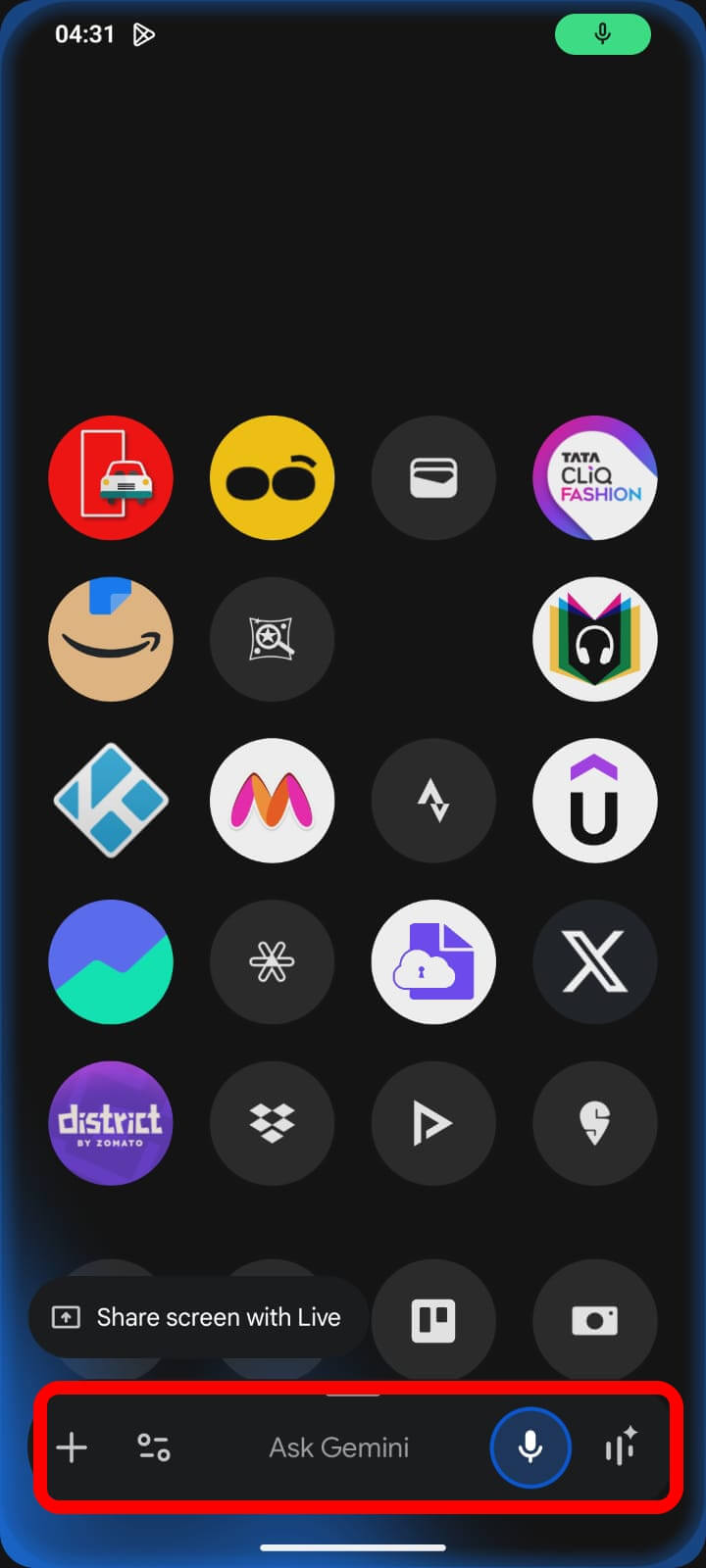
Inside Google Workspace, Gemini is integrated into Gmail for summarising threads and drafting replies, Docs for editing and expanding content, Sheets for formula help and data analysis, and Photos for searching and editing.
If you use Google’s app ecosystem, Gemini is already doing things for you before you decide to open any AI tool deliberately.
Android 17 adds a dedicated Gemini volume slider, better Pixel Launcher integration, and early screen automation hooks. The integration is deepening, not stabilising.
Also, it has been officially confirmed that Gemini Intelligence will be a significant part of Android 17. It will run in the background, handle multi-step tasks without being asked, and require confirmation only at the final step.
What does Claude offer on Android?
Claude is available as a free app on Android, with a Claude Pro subscription at $20 per month, unlocking Claude Sonnet 4.6 and Claude Opus 4.7 for heavier use. The app is clean and responsive.
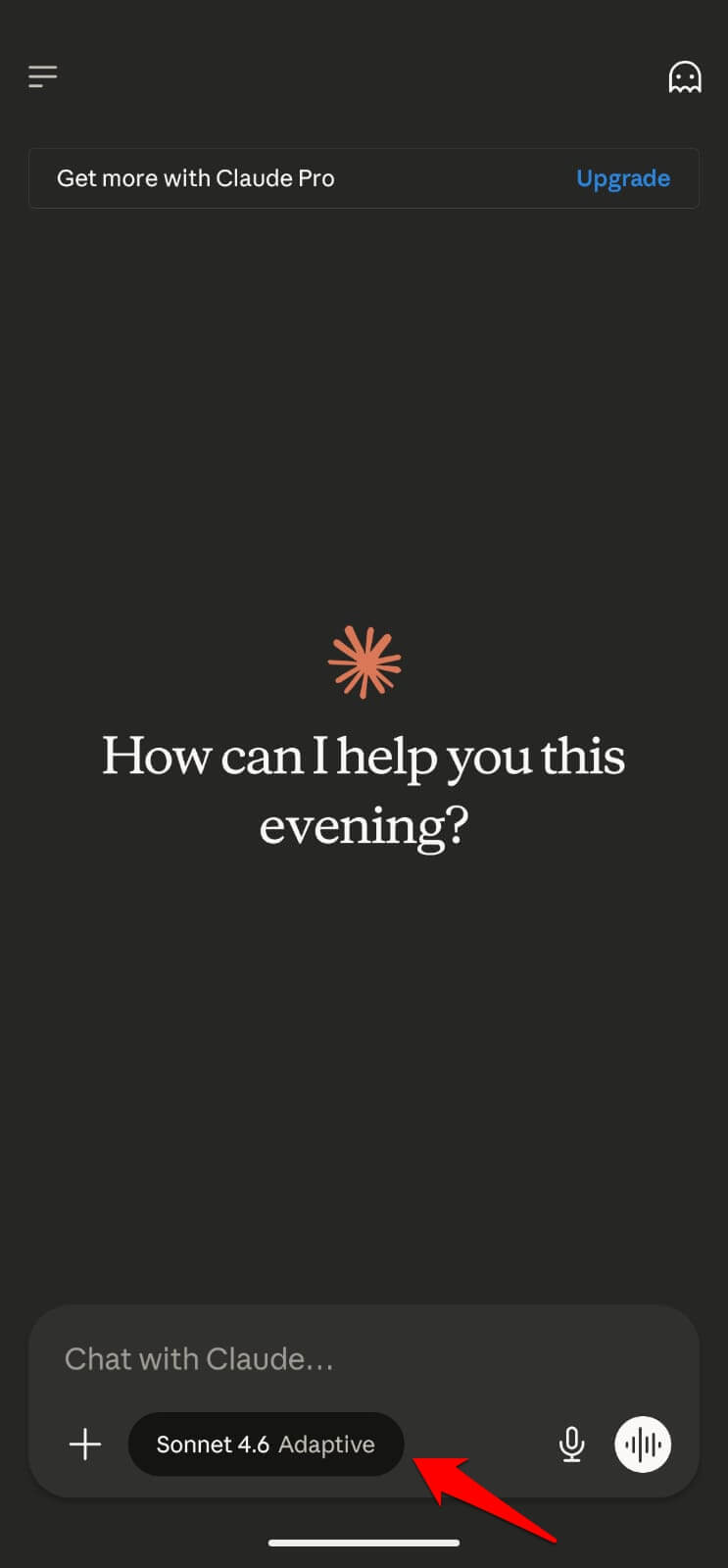 For writing tasks, long documents, coding questions, and anything that benefits from Claude’s more precise instruction-following, it performs well on mobile.
You paste content in or type a prompt, and get the same quality output you would on a desktop.
What Claude cannot do on Android is anything that requires system access.
The Anthropic AI tool cannot see your current app, respond to a notification, help inside Gmail, or trigger a phone action from within another app. Every task starts in the Claude app and stays there.
For people who use Claude primarily as a writing and thinking tool, this is fine. The app is the workspace, and the output gets copied to wherever it needs to go.
This workflow adds friction compared to Gemini’s embedded approach.
Where each AI model performs better on Android
For real-time information and tasks that touch your current screen or Google account, Gemini is faster and more capable on Android.
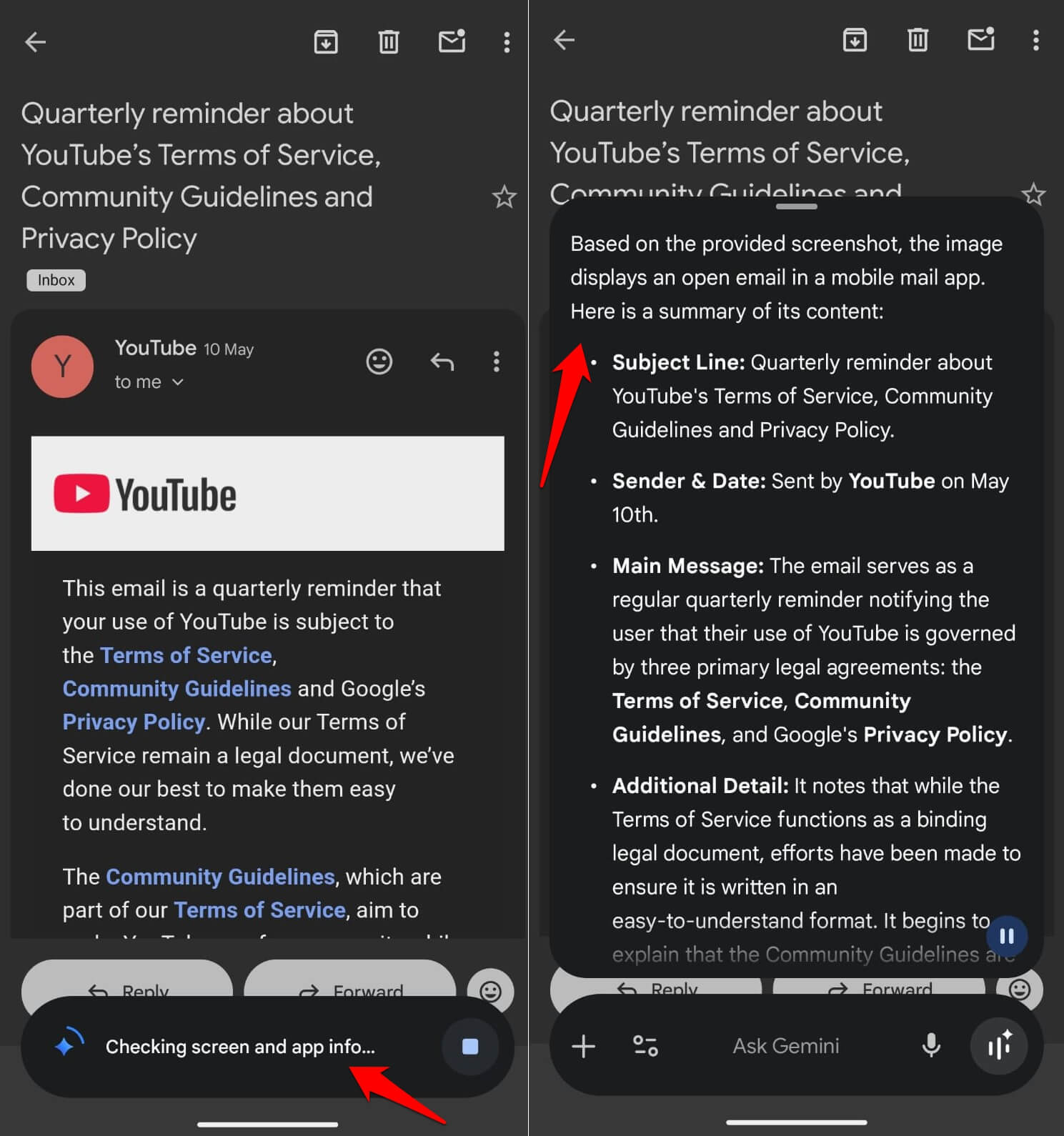
The integration advantage is not a small one. Being able to ask Gemini to summarise an email thread without leaving the Gmail app is meaningfully more useful than opening Claude, describing the email, and copying the response back.
For writing quality, coding, and long-form analysis, Claude Sonnet 4.6 produces better output. The instruction-following is tighter, and the prose is less generic than Gemini’s standard text generation.
We compared Claude AI and ChatGPT to understand which AI tool produces better prose with a consistent tone. Claude clearly had an advantage over the OpenAI assistant.
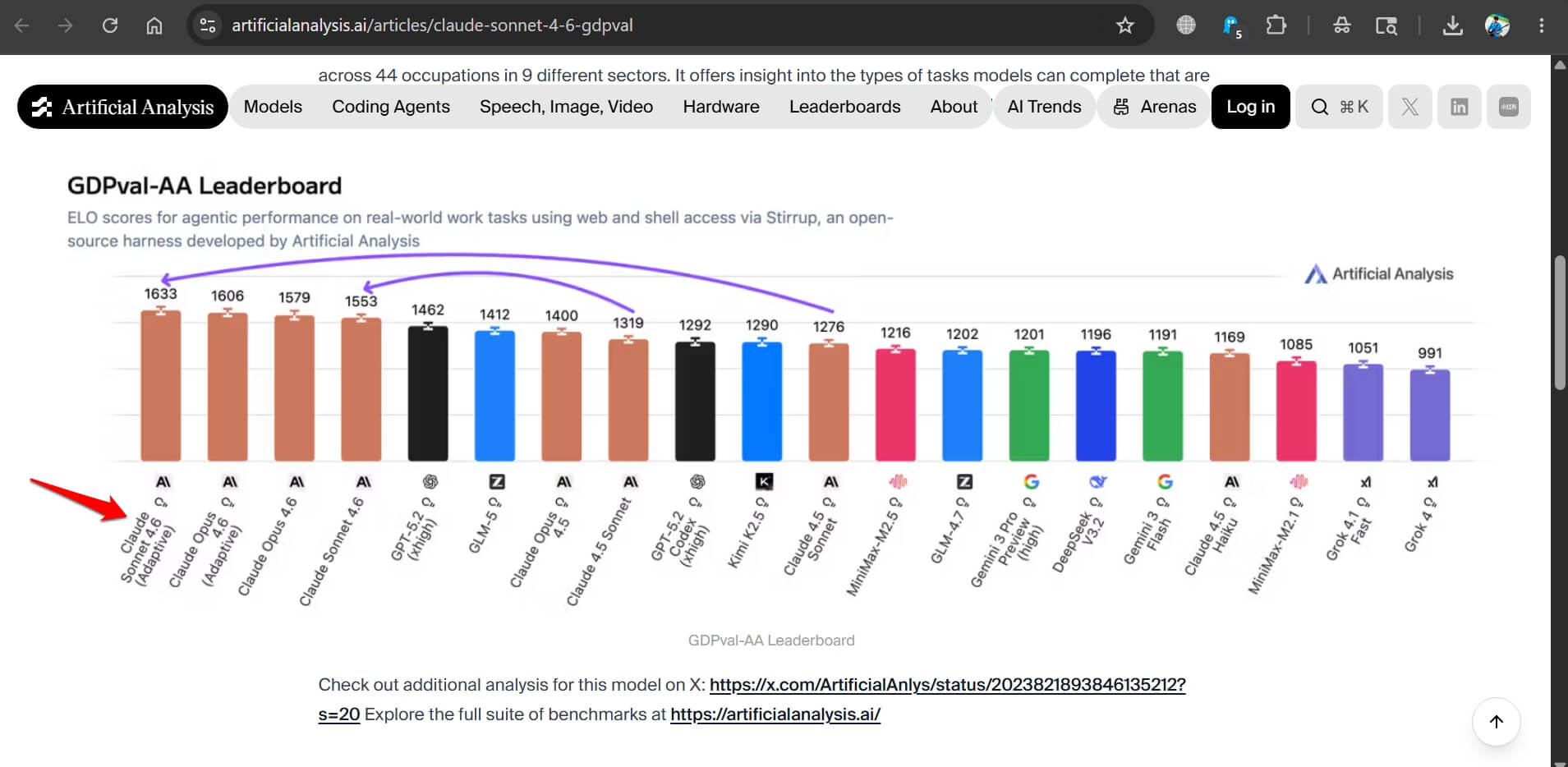
Claude Sonnet 4.6 leads the GDPval-AA Elo benchmark for agentic content workflows with a score of 1,633 points, which reflects its strength on tasks involving sustained, precise output.
Gemini 3.1 Pro leads on raw coding benchmarks and multimodal tasks involving images and video.
The daily use reality of AI
Most Android users who try both settle into a pattern: Gemini for anything that touches the phone’s built-in functions and Google apps, Claude for anything that needs a longer, more polished response.
If you are composing a quick reply to a work email, Gemini inside Gmail is faster.
For drafting a full proposal or working through a complex problem that needs careful reasoning, opening Claude is worth the extra step.
Usage limits of the AI tools are also worth knowing. Claude Pro at $20 per month has lower daily message limits than ChatGPT Plus or Gemini Advanced.
Heavy users running into those limits will find Gemini more sustainable for frequent casual queries.
Which one to set as your default AI tool
If you have an Android phone in 2026 and have to pick one, Gemini makes more sense as the default. Its OS integration means it is available everywhere and doing useful things in apps you already open every day.
Claude is the better tool to have alongside Gemini rather than instead of it. Open it when the task needs precision. Let Gemini handle everything embedded in the OS. That split covers most of what an Android user actually needs from AI on their phone.