Most of us have flipped a privacy switch in Chrome once, felt slightly safer, and never looked at it again. I wanted to know if that switch does anything, so I stopped reading settings pages and asked the browser directly.
I opened the Console on Chrome 157 and ran a few short checks, including one for Chrome Global Privacy Control. The results turned out to depend partly on where I was sitting. You can repeat every check in this piece in your own browser in under a minute.
TL;DR: My Chrome 157 in India showed no Global Privacy Control at all, and the Console reported it as undefined, not switched off. Google’s help page says the opt-out setting is rolling out for California only, which explains my result. Do Not Track has no legal weight under California law. Outside California, a free extension or Brave is the practical way to send the signal.
What the Console said about Do Not Track
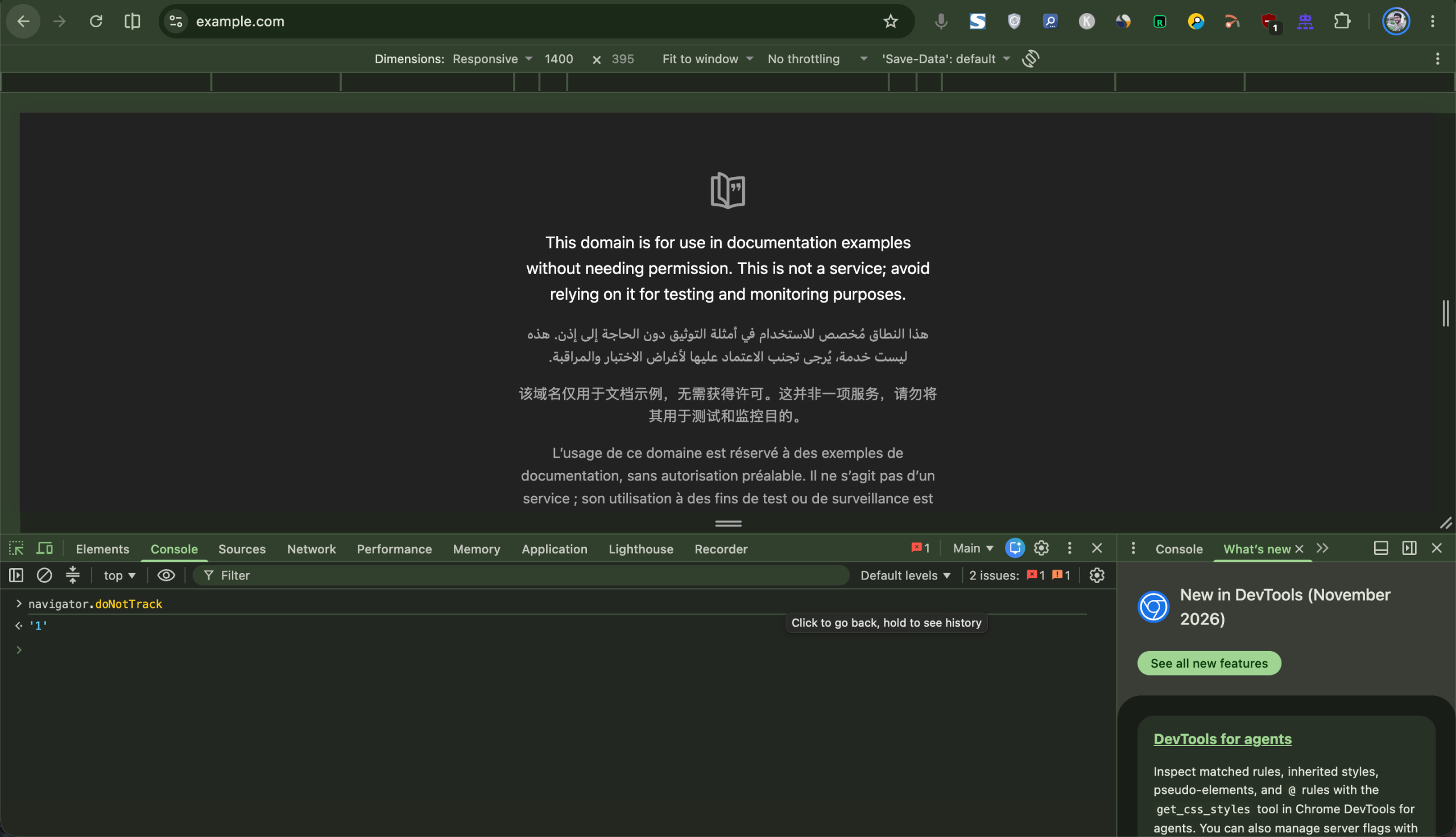
Chrome reported my Do Not Track setting as switched on when I asked the Console directly. To try it, right-click any page, choose Inspect, open the Console tab, and type navigator.doNotTrack.
It returned “1”, so the setting was on and Chrome was telling the truth about it. A “1” means on, and anything else means off or unset.
That is the whole problem with it. Do Not Track is a polite request with no legal weight in California, so a website can ignore it and nothing happens.
Chrome Global Privacy Control and why it has legal weight
Global Privacy Control is the same kind of request, and the difference is the law behind it. Your browser sends a signal telling websites not to sell or share your data.
California and Colorado require covered businesses to honor it as a valid opt-out request. Sephora paid $1.2 million in 2022 in California’s first settlement over ignoring it.
The California Privacy Protection Agency then sponsored the Opt Me Out Act, signed in October 2025. From January 1, 2027, browsers must offer a built-in setting for sending an opt-out signal, which is under two months away as I write this.
Why my Console said undefined
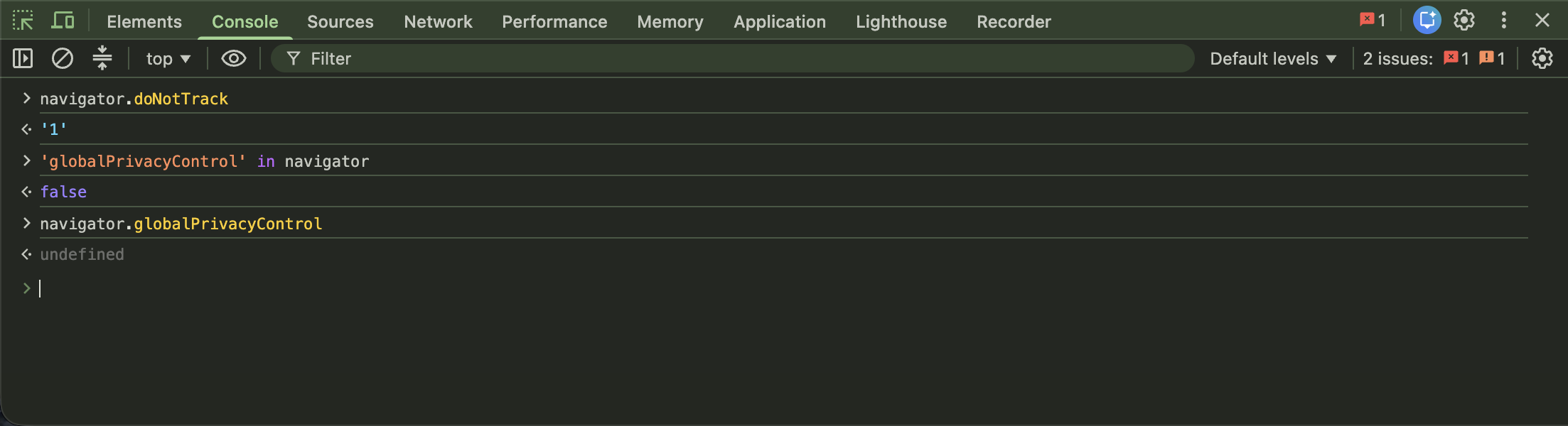
My Chrome did not expose Global Privacy Control to websites at all, and the Console showed it two ways. 'globalPrivacyControl' in navigator returned false, and navigator.globalPrivacyControl returned undefined.
Undefined is different from off. It means Chrome was not reporting the feature to websites, rather than reporting it as switched off.
I ran both checks again a few minutes later and got the same answers, so it was not a one-off.
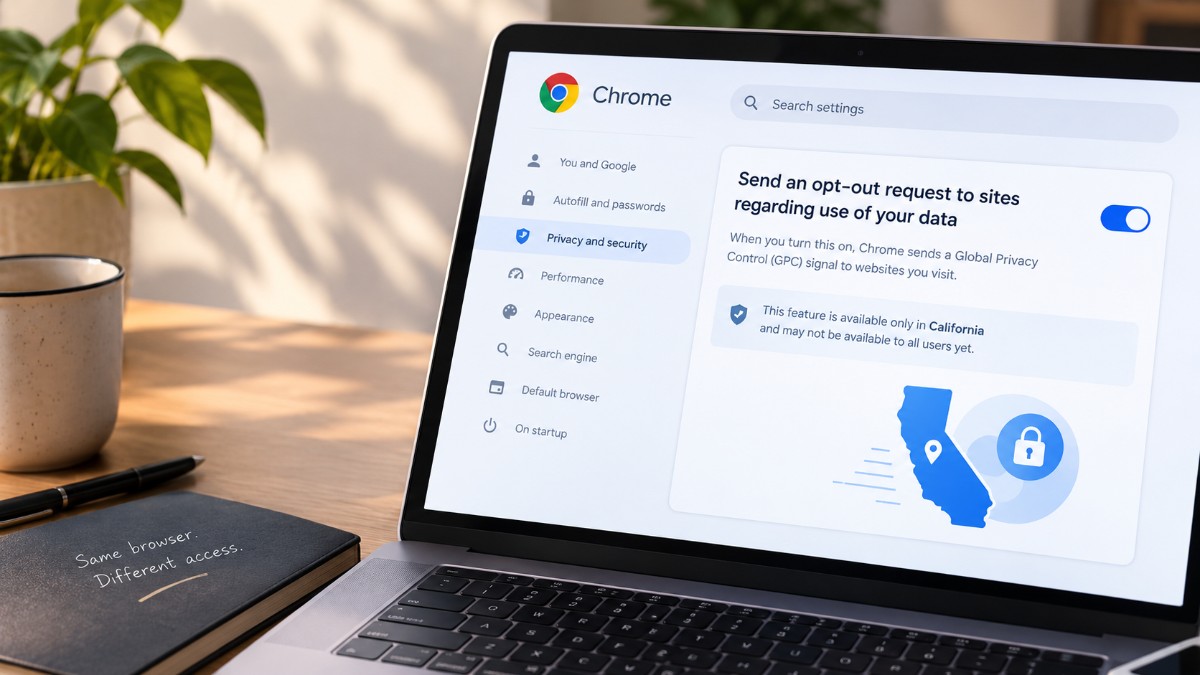
Google says its opt-out setting is rolling out to eligible regions, and California is the only one listed. Eligibility follows where the Chrome profile’s owner lives, and I am in India.
Where Google’s opt-out setting started
Over the summer the feature only showed up in Chrome Canary, the experimental build most people never install. Windows Report found it sat behind hidden flags, and that a second flag was needed before Chrome would actually send the signal.
The help page documents the setting for regular Chrome, which is a step past those flag-only tests. Google has not said why California comes first, at least not in anything I found.
Where Californians should look in Chrome settings
In Chrome, open Settings, then Privacy and security, then Third-party cookies & site data. Under Site requests, look for “Send an opt-out request to sites regarding use of your data”.
Even Californians can come up empty. A VPN that masks your IP address, using Chrome mostly away from home, or a recent move can each hide the setting, and the rollout is still in progress.
If you turn it on and want proof, open DevTools, go to Network, load any page, and look for Sec-GPC: 1 in the request headers. I only checked the JavaScript side.
How Brave, Firefox and Privacy Badger compare
Brave sends the signal by default on desktop and Android, with no setup. Firefox only turns it on by default in private windows, so in a regular window you have to enable it yourself.
| Browser or tool | Sends the signal by default | Notes |
|---|---|---|
| Chrome | No | Setting rolling out in California only, and you switch it on yourself |
| Brave | Yes | Desktop and Android, while iPhone sends the JavaScript signal only |
| Firefox | Private windows only | Regular windows need the setting turned on |
| Privacy Badger | Yes | Extension for Chrome, Firefox, Edge and Opera |
Chrome users outside California can add EFF’s Privacy Badger, which sends the signal by default. I would still check what any extension asks for first, given the extensions that hijacked searches story.
The old Privacy Sandbox code is gone from Chrome 157
The Privacy Sandbox tools Google once pitched as a cookie replacement are not exposed in my Chrome 157. typeof document.browsingTopics and typeof navigator.runAdAuction both returned “undefined”.
That matches the plan in Google‘s release notes, which put deprecation at Chrome 144 and removal at Chrome 150. It only tells me those two features are missing from my browser, not that every piece of the project is gone.
Cookies are a separate story, because Google decided against phasing them out and still lets users manage them in settings. Browser fingerprinting tracks people without cookies at all.
Frequently Asked Questions
Does Chrome have Global Privacy Control?
Yes, as an opt-out setting that Google lists as rolling out in California only. My Chrome 157 in India did not expose it to websites at all.
Where is the opt-out setting in Chrome?
Go to Settings, then Privacy and security, then Third-party cookies & site data. Look for Send an opt-out request to sites regarding use of your data under Site requests.
Is Do Not Track the same as Global Privacy Control?
No. Both are signals your browser sends, but California law gives Global Privacy Control legal weight and Do Not Track none.
Can I send Global Privacy Control from Chrome without the setting?
Yes. Privacy Badger sends the signal by default and works in Chrome, Firefox, Edge and Opera.
Does Firefox send Global Privacy Control?
Only in private windows by default. In regular windows you have to turn it on in settings.

What to do if Chrome shows no opt-out setting
If you live in California, spend two minutes in Settings, because the signal has legal weight and Chrome may already offer it. If the toggle is missing, the VPN and travel causes above are worth ruling out.
If you live anywhere else, Chrome showing nothing matches what Google’s help page describes. Privacy Badger or Brave covers the gap, and the Do Not Track toggle on its own does not.
I tested one machine, on one Chrome build, from India. Google could widen the rollout at any point, so run the Console checks yourself before trusting this article.