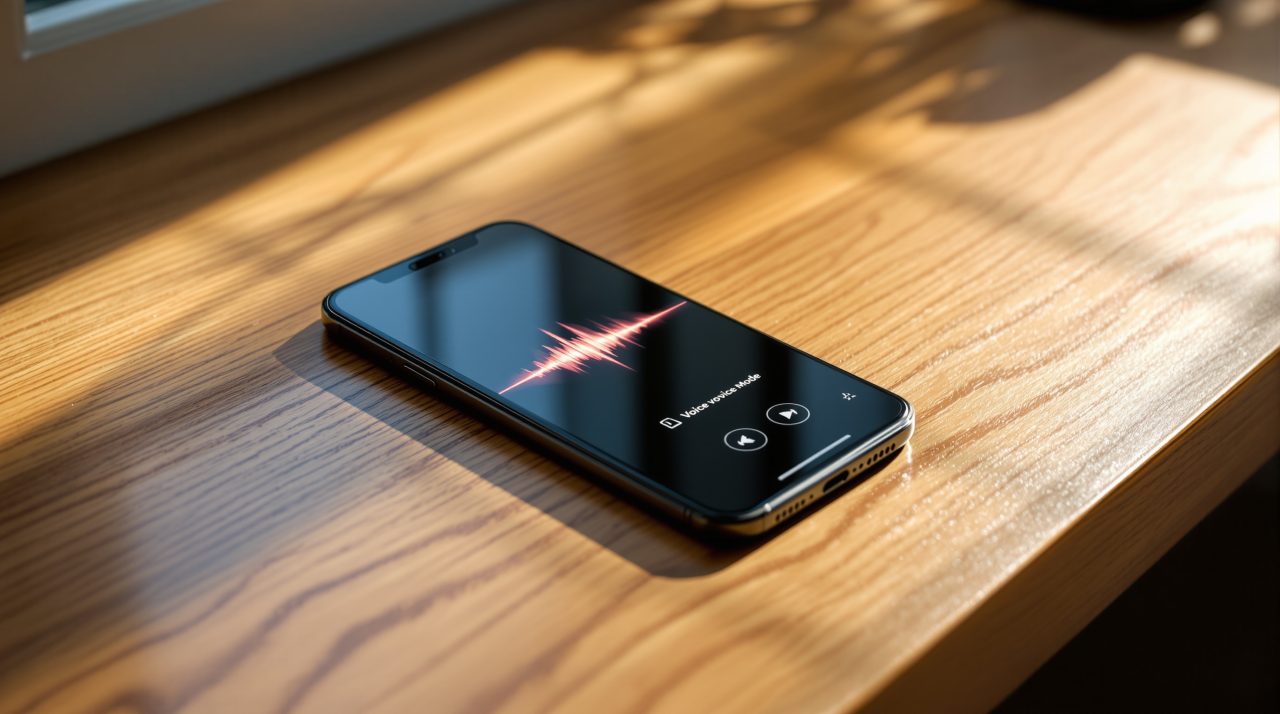
OpenAI rolled out GPT-Live on July 8, 2026, a new voice engine meant to replace ChatGPT’s existing voice mode with something that behaves like an actual conversation. The old version made you wait your turn, finish a full sentence, then sit through a pause before getting a reply. GPT-Live listens and talks at the same time, so a mid-sentence follow up or a request to slow down actually lands the way it would with another person on a call. The update is live now on chatgpt.com and inside the ChatGPT apps for iOS and Android, and it is spreading from paid plans to free accounts as the rollout continues.
TL;DR: OpenAI’s GPT-Live replaces ChatGPT’s old voice mode with a full duplex engine that listens and speaks at the same time, interrupts naturally, and hands off harder questions to a separate model without breaking the conversation. GPT-Live-1 is already the default for Go, Plus, and Pro subscribers, and GPT-Live-1 mini is rolling out to free users on chatgpt.com, iOS, and Android. Video and screen sharing inside voice mode are not part of this release yet.
What actually changes when you talk to ChatGPT now
GPT-Live runs on a full duplex architecture, which means it can listen and generate a response in the same moment instead of processing a sentence only after you stop talking. According to OpenAI’s own GPT-Live announcement, the model can decide to speak, keep listening, pause, or interrupt multiple times inside a single second.
That shows up as small acknowledgment sounds like mhmm or got it while you are still mid-thought, the kind of signal a person gives when they are following along. The nine ChatGPT voices have also been remastered for this release, though the personalities themselves have not changed.
Anyone who has used voice mode on a walk or while cooking knows the old rhythm meant a full stop after every sentence. That gap disappears here, and interrupting the assistant to correct or redirect it works without restarting the exchange.
Who gets GPT-Live first, and on which ChatGPT plans
GPT-Live-1 is now the default voice model for ChatGPT Go, Plus, and Pro subscribers, and OpenAI says that rollout is complete. GPT-Live-1 mini is the version free users get, and it was still expanding gradually rather than available to every account at once as of this release.
Both versions work inside the ChatGPT app for iOS and Android and on chatgpt.com, in regions where ChatGPT voice mode is already supported. Tapping the Voice button inside the app triggers GPT-Live automatically once the update reaches an account, with no separate setting to toggle.
OpenAI has not detailed the technical gap between the two models beyond size and cost, though giving free accounts a lighter version rather than none at all fits how the company has handled other flagship features before.
| Model | Default for | Platforms | Rollout status |
|---|---|---|---|
| GPT-Live-1 | Go, Plus, Pro | chatgpt.com, iOS, Android | Complete |
| GPT-Live-1 mini | Free | chatgpt.com, iOS, Android | Rolling out gradually |
| Video / screen sharing in voice mode | All plans | — | Not yet available |
The catch: what GPT-Live still cannot do
GPT-Live does not support voice with video or screen sharing yet, a feature OpenAI says is still being worked on. Anyone hoping ChatGPT could watch a camera feed or a shared screen while talking will not find that in this release.
Harder questions still get routed to a separate frontier model behind the scenes. When a query needs a web search or deeper reasoning, GPT-Live keeps the conversation going, sometimes with filler talk, while the heavier model works, then folds the answer back in once it is ready.
That handoff is what keeps the voice experience from stalling the way older assistants do when a request takes longer than a second to process. Whether it feels natural or simply papers over a delay depends on how long the underlying task actually takes.
Where this leaves Siri and Gemini on the same phone
Apple and Google are both still finishing their own answers to this. iOS 27’s new Siri app is built around text and voice input with conversation history, but Apple has not announced a full duplex voice mode of its own.
Gemini Live has offered natural back and forth conversation for longer, but it has not matched GPT-Live’s acknowledgment cues or the mid-task filler talk OpenAI is using to bridge slower answers. For a lot of iPhone owners, this is one more reason the choice between Siri, ChatGPT, and Gemini keeps shifting month to month instead of settling on one default.
Voice is turning into the same kind of feature contest that used to be fought over chat quality alone. If Apple’s Siri Extensions system ships as reported, ChatGPT’s voice mode could end up reachable from inside Siri itself rather than requiring a separate app open on screen.
What to actually try first if you use ChatGPT by voice
Anyone who already uses ChatGPT’s voice mode regularly only needs to update the app on iOS or Android, GPT-Live activates automatically once an account gets it. Free users who do not see the new behavior yet are most likely waiting on the gradual rollout rather than missing a setting.
The clearest way to feel the difference is to interrupt it mid-answer, ask it to slow down, or talk over a pause the way you would with a person. That is the one behavior the old voice mode never handled well, and it is the whole point of this release.