I keep a running list of AI tools I actually open more than once, and Google has ended up with more entries on it than I expected. Not because the free tiers are unlimited. They are not.
But the gap between what Google gives away for free and what everyone assumes is locked behind a subscription has gotten strange.
Some of the most useful free Google AI tools 2026 has to offer are things people already have access to and never open.
TL;DR: Gemini’s free tier now includes 100 monthly AI credits, basic image generation, and limited Deep Research, which covers most casual use. NotebookLM’s free plan gives you 100 notebooks and 3 audio overviews a day at zero cost. Google AI Studio is fully free with no subscription at all. Whisk and ImageFX shut down in April 2026 and merged into Flow, which still has a usable free tier for images and short video.
Gemini’s free tier is more generous than people give it credit for
Gemini without a subscription runs on the Flash model line and includes 100 monthly AI credits, 15GB of shared Google One storage, and basic image generation.
That covers a surprising amount of daily use. Quick research questions, drafting help, photo edits inside Google Photos. None of it needs a paid plan.

Deep Research is capped at 5 reports a month on the free tier, which sounds thin until you remember most people run one or two research-heavy questions a month anyway.
The Gemini API pricing documentation breaks down where the free rate limits end and paid billing starts.
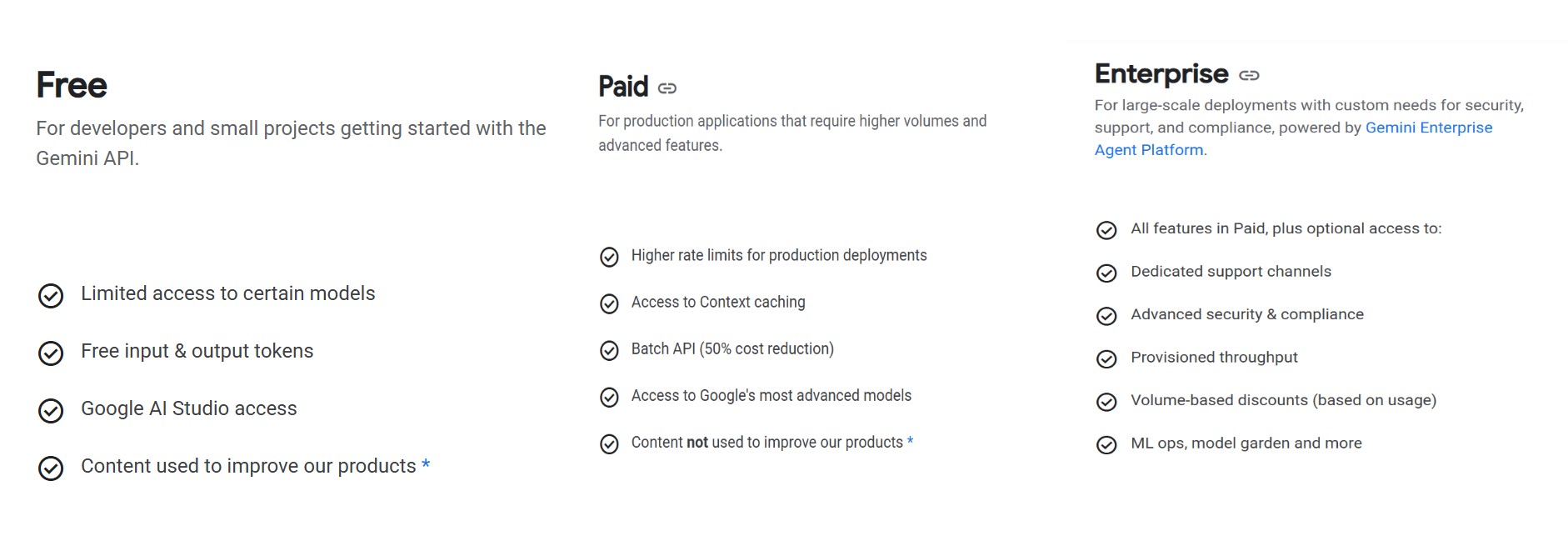
Where the free tier actually stops is Veo video generation, which needs a paid AI Plus, Pro, or Ultra plan, and the higher Deep Think reasoning mode.
I also went back through Gemini across Google apps, and the pattern holds there too. Gmail thread summaries and basic Docs drafting work on the free consumer tier, while the deeper Help Me Create tools need AI Pro.
| Tool | What you get free | Sign-up required |
|---|---|---|
| Gemini | 100 AI credits/month, basic image gen | Yes, Google account |
| NotebookLM | 100 notebooks, 3 audio overviews/day | Yes, Google account |
| Google AI Studio | Full browser access, no paywall | Yes, Google account |
| Flow | Daily image and video credits, watermarked exports | Yes, Google account |
| Veo video generation | Not included on free tier | Requires paid plan |
NotebookLM turns your own documents into research, audio, and video for free
NotebookLM is the one people describe as a hidden gem, and the free plan backs that up. You get 100 notebooks, 50 sources per notebook, and 50 chat questions a day at no cost.
Each source can run up to 500,000 words, so a single notebook can hold an entire book, a semester of lecture notes, or a stack of research papers without hitting a wall.
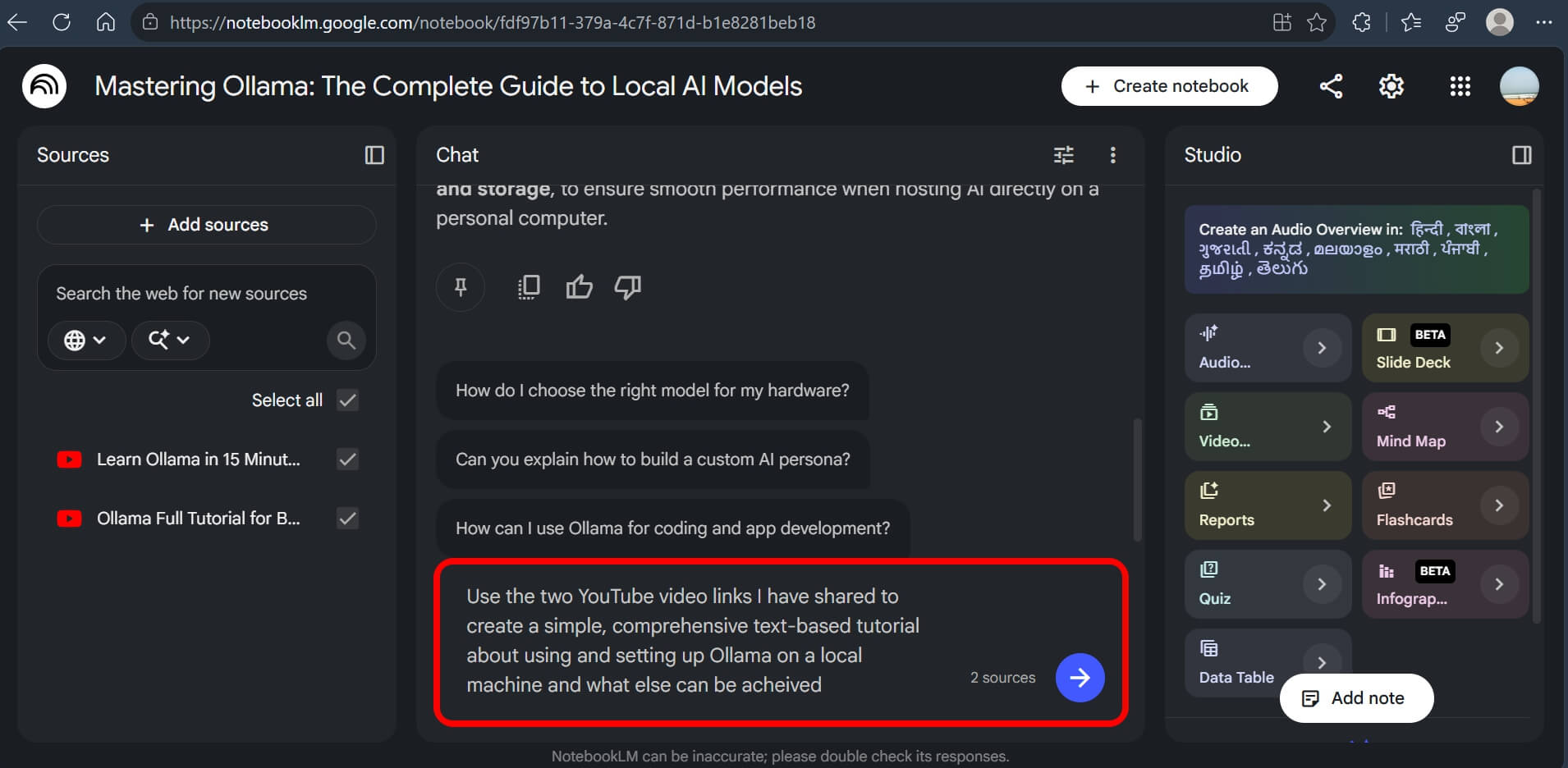
The audio overview feature, which turns your sources into a two-host podcast discussion, is capped at 3 generations a day on the free plan. Google’s NotebookLM documentation covers the exact format options available at each tier.
I uploaded a 40-page PDF and a handful of web links, then asked it to build a study guide. It pulled specifics I had skimmed past on my first read.
Video overviews and quiz mode are also included free, not locked behind a paywall the way some competitors gate their equivalent features.

Google AI Studio is a genuinely free space to test Gemini models directly
Google AI Studio is easy to overlook because it looks like a developer tool, but you do not need to write a line of code to use the browser interface.
It is free with no subscription, no credit card, and no seat fee. You sign in with a Google account and start testing prompts against Gemini models immediately.
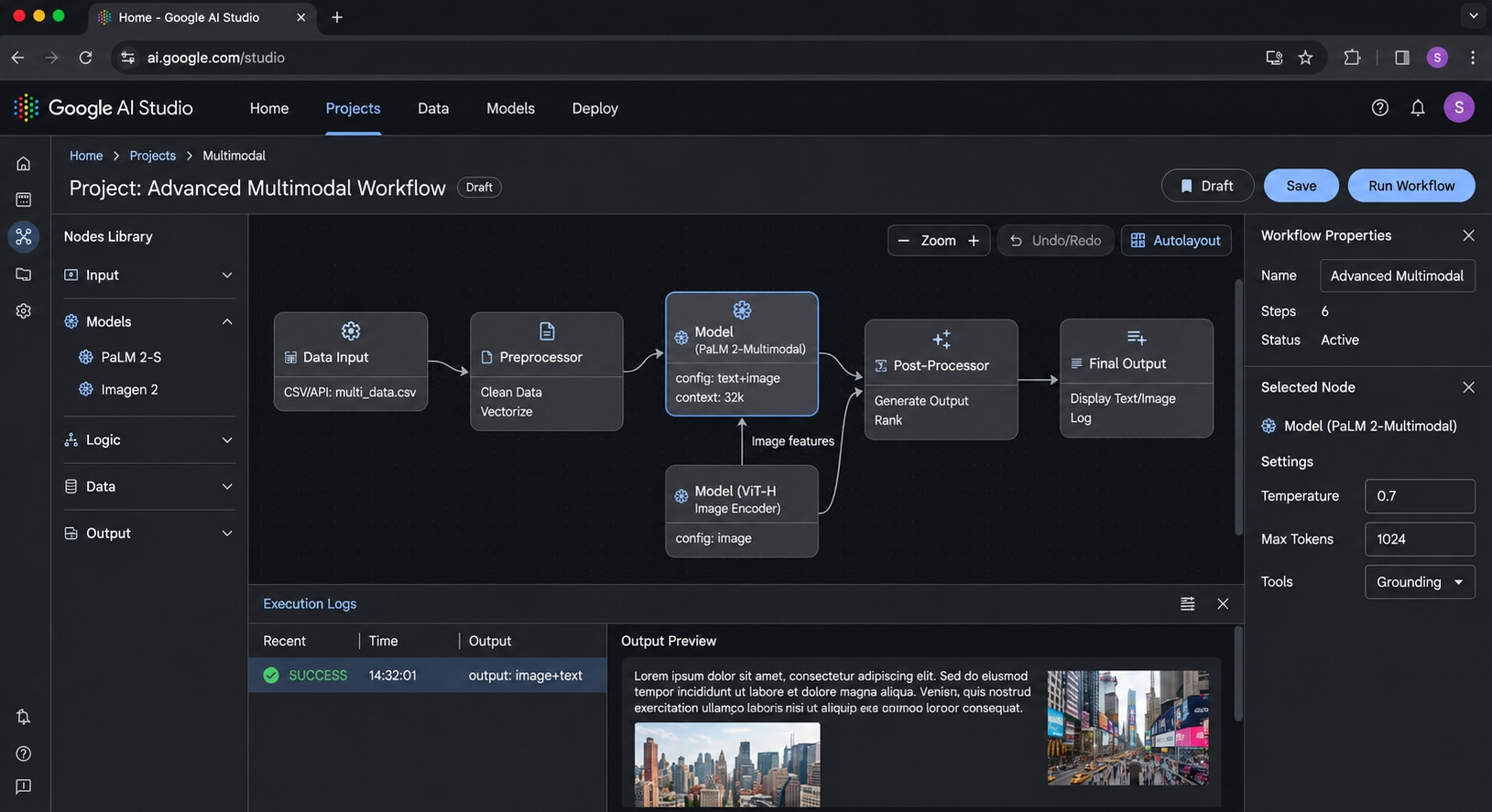
You can adjust temperature, system instructions, and structured output settings visually, then export what you built as working code if you ever want to move it into an actual project.
As of April 2026, Google moved the Pro-tier models to paid-only API access, so the free tier now centers on the Flash and Flash-Lite model family. The interface itself stays free either way, per Google Cloud’s own developer blog.
One thing worth knowing before you paste anything sensitive in: on the free tier, your prompts can be used to improve Google’s models. That changes once billing is enabled.
Whisk and ImageFX are gone, and Flow quietly took over both jobs
If you bookmarked Whisk or ImageFX at some point, both are gone now. Google shut down Whisk permanently on April 30, 2026, after announcing in February that all three tools would merge.
Everything Whisk did, such as the three-slot subject, scene, and style remix, now lives inside Flow. ImageFX’s text-to-image generation moved there too, running on the same underlying image model.
Flow still has a usable free tier. You get daily credits for image generation and short video clips, though free exports carry a visible watermark and full 1080p Veo access needs a paid plan.
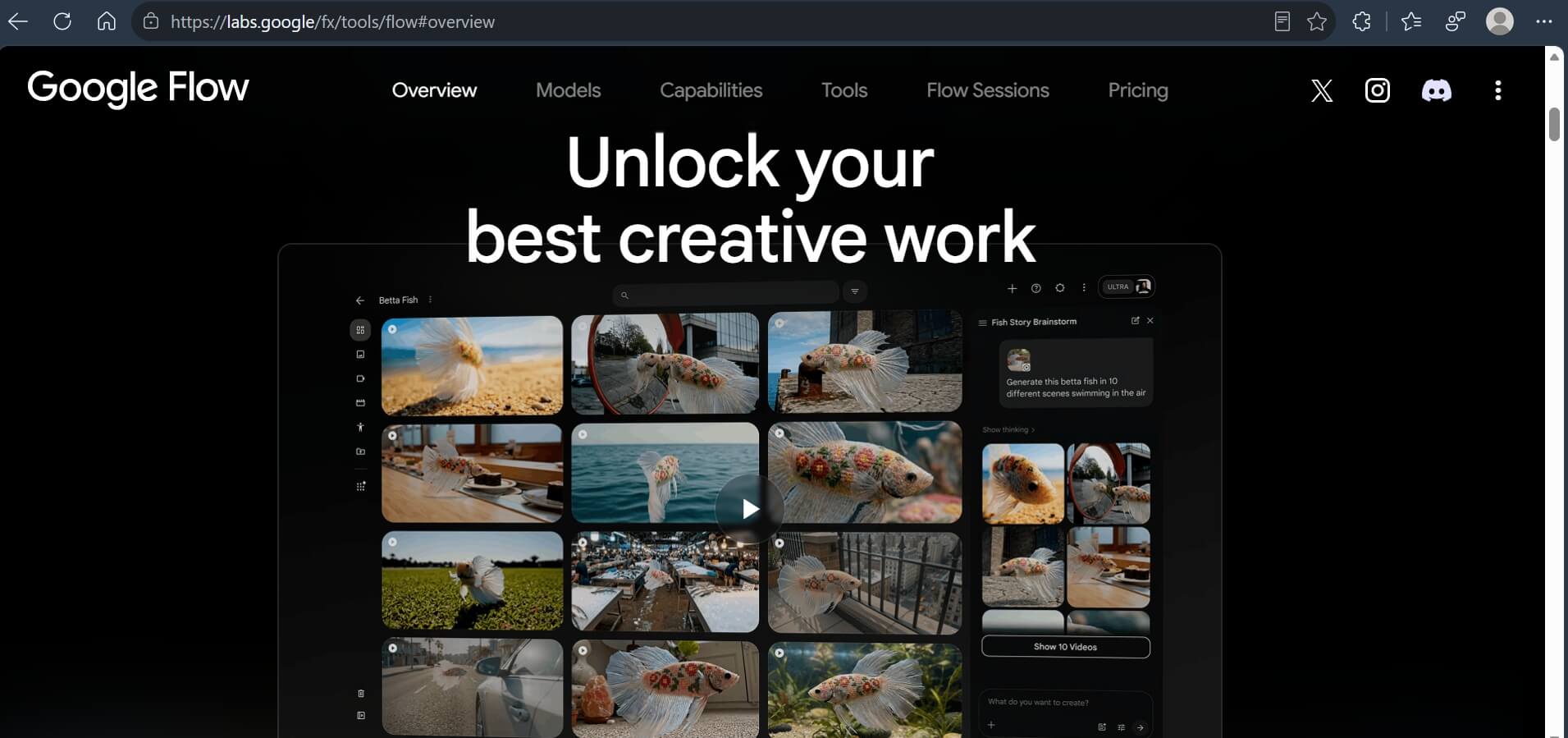
The upside of the merge is real. You can generate a still image, animate it into a short clip, and add matched audio without exporting between three separate tabs, as the old setup required.
What actually costs money once you look past the marketing
The pattern across all four tools is consistent. The interface and the light everyday use are free. Video generation, higher context limits, and priority processing are where Google draws the paid line.
Veo video generation specifically is the one feature that keeps showing up behind a paywall no matter which product you approach it through: Gemini, Flow, or the developer API.
NotebookLM’s caps are the most forgiving of the group. Most casual research and study use fits inside 50 sources and 50 daily chats without ever bumping the ceiling.
If you are testing whether an AI workflow is worth paying for at all, running it through the free tiers first is a reasonable way to find out before committing to a subscription.
Frequently asked questions
Is Google AI Studio actually free or is there a trial period?
Google AI Studio is permanently free with no trial window. You use it indefinitely with a Google account, though billing kicks in only if you enable it for higher API usage.
Does NotebookLM cost anything to use?
No. NotebookLM’s free plan includes 100 notebooks, 50 sources each, 50 daily chat questions, and 3 audio overviews a day, all without a subscription.
Can I still use Whisk or ImageFX in 2026?
No. Google shut down Whisk permanently on April 30, 2026, and ImageFX closed the same day. Both tools now live inside Flow.
Does the free Gemini plan include video generation with Veo?
No. Veo video generation is restricted to paid Google AI plans. The free Gemini tier covers text, basic image generation, and limited Deep Research only.
Will my prompts be used to train Google’s models on the free tier?
On Google AI Studio’s free tier specifically, yes, unless you enable Cloud billing. NotebookLM and the consumer Gemini app follow separate data policies covered in each product’s own terms.
The one habit worth changing this week
None of these tools need a card on file to be useful. That is the part that gets missed in most roundups built around what you eventually have to pay for.
Start with NotebookLM if you have a stack of documents sitting unread, or Google AI Studio if you have ever wanted to poke at a Gemini model directly. Both cost nothing to try today. They improve your workflow greatly when utilized correctly.