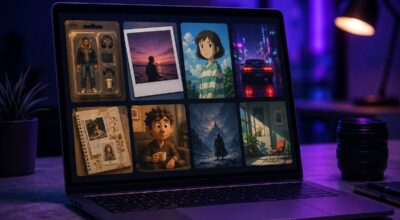
Somewhere in the last year, action figures became personal. Not the kind you buy at a toy store or win on eBay for three times market price. The kind where a selfie goes in and a blister-packed collectible version of yourself comes out.
The trend took hold in early 2025 and never really let go. People are still making these, sharing them on TikTok and LinkedIn and sending them to friends as a kind of visual joke that also somehow feels flattering.
It is easier to do than it sounds, and most of the good tools are free. Here is how to actually make one, including the exact prompt that works, and which tools to use depending on how much effort you want to spend.
TL;DR: You can make a free AI action figure of yourself using ChatGPT’s image generator or dedicated tools like Overchat AI. Upload a clear photo, write a specific prompt describing your accessories, name, and packaging style, and the result looks like a genuine blister-pack collectible. ChatGPT free users get 2 to 3 image generations per day. Overchat AI is free with no signup and processes in under 30 seconds. The more specific your prompt, the better the output.
Why the AI action figure trend keeps spreading
The format has a specific appeal that explains why it keeps resurfacing. Action figures carry instant nostalgia. The blister pack, the accessories lined up in individual plastic pockets, the name in bold lettering across the header. It taps something familiar and then puts your face on it, which is a combination that is hard to scroll past.
The trend picked up serious momentum in April 2025 after OpenAI’s image generation rollout. ChatGPT traffic hit an all-time high of 184.4 million worldwide visits in a single week, driven largely by people generating figures of themselves for LinkedIn and TikTok. The Barbie-box variant became its own sub-genre.
The format works because of specificity. A generic action figure is forgettable. A figure labeled “Senior Product Manager” with a tiny laptop, a cold brew, and a stack of OKR decks is immediately shareable. The accessories are the point, and they are also the part most people underspecify in their first attempt.
How to make an AI action figure maker free with ChatGPT
ChatGPT is where most people start. The image model handles packaging text better than most alternatives, which matters when you want your name to appear legible on the header card.
Open ChatGPT at chatgpt.com. Free users can generate images using the built-in image generation tool, which runs on GPT Image 1.5. The free tier gives you 2 to 3 image generations per 24-hour rolling window, resetting exactly 24 hours after your first generation, not at midnight.
Upload a clear, well-lit photo of yourself. A front-facing or three-quarter angle works better than a profile shot. Standing photos produce cleaner full-body figures than seated ones. Blurry or backlit photos produce inconsistent results.
Then write your prompt. The prompt is where most people underdeliver. Vague instructions produce generic outputs. The prompt that works consistently:
“Create a toy action figure of the person in this photo. Display it inside a realistic blister pack with cardboard backing. The packaging header should have the text [YOUR NAME] in large bold letters, with [YOUR ROLE] in smaller text below. Include the following accessories in individual plastic compartments: [ACCESSORY 1], [ACCESSORY 2], [ACCESSORY 3], [ACCESSORY 4]. The figure should have a relaxed, confident pose. Make the packaging look photorealistic, like a premium collectible toy.”
Fill in your name, role, and four accessories that say something true about you. A teacher might list a red pen, a coffee mug, a stack of books, and a tiny bell. A developer might use a mechanical keyboard, a rubber duck, a laptop, and a cup of instant noodles.
Hit send and wait. Generation takes around 20 to 40 seconds. If the first result has garbled text or the likeness is off, ask ChatGPT to regenerate with a small adjustment such as specifying the hair color or clothing more precisely. Most people find a usable result within two or three attempts.
ChatGPT Plus at $20 a month raises the limit to roughly 50 image prompts per 3-hour rolling window, useful if you are iterating heavily or making figures for a whole team. For a single personal figure, the free tier is enough.
Free dedicated tools that skip the prompt writing
Not everyone wants to write a detailed prompt from scratch. Several dedicated tools have built the process into a simpler interface where you upload a photo, pick a style, and generate without crafting any text.
Overchat AI’s action figure generator is the cleanest free option currently available. It requires no signup, no watermarks, and processes images in under 30 seconds. The style picker covers the main variants: classic action figure, Barbie doll, Chibi, Funko Pop, and Lego minifigure.
You upload your photo, select a style, and the output is ready to download immediately. The tradeoff is less control over accessories and packaging text compared to writing a full ChatGPT prompt.
Action Figure AI Online offers 3 free daily generations without requiring a login. The tool includes a photo editor for cropping before generation and an animation feature that brings your finished figure to life with basic movement for short videos or GIFs. Uploaded photos are deleted within 24 hours according to the platform.
Pokecut allows 5 free generations per day after a basic signup. Bylo.ai runs entirely without registration and generates from a text description if you prefer not to upload a photo at all. For users who want to explore free AI image generators more broadly, the same category of tools covers a lot of adjacent creative territory.
Barbie box and Funko Pop variants
The classic blister pack is not the only packaging format worth trying. Two variants have developed their own followings.
The Barbie box format uses window box packaging rather than a blister card. The figure sits inside a rectangular box with a clear front panel, surrounded by accessories, in the visual language of Mattel’s original packaging. To get this in ChatGPT, modify the prompt to specify “window box packaging in Barbie doll style, pink header with white text.”
The result feels different in tone, more pastel and rounded compared to the angular collectible look of the standard action figure prompt. It tends to read as playful rather than impressive, which suits some people and not others.
The Funko Pop variant asks for the distinctive oversized head, simplified facial features, and short body proportions that define the format. Overchat AI has this as a preset style.
In ChatGPT, adding “in the style of a Funko Pop vinyl figure with a large round head and simplified features” to the base prompt gets close. The likeness is less precise than a realistic figure but the format works well for profile pictures.
Getting a better result from your prompt
A few things consistently improve the output. Standing photos work better than seated ones for full-body figures. Consistent, even lighting reduces the chance of the AI misreading facial features. Specifying your actual hair color, approximate outfit, and the color of the packaging header produces a more personal result than leaving those details to the model.
If the name text on the packaging comes out unreadable, add a line specifying: “the name on the header must be spelled exactly as: [YOUR NAME], in large legible letters.” ChatGPT’s GPT Image 1.5 handles text rendering better than most image models but still occasionally garbles names with unusual letter combinations.
For teams, specifying a consistent accessory theme across multiple figures creates a set that looks like it belongs together. A startup’s engineering team might each get a figure with the same company logo on the packaging header but different accessories based on their actual role.
If you use ChatGPT daily for other writing tasks, generating the figure early before the image quota runs out is worth keeping in mind.
What actually comes out
The results are better than people expect the first time and slightly more variable than people hope after the tenth attempt. The likeness accuracy depends heavily on the source photo. A clear front-facing photo in good light produces a figure that is recognizable to anyone who knows you. A cropped or backlit photo produces something that looks like a plausible figure but could be anyone.
The packaging text is where ChatGPT earns its advantage over dedicated tools. The name renders legibly in most attempts, and the visual hierarchy of header, tagline, and accessory layout looks intentional rather than random.
Overchat AI and the other dedicated tools produce cleaner style execution but less controllable packaging design.
The Funko Pop and Chibi variants tend to be more forgiving of a mediocre source photo because the art style already simplifies facial features. If your reference photo is imperfect, those formats are worth trying before concluding the tool does not work.
Frequently Asked Questions
Which free tool is best for making an AI action figure without signing up?
Overchat AI is the best option with no signup required. It processes your photo in under 30 seconds, offers multiple styles including Funko Pop, Chibi, and classic action figure, and downloads without watermarks.
How many free AI action figures can I make with ChatGPT per day?
ChatGPT free users get 2 to 3 image generations per 24-hour rolling window. The window resets exactly 24 hours after your first generation, not at midnight.
Do I need ChatGPT Plus to make an AI action figure?
No. The free tier is enough for one personal figure. ChatGPT Plus at $20 a month is worth it only if you are making figures for a team or iterating through many variations quickly.
Why does the name on my action figure packaging look garbled?
Add this line to your prompt: “the name on the header must be spelled exactly as: [YOUR NAME], in large legible letters.” GPT Image 1.5 handles text well but still struggles with unusual name combinations on the first attempt.
Can I make a Funko Pop version of myself for free?
Yes. Overchat AI includes a Funko Pop preset style at no cost and no signup. In ChatGPT, add “in the style of a Funko Pop vinyl figure with a large round head and simplified features” to the standard action figure prompt.
One thing worth keeping in mind before you upload
Every tool in this space asks for a photo of your face. ChatGPT’s privacy policy covers uploaded images under OpenAI’s standard data handling terms. Action Figure AI Online states that uploaded photos are deleted within 24 hours. The smaller dedicated tools are less consistent about disclosing this clearly.
For most people making a figure to post on social media, this is a reasonable tradeoff. For anyone processing photos of colleagues, children, or third parties, checking the platform’s data handling terms before uploading is worth the two minutes it takes.
The trend has staying power not because the technology is uniquely impressive but because the output is immediately useful as a social object. It is shareable, personal, and takes about five minutes to make. That combination is not common, and it is why this keeps coming back.