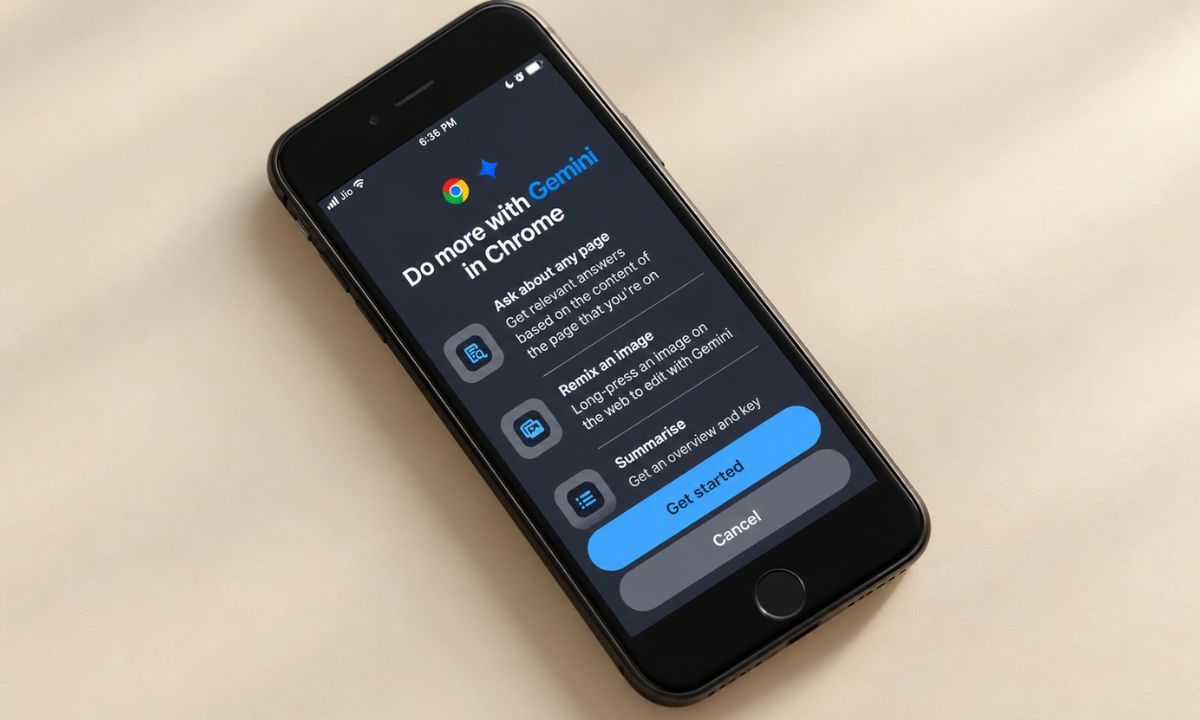
After updating Chrome to a recent build on your iPhone, you launch it and look for Gemini in Chrome. The address bar looks the way it always did, and nothing in the menu mentions it.
Gemini in Chrome on iPhone is real, but Google is releasing it gradually, and it only appears if your account, language, region and Chrome version all line up. Here is what Google says the requirements are, where it has rolled out, and what to check.
TL;DR: Gemini in Chrome on iPhone needs the latest Chrome, a signed-in Google account, a supported region and language, and a normal tab instead of Incognito. Google also says it is rolling out gradually, so it may not be available to you yet. Sign in, update Chrome, restart it, and look under Page tools for Ask Gemini.
Why Gemini in Chrome may not show on your iPhone
Google’s help page lists the conditions, and any one of them can hide the feature. It also says it is releasing Gemini in Chrome gradually, which means you can meet every requirement and still not see it.
| Requirement | What Google says | What to check |
|---|---|---|
| Chrome version | Use the latest version of Chrome | Update Chrome in the App Store |
| Sign-in | You must sign in to Chrome | Confirm your Google account is signed in |
| Incognito | Not available in Incognito mode | Switch to a normal tab |
| Region and age | Supported region; 13 or older, or the age in your country | Check your country is covered |
| Language | Device must use a supported language | Check your language settings |
| Work or school account | Administrator must enable access | Ask your IT admin |

Where Gemini in Chrome on iPhone has rolled out?
MacRumors reported the launch on December 11, 2025, as a gradual rollout in the United States that needed Chrome 143, an English browser language, and a signed-in account.
On April 20, 2026, Google said it was expanding Gemini in Chrome to Australia, Indonesia, Japan, the Philippines, Singapore, South Korea, and Vietnam. 9to5Google notes the iOS rollout excludes Japan.
Canada, New Zealand and India got Gemini in Chrome in March, but Google’s announcement lists desktop only and does not mention iOS. The UK got desktop in July, and Google said iOS would follow the next month.
The age and language criteria for using Gemini on Chrome iOS
Sources do not fully agree here. Google’s help page says 13 or older, while a footnote on Google’s Chrome AI page says availability is limited to users 18 and older.
On language, the December report said English only, while Google’s current help page says only that your device must use a supported language. If you are in a covered country, change nothing until you have tried the basics below.
How to open Gemini in Chrome once it appears?
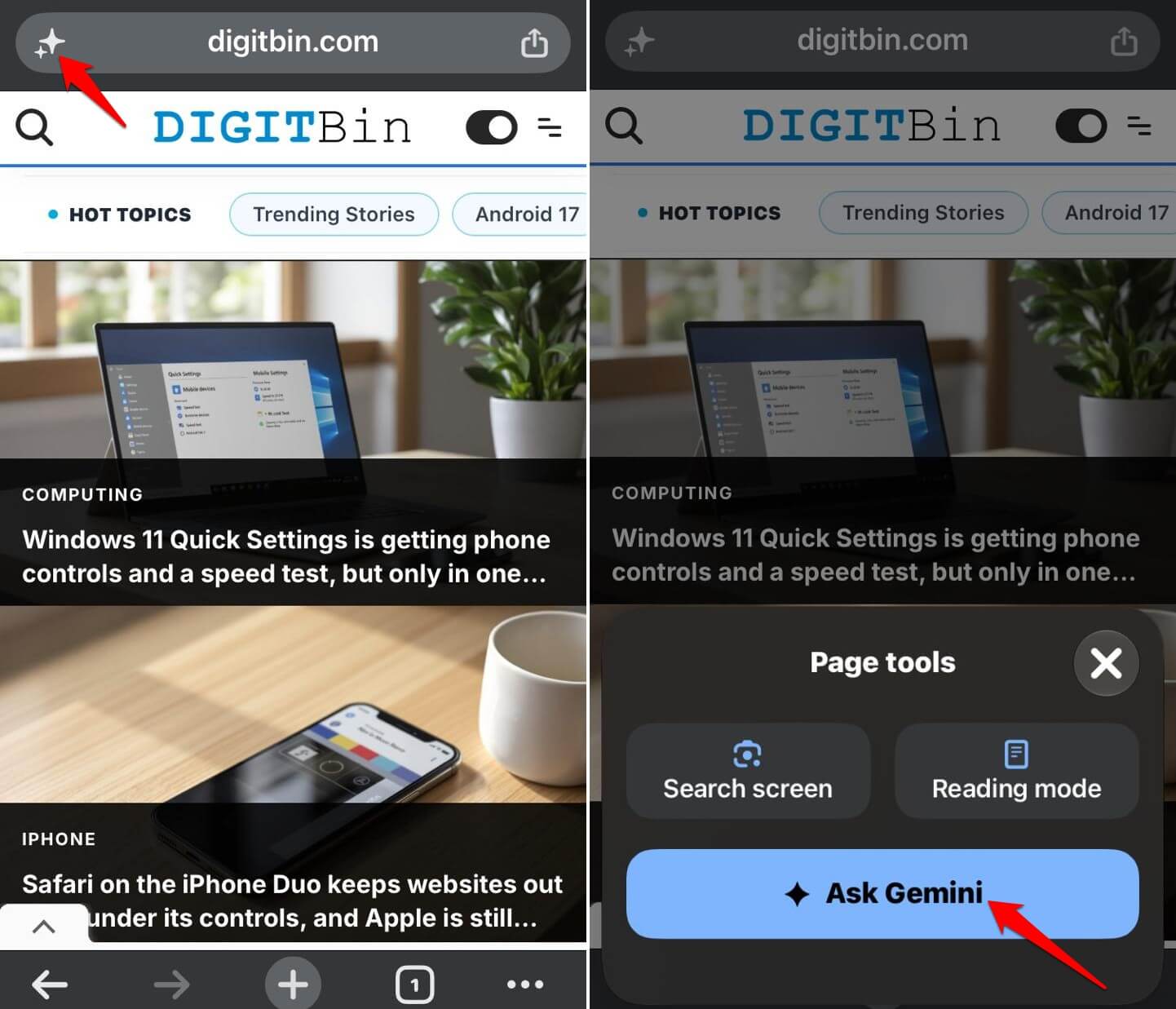
- Open Chrome and go to any website.
- On the left side of the URL box, tap the Gemini icon.
- Then tap Ask Gemini.

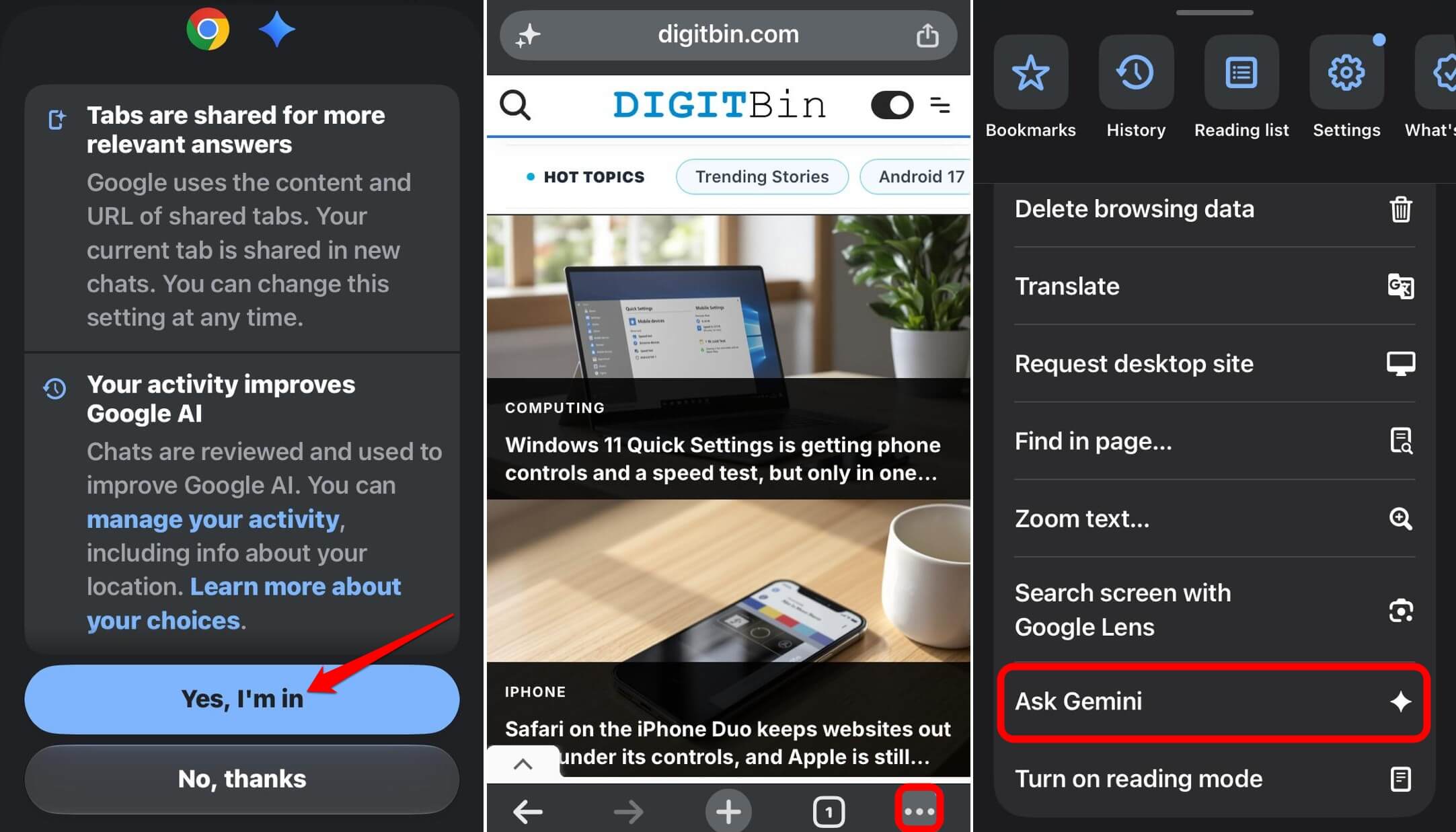
The first time, you will be asked to opt in to the feature. Once you opt in, the Ask Gemini feature will appear within the More(…) menu bar.
What to try when the AI feature is missing?
Google’s advice is to sign in to Chrome, update the app, and restart the browser. Check that you are not in an Incognito tab, and try a normal webpage instead of a search results page.
If you use a work or school account, Google says access has to be enabled by your administrator. After that, all you can do is wait, since the rollout is gradual.
How to use Gemini on Chrome iOS?
In Chrome iOS, tap on Ask Gemini when you are surfing any webpage. The Gemini prompt box will appear over the page.
- Type in your query and press the send button.
- Once the response is prepared, tap on View.
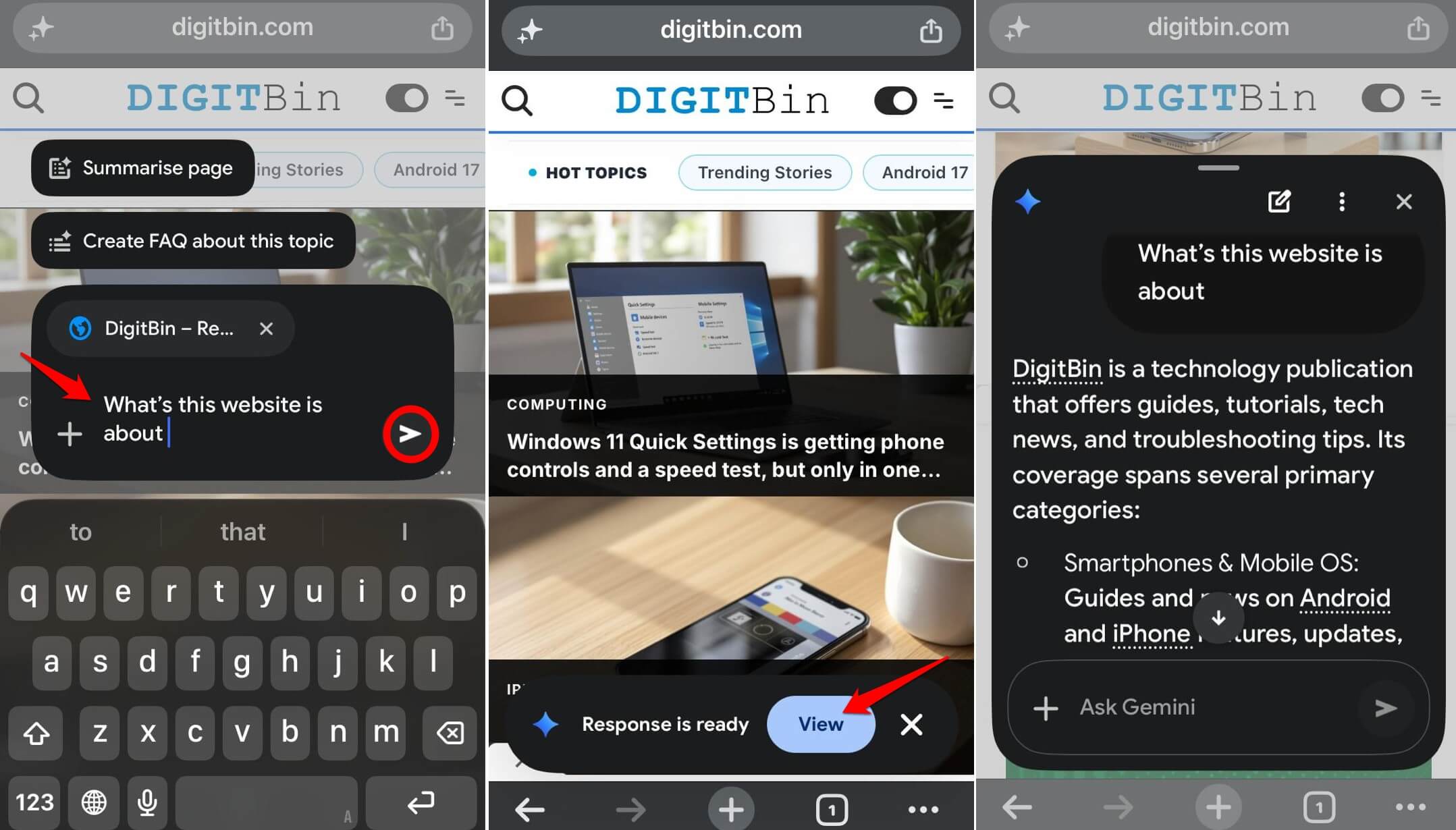

You may also tap on the preset prompts like “Summarize page” that appear above the Gemini prompt box.
In a chat, you can stop sharing the current page or close the chat. Google’s help page does not explain how to switch the feature off entirely.
If you prefer the desktop experience, our week with Gemini tab summaries covers that version, and Android users can read about Gemini in Chrome for Android.
Frequently Asked Questions
Why can’t I see Gemini in Chrome on my iPhone?
Gemini in Chrome may not have reached your account yet, since Google says it is releasing the feature gradually. Check that Chrome is updated, you are signed in, you are not in Incognito and your region and language are supported.
How do I open Gemini in Chrome on iPhone?
Tap Page tools at the top of Chrome, opt in the first time, then tap Ask Gemini. You can also tap More, then Ask Gemini.
Does Gemini in Chrome work in Incognito mode?
No, Google says the feature isn’t available in Incognito mode. Use a regular tab.
Is Gemini in Chrome available on iPhone outside the US?
Yes, in some places. Google expanded it to several Asia Pacific markets in April 2026, excluding Japan on iOS.
Gradual rollout is the likely problem
Most of the time, the missing Gemini icon in the browser is a rollout issue and not something you did wrong. Update Chrome to the latest version as instructed, set the correct language, and if you are in a supported region, the AI feature will appear soon on the browser.