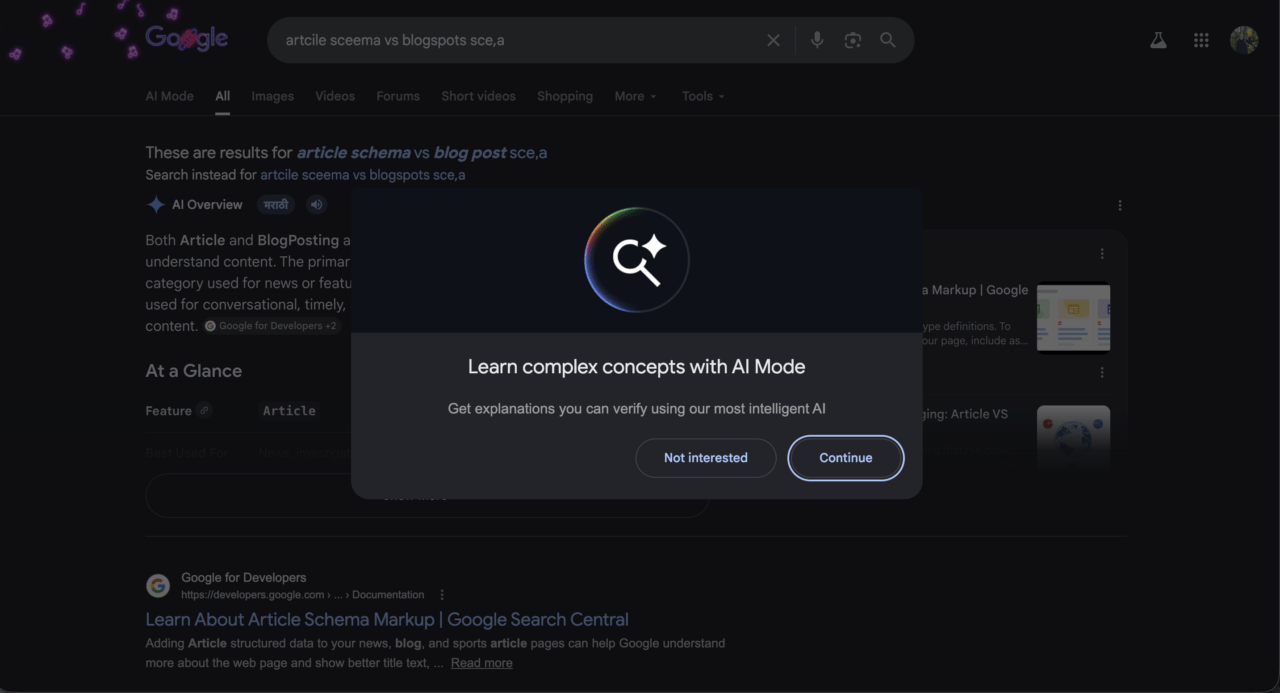
Google is showing a new popup inside standard Search results that interrupts the page mid-session and asks users to switch to AI Mode. The dialog reads: Learn complex concepts with AI Mode, with a subline that says get explanations you can verify using our most intelligent AI. Below it, two buttons: Not interested and Continue.
Google has not published official documentation for this popup or its rollout. Testing by DigitBin found it appearing across multiple devices and query types, and the trigger conditions are more specific than they look.
TL;DR: Google’s AI Mode popup appears mid-session on complex queries including technical comparisons, schema questions, and multi-step research topics. Simple lookups and news queries do not trigger it. Tapping Continue opens your original query in AI Mode in the same tab. Not interested dismisses it for that session but does not appear to be a permanent opt-out. Google has not published documentation on the dismissal behavior.
What we tested and what triggered it
We ran the popup across 11 separate queries over two sessions, one on an Android device and one on desktop Chrome, both logged into Google accounts. Multi-step comparisons, technical schema questions, and research topics where Google was already serving an AI Overview alongside standard results triggered the dialog consistently. Simple informational lookups, news queries, and single-fact searches did not produce it at all.
The popup appeared after the results page had already loaded. It is not a pre-search redirect. Google lets the standard results render, then surfaces the dialog over them roughly two to three seconds into the session. The screenshot above was captured during one of these sessions, on a query comparing article schema versus blog post schema.
What Continue actually does
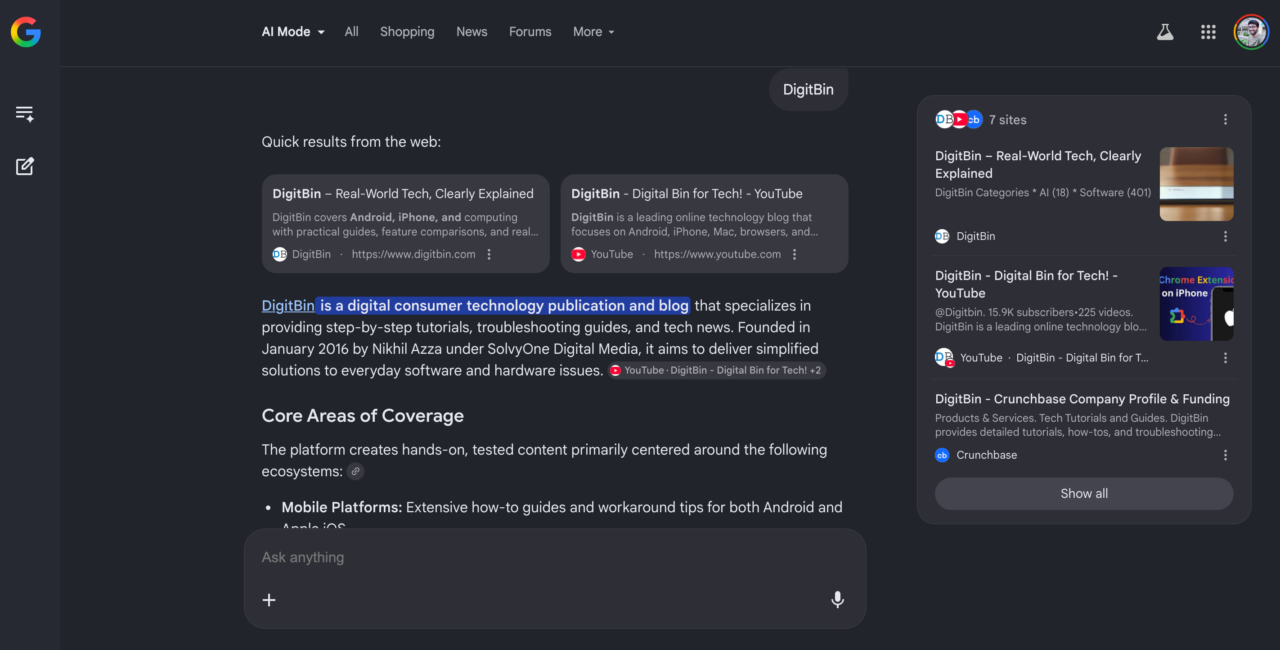
Tapping Continue does not open a new page. It takes your original query and loads it inside AI Mode in the same tab, replacing the standard results with a Gemini-generated response.
For comparison queries, the difference was immediate. A question that returned six links and an AI Overview in standard Search returned a structured multi-section response in AI Mode, with inline citations and follow-up suggestions already populated at the bottom. For anything with multiple parts, that was faster than opening three tabs and reconciling contradicting answers.
Not interested dismissed the popup for that session. Whether it resets on the next visit or suppresses future prompts for that query type is not documented by Google. We saw it reappear in a follow-up session on a different but similarly structured query.
Where this fits into what Google announced at I/O 2026
At Google I/O 2026 on May 20, Google confirmed AI Mode has crossed 1 billion monthly users, with queries more than doubling every quarter since launch. Gemini 3.5 Flash is now the default model in AI Mode globally. Google VP of Search Liz Reid described the goal as bringing together the best of a search engine with the best of AI.
The contextual popup was not announced separately at I/O. It appears to be part of a quiet rollout coinciding with the model upgrade. It is not appearing for all accounts at the same rate, and Google has not published a rollout timeline for this specific prompt.
Whether clicking Continue is worth it
For queries you would normally spend five minutes researching across multiple tabs, AI Mode delivers a synthesized answer faster. Technical comparisons and multi-part research questions are where the switch earns its latency cost.
For quick lookups, single-product queries, and news headlines, the popup is a distraction. Standard Search gets there faster on simple queries, and AI Mode adds processing time that the result does not justify.
Not interested is not a permanent opt-out. The prompt has reappeared across sessions on queries of the same type. If you want to control when AI Mode runs rather than being prompted mid-search, you can set it as your default search engine in Chrome through chrome://settings/searchEngines and switch on your own terms. The popup is Google deciding when to ask. The settings page is you deciding instead.