
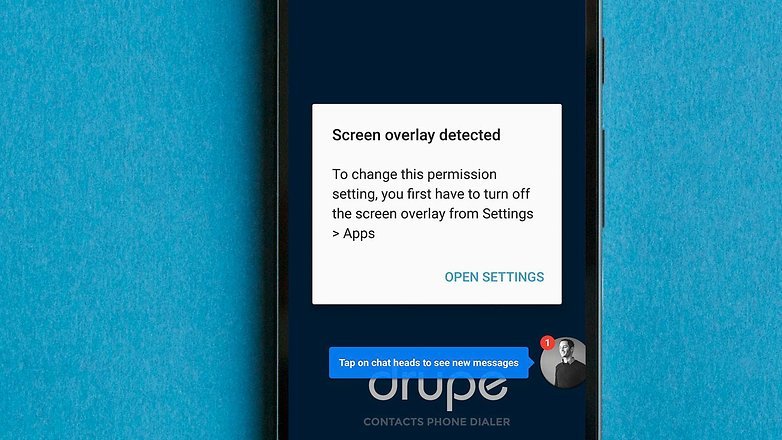
“Screen Overlay Detected” is a very common problem on Android Marshmallow devices. The Android device suddenly warns you with a message ‘Screen overlay detected’, in many cases the warning appears when you wish to change the App permissions and also when running a floating App (Chat App) over another App.
The problem causing apps are CleanMaster App, Facebook Messages, Hike Messenger, Drupe etc. The problem is common with many Android manufacturers namely, Samsung, LG, OnePlus, Motorola, Lenovo etc. Here I have come up with step by step fix to solve the issue.
How to Turn Off Screen Overlay in Android ?
- Open settings of your Android device.
- Now Open Apps/App Manager > [gear icon]> Draw over other apps. Alternatively, you can search “Draw” and open Draw over other apps.
- For Samsung devices Settings > Applications > Application manager > More > Apps that can appear on top.
- Now Disable the apps which you think are suspicious like eye filters, screen dimmer or any app which is always running on the screen using a small bubble-shaped structure like FB messenger.


screen overlay detected settings - If you cannot solve it then just disable everything.
- For Samsung devices go to Settings> Advanced features > One-handed operation and deactivate it.
Conclusion : I hope the guide was helpful, please leave a comment below for any help.



I’m unable to install any app because it shows screen over last detect. Pl solve this problem too over come.
didn’t resolve for me. i didn’t have the option of the screen so i did each one list.
still can’t open 1/2 of the software of the phone.
CleanMaster is culprit in my case. once it is deleted , issue has been fixed.
Yes. Ramakrishna Sudhansu, Clean master is the Culprit. After Uninstall of Clean Master my Gallery, file manager started to work!..
Loi, Uninstall the Cleanmaster App.
Thank you so much, Ramakrishna!
thank you…worked on mine
You are Welcome
Loi, I was searching to solve the problem from two days!. Thought to go service Center, My mobile is MOTO G3. After doing all the activities some apps not working means, that Clean master only!. once again Thanks to RAM.
Just turn off the suspend button or floating button on the screen and the problem will be solved
Try this guys …install the app “install buttton unlocker” and enable it…thats all your screen over lay detected problem solved
Thanks man. It helped.
🙂
i have been trying all the steps and i have switched off applications but nothing seems to b working plz help