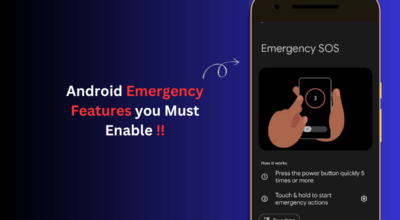
Google rolled out the June 2026 Pixel Drop on June 16, adding Android 17’s most visible new capability to every Pixel phone from the 6 onward. Bubbles, a system-level floating app tool, is now live across the entire eligible range at no extra cost. Long-pressing an app icon converts it into a movable overlay that persists above whatever else you have open. The Drop also brings Screen Reactions to the screen recorder, Voice Translate to the Pixel 10a, and automatic emergency contact notification to Pixel Watch owners for the first time.
TL;DR: Google’s Pixel Drop is rolling out to all Android 17 Pixel phones. Long-press any app icon to float it as a movable window over your current screen, with up to five active at once. The Pixel 10 Pro Fold gets a dedicated Bubble Bar. Screen Reactions adds a selfie overlay to screen recordings. Pixel Watch now calls emergency services and notifies your chosen contacts simultaneously when it detects a crash, fall, or loss of pulse.
How Bubbles works and what it actually changes day to day
Bubbles is not split-screen and it does not replace it. Long-pressing any app icon on your home screen or app drawer surfaces a new option to open that app as a floating window instead of full screen. The app launches as a resizable overlay on top of whatever you currently have open.
Tapping the bubble expands it. Dragging it repositions it anywhere on screen. Tap outside to shrink it back into a pinned icon that stays docked until you need it again. You can run up to five bubbles at once, so switching between a Google Maps route and your messages no longer requires leaving the app, hunting through recents, and finding your place.
On the Pixel 10 Pro Fold, Google added a Bubble Bar: a strip docked at the bottom-right corner of the unfolded display where active bubbles appear. Switching between floating apps is a single tap from that bar, which is the version of this that makes the most sense on a larger screen.
Bubbles works on Pixel 6 and newer with the Android 17 stable release already on device. There are no subscription requirements and no regional restrictions. The feature availability is the same across the entire eligible Pixel range.
Screen Reactions adds your selfie to screen recordings in a way the recorder never could
Screen Reactions is a Pixel-first feature built into the updated screen recorder that ships with Android 17. When you start a recording, a toggle called “Show selfie camera” now appears alongside the usual controls. Enabling it overlays your front-facing camera feed on the recording in real time, with a green screen cutout removing your background so only you appear over the screen content.
To use it: swipe down twice on Quick Settings, tap the recording icon, toggle on “Show selfie camera,” and tap start. Your feed is resizable and movable during the recording, so you can drag yourself to a corner or make the selfie smaller to leave more of the screen visible.
For anyone who has tried to record a phone tutorial while also showing their face, this removes the step that always required a second device or post-editing. That is the detail most Pixel owners will not find in the release notes, but it eliminates a real friction point for anyone who shares how-to content regularly.
Screen Reactions requires Android 17 and is currently Pixel-first. Google’s phrasing leaves open the possibility it extends to other Android manufacturers later, but no timeline has been stated.
Voice Translate arrives on Pixel 10a and Pixel Watch gets a smarter emergency response
Voice Translate, which translates live phone calls in real time while preserving the caller’s voice, is now available on the Pixel 10a. The feature launched on the Pixel 10 Pro series last year. The 10a is the first mid-range Pixel to receive it globally.
Supported translations are English to and from German, Spanish, French, Italian, Portuguese, and Hindi, with Hindi listed as preview. To enable it: open the Phone by Google app, go to Settings, tap Voice Translate, and download the language models for the languages you need. Translation runs on-device, not through a server.
The Pixel Watch also received a meaningful upgrade with this Drop. Emergency Detection previously called emergency services when it detected a car crash, a hard fall, or loss of pulse. It now simultaneously notifies the emergency contacts you select, in addition to placing the call. You can configure which contacts are notified for each detection type separately in settings. Before this change, the watch called services and your family found out only if the responders reached them.
Which Pixels get which features from this Drop
Bubbles and Screen Reactions have the widest availability in this update. Both require only Android 17, which covers Pixel 6 through Pixel 10 across all models. Voice Translate is more restricted: it is available on Pixel 10 Pro, Pixel 10 Pro XL, Pixel 10 Pro Fold, and now Pixel 10a. Pixel 9 and older do not receive it in this update.
| Feature | Eligible Devices | Notes |
|---|---|---|
| Bubbles | Pixel 6 and newer | Android 17 required, all regions |
| Screen Reactions | Pixel 6 and newer | Android 17 required, Pixel-first |
| Voice Translate | Pixel 10 Pro, Pro XL, Pro Fold, 10a | Hindi in preview, on-device processing |
| Quick Share AirDrop | Pixel 8a and 9a newly added | Previously on newer models only |
| Emergency Auto-Sharing | Fall Detection: Pixel Watch 1-4; Car Crash: Watch 2-4; Loss of Pulse: Watch 3-4 only | Requires Bluetooth to Pixel phone |
Pixel Watch Emergency Sharing covers Fall Detection on all four Pixel Watch generations including the original. Car Crash Detection auto-notification applies to Pixel Watch 2, 3, and 4. Loss of Pulse Detection is limited to Pixel Watch 3 and 4 only. All emergency features require a Bluetooth connection to a Pixel phone to function.
Quick Share now works with AirDrop on Pixel 8a and 9a globally, extending the feature to more mid-range owners. For the full breakdown of which Pixels qualify for Gemini Intelligence features, that piece covers the hardware thresholds in detail.
The update is rolling out in stages from June 16. Checking Settings, then System, then System update manually typically triggers the download before a passive push notification arrives on the device.