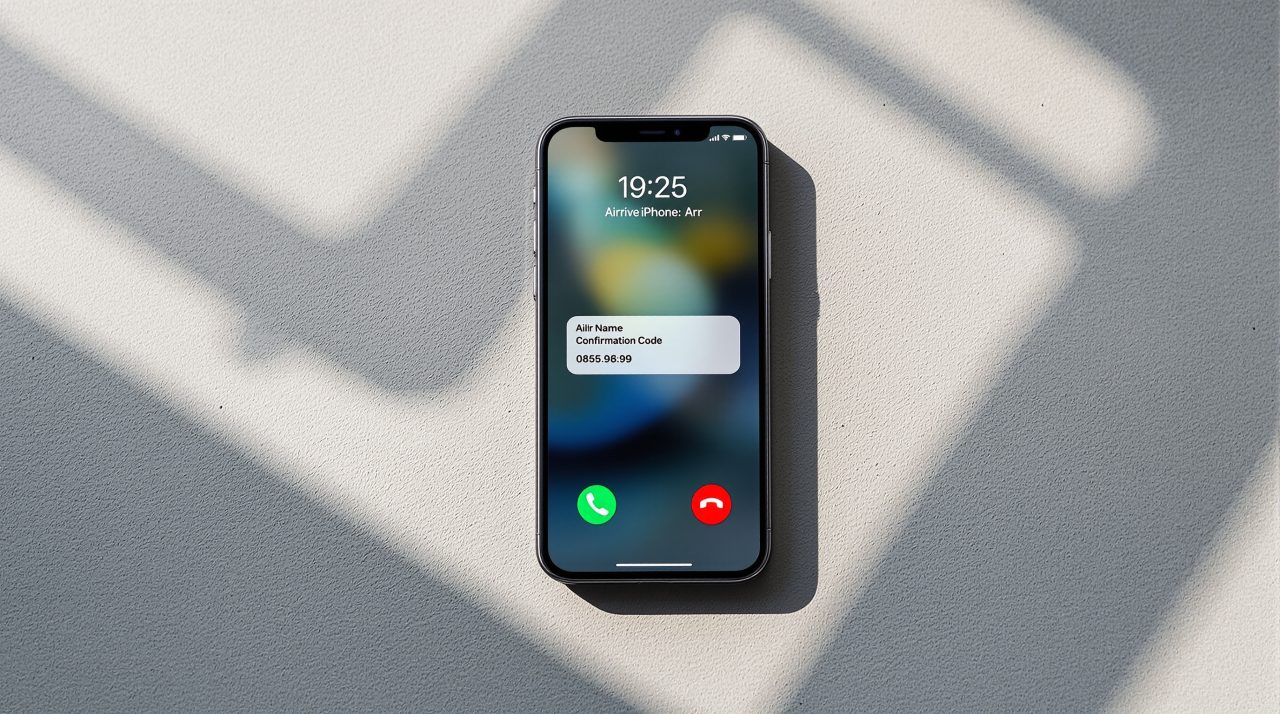
iOS 27’s Call Context feature solves something small and specific: when you call a business, it automatically scans your Mail for the information you are likely to need during that call. Confirmation numbers, booking references, order IDs. These details appear inside the Phone app interface before you have to go look for them.
That specific problem, the scramble through Mail while a customer service agent waits, is something almost every iPhone user knows. You ask for a moment, switch to Mail, search fails once, you scroll through three reservation emails, and eventually you find the right number. iOS 27 is designed to end that routine.
TL;DR: iOS 27 Call Context automatically surfaces relevant details from your Mail in the Phone app when you call a business. It works by identifying who you are calling, not by listening to your conversation, and pulls booking references and confirmation codes entirely on-device. Nothing is shared with Apple or third parties. The feature requires iPhone 15 Pro or later with Apple Intelligence enabled. It ships with the iOS 27 stable release in September 2026.
How iOS 27 Call Context works during a call
Apple’s description of Call Context at WWDC 2026 is specific. The system identifies who you are calling, then searches your Mail for content tied to that business or contact name. If you are calling an airline, it looks for booking confirmations and reservation codes associated with that carrier. If you are calling a retailer, it looks for order details linked to that store.
The result appears as a panel inside the Phone app interface during the active call. It is there when you need it, without requiring you to leave the call screen, open Mail, and search manually.
Apple demonstrated the feature with an airline call: the user calls, and the confirmation code from their email appears on the Phone app screen before the agent even asks for it. The design is proactive. Call Context surfaces the information ahead of when it is needed, not after you ask for it.
What data Call Context reads and what it does not
Call Context reads your Mail. That is the only data source Apple confirmed at WWDC 2026. Calendar events and Messages were not mentioned as sources. If your confirmation number is in a PDF attachment, a text message, or a third-party app notification rather than an email body, it may not surface.
Apple was clear about the trigger mechanism: Call Context works by analyzing who you are calling, not what you are saying during the call. The phone microphone is not used to activate the feature. The Mail scan happens based on the caller identity lookup, at or before the moment the call connects, not as a real-time conversation listener.
That is a deliberate design choice. It keeps the feature focused on a defined task and keeps the privacy footprint narrow.
On-device processing and what happens to your email data
Apple was direct about the privacy architecture: Call Context runs entirely on the device. Nothing is shared with Apple, Google, or anyone else.
That distinction matters because the Siri AI in iOS 27 uses a Google Gemini model for conversational queries in the standalone Siri app. Call Context does not use that cloud pipeline. It uses on-device processing to scan Mail locally, match the caller to relevant content, and surface the result inside the Phone app. No email content leaves your iPhone to complete this feature.
Apple has not disclosed which on-device model handles the Mail analysis for Call Context specifically, but the architecture mirrors how other Apple Intelligence features that process personal data operate: local processing with no cloud egress for the sensitive content itself.
Which iPhones support Call Context
Call Context is an Apple Intelligence feature. It requires an iPhone 15 Pro, iPhone 15 Pro Max, or any model in the iPhone 16 or later lineup. The iPhone 15 and iPhone 15 Plus do not qualify.
| Device | Apple Intelligence | Call Context |
|---|---|---|
| iPhone 16, 16 Plus, 16 Pro, 16 Pro Max | Yes | Yes |
| iPhone 15 Pro, 15 Pro Max | Yes | Yes |
| iPhone 15, 15 Plus | No | No |
| iPhone 14 series and older | No | No |
iPhone 11 through iPhone 14 users will receive iOS 27 but will not have access to Call Context. Apple Intelligence has a hardware gate tied to the A17 Pro chip or newer, and that threshold has not changed for iOS 27.
When Call Context arrives and what is still unclear
Call Context ships with iOS 27 in September 2026, when the stable release goes live alongside the iPhone 18 Pro. The developer beta is currently available for enrolled Apple Developer Program members.
Apple confirmed after WWDC that Siri AI features on iOS 27 and iPadOS 27 will not be available at launch in the European Union due to Digital Markets Act compliance work. Apple’s language covered Siri AI features broadly. Whether Call Context falls under that restriction or is treated as a standalone Phone app feature distinct from Siri AI has not been clarified by Apple.
For people outside the EU, Call Context should be available as part of the iOS 27 update on any eligible device, with no separate download or opt-in configuration beyond having Apple Intelligence enabled in Settings.
Frequently Asked Questions
Does Call Context work on iPhone 14?
No. Call Context requires Apple Intelligence, which needs an iPhone 15 Pro, iPhone 15 Pro Max, or any iPhone 16 model. iPhone 14 and older receive iOS 27 but do not get Call Context.
Does Call Context listen to my phone calls?
No. Apple specifically stated that Call Context works by analyzing who you are calling, not what is being said. It scans Mail based on caller identity before or at the moment the call connects, not during the conversation.
Is Call Context available in the EU?
Apple has not confirmed this. Siri AI features are blocked in the EU at iOS 27 launch due to the Digital Markets Act, and whether Call Context falls under that restriction has not been clarified by Apple.
What if my confirmation number is in a text message, not an email?
Call Context only reads Mail, based on Apple’s WWDC 2026 description. Confirmation details in Messages, Notes, or app notifications will not surface through this feature.
The call you have already made thirty times
Almost everyone who uses an iPhone has called a company and been asked for a reference number they did not have ready. The search that follows, opening Mail mid-call, waiting for results, scrolling through three reservation emails to find the right one, is so common it barely registers as a problem anymore.
Call Context solves something small and specific. It does not require a habit change, a settings menu, or any action at all. The full iOS 27 WWDC feature list covers what else Apple confirmed alongside this, but for the people who make business calls regularly, this is the one they will notice first.