Every VPN ranking on the internet lists the same five services in a slightly different order. NordVPN, ExpressVPN, Surfshark, Proton, and whichever one paid for the placement this month. None of them tell you how to actually check whether the one you pick works on your specific phone.
This gap matters more than the ranking does. A VPN that scores well in a lab test can still drain your battery, break your banking app, or quietly fail during the exact moment you needed it working. This is the practical side nobody covers: how to test a VPN on your devices before trusting it.
TL;DR: A VPN’s real-world performance on your phone depends more on configuration than brand. Hardware instrumented testing puts real battery overhead from a well-configured VPN around 1 to 2 percent per hour, far below what your phone’s own battery screen reports. Kill switches, split tunneling, and protocol choice matter more than which logo is on the app. Test any VPN for an hour before relying on it for something that matters.
The battery drain myth, and what the data actually shows
A VPN does not drain your phone’s battery anywhere near as much as your phone’s own battery screen suggests. This comes down to how the operating system attributes power use rather than anything the VPN is doing wrong.
When a VPN is active, every network packet leaving your phone routes through its app, so both Android and iOS credit that entire session’s power draw to the VPN. An hour of Netflix over a VPN gets filed under the VPN’s battery usage, even though streaming that same hour without a VPN costs roughly the same energy.
One 2026 investigation by West Coast Labs(WCL) running hardware-instrumented current measurements alongside the phone’s own reported battery stats found something very specific.
During WCL’s streaming test, the phone’s battery report attributed around 49 percent of session power to the VPN app. Instruments wired up to measure actual current draw put the real overhead between 1.6 and 2.1 percent.
That is not a rounding error. It is close to two orders of magnitude apart. Screen brightness, video decoding, and a weak cellular signal are each doing more damage to your battery than the encryption tunnel.
| What people assume drains battery | What phone battery screens report | What hardware measurement shows |
|---|---|---|
| VPN encryption overhead | Up to ~49% of session power (misattributed) | ~1.6% to 2.1% real overhead per hour |
| Kill switch monitoring | Not separately reported | Small, continuous background CPU load |
| Weak cellular signal | Filed under signal/radio | Meaningfully higher than VPN overhead |

What a kill switch actually does, and why it is not optional
A VPN kill switch blocks all internet traffic the instant your VPN connection drops, even for a fraction of a second, so your real IP address never gets exposed during the gap. Think of it as a circuit breaker for your connection rather than a nice-to-have extra.
Without one, a momentary drop while switching from WiFi to cellular can silently expose your unencrypted traffic and real IP for a second or two. Most people never notice this happening because the drop is brief and the VPN reconnects automatically. Whether that exposure matters to you depends entirely on what you are doing when it happens.
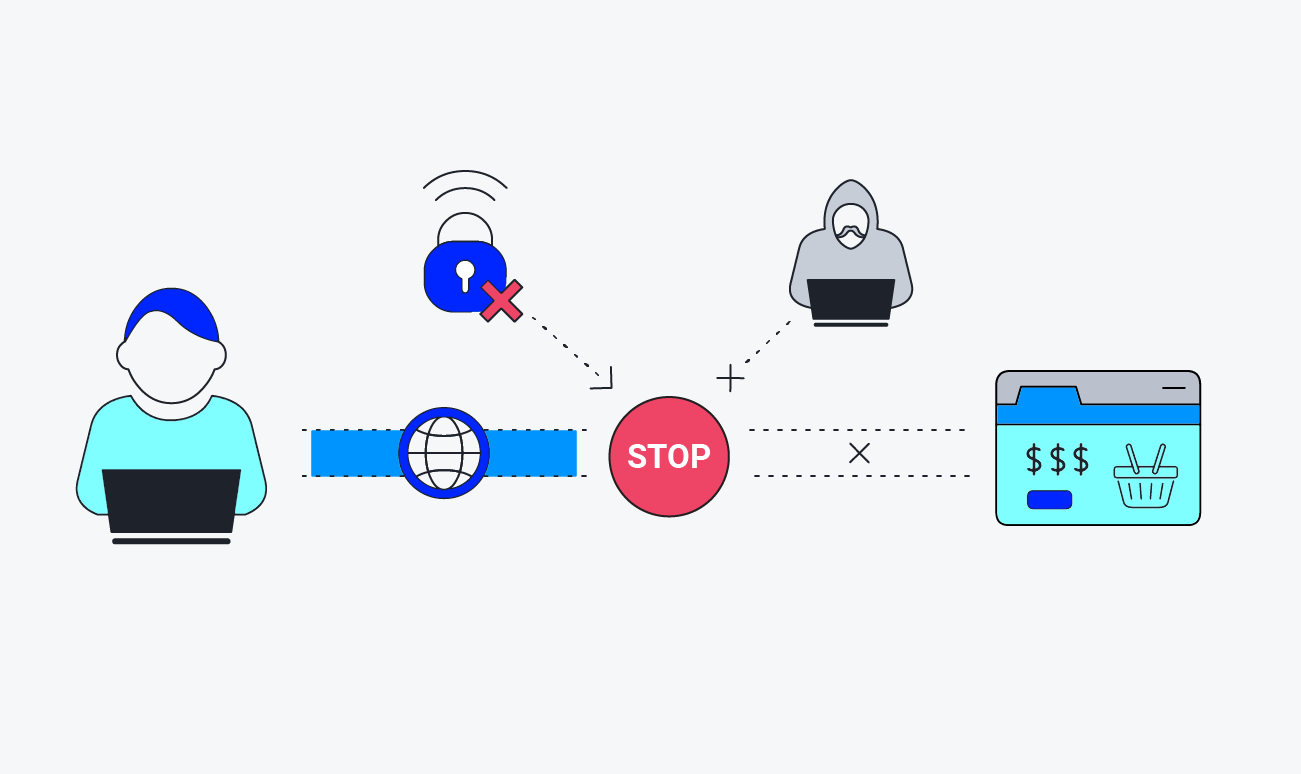
There are two things worth knowing apart. An application-level kill switch only blocks the specific apps you designate. A system-level kill switch blocks all network traffic on the device until the VPN reconnects, which is more secure but also more disruptive if you need internet access for something unrelated in that window. We have a dedicated piece discussing how the VPN Kill Switch works.
iOS supports an always-on VPN mode too, but it requires an enterprise-managed, supervised device configured through mobile device management. It is not something a standard consumer iPhone can turn on directly, which is a real limitation worth knowing before you assume your iPhone VPN app behaves identically to the Android version.
Split tunneling is the setting most people skip and shouldn’t
Split tunneling lets you choose which apps route through the VPN and which use your regular connection, and it is the single most useful setting for balancing security against battery life and app compatibility.
Your banking app and email genuinely benefit from VPN encryption on public WiFi. Your weather app and a mobile game streaming ad content do not carry the same risk, and routing their traffic through an encrypted tunnel costs battery without buying you meaningful protection.
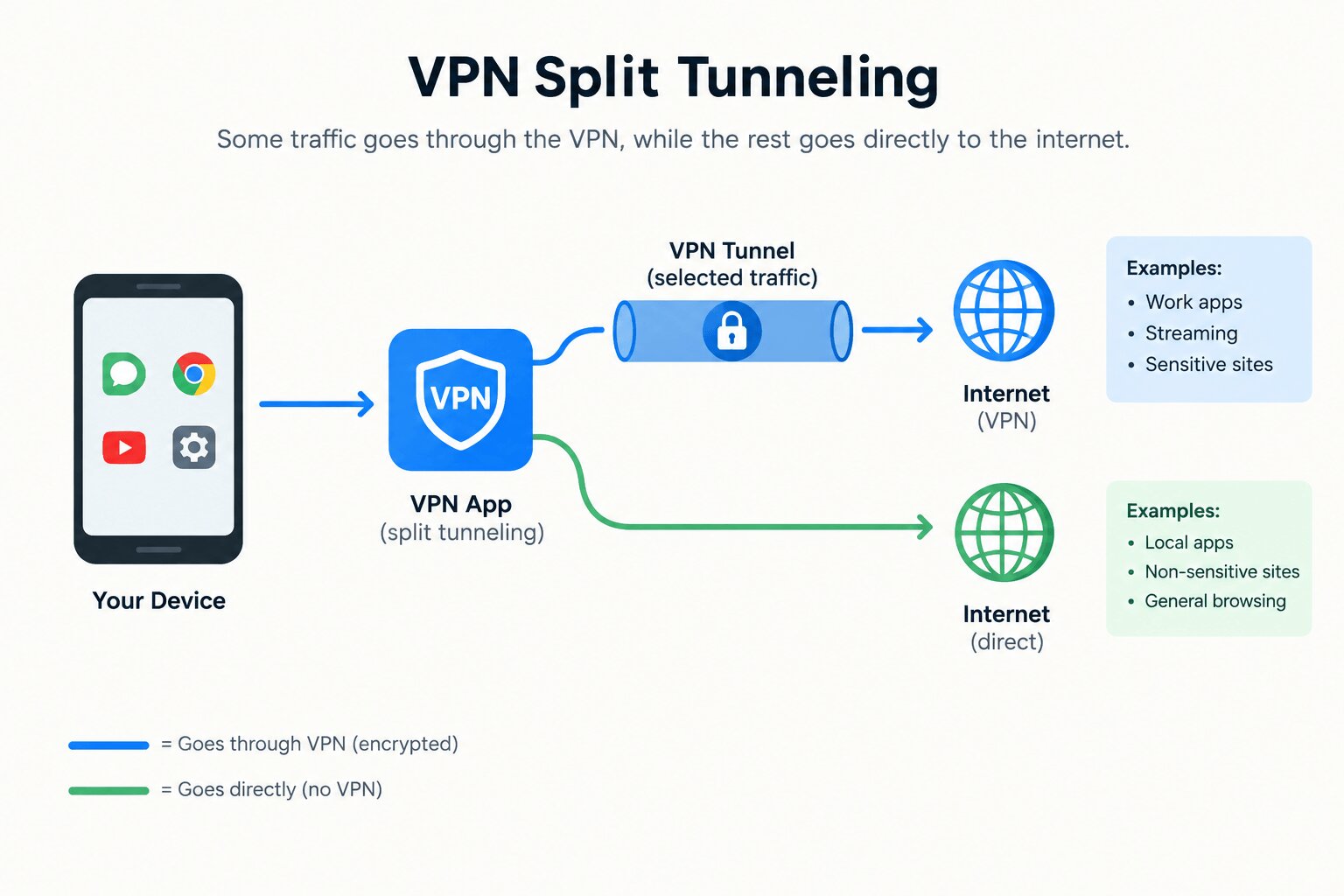
This setting is also the fix for the most common VPN complaint people run into. A banking or airline app that refuses to load while the VPN is active. Many financial apps flag VPN traffic and block it outright. Split tunneling lets you exclude just that one app instead of turning off the whole VPN and forgetting to turn it back on.
Public WiFi networks with a captive portal, the kind hotels and airports use where you have to click through a login page, will not work at all with an active VPN. The portal needs to see your real device to authenticate you, and your VPN is actively hiding it. Disable the VPN, complete the portal login, then reconnect once you are through.

Protocol choice matters more than the brand on the app icon
WireGuard is the modern standard most paid VPN services now offer, sometimes under a rebranded name. NordVPN calls its implementation NordLynx, and ExpressVPN calls its own protocol Lightway.
Both are built on similar efficiency principles, aiming at the same target: faster reconnection and lower CPU overhead than older protocols.
If your VPN app still defaults to OpenVPN and the settings menu offers a WireGuard-based option, switching is close to a free upgrade. OpenVPN can take five to ten seconds to reconnect after a momentary drop, which shows up as a visible interruption if you are in the middle of a call or streaming session. WireGuard protocols typically recover in under a second.
This single setting change often does more for perceived reliability than switching providers entirely. People who complain a VPN feels unstable are frequently running an older protocol without realizing a faster one was sitting one menu deep the entire time.
How to actually test a VPN before you trust it?
Set aside twenty minutes before you rely on a VPN for anything that matters, whether that is banking on public WiFi or streaming something location-locked.
Connect to the VPN first, then check whether your banking, email, and any location-sensitive apps still load normally. If one specific app fails, that is your split tunneling candidate, not a reason to abandon the VPN entirely.
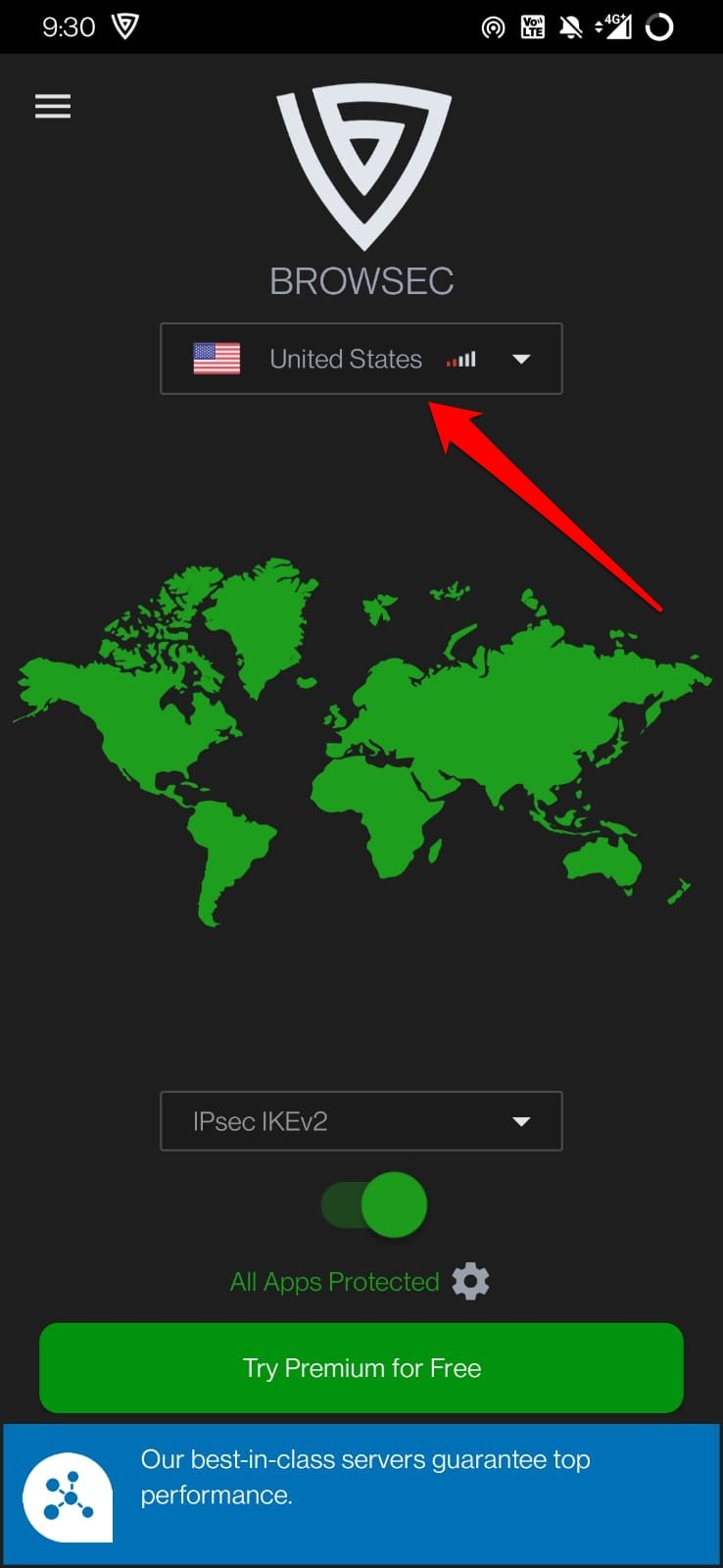
Next, check your protocol setting and switch to WireGuard, NordLynx, or Lightway if it is not already selected. Then confirm the kill switch is actually turned on, since it is often off by default even on paid plans, buried a menu or two deeper than you would expect.
Finally, run a leak test at a site like ipleak.net while connected. If your real IP address or ISP location shows up anywhere in the results, you have a DNS or WebRTC leak that undermines the entire point of running a VPN, and it is worth fixing before you trust the connection for anything sensitive.
What this means the next time you pick a VPN
The provider matters less than the four settings covered here: kill switch on, split tunneling configured for the apps that actually need it, WireGuard or an equivalent protocol selected, and a quick leak test run once after setup. Get those right, and most of the differences between competing VPN brands become close to irrelevant for everyday use.
The battery drain concern that stops a lot of people from leaving a VPN on all day is smaller in practice than what your phone’s own settings menu implies. Configure it once, correctly, and it becomes something you stop thinking about entirely, which is really the whole point.
Frequently asked questions
Does a VPN really drain my phone’s battery?
Not much. Hardware-measured testing puts the real overhead around 1.6 to 2.1 percent per hour, even though your phone’s own battery screen can misattribute far more usage to the VPN app than it actually costs.
What does a VPN kill switch actually do?
A kill switch blocks all internet traffic the instant your VPN connection drops, so your real IP address is never briefly exposed during a reconnect.
Should I use split tunneling?
Yes, for most people. Route banking and email through the VPN, and let streaming or gaming apps use your regular connection to save battery without meaningful security tradeoffs.
Why does my banking app stop working when my VPN is on?
Many banking apps detect and block VPN traffic outright. Split tunneling lets you exclude just that app so the rest of your traffic stays protected.
Is WireGuard better than OpenVPN?
Yes, for most everyday use. WireGuard and its rebranded versions like NordLynx and Lightway reconnect in under a second after a drop, compared to five to ten seconds for OpenVPN.