There comes a time when the TV remote starts feeling like it is working against you. Netflix takes five seconds to open, recommendation banners stall mid-animation, and pressing the voice button twice has become a reflex.
Most people assume the TV is getting old. It usually is not. The panel is fine, and the backlighting is fine. There is no issue with hardware.
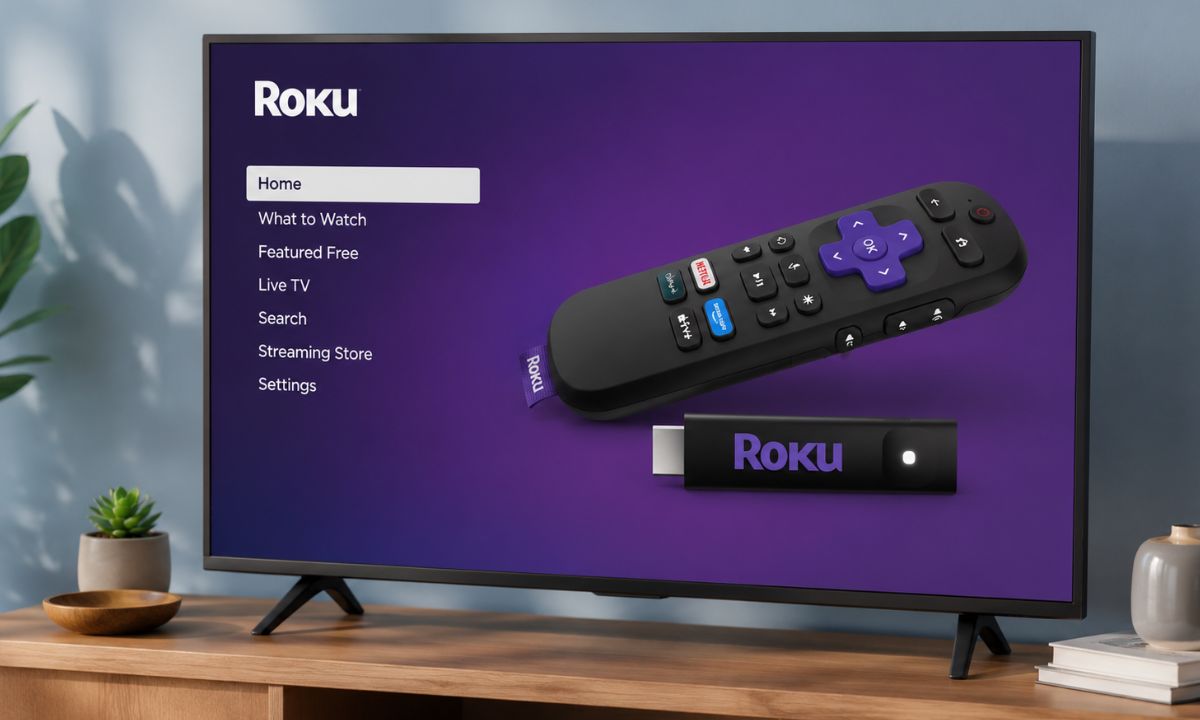
What has degraded is the software layer sitting on top. The built-in OS that TV manufacturers ship gets heavier with every update cycle and rarely gets meaningfully faster. A streaming stick sidesteps this entirely and can change your streaming experience. A good example is the Roku Streaming Stick, which starts at $29 in the US.
TL;DR: Smart TVs slow down because built-in software accumulates cache data, loads recommendation feeds and promotional content, and competes for limited RAM and storage. A streaming stick plugs into your HDMI port and bypasses the TV’s OS entirely. The Roku Streaming Stick at $29.99 covers every major US streaming service and runs off your TV’s USB port with no mains socket needed. It improves responsiveness and app speed, not picture quality. The panel does not need replacing. The software layer does.
Why do smart TVs slow down over time?
Smart TVs ship with modest internals by design. Many entry-level and mid-range models from Samsung, LG, and Sony between 2019 and 2022 sit around 1 to 2GB of RAM and 8GB of internal storage.
That is enough for basic use when the TV is new. After two years of OS updates and growing app caches, the system starts running heavier software on hardware that was barely adequate at launch.
The home screen adds to the pressure. Most smart TV interfaces autoplay previews, load recommendation feeds, promotional content, and background services before you have pressed a single button.
The slowdown in the performance builds quietly, which is why most people blame the TV rather than the software sitting on it.
The TV panel itself does none of this. The display receives a signal and shows an image. Colour accuracy and contrast do not meaningfully change over four or five years of normal use.
One thing worth being clear about: a streaming stick will not make a 1080p panel look like OLED.
What it improves is responsiveness, app support, and software speed. The screen stays exactly as it was.
Check out some of the prominent streaming sticks from Roku and Amazon with a breakdown of the picture quality they offer as per their price.
| Device | Price | Resolution | OS |
|---|---|---|---|
| Roku Streaming Stick (2025) | $29.99 | 1080p HD | Roku OS |
| Roku Streaming Stick Plus (2025) | $39.99 | 4K HDR | Roku OS |
| Amazon Fire TV Stick HD (2026) | $34.99 | 1080p HD | Vega OS |
What does a streaming stick actually do?
A streaming stick plugs into your TV’s HDMI port and runs its own processor, its own operating system, and its own app ecosystem.
The built-in smart TV software becomes completely irrelevant the moment you switch to the stick’s input.
The TV only acts as a screen. It receives a signal from the stick and passes it through to the panel and speakers. The sluggish home screen you have been living with is no longer in the picture.
After switching, apps open before you have mentally finished pressing the button. At first, this feels like something out of the place. Netflix has never opened that fast before.
The stick feels faster because it runs a simpler, more focused software experience and often uses newer hardware than the chipsets inside older smart TVs.
It also does not have to share resources with the background services the TV’s OS keeps running. The streaming experience could not get any smoother.
Why the Roku Streaming Stick is the right buy?
The latest generation of Roku Streaming Stick launched in the US in mid-2025 at $40. It supports Netflix, Amazon Prime Video, Disney+, ITVX, Channel 4, Channel 5, Apple TV Plus, and YouTube out of the box.
The remote handles TV power and volume through HDMI-CEC. You can put the TV’s original remote in a drawer and use only the Roku remote going forward.
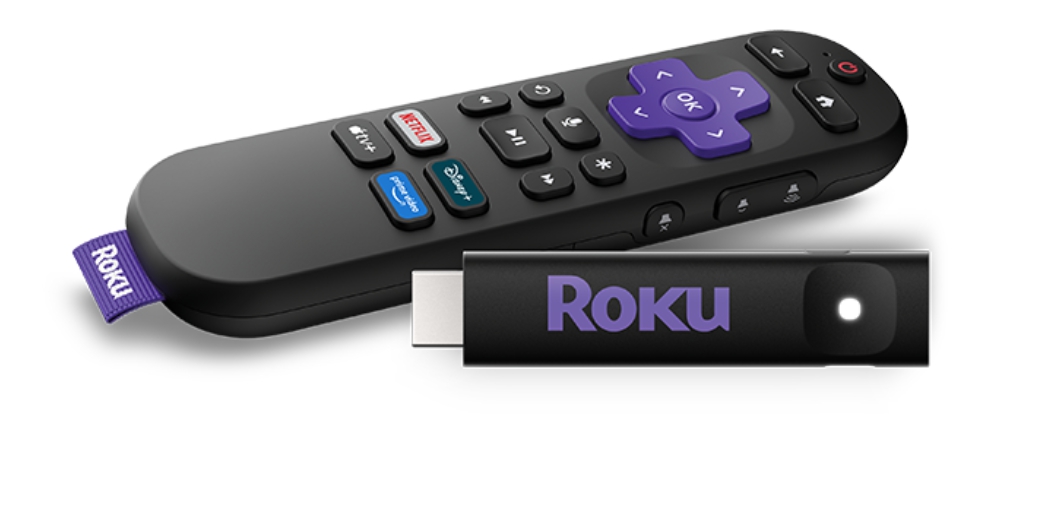
Most TVs from the past five years support HDMI-CEC, though it sometimes needs enabling under a manufacturer-specific name like Anynet+ on Samsung or Simplink on LG.
The stick draws power directly from the TV’s USB port. No mains socket needed. It sits behind the TV, permanently out of sight, with nothing trailing to the wall.
Roku’s interface is notably lighter than Fire TV’s, which dedicates significant screen space to promotional rows and sponsored suggestions.
The Firestick alternatives guide covers the full comparison if you want to weigh up the Roku Streaming Stick Plus at $39.99 for 4K and HDR alongside other options.
Amazon’s Fire TV Stick HD is also $34.99 but runs Vega OS, Amazon’s new streaming platform OS introduced in 2026 that restricts apps to Amazon’s own marketplace and dropped sideloading support entirely.
Setting up a Roku streaming stick takes five minutes
Plug the stick into an open HDMI port and connect the USB cable to the TV’s USB port. The included adapter handles it if a mains socket is easier.
The Roku on-screen guide walks through Wi-Fi connection, account sign-in, and app installation. A fresh account takes closer to ten minutes on the first run. Refer to this instructional video to follow the steps to set up Roku on your TV.

After that, the best streaming apps are already installed and the Roku remote controls the TV entirely on its own.
Frequently asked questions
Does a streaming stick work with any TV?
Yes. Any TV with an HDMI port works. Most TVs made after 2010 have at least one HDMI input, so compatibility is rarely an issue.
Do I still need to pay for streaming services?
Yes. The Roku Streaming Stick gives you a faster interface to access the same apps. Your existing Netflix, Disney+, and iPlayer accounts carry over unchanged.
Can I still use the TV’s built-in apps after adding a stick?
Yes. Switching between the stick’s HDMI input and the TV’s own input takes one button press on the remote. The TV’s built-in apps are still there.
Does the Roku Streaming Stick need a separate power socket?
No. It draws power from the TV’s USB port, so no mains socket is needed. If the TV’s USB port does not provide enough power, the included adapter plugs into the wall instead.
The smart TV you already own is good enough
The panel, the speakers, the size of the thing on your wall, none of that degraded. What felt slow was the software layer running on top of hardware that was never going to get faster.
Replacing a TV because its Netflix interface is laggy is replacing the frame because you do not like the canvas. That’s not how it works.
A streaming stick costs less than $50. Most people spend more on streaming subscriptions in a month. So, it makes sense to invest in a streaming stick to extend the useful life of a TV by several years, and if something better arrives next year, swapping it out is a two-minute job.