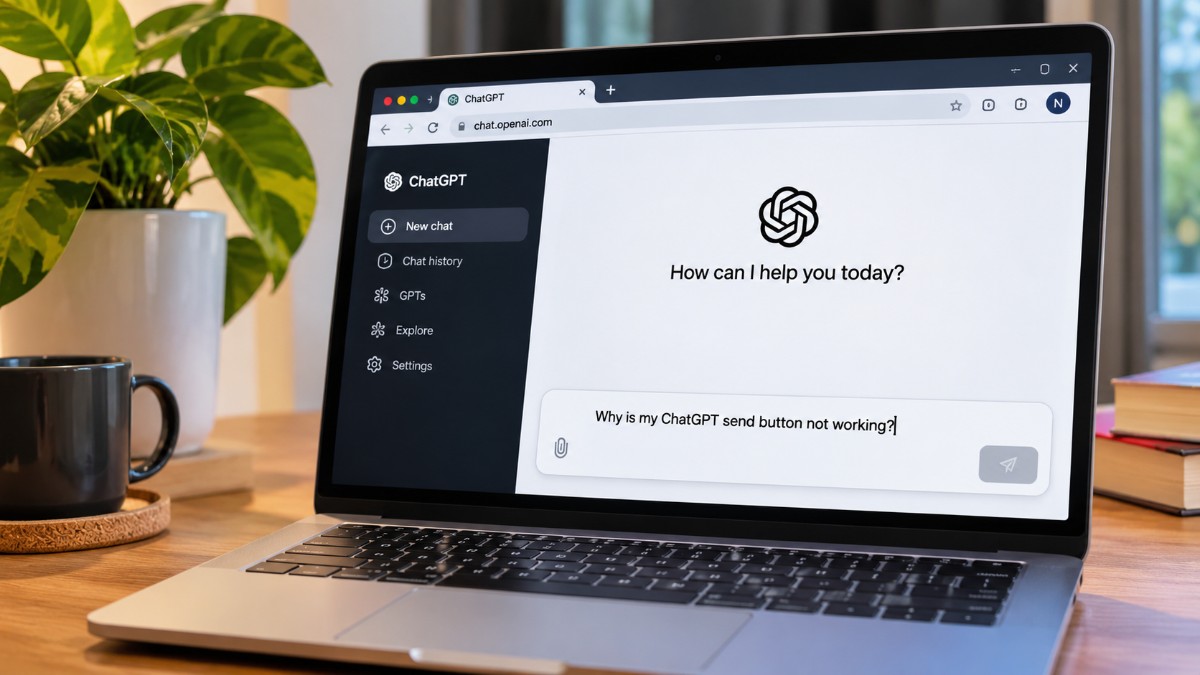
The prompt was already in the box. I hit send, and nothing happened. No error, no spinner. Just the arrow sitting there, and Enter doing the same impressive amount of nothing.
That is the ChatGPT send button not working, and it is a strange one to debug because the button is rarely the broken part. Usually it is the tab, an extension, a stale session, or something you pasted. Here is how to tell which, and what to try before you start clearing everything.
TL;DR: A ChatGPT send button that will not respond is usually a browser, session or paste problem, not an outage. If you pasted a large block, check whether it became an attachment. Otherwise hard refresh, try a private window with extensions off, then switch browsers or turn off your VPN. Check the status page before changing anything else.
Why the ChatGPT send button stops working
Most of the time the page has lost track of itself, not the server. The OpenAI troubleshooting guide keeps circling the same list: extensions, VPNs and secure DNS tools, stale cache and cookies, and the network.
The OpenAI community forum threads share a pattern. The arrow dims on a desktop browser, and the phone app carries on sending like nothing is wrong.
That is the clue worth holding onto. If the app works, your account is probably fine.
| What you see | Likely cause | First thing to try |
|---|---|---|
| Dimmed arrow on desktop, phone app works | Browser or extension interference | Private window with extensions off |
| Message vanishes after Enter | Stale session or cache | Hard refresh, then sign out and back in |
| Large pasted block, message will not send | Paste turned into an attachment | Select Show in text field, or paste as plain text |
| Stop button shows, nothing generating | Conversation stuck mid response | Edit your last message and resend |
| Every button is dead | Network, VPN or secure DNS | Turn off the VPN, try another network |
| Fails on every browser and device | Possible service issue | Check the status page |
Blue, dimmed or black: what the button color means
Color tells you very little here. ChatGPT lets you set an accent color, and OpenAI’s help page says Default can look blue on some versions.
What matters is state. A dimmed arrow with text sitting in the box points to a disabled button, which is what the forum threads keep describing.
Mine was on Chrome for desktop, right after I pasted a big block in for an audit. The arrow looked ready. It wasn’t, and nothing on screen said why.
When you paste a large block of text
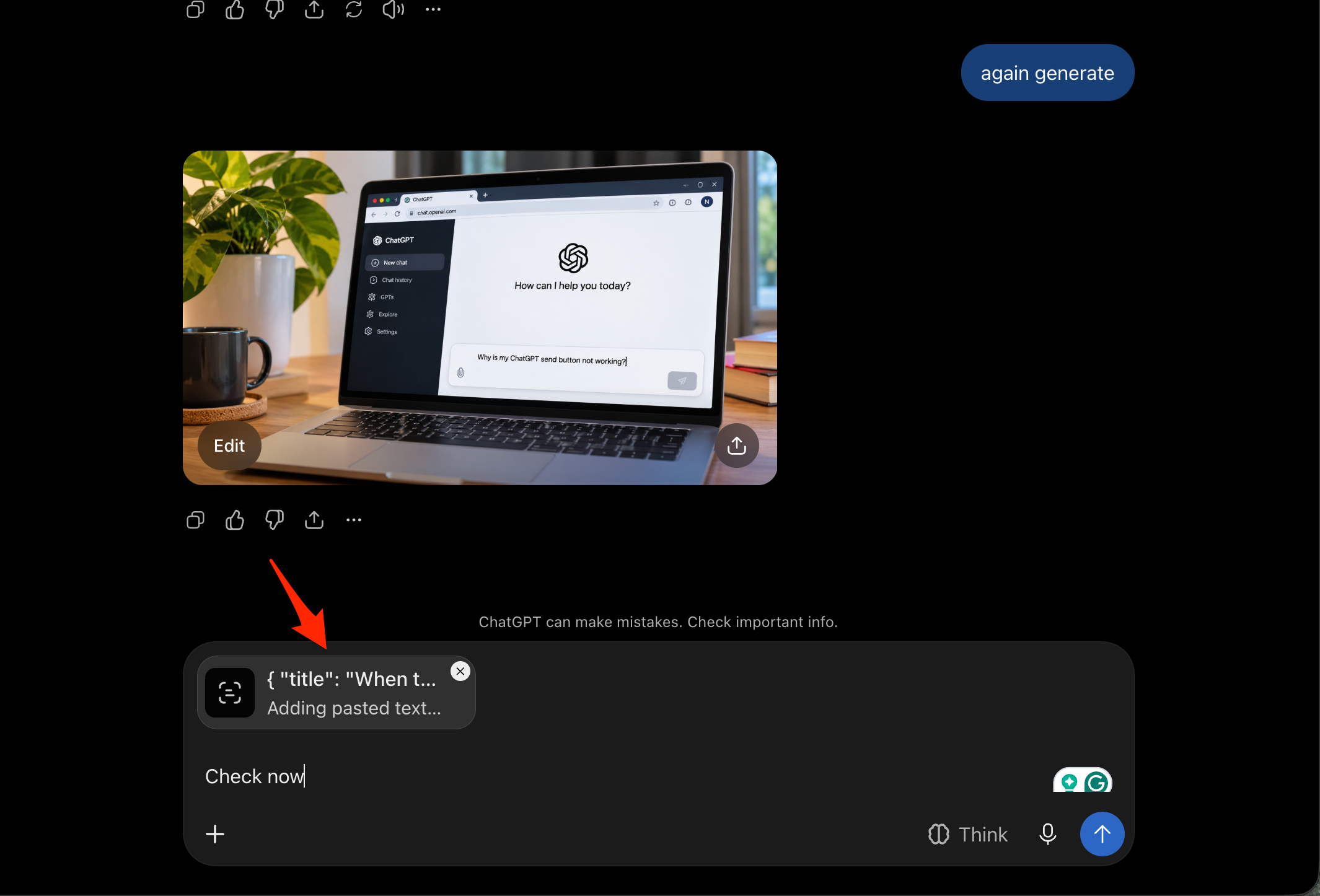
A big paste can quietly become an attachment instead of text. According to OpenAI’s release notes, ChatGPT does this for anything over 10,000 characters, on every plan.
Select Show in text field to bring it back as normal text. Users on the OpenAI community forum also say pasting as plain text with Ctrl+Shift+V, or Cmd+Shift+V on a Mac, keeps it inline.
I could not find a published per-message character limit. A very large block can still hang the composer, so if it does, split the text or attach it as a file.
Fixes to try, in order
Start small. A hard refresh with Ctrl+Shift+R, or Cmd+Shift+R on a Mac, is one of the first things OpenAI suggests.
Then try a private window. Check that no extensions are allowed to run in it, especially ad blockers, privacy tools and script blockers, and if the button works, switch your extensions back on one at a time until it breaks again.
After that, turn off the VPN, proxy or secure DNS and try another browser or network. Clear cache and cookies only if it keeps coming back.
While you are in there, audit your extensions, including any extensions hijacking searches, and compare your browser against the Chrome update tracker.
What to do when the button is stuck on stop
A stop button where the arrow should be, with nothing generating, usually means the conversation itself is stuck. Users in an OpenAI community thread said editing their last message and resending it released it.
One reply carries a warning. Editing the very first message made the whole chat look like it had vanished, though the older version stayed reachable through the version arrows under the message.
Another user said a plain refresh brought the send button back. Both are user workarounds, not confirmed fixes, so edit the latest message and leave the first one alone.
Check whether the problem is on OpenAI’s side
OpenAI’s status page lists a Conversations component, which is the closest match to message sending. When I checked on 2 November it showed no ChatGPT wide outage, just an unrelated incident with code reviews on private GitHub repositories.
Real outages hit everyone at once, on browsers and phones alike. A button that fails in one browser while the app works points back at your setup.
If nothing helps across browsers, devices and networks, OpenAI suggests collecting console logs and a HAR file, with timestamps, before contacting support. OpenAI warns that HAR files can contain personal data, so use Chrome’s sanitized export or a HAR sanitizer first.
Frequently Asked Questions
Why is my ChatGPT send button greyed out?
Forum reports describe a disabled button, usually on desktop browsers while the phone app still works. A private window with extensions off is the quickest test.
Does a blue button mean something is broken?
No. Blue is an accent color OpenAI lists as an option, and Default can look blue on some versions of ChatGPT.
Why did my pasted text become an attachment?
ChatGPT converts pasted text over 10,000 characters into an attachment on every plan. Select Show in text field to turn it back into text.
How do I paste long text without it becoming a file?
Paste as plain text with Ctrl+Shift+V, or Cmd+Shift+V on a Mac. Forum users say this keeps the text inline.
How do I fix the stuck stop button?
Edit your latest message and resend it. Users in the OpenAI community forum say this released the stuck conversation.
What I would check first next time
In most of the reports I read, the page around the button had lost its footing, not the button. A hard refresh or a private window was usually where the fix started.
If it only happens in one browser, blame the browser. And if you paste big blocks often, look for the attachment before you start clearing cookies.