Changing the animation scale to 0.5x does not make an Android phone faster, but it makes the phone feel faster. I tried it on my phone after noticing how long every menu seemed to take to slide into place.
Implementing the change takes about a minute, and you can undo it just as quickly. Here is what the three settings involved in animation scale do, how to change them, and the one catch that resets them.
TL;DR: In Developer options under Drawing, set Window animation scale, Transition animation scale, and Animator duration scale from 1x to 0.5x. Animations play in half the time, so menus and app opens feel quicker, although the processor is no faster. Setting them to off feels abrupt, and removing animations in Accessibility can reset the values to 1x.
How to change the animation scale on Android?
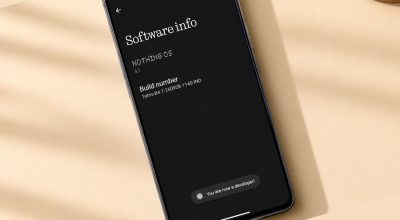
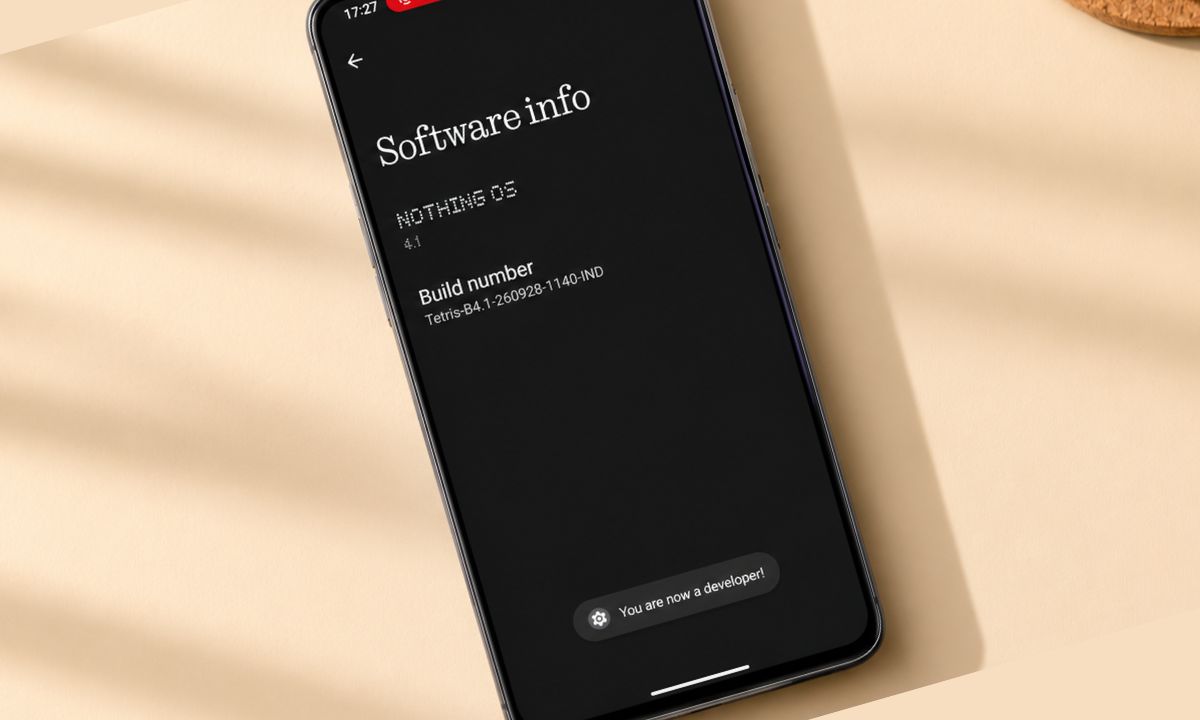
- Turn on Developer options by tapping Build number seven times in About phone.
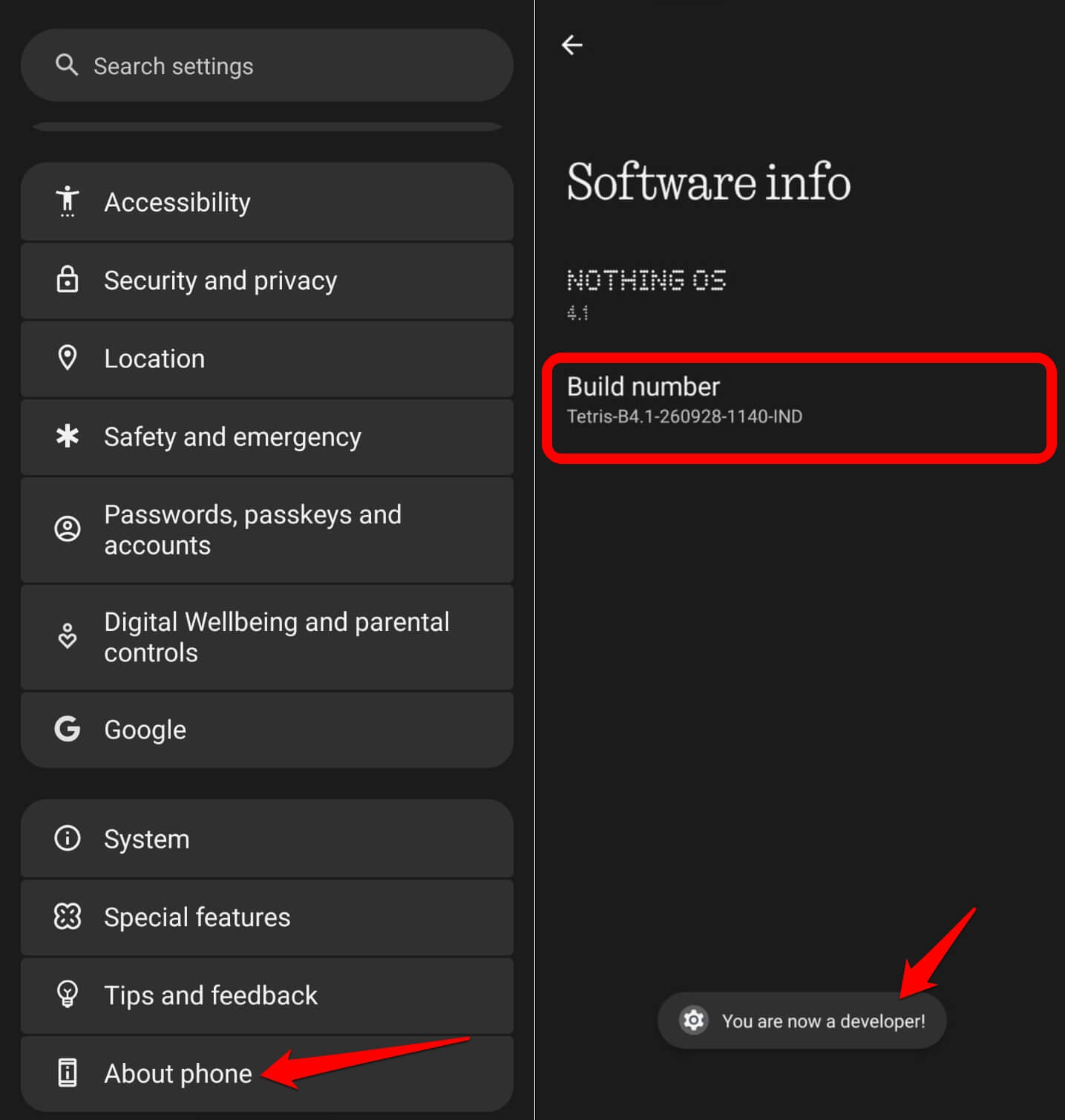

- Then open Developer options within System Settings.
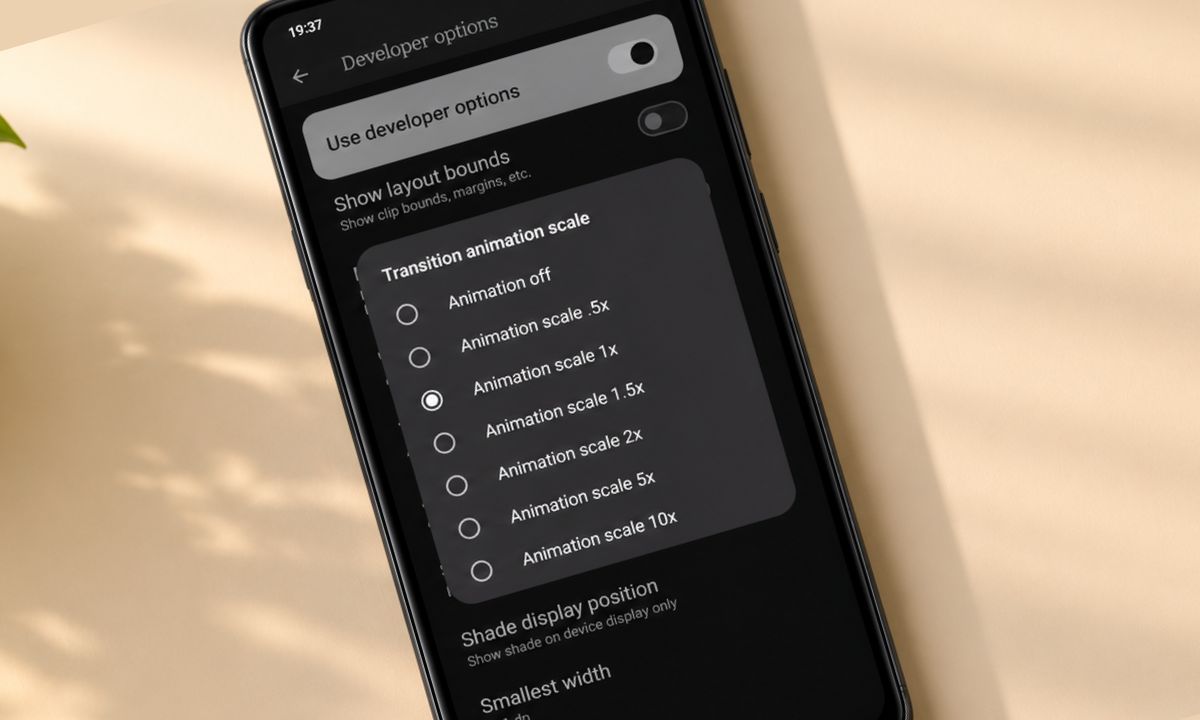
- Scroll to the Drawing section to find three animation scale settings.
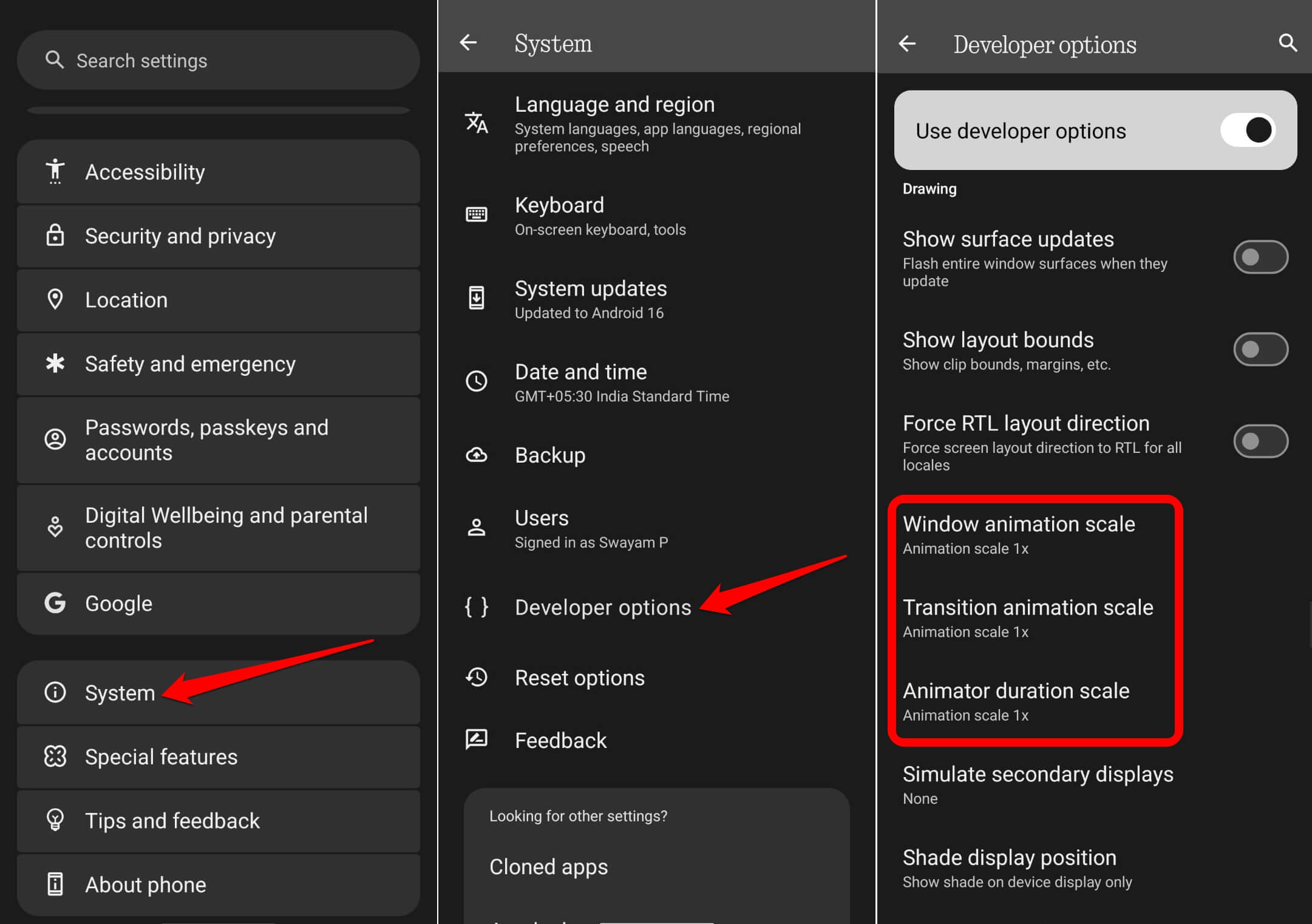

All these settings are set to 1x by default. Set each to 0.5x. Then go back to the home screen to test. The change applied instantly. I did not need a restart, which is why I tried it twice in a row before I trusted it.
| Setting | What it speeds up | Default |
|---|---|---|
| Window animation scale | Pop-up and menu windows | 1x |
| Transition animation scale | Moving between screens | 1x |
| Animator duration scale | Most other animations | 1x |
What each of the three animation scales does
Window animation scale controls how pop-ups and menus open and close. Transition animation scale controls the movement between screens, such as tapping into a setting and backing out.
Animator duration scale covers most of the rest, including opening and closing apps and pulling down the notification shade. Together they account for almost every motion you see.
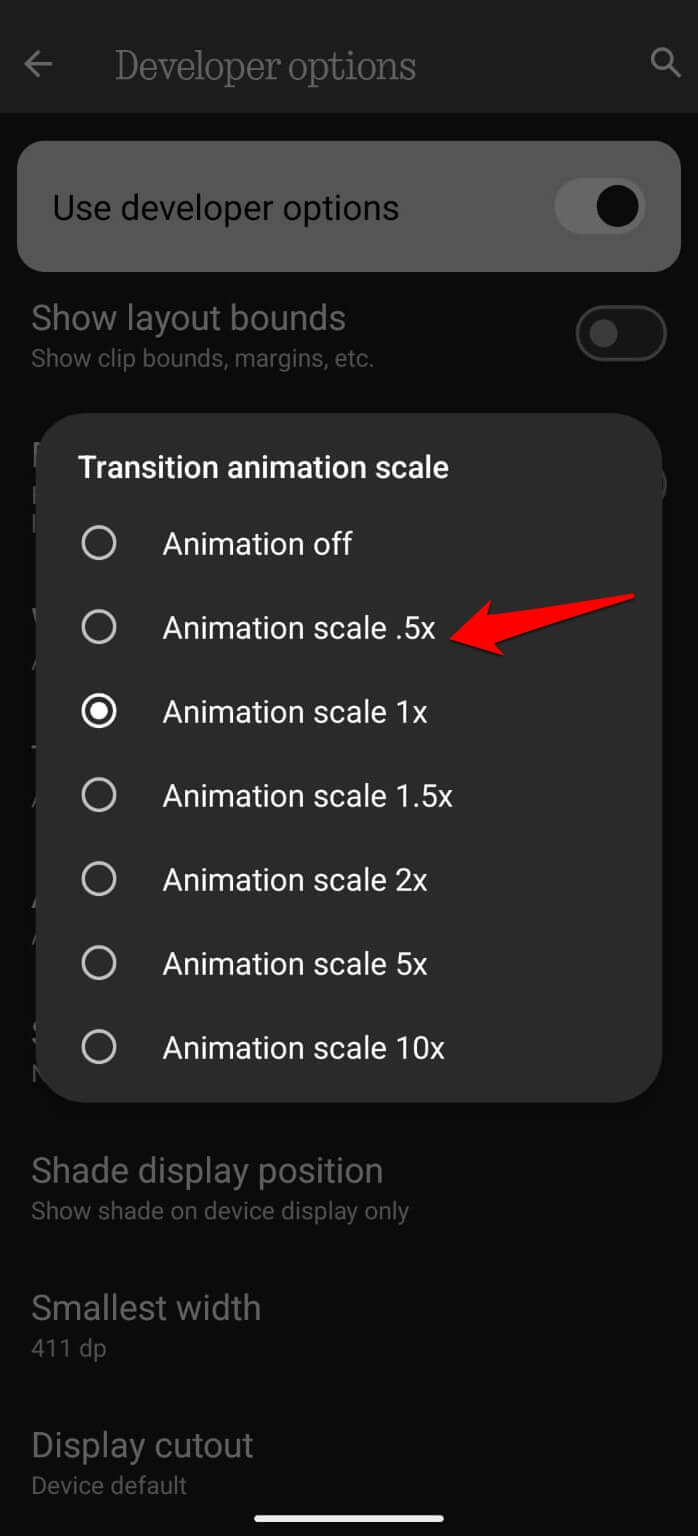
At 0.5x, an animation that took about 300 milliseconds plays in about 150. This is a typical figure, not something I measured.
Developer Options in Android offers several other such features which can improve your user experience to a great deal. I have linked an article below that lists different developer options features you should try on your device.
What 0.5x felt like on my phone?
The first thing I noticed was the settings menu. I tapped into Wi-Fi and back out, and the screen was already waiting before my thumb had finished the motion. It was sort of fluid.
Nothing opened faster, though. The animation settings will not make the phone faster. The effect can be felt in the animation, from what I observed. After a day, I stopped noticing the new speed and started noticing the old one whenever I picked up a spare old Android tablet, where every screen change felt slow and heavy.
Speaking of old tablets, you can actually put them to use in various ways. Check out all about it in the link below.
Why I stopped at 0.5x and not off
You can set the scales to off, which removes the animation altogether. Curiosity got the better off me. I tried that for an evening and went back.
With no motion, one screen simply replaces another, and I lost the cue that told me what had happened. I found the abruptness disorienting. Turning animations off can also trip up some apps, so 0.5x is the safer place to be.
Who gets the most from changing the animation?
The change is most noticeable on older or mid-range phones, where animations are a big part of how slow the interface seems. On a flagship that already feels instant, the change might not be noticeable.
I also noticed it most when I was in a hurry, such as checking a message between two other tasks. When I had time to spare, I did not care either way. If you are the kind of person who watches the phone wait, it is a free change.
Frequently asked questions
Does changing animation scale make Android faster?
No. It shortens animations, so the phone feels faster while the hardware speed stays the same.
Which animation scale should I use?
0.5x is a good balance. Off removes all motion, which some people find abrupt.
Is it safe to change animation scales?
Yes. You can set them back to 1x at any time in Developer options.
Why did my animation scale reset?
Removing animations in Accessibility and then turning them back on can reset the scales to 1x.
The experiment with the animation scales is worth it
The good thing about these animation scale settings? When enabled, they don’t break anything. If you like playing with customization scopes Android Developer Mode offers, tweaking the animation is worth it. You can revert to the default at any time.