Microsoft shipped its largest Windows security update ever on July 14, 2026, patching a record 570 flaws in a single Patch Tuesday release. Three of those bugs were zero-days already known to attackers or the public before a fix existed, including one that lets someone with physical access to a lost or stolen laptop bypass BitLocker and read your files anyway. The record number matters less than what it protects. If you have not restarted your PC in a while, this is the update worth doing that for.
TL;DR: Microsoft’s July 2026 Patch Tuesday fixes 570 vulnerabilities, more than any release in Windows history, including three zero-days. Two, in Active Directory Federation Services and SharePoint Server, are already being used in real attacks. The third is a publicly disclosed BitLocker bypass that only works with physical access to the device. Microsoft says AI-assisted bug hunting is why these numbers keep climbing, and expects future updates to carry even more fixes.
Windows just had its biggest security update ever
Microsoft’s July 2026 Patch Tuesday closes 570 vulnerabilities, the largest number the company has shipped in a single monthly release. Fifty nine of those bugs are rated Critical, and 48 of the critical ones allow remote code execution, meaning an attacker could run their own code on a PC without the person doing anything more than staying connected to a vulnerable service.
Cybersecurity outlet BleepingComputer broke the July numbers down by category: 254 elevation of privilege bugs, 145 remote code execution bugs, 102 information disclosure bugs, 35 denial of service bugs, 17 security feature bypass bugs, and 16 spoofing bugs. That is roughly triple what Microsoft patched in May 2026, when the company fixed 120 flaws and no zero-days at all.
| Patch Tuesday | Vulnerabilities fixed | Zero-days |
|---|---|---|
| May 2026 | 120 | 0 |
| June 2026 | 200 | 6 |
| July 2026 | 570 | 3 (2 actively exploited) |
The jump is not an accident, and it is not just Windows getting buggier. It comes down to a decision Microsoft made about how it finds these bugs in the first place, which the AI section below covers in more detail.
The BitLocker bug that matters if your laptop is ever stolen
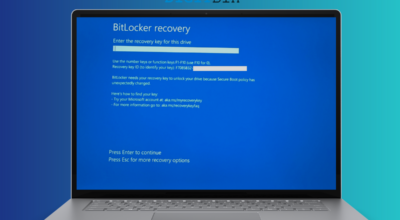
BitLocker is supposed to make a stolen laptop useless to whoever takes it. Turn on encryption, and the files on the drive are unreadable without the Windows password, even if someone pulls the drive out and connects it to another machine. CVE-2026-50661 undermines part of that promise. A successful attacker with physical access to the device could bypass BitLocker Device Encryption and reach the data underneath it, according to Microsoft’s own advisory for the flaw.
This one is not marked as actively exploited. Microsoft classifies it as publicly disclosed, meaning the details became public before a patch existed, which is a real risk but a different one than a bug attackers are already using in the wild. An anonymous researcher gets credit for reporting it. That is the kind of bug fix that matters more than the raw number attached to it.
The two zero-days Microsoft says are already under attack sit further from home. CVE-2026-56155 lets someone already inside a network gain administrator rights through Active Directory Federation Services, and CVE-2026-56164 does something similar through Microsoft SharePoint Server. Both are enterprise systems most home users will never touch directly, but anyone who works somewhere running its own SharePoint server or handling employee logins through AD FS should already be treating this as urgent.
Why Microsoft is patching more Windows bugs than ever
Microsoft says the answer is artificial intelligence, and not the kind usually blamed for security problems. In a blog post published July 9, 2026, Microsoft said advances in AI have made it possible to find more vulnerabilities faster and across more code than manual review ever could. The company is scanning its own Windows binaries with a system called MDASH, a multi model agentic scanning tool that flags potential bugs and checks its own findings against multiple AI models before an engineer looks at the result.
“The pace of vulnerability discovery is changing with advances in AI making it possible to find more issues, faster, across more code, with new mechanisms that can accelerate both discovery and analysis,” Microsoft said in the post. Human engineers still review and validate every fix before it ships, but the discovery pipeline has sped up enough that Microsoft is telling customers directly to expect bigger Patch Tuesdays going forward, not smaller ones.
The uncomfortable part of that story is that attackers have the same tools available to them. AI is speeding up bug hunting on both sides of the fight, and Microsoft is not alone in leaning on it this year. Chrome’s security team has been using AI assisted fuzzing to find its own bugs before outside researchers do, a pattern that shows up almost every time Google ships a Chrome update in 2026.
What to actually do about this update
Install it now if it has not already installed itself. The BitLocker bypass requires someone to physically have the device, so this update matters most for laptops that leave the house, get left in cars, or travel through airports, not desktops that never move.
Windows Update should already be offering July’s cumulative update automatically. Anyone who paused updates using the calendar pause feature that shipped alongside Point-in-Time Restore this month should check that the pause has not carried this security fix past its window. It is also a good moment to look at the other default Windows 11 settings worth changing while already in the Settings app. For anyone managing a SharePoint Server or AD FS deployment, Microsoft’s mitigation guidance, enabling the Antimalware Scan Interface with Request Body Scan set to Full, is worth applying today rather than waiting for a maintenance window.
None of this requires new hardware or a subscription. It requires restarting a PC that is probably overdue for one anyway.