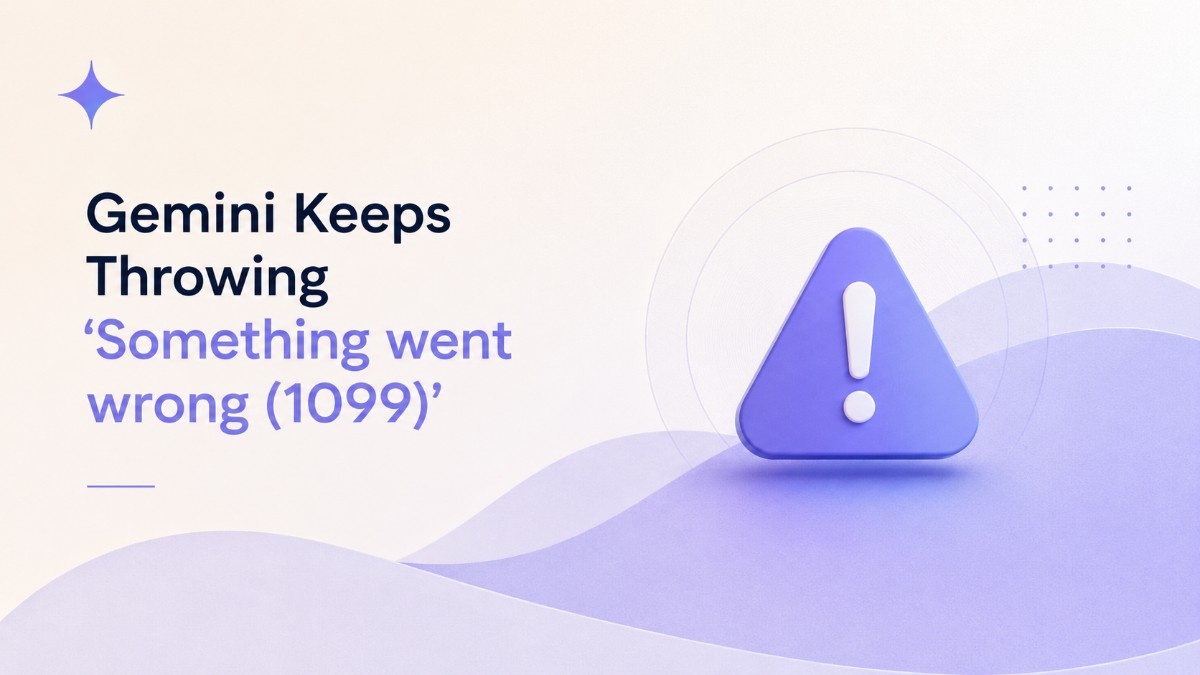
“Something went wrong (1099)” is the message that shows up mid prompt in Google Gemini, usually right after the app has spent a few seconds thinking. It is not a typo and it is not your Wi-Fi.
Gemini error 1099 is a backend problem on Google’s side, and it has shown up in two different forms this year. One is a narrow, account-specific glitch tied mostly to Pro and Thinking mode. The other is a global outage on June 10, 2026 that took down Flash and Pro together.
Switching models, going from Pro to Flash and back, works often enough that it feels like a fix. It is really a workaround, and knowing the difference changes what you should actually do next.
TL;DR: Gemini error 1099 is a server-side session or context conflict during Gemini’s analysis phase, confirmed by Google’s own support staff and its status dashboard. It mostly hits Pro and Thinking mode, though a June 10, 2026 outage briefly put it on Flash too. Switching to Flash, starting a new chat, or a hard refresh clears it most of the time. If Flash also fails, it is a wider outage and the fix sits entirely on Google’s end.
What Gemini error 1099 actually means
Error 1099 in Google Gemini is a server-side session conflict or context overflow that surfaces during the app’s analysis phase, the step where Gemini processes a prompt before it starts generating a response. Google product experts describe it this way in the official Gemini Apps help community.
The message shows up after Gemini has already spent time thinking, not before. You type a prompt, watch the loading animation run, and the error replaces the response instead of text arriving.
Clearing a browser cache does not touch it. The conflict lives on Google’s servers, not in the browser.
It is almost always mentioned alongside a second code, error 1076, which is a handshake or connection timeout rather than a session conflict. The two get grouped together in bug reports because they tend to fire in the same window, though they describe different failures.
Why switching from Pro to Flash does not always work
Gemini Pro and Thinking mode run an extended analysis step before answering, with more coordination happening on Google’s servers. That additional step is where the session conflict behind error 1099 tends to originate.
Gemini 3.5 Flash runs a simpler, faster pipeline that skips most of that coordination, which is why toggling the model selector over to Flash bypasses the error in a lot of cases.
This is close to what Nikhil has run into directly: switching a stuck prompt from Pro back to Flash, then sometimes back to Pro again once the session clears, rather than any single toggle reliably ending it for good.
That inconsistency is the tell. If the problem were in your browser or account settings, switching models inside the same session would not matter. Because it sometimes fixes things and sometimes does not, the conflict is tied to server-side session state that Google’s infrastructure resolves on its own schedule, not yours.
Reports in the Gemini Apps community in May 2026 describe the error persisting for two weeks or more on Pro and Thinking specifically, with standard Flash chats continuing to work the entire time. If your Flash prompts are going through fine and only Pro or Thinking are throwing 1099, that pattern matches those reports.
The June 10 outage that made 1099 global
On June 10, 2026, error 1099 stopped being an account-specific annoyance and became a worldwide outage. Google’s own Workspace Status Dashboard confirmed the disruption began at 3:26 a.m. PT and listed “Something Went Wrong” errors across the Gemini app, Gemini in Chrome, and every major platform.
Flash, Pro, and the mobile apps were all affected at once, which is different from the narrower Pro-only pattern reported in prior weeks. Flash Lite kept answering intermittently while Flash and Pro struggled the hardest, based on live outage tracking from that morning.
Google applied mitigations and confirmed most users were no longer seeing impact by 10:30 a.m. PT the same day, according to the status dashboard. Josh Woodward, Google’s VP overseeing Gemini, also posted directly about the outage as it unfolded, a detail Tom’s Guide captured in its live coverage that day.
What actually caused it is where sources disagree. Google itself never published a specific root cause beyond confirming the incident and applying mitigations. Some independent technical write-ups have pointed to database read contention and an indexing flaw on Google’s backend as the likely trigger, but that explanation has not been confirmed by Google, so it should be treated as an educated theory rather than a verified fact.
Fixes that actually work, and in what order
Start with the cheapest fix and work down the list. Most 1099 errors clear within the first two or three steps.
| Fix | What it targets | When it works |
|---|---|---|
| Switch Pro or Thinking to Flash | The heavier analysis pipeline behind the conflict | Account-specific 1099, Flash still responding |
| Start a brand new chat | A session or context conflict stuck in one thread | Error tied to a specific long conversation |
| Hard refresh (Ctrl+F5 or Cmd+Shift+R) | A stale session token in the browser | Error persists after reload |
| Open an incognito or private window | Extension or cached data interference | Error only on your main browser profile |
| Sign out and back in fully | Stale authentication tokens | Error follows you across new chats |
| Try a second Google account | A conflict stuck on your specific account | Error does not appear on another account |
| Check Google’s status dashboard | A wider outage rather than a personal issue | Flash fails too, or the error is widespread |
If Flash fails alongside Pro, stop troubleshooting locally. That pattern matches the June 10 outage rather than a personal session conflict, and no local fix changes an outage on Google’s infrastructure.
For a stuck, individual case that survives all of the above, submitting feedback with system logs attached is the one step that reaches Google’s engineering team directly. Open Gemini, tap the profile icon, choose Help and feedback, then Send feedback, and check the box for screenshots and system logs before sending.
Frequently Asked Questions
Does error 1099 mean my Gemini account is broken?
No. It is a temporary server-side conflict, not damage to your account, and it typically resolves on its own or after a workaround.
Why does Flash work when Pro does not?
Flash runs a simpler pipeline that skips most of the extended analysis step where the session conflict tends to occur, so it often avoids the error entirely.
Is error 1099 the same as error 1076?
No. Error 1076 is a connection or handshake timeout, while 1099 is a session or context conflict on Google’s servers. They often appear together during larger outages.
How long does error 1099 usually last?
An account-specific case can clear in minutes with a new chat or a model switch, though some Gemini Apps community reports describe it persisting for two weeks or more on Pro and Thinking mode specifically. A widescale outage like June 10, 2026 resolved within about seven hours.
Should I report error 1099 to Google?
Yes, if it persists after trying a new chat, a hard refresh, and a different account. Sending feedback with system logs attached is what actually routes the issue to Google’s engineering team.
What to do the next time 1099 shows up
Treat the model switch as a workaround, not a fix. It buys you a working prompt, it does not resolve whatever session state triggered the error in the first place.
The more useful habit is diagnosing which version you are dealing with. Flash still working alongside a Pro failure points to an account-specific session conflict you can route around. Flash failing too means Google is dealing with a wider incident, and the dashboard, not another browser tab, is where the real answer is.