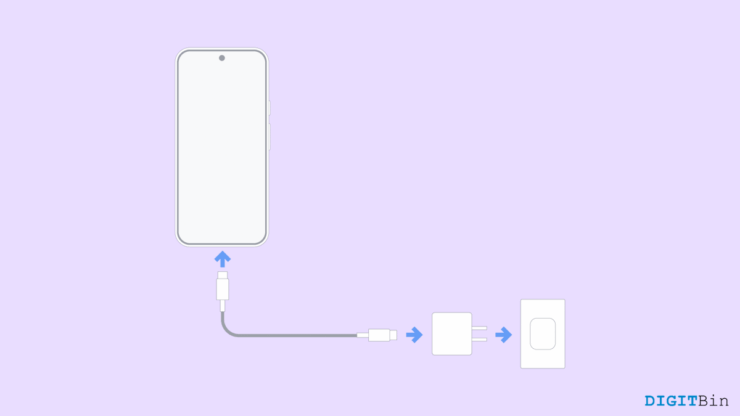
My brother has been using a Google Pixel phone for a while now, and one thing that constantly bothers him is how slowly it charges. Every time he plugs it in, we expect it to charge quickly, especially since it’s a premium phone. But instead, we find ourselves waiting for longer durations as compared to our friends who use Samsung or OnePlus devices.
It’s almost frustrating to see their phones charge from 0 to 80% in less than half an hour, while my Pixel barely reaches 50% in that time. At first, he thought his charger was the problem. We even bought a new USB-C cable and a certified power adapter. Still, no big difference.
Then I started digging deeper and found that Google intentionally limits charging speeds to protect battery health. That sounds good in theory, but when you’re in a rush, it doesn’t feel like a smart choice.
Why Pixel’s Charge Slow
The Pixel phones, even the latest ones, support around 18W to 27W charging, which is modest compared to the 65W or 100W chargers other brands offer. Google focuses more on long-term battery life and safety rather than fast charging.
Many users on Reddit and other online forums are furious over the slow charging speed. However, a recent explanation on Pixel Phone Help states that the charging power delivered at any moment varies throughout a full charge cycle, depending on factors such as battery state, temperature, system usage, and the device’s design.
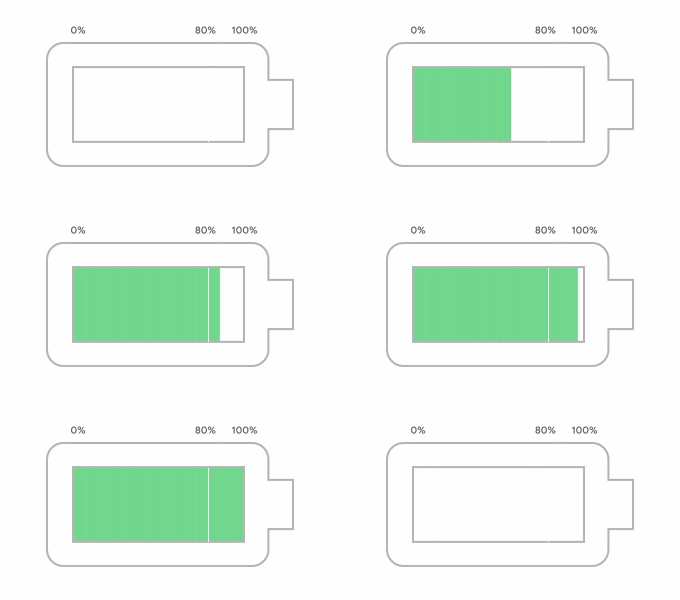
They mention that when the battery fills up to 50%, the power is gradually reduced to preserve battery longevity. On top of that, features like Adaptive Charging will adjust the charging speed based on your habits and when you’re likely to unplug.
For example, if you generally keep your phone charging while sleeping, then your Pixel may adjust the charging speed to protect battery health and voltage.
Comment
byu/Silent_Ad8574 from discussion
inGooglePixel
One user on Reddit by the username Mark_Swan says that the slow charging on his Pixel is due to the smart charging feature in his Pixel that optimises the charging time to make sure it hits 100% when he is about to wake up.
FAQs
Que: Why does my Google Pixel charge slowly even with the original charger?
Ans: Pixel phones are designed to limit charging speed based on temperature, battery percentage, and system usage. So even with the original charger, your Pixel may still charge at slow speeds.
Que: My Pixel is slow charging, but my friend uses the same model and his Pixel charges at a faster speed.
Ans: This may be due to the quality of cable your friend is using. Using a high-quality, fast-charging-capable cable will help your Pixel charge at faster speeds.
Que: Does the Google Pixel really support fast charging?
Ans: Yes, but it’s not as aggressive as other brands. Most modern Pixels support up to 18W-27W charging, which Google considers a balance between speed and safety.
Que: Does temperature affect charging speed?
Ans: Yes. If your Pixel is too hot or too cold, the charging speed drops automatically. This is to prevent battery damage.
Conclusion
This brings us to the end of this guide for Why Google Pixels Charging Speeds Are Slow. It’s good to know that Google’s slow charging speeds are a deliberate design choice, not a flaw. The company prioritizes battery health and safety over speed. While it can be frustrating compared to other brands, it’s meant to make your phone’s battery last longer.
Still, for everyday users who just want quick power before heading out, Google could find a better balance between speed and safety. Until then, Pixel users like me will have to live with the slow but steady approach to charging.
If you've any thoughts on Why Google Pixels Charging Speeds Are Slow, then feel free to drop in below comment box. Also, please subscribe to our DigitBin YouTube channel for videos tutorials. Cheers!