Amazon has sold roughly 300 million Fire TV devices, and nearly all of them run the Android-based Fire OS.
A Fire TV Stick with Vega OS does not, even though it looks like every other stick on the shelf.
That gap decides whether the stick works for you or quietly annoys you later. Mostly it comes down to sideloading, apps and a few spec details the product page does not shout about. Here are eight things worth checking before you order.
TL;DR: If you only stream from the big apps, a Vega OS stick is a fair buy. If you sideload, rely on a VPN that is not in the Amazon Appstore, or care about Dolby Vision, a Fire OS model like the Fire TV Stick 4K Max is the safer pick. Check your must-have apps in the Appstore before you order, because Vega only installs from there.
Which Fire TV sticks run Vega OS right now
Three sticks run Vega OS today: the Fire TV Stick 4K Select, the Fire TV Stick HD (2026) and the Fire TV Stick 4K (3rd Gen, 2026), according to Amazon‘s own device list.
The Fire TV Stick 4K Plus, the 4K Max, the Fire TV Cube and Amazon’s Fire TV smart TVs still run Fire OS.
The names are the trap. A 4K Select and a 4K Plus sound like siblings but they are different platforms underneath.
| Device | Runs Vega OS | Operating system | US list price | UK list price |
|---|---|---|---|---|
| Fire TV Stick 4K Select (2025) | Yes | Vega OS | $49.99 | £64.99 |
| Fire TV Stick HD (2026) | Yes | Vega OS | $39.99 | £59.99 |
| Fire TV Stick 4K (3rd Gen, 2026) | Yes | Vega OS | $59.99 | £69.99 |
| Fire TV Stick 4K Plus (2025) | No | Fire OS | $69.99 | £79.99 |
| Fire TV Stick 4K Max | No | Fire OS | $84.99 | £99.99 |
| Fire TV Cube | No | Fire OS | — | — |
| Fire TV smart TVs | No | Fire OS | — | — |
Everyday sideloading is gone, and that is the real dividing line
A Fire TV Stick with Vega OS only installs apps from the Amazon Appstore. There is no unknown sources toggle and no Downloader route.
Sideloading is not completely impossible though. Vega OS has a Developer Mode that lets registered developers install and test Vega apps with Amazon’s tools.
It needs an Amazon Developer Account and a command line setup, so it is no help if you just want to install an Android APK.
Fire OS sticks still sideload fine. If APKs are part of how you watch TV, a Vega stick is the wrong buy and our list of Firestick alternatives is a better place to start.
Your apps need a Vega version to exist
Apps built for Fire OS do not run on Vega, so each one needs a separate Vega build from its developer.
Netflix, Prime Video, Disney+, YouTube and Apple TV+ were there at launch but smaller utilities and niche apps are the worry.
Amazon also runs a Cloud App Program that streams selected Fire OS apps to Vega sticks from an AWS cloud container, and Amazon picks which apps take part.
The program is currently free for developers but nobody should assume their favourite app is in it.
App lists can also differ by country, so search the Appstore for every app you use before you order.
Less memory, and what that does and does not tell you
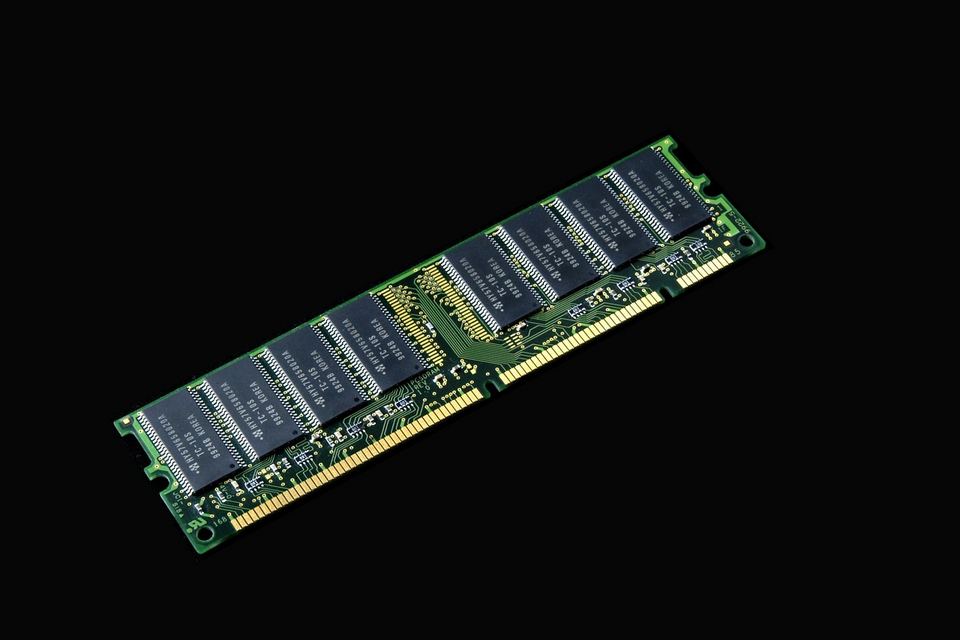
The Fire TV Stick 4K Select ships with 1GB of RAM, half the 2GB in the Android-based Fire TV Stick 4K.
Amazon says Vega is built for small hardware and opens apps quickly, and it describes the Fire TV Stick HD as more than 30% faster on average than the last HD model.
Those are Amazon’s claims, though, and early spec listings show the 2026 Fire TV Stick 4K at 1GB as well. How these sticks feel after a year of app updates is the part nobody can tell you yet.
Dolby Vision is not guaranteed on the 4K sticks
Amazon pitches the 4K Select around HDR10+, and its device specifications page lists HDR10+ but not Dolby Vision for the Fire TV Stick 4K (3rd Gen, 2026).
The 4K Plus and the 4K Max, which both run Fire OS, do list Dolby Vision.
If your TV is a Dolby Vision panel, check the spec before the lower price makes the decision for you.
VPN support exists but varies by provider
VPN support was missing when the 4K Select launched. Amazon added it through a software update, with NordVPN and IPVanish among the first apps.
Surfshark has since released a native Vega OS app as well.
Available apps and their features can differ by provider, so look in the Appstore for your own before you buy.
Pricing and where to buy one in the US and UK
Amazon raised Fire TV Stick prices in late summer. In the US the Fire TV Stick HD now lists at $39.99, the 4K Select at $49.99 and the new Fire TV Stick 4K at $59.99.
UK list prices are £59.99 for the HD, £64.99 for the 4K Select and £69.99 for the 4K.
Sales are frequent, so check the live price on Amazon US for the HD or at John Lewis for the UK 4K.
Amazon’s own streaming list now shows the HD, the 4K, the 4K Max and the Cube, so stock of the Select and Plus may thin out.
The HD and the 2026 4K both run on Direct Power through your TV’s USB port, so check that it can power them.
Existing Fire TVs stay as they are and new sticks will not
Amazon has no plans to move its roughly 300 million Android-based Fire TV devices over to Vega OS, and it has said it will keep supporting Fire OS alongside Vega.
New sticks are a different story. Amazon has said future Fire TV Sticks will use Vega, which makes today’s Fire OS sticks the last of their kind.
Our Vega OS explainer covers the platform change in more detail.
Frequently Asked Questions
Does the Fire TV Stick HD run Vega OS?
Yes. The Fire TV Stick HD (2026) runs Vega OS, as do the Fire TV Stick 4K Select and the Fire TV Stick 4K (3rd Gen, 2026).
Can I sideload apps on a Vega OS Fire TV Stick?
No, not in any normal way. Vega OS only installs apps from the Amazon Appstore, and Developer Mode sideloading needs an Amazon Developer Account and Amazon’s tools.
Will my old Fire TV Stick get Vega OS?
No. Amazon has no plans to move existing Android-based Fire TV devices to Vega OS.
Which Fire TV Stick should I buy if I want Fire OS?
The Fire TV Stick 4K Max still runs Fire OS, as does the Fire TV Cube, and some retailers may still stock the 4K Plus.
How much is the Fire TV Stick HD?
The Fire TV Stick HD lists at $39.99 in the US and £59.99 in the UK, though Amazon discounts it often.
Who should buy one and who should hold off
If you watch Netflix, Prime Video and YouTube and not much else, a Vega OS stick is a sensible buy.
If your setup leans on sideloaded apps, a specific VPN or Dolby Vision, keep the Fire OS stick you have or buy one while they are still sold.
The box looks the same either way, so the model name is the only thing worth reading twice.