Most people run Chrome out of habit rather than because they sat down and compared it to anything recently. It came preinstalled, or a friend recommended it a decade ago, and it just stayed. That habit costs more than people realize once you actually look at what is happening under the hood.
Chrome’s memory use, Google’s data collection model, and the sheer number of background processes it spins up have all become talking points for a reason.
This is not a Windows-specific comparison. It looks at Chrome, Brave, and Firefox across the things that actually affect your day-to-day browsing experience, such as speed, privacy settings, and how much of your machine’s memory each one quietly claims.
TL;DR: Chrome remains the fastest and most compatible option for most people, but it is also the most memory-hungry and the most aggressive about linking your browsing to your Google account. Brave matches Chrome’s extension support while blocking ads and trackers by default, and independent 2026 testing shows it using significantly less RAM. Firefox is the slowest of the three in raw benchmarks but the only one built by an organization whose business model does not depend on your browsing data.
What actually differs between Chrome, Brave, and Firefox
Chrome, Brave, and Firefox handle the same core job differently enough that switching genuinely changes your daily experience, not just your address bar. Chrome and Brave both run on the Chromium engine, which means they support the same extension library and render pages the same way.
Firefox uses its own engine, Gecko, which is the reason a small number of sites occasionally render or behave slightly differently on it.
In one 2026 Speedometer 3.1 benchmark round, Chrome scored 42.7, Safari came in at 41.9, Edge at 40.8, and Firefox trailed at 35.7. The numbers matter less than they look like they should. The gap is close enough that you will not feel it during normal browsing, and raw benchmark speed says nothing about what a browser does with your data once a page has loaded.
| Browser | Engine | Default tracker blocking | Chrome extension support |
|---|---|---|---|
| Chrome | Chromium (Google) | No | Native |
| Brave | Chromium | Yes, at the engine level | Yes, via Chrome Web Store |
| Firefox | Gecko (independent) | Partial, expands with extensions | No, uses its own extension format |
Where the memory difference actually comes from
Brave’s lower memory footprint is not a marketing claim. It comes from what it blocks before a page finishes loading. When an ad network, a tracking script, and three retargeting pixels never load in the first place, your browser never has to allocate memory to run them.
Independent testing in 2026 measured Brave using around 2,200 MB of RAM for a set of tabs that pushed Chrome noticeably higher for the same pages, a gap driven mostly by native ad and tracker blocking rather than any deep architectural difference between the two Chromium browsers.
I ran my own informal version of this test, the kind anyone can do without special tools. Same fifteen tabs, same laptop, back-to-back sessions. The memory consumption for Chrome was shooting up every second minute.
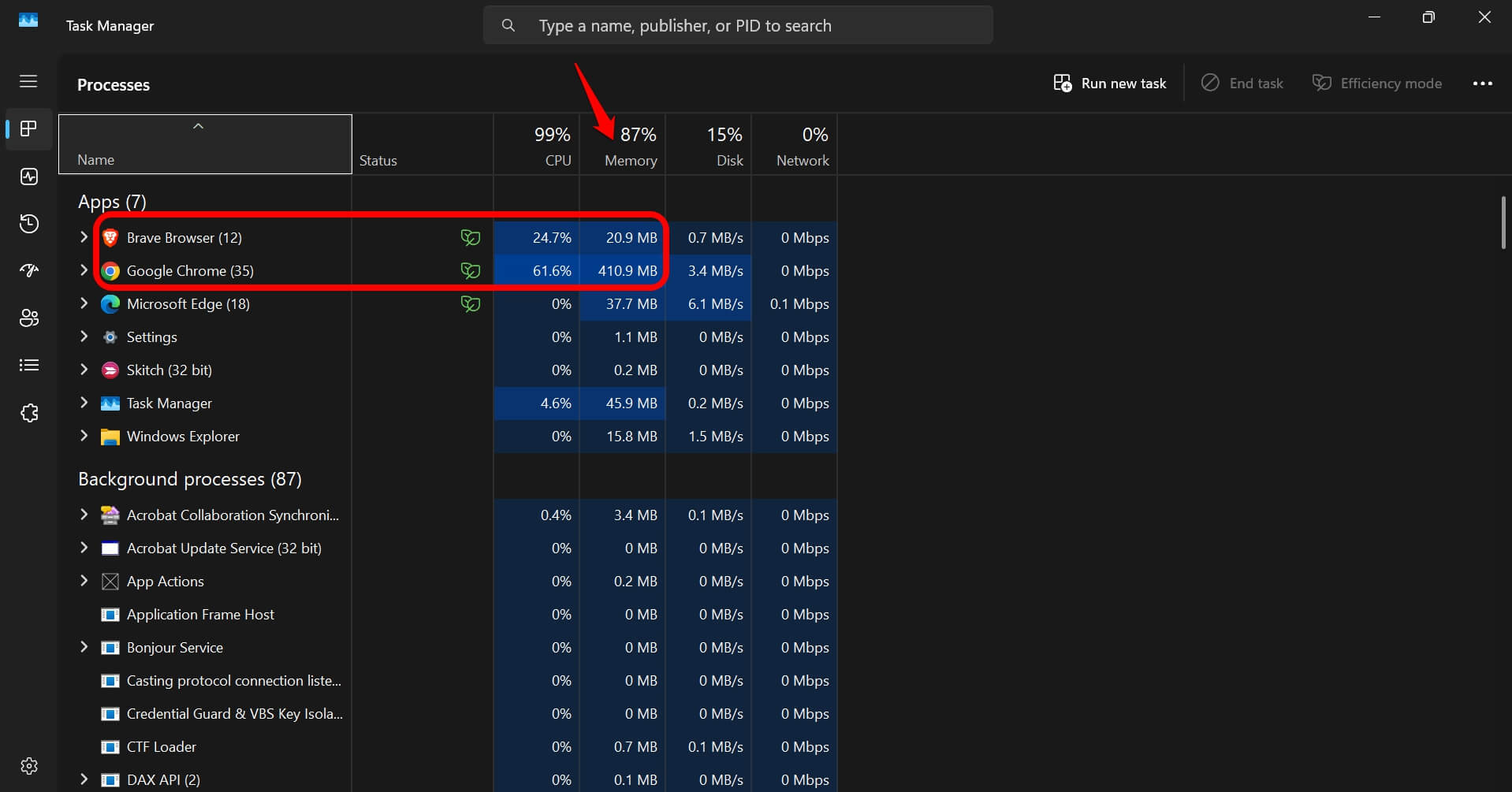
In fact, the laptop fan kicked in within half an hour. The memory consumption by Brave was far lower compared to Chrome, over the same session length, with the same pages open and idle in the background.
That is not a scientific benchmark. It is closer to what actually happens on a laptop that is a few years old and starts to strain once fifteen tabs and a video call are all open at the same time.
What Chrome still does better than the alternatives
Compatibility is where Chrome earns its market share, not marketing. Nearly every website is tested against Chrome first, since it holds roughly 65 percent of the global browser market, so obscure rendering bugs are rarer here than anywhere else.
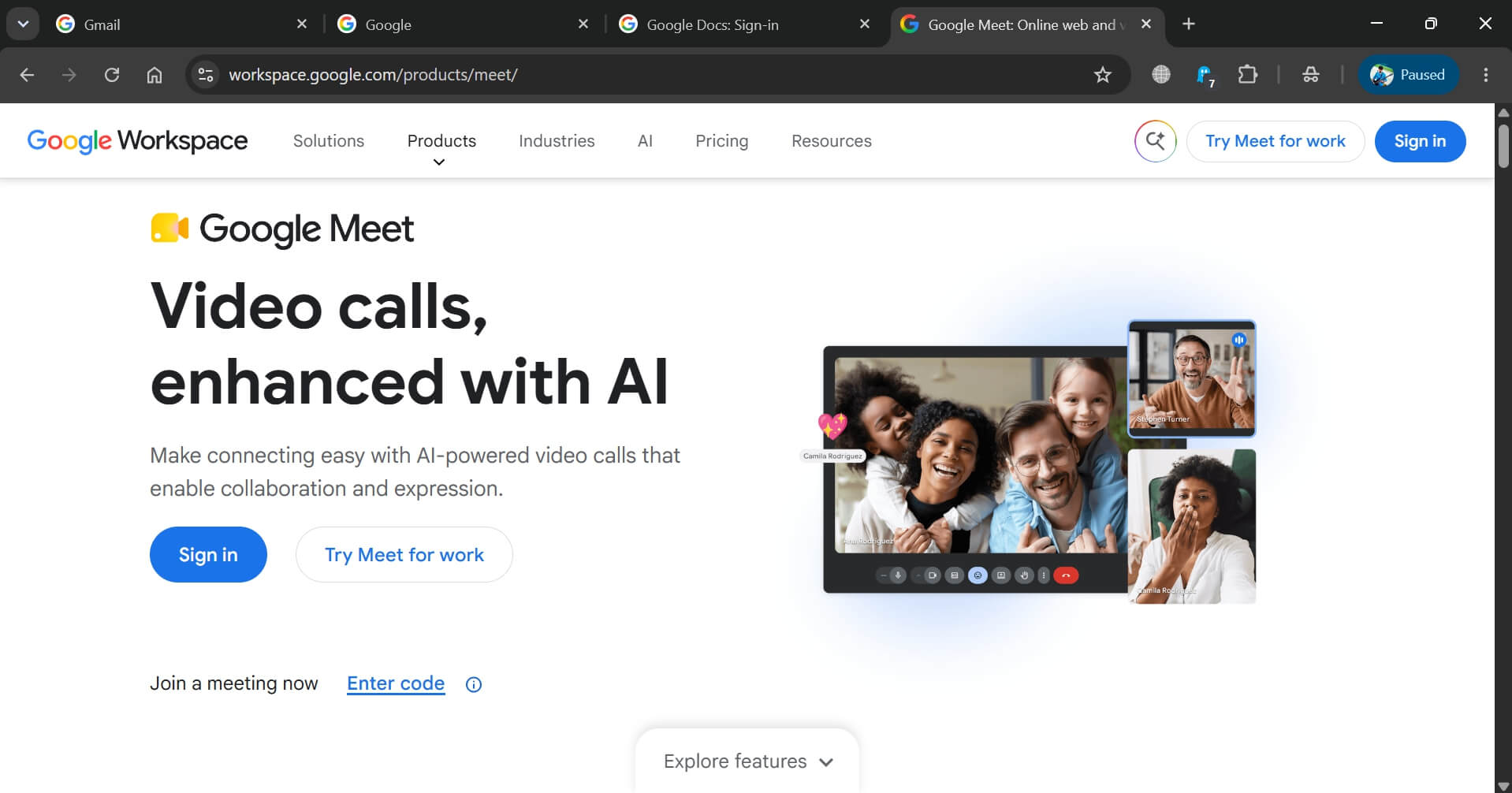
Google’s own services also work best inside Chrome specifically. Google Meet, Google Docs offline mode, and some Workspace features occasionally show extra friction in Brave or Firefox that simply does not appear in Chrome.
If your workday runs through Gmail, Docs, and Meet all day, that friction is worth weighing against the privacy upside of switching.
Sync is the other quiet advantage. If your phone, tablet, and laptop are all signed into the same Google account, Chrome’s cross-device sync for tabs, passwords, and history is close to seamless. Brave and Firefox both offer sync too, but neither is tied into an ecosystem as deep as Google’s.
What switching to Brave actually changes day to day
Brave blocks ads and trackers before they load, not after, which is the practical difference between it and installing an ad blocker extension on Chrome. An extension still lets the tracking script load and then hides the result.
Brave prevents the request from firing in the first place. The visible result is fewer sites nagging you with cookie banners and consent walls, since a chunk of the tracking infrastructure those banners exist to justify never runs.
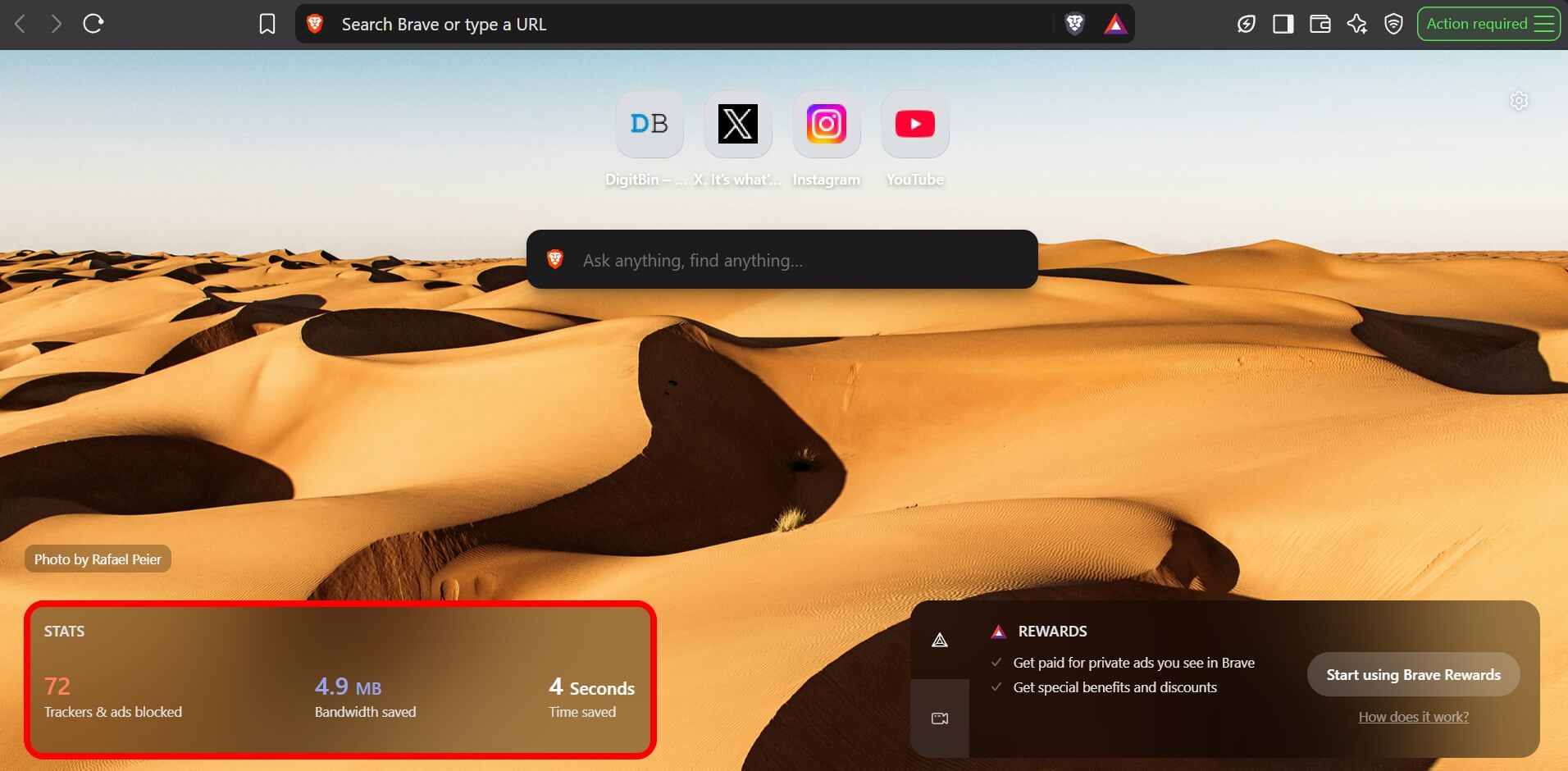
Pages that used to take a beat to finish loading, once every ad slot and tracking pixel resolves, start feeling done sooner.
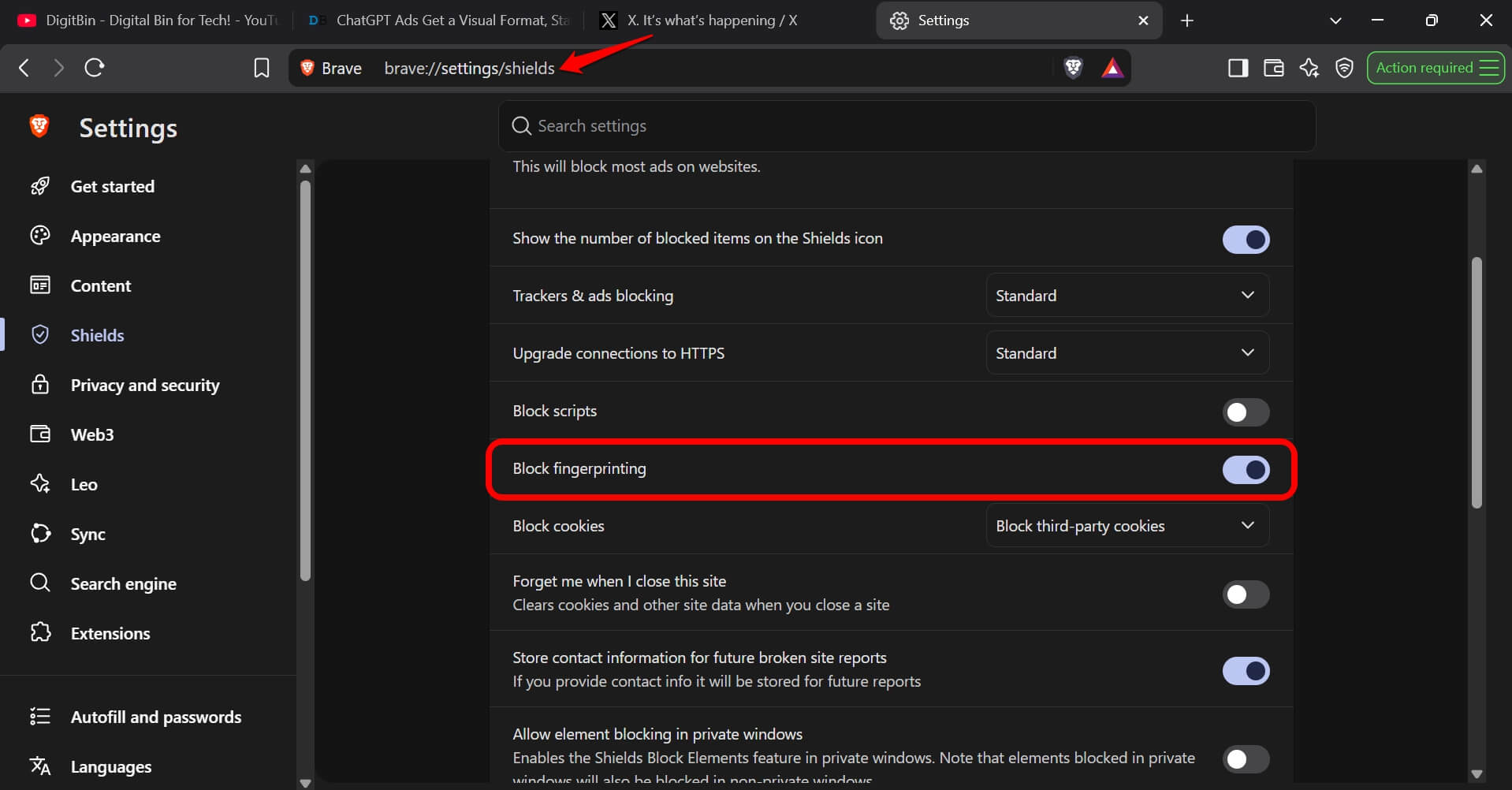
You notice it as the page settling faster, not as a number on a speed test. Brave also ships fingerprint randomization and a built-in Tor window, both aimed at people who specifically care about not being tracked across sites by anything more sophisticated than a cookie.
Fingerprint blocking can be accessed by visiting brave://settings/shields. It is enabled by default anyways.
Most people will never open the Tor window. It sits there for the minority who need it, without adding friction for everyone else. The one thing that catches new Brave users off guard is the optional crypto rewards feature, called Brave Rewards, which shows ads in exchange for a token reward if you opt in.
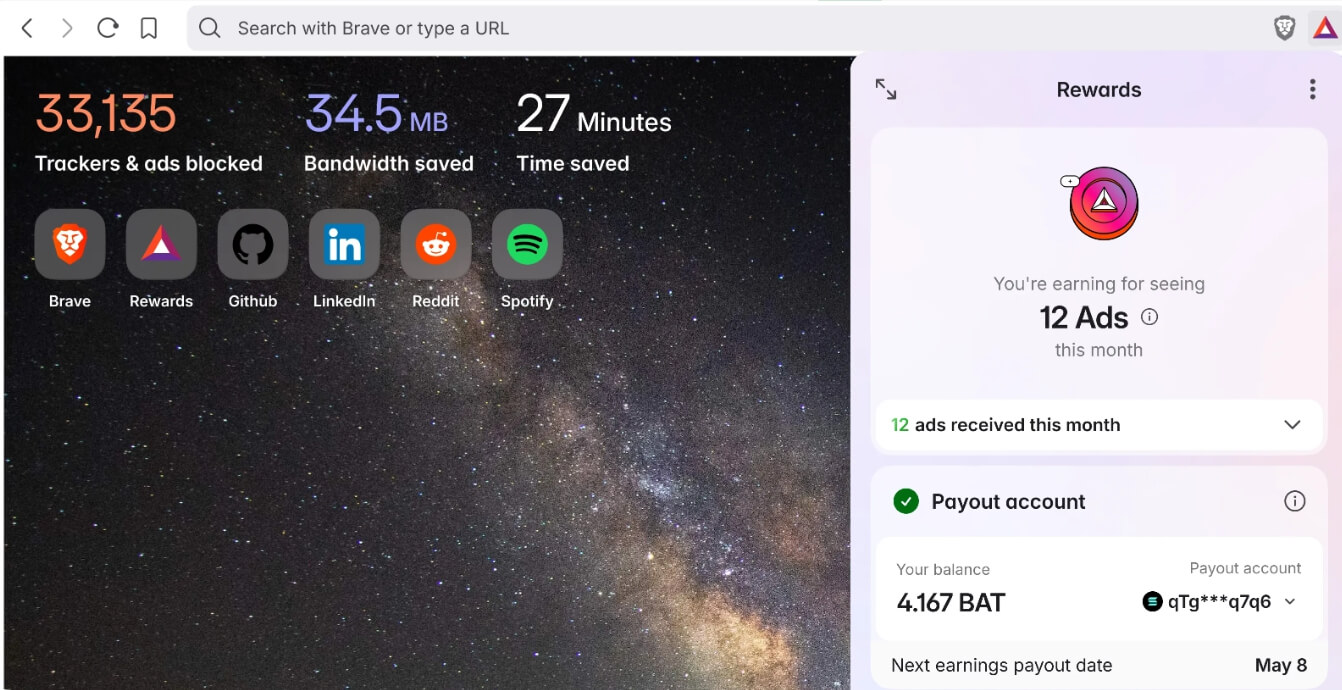
It is easy to ignore entirely and does not activate unless you turn it on, but the first-run prompt asking about it surprises people who did not expect a privacy browser to mention cryptocurrency at all.
Why some people choose Firefox even though it benchmarks slowest?
Firefox trailing in raw speed benchmarks is real and worth acknowledging rather than talking around. What it trades for that gap is being built by Mozilla, a non-profit whose revenue does not come from selling ad targeting. That distinction matters more to some users than others.
If your primary objection to Chrome is Google’s business model rather than any specific feature, Firefox addresses that directly in a way that Brave, which still depends partly on an ad and rewards ecosystem, does not fully replicate.

Firefox also uses a different rendering engine entirely, which keeps the web from becoming a monoculture built entirely around whatever Chromium happens to support. A small number of sites do render slightly differently on Firefox as a result, usually in ways you would only notice if you were actively looking for them.
Which one actually fits your browsing habits?
If your day runs through Google Workspace and you rarely think about tracking, Chrome remains the path of least resistance, and there is no urgent reason to change something that already works for you.
If you want less tracking with almost no adjustment period, Brave is the easiest switch available. Bookmarks and extensions import in minutes, and the daily browsing experience feels close enough to Chrome that most people stop noticing the difference within a few days.
Finally, if avoiding a single company’s ecosystem is the actual priority, Firefox is the only one of the three built by an organization not selling advertising as its core business, and that is worth the small speed tradeoff for people who weigh it that way.
Frequently asked questions
Is Brave actually as fast as Chrome?
Brave benchmarks close to Chrome and often feels faster in real use, since blocking ads and trackers before they load means pages finish rendering sooner.
Does Brave work with all my Chrome extensions?
Yes. Brave runs on the same Chromium engine as Chrome and installs extensions directly from the Chrome Web Store without any workaround.
Why is Firefox slower than Chrome and Brave?
Firefox uses its own rendering engine, Gecko, instead of Chromium, and it scores lower on raw benchmarks like Speedometer 3.1. The gap is small enough that most people will not feel it during normal browsing.
Do I need to worry about Brave’s crypto rewards feature?
No. Brave Rewards is optional and off by default. You can ignore the first-run prompt entirely and never interact with it again.
Which browser is best for privacy without giving up convenience?
Brave is the easiest switch for most people, since it blocks trackers by default while keeping Chrome’s extension library and requiring almost no adjustment period.