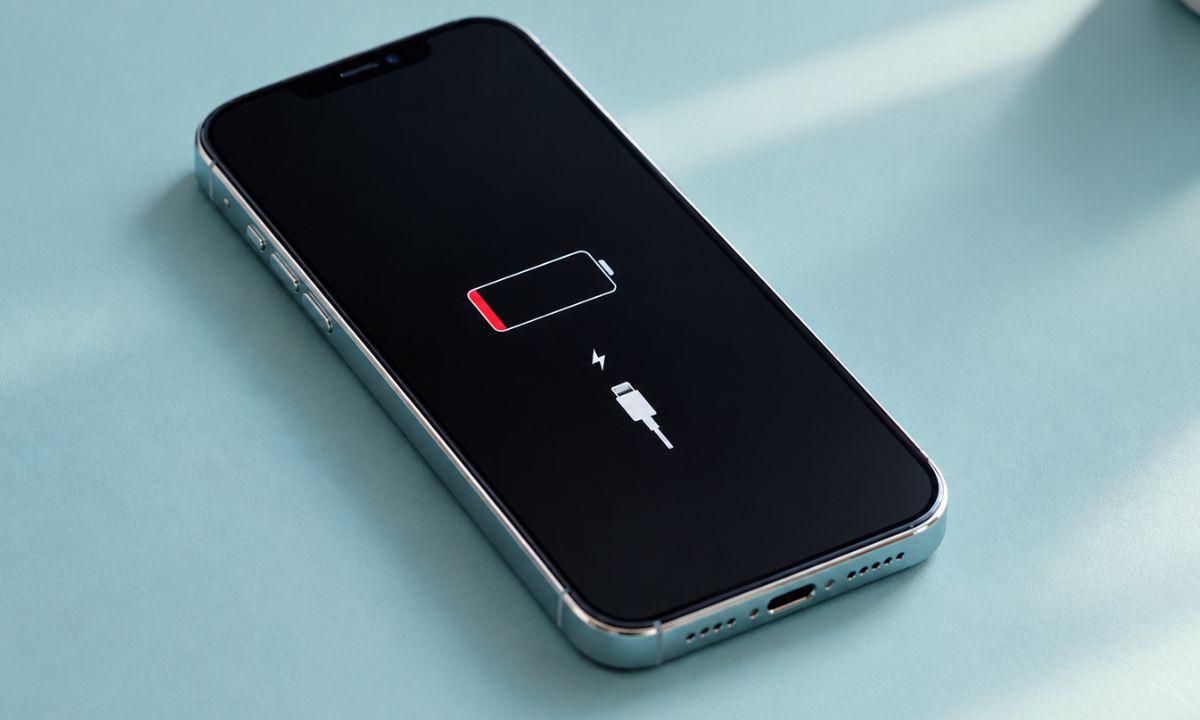
My phone hit 40 percent by 3 PM on the first full day after installing an iOS beta. Nothing had changed about how I used it. Same apps, features, and the same amount of scrolling in bed before sleep.
By the next few days, it was back to normal, landing around 25 percent at the same hour I used to see it. I have watched this exact pattern repeat across two iOS release cycles now, and it is not random.
iPhone battery drain after an iOS update is one of the most-searched complaints every fall, and Apple’s own support material quietly admits it is expected, not a defect. This article covers what is actually happening in those first 24 to 48 hours and which fixes are worth doing versus which ones just waste your time.
TL;DR: A battery drop right after an iOS update is almost always caused by background reindexing, not a broken battery. Spotlight search data, Siri voice data, and photo analysis all rebuild at once, and that process can run for 24 to 48 hours. If drain continues past two full days, the cause is usually a specific app rather than the update itself.
What iOS is actually doing behind the screen?
The moment an iOS update finishes installing, the phone does not just sit idle. It rebuilds the Spotlight search index across Mail, Messages, Photos, and every installed app. It re-scans your photo library for faces, objects, and scene data.
On devices that support Apple Intelligence, it can also reprocess data tied to the newer AI features. None of that shows up as a visible progress bar. The phone just runs warmer than usual and burns through charge faster, with no obvious app responsible when you check the iPhone Battery settings.
I noticed the heat before I noticed the percentage drop. The back of the phone felt warm sitting untouched on the desk, which was the first real sign something was working in the background.
How long does the drain actually last?
Based on what I have tracked across the iOS 26 cycle and the current iOS 27 beta, the pattern is consistent. Day one is the worst. Day two is noticeably better. By day three, the battery percentage usually lines up with pre-update numbers again.
Beta testers on Apple’s own developer forums describe the same arc: heavy drain and warmth on the first day, followed by a return to normal once indexing finishes.
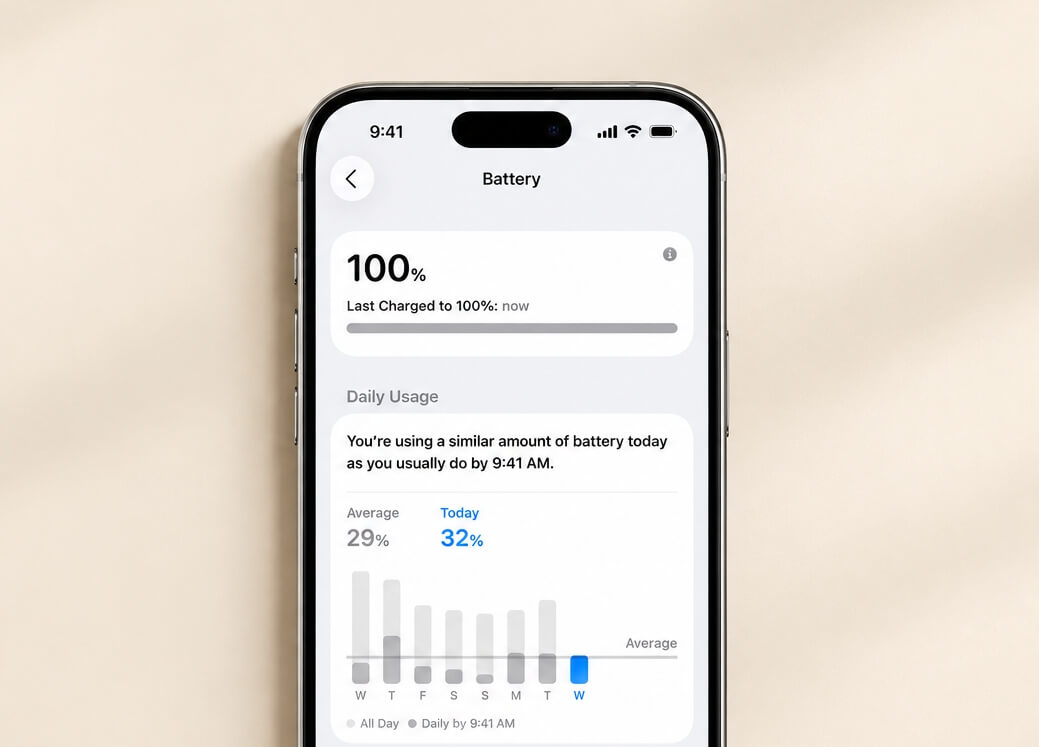
That timing lines up with what Apple states directly in its battery and performance guidance, which notes that a new software version can temporarily affect battery life while the system finishes background tasks.
Two days is the number worth remembering. If your battery is still behaving badly on day four or five, something else is going on.
| Day after update | What is normal |
|---|---|
| Day 1 | Noticeable drain and warmth, often 20 to 30 percent faster loss |
| Day 2 | Improving, still slightly worse than baseline |
| Day 3 and beyond | Should match pre-update battery behavior |
What is actually worth doing during those first two days?
Do not fight the indexing. Turning the phone off and on repeatedly, force-closing every app, or resetting settings during this window only forces iOS to restart parts of that background process.
Leaving the phone on Wi-Fi and plugged in overnight during the first night after updating lets most of the heavy indexing finish while you are not touching it anyway.
I stopped checking the battery percentage every hour during this stretch, mostly because watching it drop in real time was not actually useful information. Checking once in the morning and once at night told me everything I needed.
If you want to reduce daily drain permanently rather than just wait out the update window, a separate set of iPhone settings changes can meaningfully help, though those apply year-round rather than just after an update.
When it is not the update anymore?
Past the two-day mark, check Settings > Battery, and look at the app-by-app breakdown instead of the total percentage.
A single app sitting at the top of that list with unusually high background activity is a different problem than system-wide indexing. That usually points to an app that has not been updated for the new iOS version yet, or one with a bug in how it handles background refresh.
Offloading and reinstalling that specific app, rather than doing anything to iOS itself, tends to fix this faster than any general battery setting change.
Battery Health under Settings > Battery > Battery Health and Charging is also worth a quick look here.
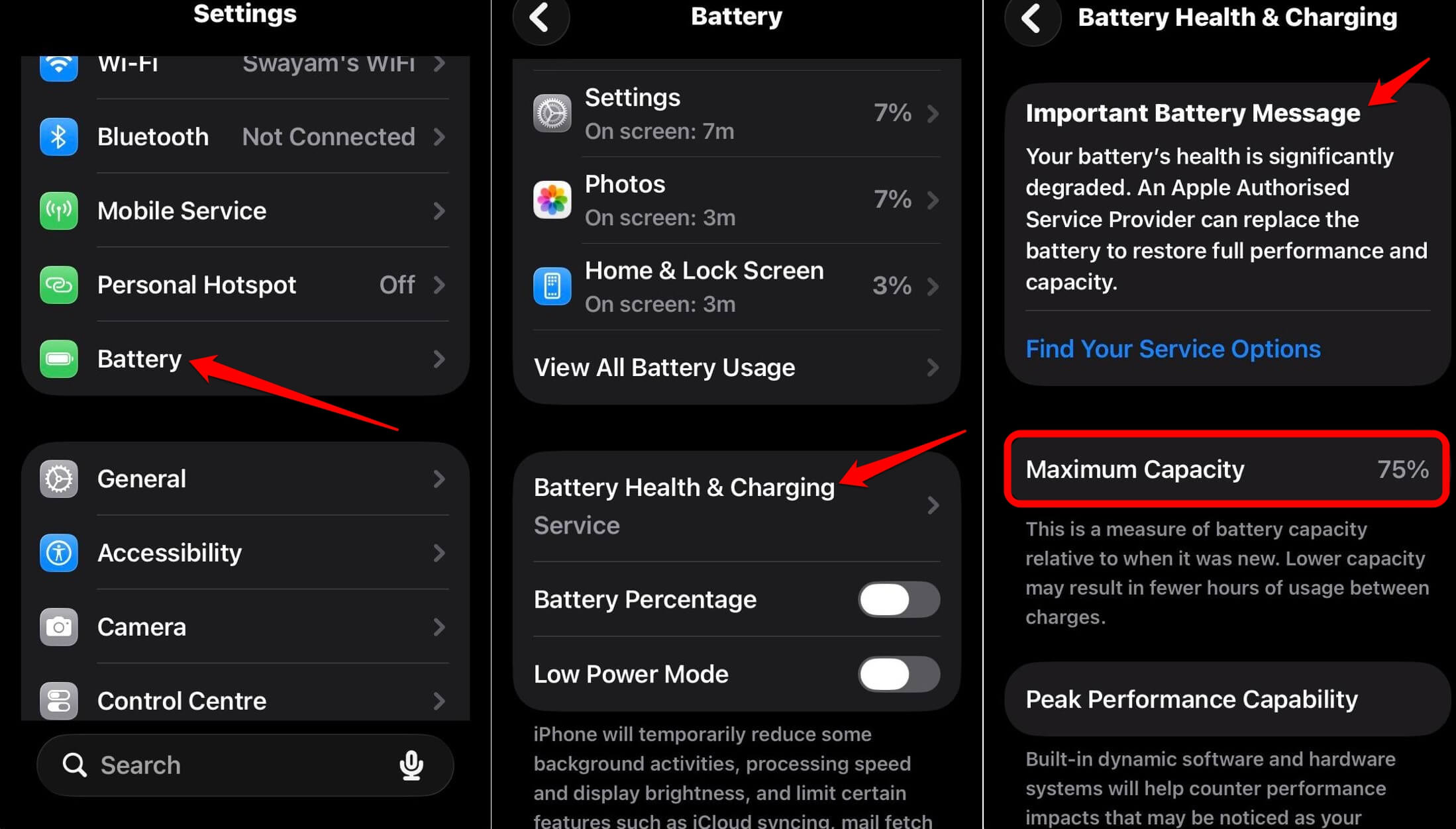
If Maximum Capacity has dropped noticeably and the drain persists regardless of iOS version, the update timing is a coincidence, not the cause.
Frequently Asked Questions
How long does battery drain last after an iOS update?
Usually one to two days. Most of the heavy drain comes from Spotlight and photo reindexing, which finishes within 48 hours for most people.
Should I restart my iPhone to fix the drain?
One restart is fine, but repeated restarts can actually restart the indexing process. It is better to leave the phone alone and let it finish.
Does this happen with every iOS update, including small ones?
Minor point updates rarely cause noticeable drain. This pattern shows up mainly with major yearly releases like iOS 27, where more system data gets rebuilt at once.
Is it normal for my iPhone to feel warm after updating?
Yes, for the first day. Background indexing uses the processor more than normal, which shows up as warmth even when the phone is sitting untouched.
What if the drain is still happening after four or five days?
Check Settings > Battery for a specific app using unusual background power. At that point, the update is likely not the cause, and the issue is app-specific instead.
What this means heading into the iOS 27 rollout
iOS 27 is expected to ship as a stable release shortly after Apple’s September 9 event, following the latest beta that landed on August 31. Anyone installing it the same week should expect the same few days of adjustment window described here to get the battery performance on track.
The update itself typically needs somewhere between 6GB and 9GB to download, with Apple recommending closer to 15GB to 20GB of free space to avoid installation problems, so it is worth checking storage before the drain conversation even starts.
None of this means the update is broken or that your battery is failing. It means the phone is doing real work you cannot see, and that work has a predictable end point. Give it a couple of days before checking out the battery for wear and tear.