Google pushed Chrome 151 to the stable channel on June 30, 2026, and the update closes 382 security holes, 15 of them rated critical. That is one of the larger single patch batches Chrome has shipped this year, according to Google’s own Chrome Releases blog.
Most security updates like this pass unnoticed, but the mix of components involved this time reaches into extensions, GPU rendering, Bluetooth, and Chrome’s own remote desktop tool, Chromoting, the kind of surfaces attackers actually chain together for full takeovers. If your browser has not restarted in a few days, this is the update worth doing that for.
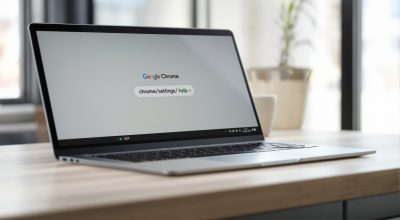
TL;DR: Chrome 151 is rolling out on Windows, macOS, and Linux with fixes for 382 vulnerabilities, including 15 critical use-after-free and type confusion bugs across extensions, GPU, WebUSB, Bluetooth, and Chromoting. A separate cluster of high severity bugs also hits Chromecast support. Nothing is confirmed as actively exploited yet, but the critical count is high enough that security researchers are treating this as a priority install. Restart Chrome or open chrome://settings/help to confirm you are already on the new build.
What Chrome 151 actually fixes
Chrome 151 fixes 382 vulnerabilities in total, and Google’s security team flagged 15 of them as critical severity, the browser’s top rating, reserved for bugs that could let an attacker run their own code on a machine without the person clicking anything obviously malicious. GBHackers published a full breakdown of the CVE list, and the affected components read like a map of Chrome’s most sensitive code paths.
Nine of the fifteen critical bugs are use-after-free flaws, memory errors where Chrome keeps using a piece of memory after it has already been freed for something else. Attackers can sometimes trick the browser into refilling that freed memory with their own data, then hijack the pointer that still references it. The rest are type confusion and input validation failures in Dawn, Chrome’s graphics API, and iOSWeb.
| CVE ID | Component | Issue type |
|---|---|---|
| CVE-2026-13774 | Extensions | Use after free |
| CVE-2026-13775 | GPU | Use after free |
| CVE-2026-13778 | WebUSB | Use after free |
| CVE-2026-13779 | Chromoting | Use after free |
| CVE-2026-13785 | Bluetooth | Use after free |
| CVE-2026-13782 | Browser | Use after free |
| CVE-2026-13788 | Fullscreen | Use after free |
The bugs that matter most for everyday use
WebUSB and Bluetooth sound like developer features, but both run quietly in the background of ordinary browsing sessions the moment a site requests device access, for a game controller, a security key, or a smart home gadget. CVE-2026-13778 sits directly in that WebUSB code path, and CVE-2026-13785 does the same for Bluetooth. Neither requires the person to install anything. They just require the browser to process the wrong sequence of device signals.
Chromoting is a smaller piece of Chrome most people never open, the code behind Chrome Remote Desktop. Two critical bugs, CVE-2026-13779 and CVE-2026-13787, land there. That matters more for offices than living rooms. Businesses that let employees remote into work machines through Chrome are exactly the environment where a memory corruption bug in remote access code turns into full session takeover. If you rely on Chrome extensions for daily browsing, the six extension related fixes in this release are worth the same attention, since a malicious or compromised extension is still the easiest way for any of these bugs to reach a real device.
Chromecast bugs pile up in the same release
Chromecast support picked up its own cluster of problems this cycle. Nine separate high severity CVEs, numbered 2026-13796 through 2026-13804, cover integer overflows, heap buffer overflows, and use-after-free bugs in the casting code. None are rated critical individually, but nine related bugs in one feature is not a small number, and casting is a feature people use constantly without thinking about it twice.
That volume in one subsystem is the detail most coverage of this release will skip. A single critical bug gets headlines. Nine connected bugs in the same feature usually means a researcher went looking specifically at Chromecast and kept finding more, which is a different kind of signal about how much attention that code path was getting before this patch cycle.
How to confirm your Chrome is already patched
Chrome usually updates itself in the background and only needs a restart to finish installing, so the fastest check is opening a new tab, typing chrome://settings/help, and letting the page run its own version check. It will either confirm you are current or start the update immediately. Closing and reopening the browser after that finishes the job.
Managed work computers are the exception. IT departments often control Chrome’s update schedule through enterprise policy, which means some office machines will not receive Chrome 151 the moment it ships. Given the Chromoting and extension bugs in this batch, this is a release worth asking about directly rather than assuming it rolled out automatically.