Instagram recently released a new feature, where you can delve into your friends or mutuals’ content, and vice versa. Sounds scary, right? Your private activity is now open to everyone you follow. The new friends tab is live on Reels. If you like a post, comment, or share it as a repost (two arrow-shaped squares), it will be visible to them.
The position of the Repost button is where the comment button was, and like me, many of you might have accidentally clicked it. If you are wondering how you can get rid of this option, there are a few limitations set in place. You can disable Repost on your reels, but you cannot control others. But fortunately, if you have accidentally made a repost and want to undo it, you can.
What is the Friends Tab on Instagram Reels?
If your mutual friends, with whom you interact very often, like a reel, comment, repost, or create any reels, it will show up in the Friends Tab. Also, sometimes you will see reels from people you might not know, but are mutual. The good thing is, Instagram does allow you to hide your activity, including your likes and comments, from showing up in your Friends Feed.
There is no permanent option to disable the Repost button; it is a feature like the ‘comment’ and ‘like’ buttons that will stay. So the only option is to get habitual to the new design.
How to Undo the Repost on Instagram?
If you have accidentally or willingly used the repost button and are looking to unrepost, then it is pretty easy.
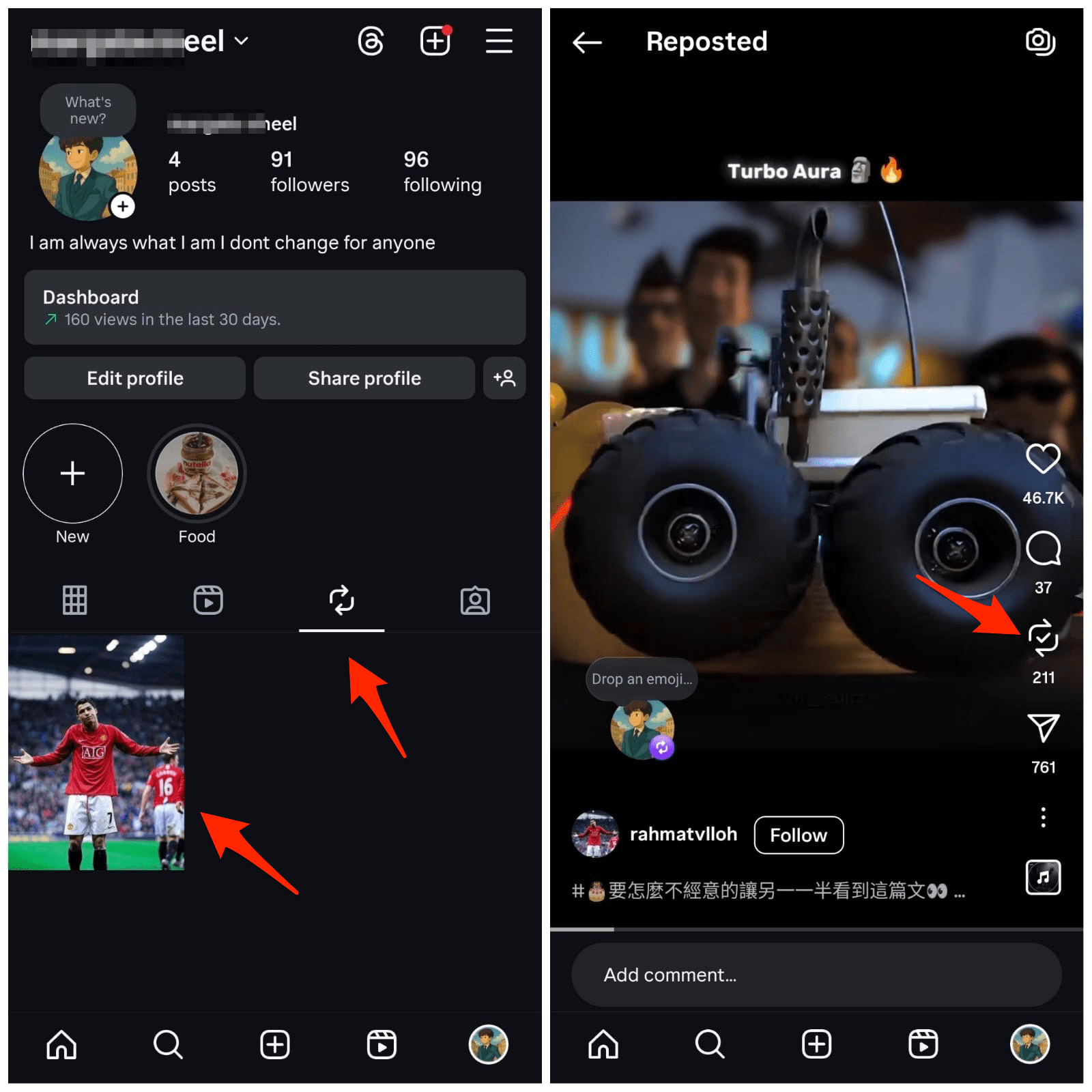
Go to your profile page, click on repost tab. You will find all the posts that are being shared with your friends on Instagram. Click on the repost option again, and the post will be undone.
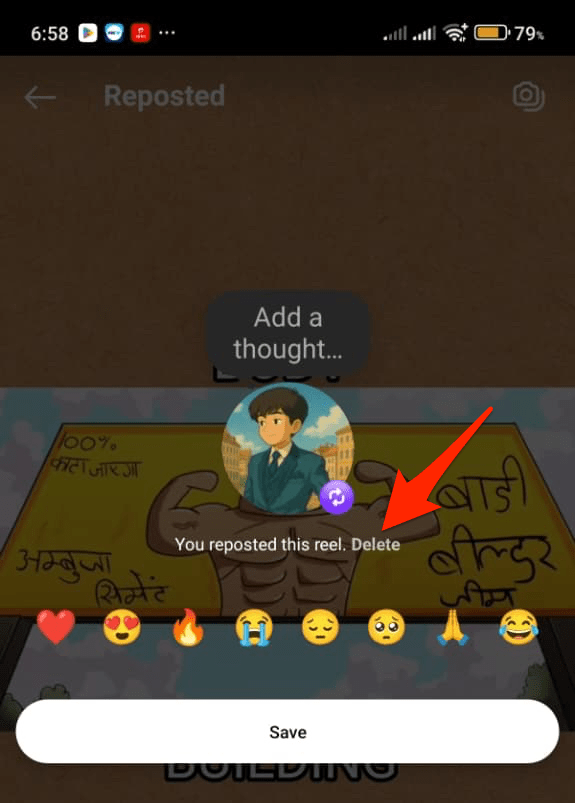
You can also click on the repost button, bottom left, and click on the delete option.
How to Remove the Repost Button for Your Instagram Reels?
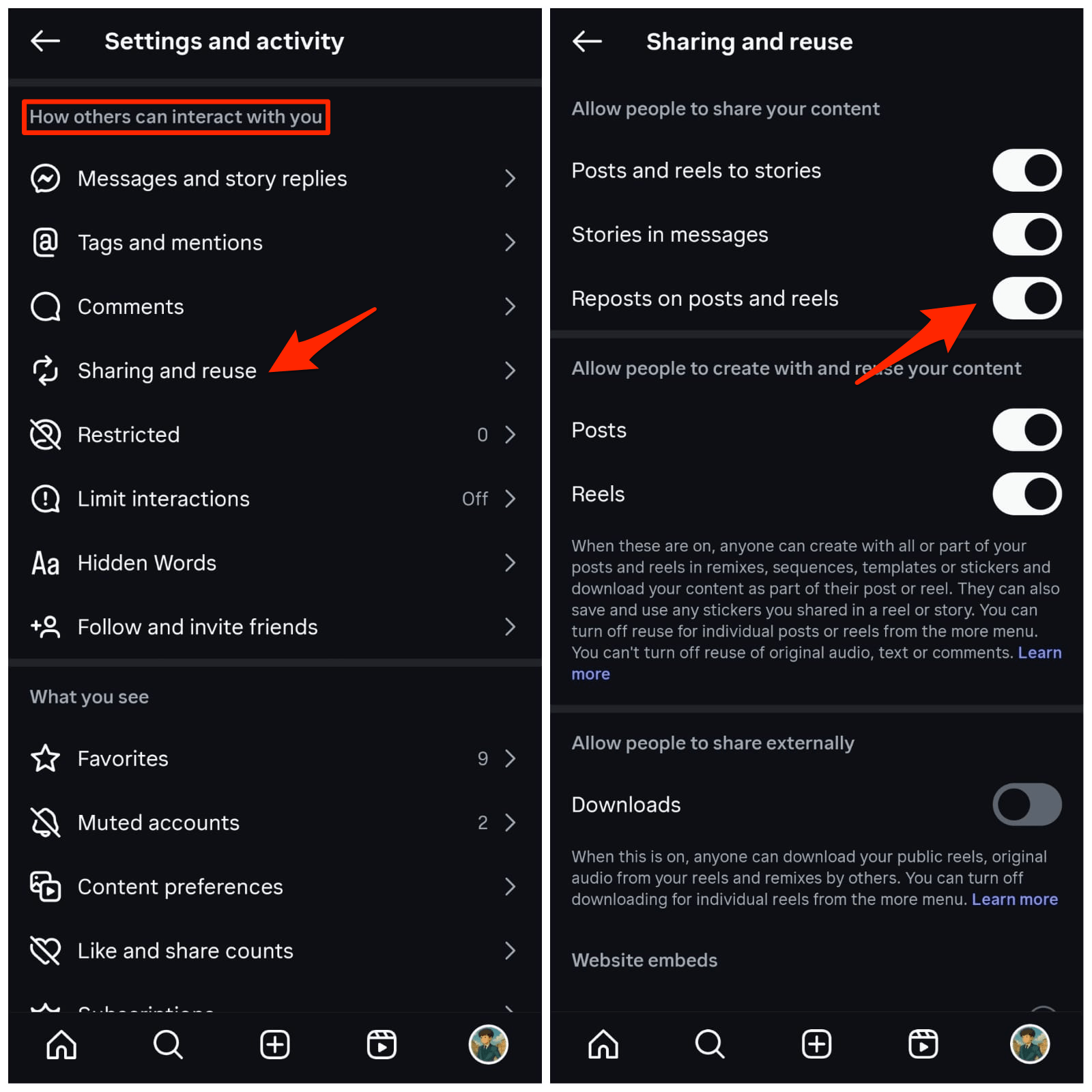
Though you cannot permanently remove the Repost button from the reels, you can stop others from reposting your reels. The steps work for the iOS and Android for the Instagram app.
- Open Instagram.
- Click on the profile icon.
- Tap, hamburger menu option.
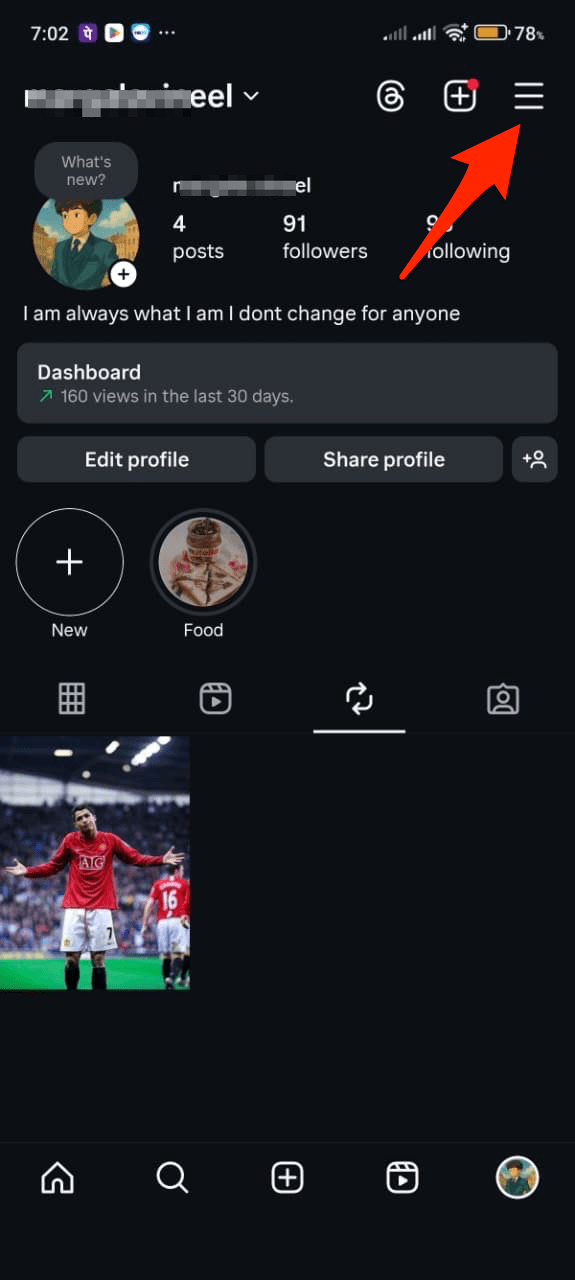

- Look for the option named Sharing and reuse.
- Here toggle off Repost on posta and reels.

Disable your Likes and Comment Activity in the Instagram Friends Tab
What if you want to hide your likes and comments activity on Instagram, so that no one else can track what you liked or commented on in the Friends Tab? Follow these simple steps, which work for both Android and iOS.
- Open the menu option.
- Now, scroll down to the Who can see your content section and tap on the Activity in the Friends group.
- Now select No one to prevent your likes and comments, and all other posts to your friends.
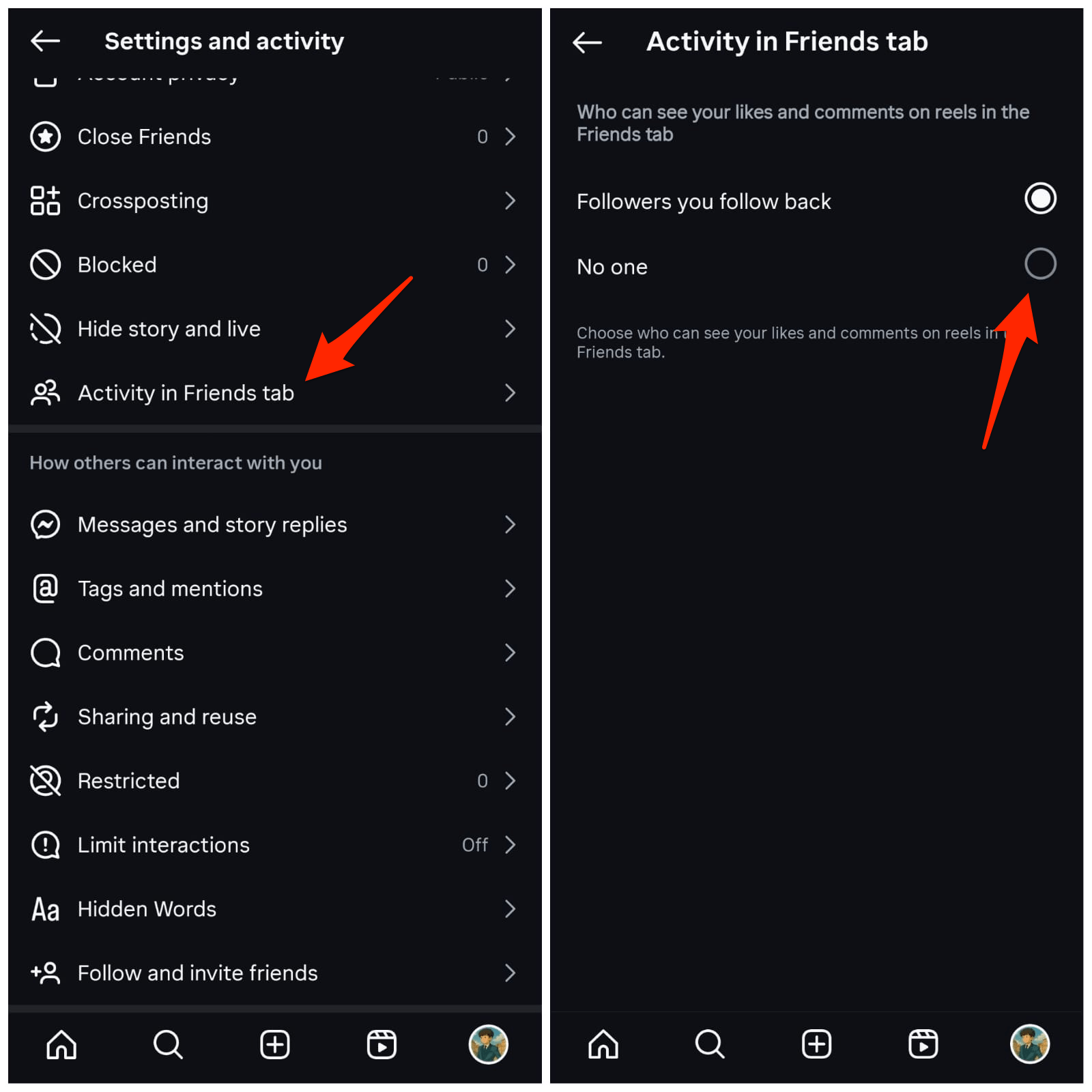
This is how you can hide your activity in the Instagram Friends Tab. This can be a serious concern, as what you like, comment on, or repost can be visible to your mutual friends in a curated list.
While this activity was available earlier but Instagram made it more sophisticated. Your friends might discover your interests directly from their Instagram feed.
Instagram Friends Tab & Repost Feature – FAQs
1. What is the Friends Tab on Instagram Reels?
Friends Tab is the reels section where you can see content from your close friends when they like, comment, repost, or create any reels.
2. Can I remove the repost button from Instagram Reels?
Report option is a permanent feature similar to likes and comments; it cannot be removed for all the videos you see, but you can remove the option for your content.
3. How to Undo the Repost on Instagram?
On your profile page, click on the Repost tab. You will find all the posts that are being shared. Open the post, click on the repost option, and the repost will be undone.
4. How to Remove the Repost Button for Your Instagram Reels?
Open menu option. Look for the Sharing and reuse, and toggle off Repost on posts and reels.
Conclusion
The new feature of Instagram that allows you to repost videos to your friends’ timelines is fun, but at the same time, it could pose a risk if you unknowingly share a video, as it will be visible on the Instagram friends tab. Though there is no direct option to disable the repost button for all the videos you watch on Instagram, fortunately, there is an easy solution where you can remove the repost that you shared. So, the only option is to get habitual to the new design.
If you've any thoughts on Can you get Rid of Repost option in Instagram?, then feel free to drop in below comment box. Also, please subscribe to our DigitBin YouTube channel for videos tutorials. Cheers!