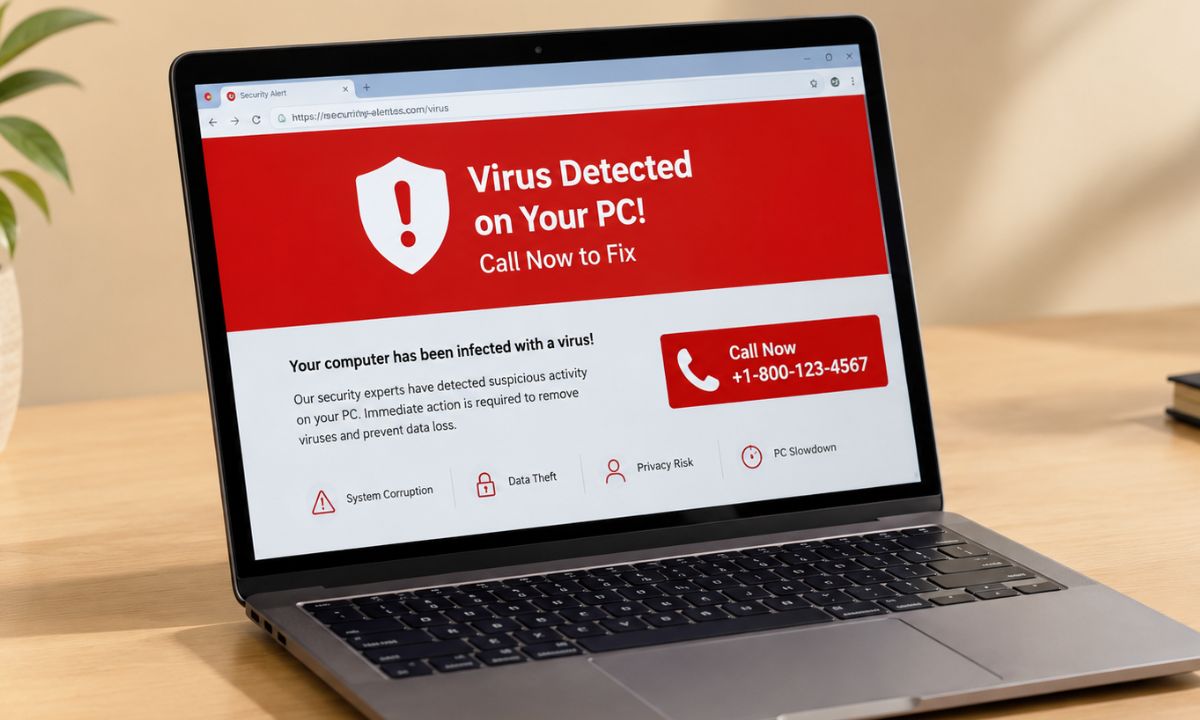
You are halfway through browsing a webpage when the page turns red, and a siren starts looping. A box labelled “Windows Defender” says your PC is locked, and a phone number sits in the middle of the screen.
A fake virus pop-up with a phone number is a web page, not a notification from your computer. When I was unaware of the bad side of the internet back in my high school days, I used to reach for the X in the corner, which is exactly what the page wanted to do to pull me deeper into the scam.
Unfortunately, such scams still plague the web, and unsuspecting folks fall for them. To safeguard yourself from such virus warning scams on webpages, I would suggest you follow what I have explained in this write-up.
TL;DR: A fake virus pop-up with a phone number is a browser page built to scare you, so you can shut it without touching anything inside it. Press Alt+F4 on Windows or Command+Q on a Mac, and end the browser from Task Manager if it refuses. Do not call the number, and say no when the browser offers to restore your last session.
How to close a fake virus pop-up safely?
On Windows, press Alt+F4 to close the browser window the pop-up lives in. On a Mac, Command+Q quits the browser entirely. If the page has gone full screen, Esc or F11 keys usually bring the toolbar back, and then Ctrl+W closes the tab.
Leave the Close, Cancel, and OK buttons inside the warning alone, since the page decides what they do. Clicking any buttons inside the warning will open the door for problems. You may end up downloading malware, or may get redirected to other scammy website pages.
Still stuck? Press Ctrl+Shift+Esc to open the Task Manager, right-click on the browser under Apps, and choose End task. Our guide to Windows 11 hidden features covers a few more things that Windows can do.
The browser may then offer to restore your previous session. Say no, or the same red page loads straight back, and you feel briefly like nothing worked.
| Device | Try first | If it will not close |
|---|---|---|
| Windows PC | Alt+F4 | Ctrl+Shift+Esc, then End task |
| Mac | Command+Q | Option+Command+Esc, then Force Quit |
| Android phone | Close the tab from the tab switcher | Swipe the browser away in recent apps |
| iPhone | Close the tab from the tab switcher | Swipe the browser away in the app switcher |
Why does a web page look like a locked PC?
A fake virus pop-up is a website using full-screen mode, a looping alarm, and a missing close button to pass as a system lockout. The noise is deliberate, because it rushes you before you read anything properly.
Usually, such fake virus warnings have a phone number on them that tells you to call tech support through that. DO NOT call that number or click any link that promises tech support. Even the FTC says to ignore a pop-up like that.
A real Windows Security alert shows up in the Windows Security app or as a system notification. If the warning sits inside a browser tab with a web address above it, it is a website, and a website has no business announcing what is wrong with your files located deep inside your device storage. That’s the most logical way to look at this scam.
Modus Operandi of fake virus alerts on webpages
Let’s see how exactly the fake virus alert scam you come across on webpages operates. The virus alert page exists to get you onto a phone call, and the call is where the damage happens.
The scammers would ask for remote access to your computer. If you give them that access, they will quietly install malware that can provide them access to your usernames and passwords.
That is why dialling the phone number on the fake virus detected page is the dangerous part. Once the browser is closed, the pop-up itself has cost you nothing.
Always remember that genuine software warnings do not usually come with a helpline and a countdown. Also, warnings regarding any software or PC app technically should reflect in your email account that you have used to sign in to the app.
The same scam happens on smartphones
On Android and iPhone, it is the same trick in a smaller window, often a “virus detected” banner with a call or install button. I remember coming across that in the Chrome browser on many occasions in the past when I was new to using smartphones.
Here is the best course of action you can follow. Close the tab from the browser tab switcher instead of tapping anything on the page.
Do not panic when you hear the alarm. That’s exactly what the scammers want you to do. Hasten you up, tap on something, or call the phone number if you are unaware enough about these scams.
If the browser itself freezes, force-close the app from recent apps and reopen it. A banner on its own is not an infection, but an app you install because of one can be, and our Android virus removal guide linked below covers that cleanup.

What to check after the pop-up is gone?
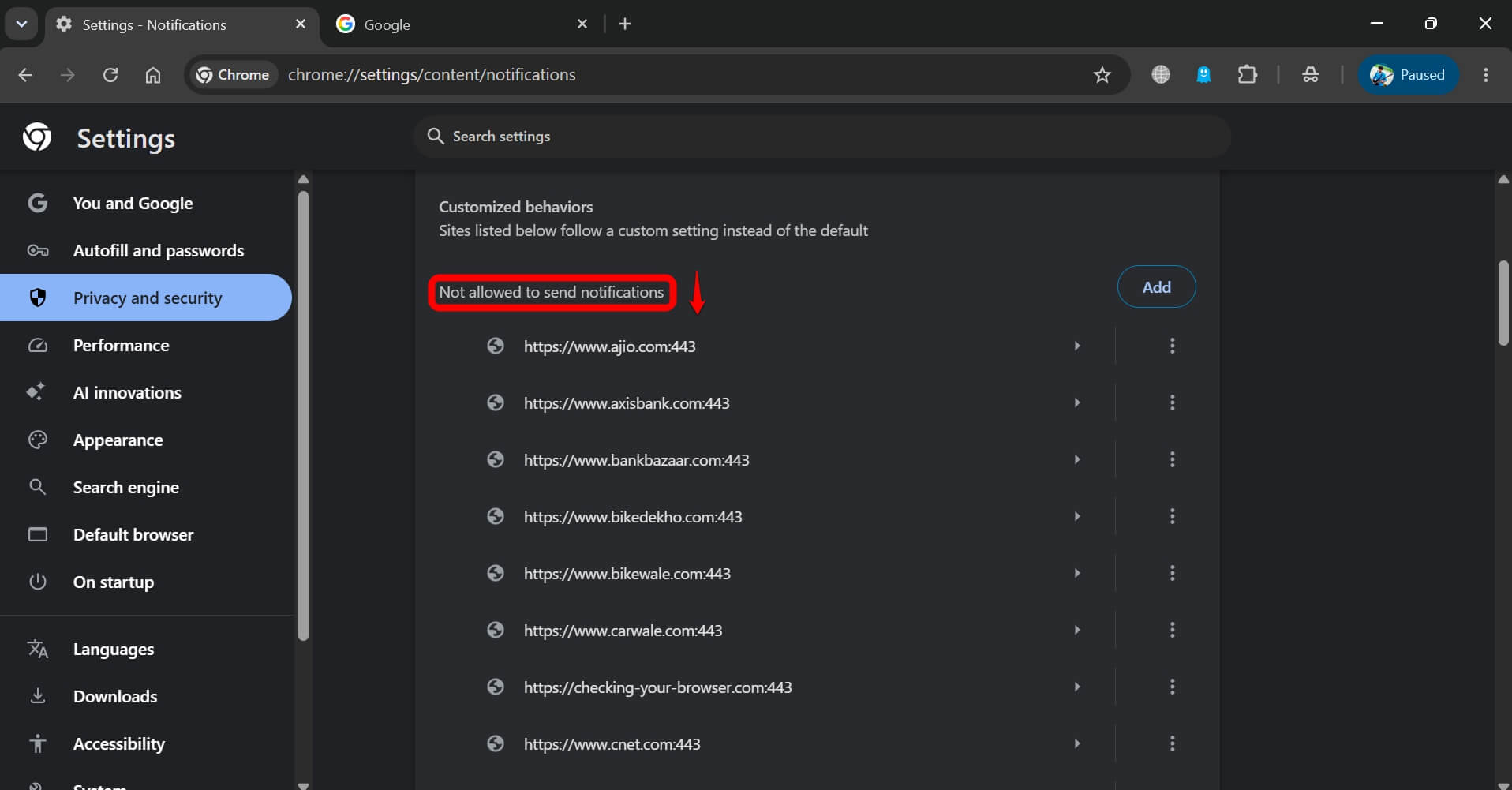
Check notification permissions first, because a site you once allowed can keep pushing fake alerts to your desktop.
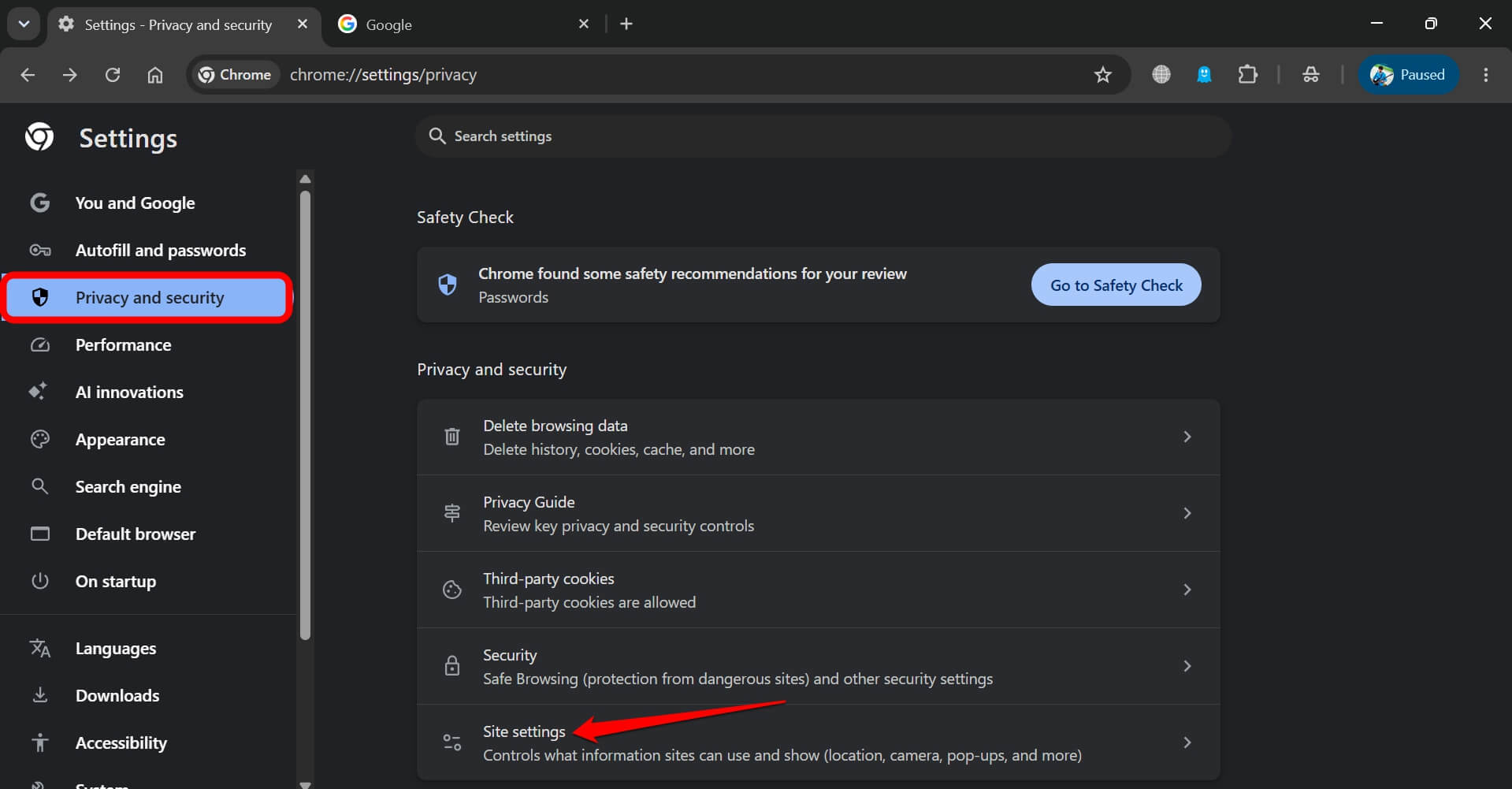
- Go to Chrome://Settings > Privacy and security > Site settings

- Then go to Notifications and remove anything you do not recognize.

Then look through your extensions for anything you never installed. It feels like overkill after a false alarm, but it takes two minutes to remove potentially suspicious extensions you don’t remember installing.
You may repeat the above drill for any prominent browser you use other than Chrome. They all usually have similar settings.
If you only closed the page, a quick scan in the Windows Security app is a sanity check just to ensure that you did not download any malware that got downloaded after the click.
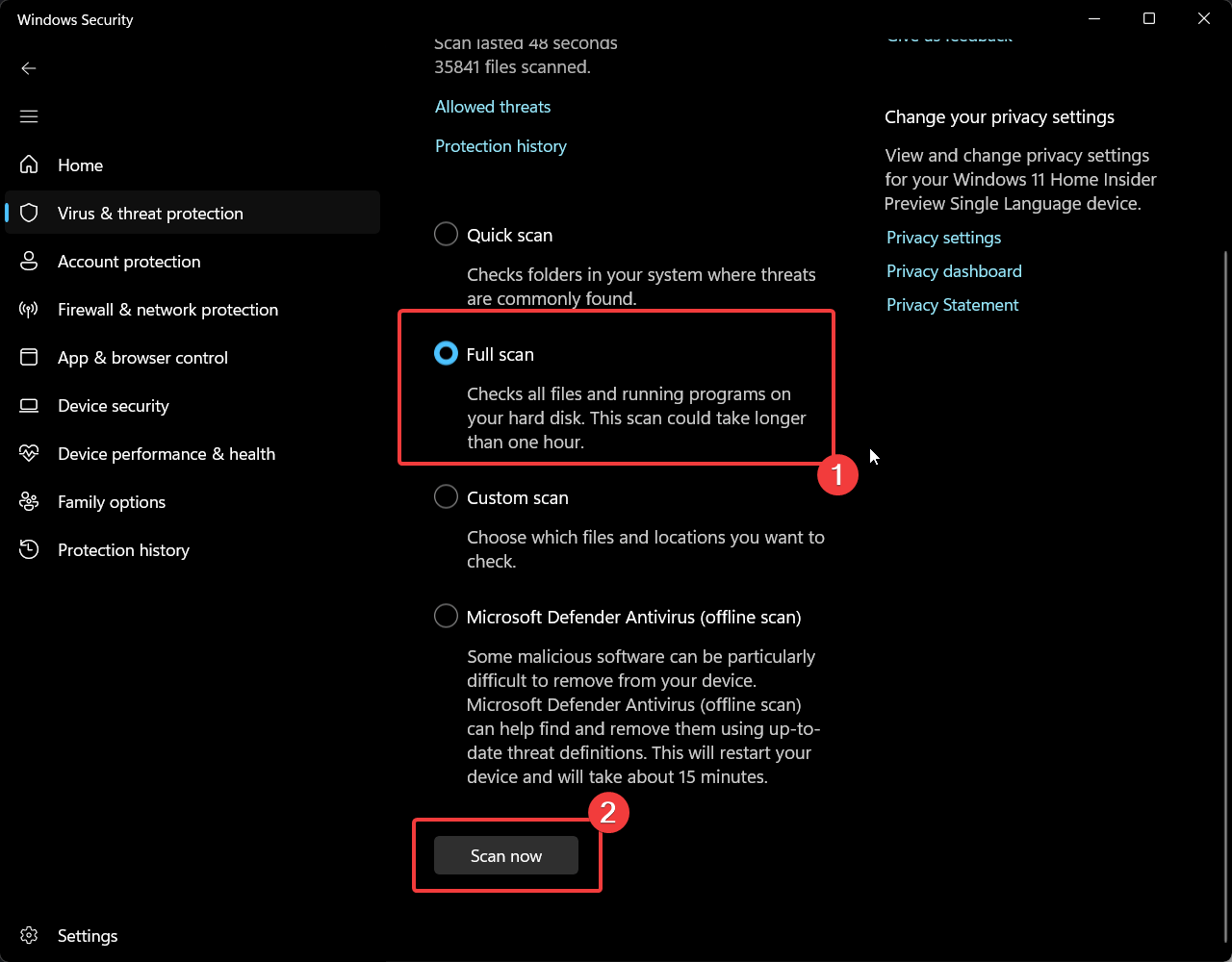
If you clicked a button, typed anything, or downloaded a file from it, running a full scan is highly recommended.
What if you already called the number?
Let’s also look at the worst-case scenario. If you unsuspectingly made a call to the phone number appearing on the fake virus alert page, hang up immediately.
Do not let anyone connect to your PC. Microsoft says you should only let a helper connect if you started the contact with Microsoft Support or your own IT staff.
If someone did get in, disconnect the PC from the internet and change your passwords from a different device. Then report the incident at ReportFraud.ftc.gov, and never pay for any repair, however friendly and convincing the voice may sound.
Frequently Asked Questions
Does a fake virus pop-up mean my PC is infected?
No, a fake virus pop-up is a web page and not a scan of your PC. It only becomes a problem if you clicked, called, or downloaded something from it.
Can I just click the X on the pop-up?
The X belongs to the page, so it can do whatever the page wants. Alt+F4 on Windows or Command+Q on a Mac closes the browser without involving the page.
Why does the pop-up come back every time I open the browser?
The browser is most likely restoring your last session, or a site has notification permission. Decline the restore prompt and remove unknown sites from your notification settings.
Don’t fall for the age-old phishing trick
The “virus-detected” scam webpage always returns with a different logo, a different number, and probably a more awful-sounding siren. The trick underneath remains the same.
A real warning does not ask you to call anyone. Do not panic, close the webpage, let your pulse settle, and you will be fine.