Update JioFi Firmware
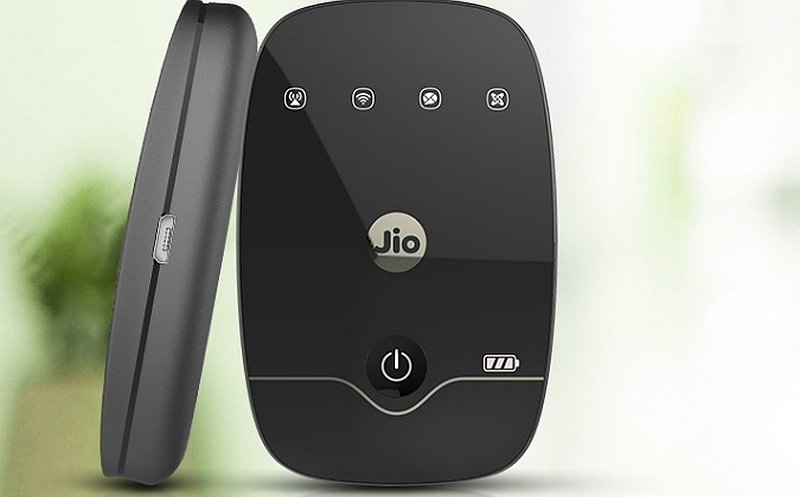
The Reliance JioFi Mi-Fi device comes with a free Jio 4G SIM. The device has a Good battery. In the box, you have a charger and USB cable. Apart from using as a Wi-Fi hotspot, the JioFi also offers to make HD voice and video calls with the help of JioJoin app in Wi-Fi connected smartphones. In this tutorial, I will tell you how you can update your JioFi firmware for JioFi 2, 3 or any other JioFi device.
Important Notes:
There is no special place where you can find the firmware for your device. You need to Google Search to find the one for your device. The Firmware is with .bin extension.
Step 1. Open browser in PC/Mac/Android and open address: http://jiofi.local.html/index.htm or you can even try the IP address of the JioFi
Step 2. Now login with your account credentials.
Step 3. Here click on Firmware. You find it under settings of your local HTML site.
Step 4. Now here you will see Configuration Backup.
Step 5. Tap on Backup and backup the JioFi settings and basic info.
Step 6. Now once done, click on ‘Browse’ and locate the latest JioFi Firmware downloaded on your computer system.
Update JioFi Software
Step 7. Click on the firmware file and tap on Upgrade to start the Update process.
Step 8. The JioFi device updates pretty quickly and after a while, your device will automatically reboot.
Step 9. Now you can enjoy the latest version of your JioFi firmware and fix all the Bugs on your device.
Firmware Links:
For Hardware Version: FXN_JMR520_V3.0
Note & Conclusion: I hope the post was helpful. Do comment for any assistance if needed.


View Comments
Authentication error occurring while connecting the JioFi2 to mobile. How to solve this problem?
jio fi 2 VERSION CHECK fail and also i have set my WPSK2 setup what should i do its been wrong from 3 to 4 days its red signal indicator blinks and i did check sim whether it is fail but it works well and i also have reset my router several times but it wont work please suggest me a way to fix it sir.
replace the sim its free of cost ,then it will work